Excel still tops tech hiring wish lists. A 2025 scrape of 12 million U.S. job ads found 531,000 mentions, almost eight times Python and ten times SQL.
Pay moves in lockstep: professionals who add a verified advanced-Excel credential earn about 12 percent more than peers in identical roles.
The hitch? Many “advanced” courses froze in 2016, skipping dynamic arrays, XLOOKUP, Power Query, and Python-in-Excel. We reviewed more than 40 syllabi, update logs, and 2,000 learner reviews to spotlight programs that stay current.
Nine options cleared the bar, from a four-hour weekend primer to Microsoft’s proctored certification exam.
Read on to:
- Choose the right learning path in under a minute,
- Compare costs, credentials, and feature coverage side by side, and
- Pick the training (or exam) that will still matter when the next Excel release ships.
Open a blank workbook, and let’s begin.
How we picked the stand-outs
Our first filter was simple: Would this program still matter after Excel’s next major update? Anything stuck in pre-365 techniques, such as endless VLOOKUP demos, was cut.
We then scored each remaining course against a five-factor rubric designed to mirror real-world impact:
- Curriculum depth and Microsoft 365 relevance – 30 percent
- Instructor pedigree (Microsoft MVP status or university faculty) – 20 percent
- Cost-to-value ratio – 20 percent
- Learner satisfaction drawn from 500+ public reviews – 15 percent
- Content freshness updated in 2024–2025, not 2019 – 15 percent
Only nine programs cleared the threshold. They range from a four-hour weekend sprint to a 100-hour university specialization, yet every one teaches the features recruiters now expect. Demand supports the rigor: Excel appears in roughly 531,000 U.S. tech job listings, eclipsing Python’s 67,000 mentions, according to a 2025 Business Insider analysis. A GoSkills survey the same year found that professionals with an advanced-Excel credential earn about 12 percent more than peers in identical roles.
Right after this section you’ll see a quick decision path that points to the segment matching your goal, followed by deep-dive reviews on strengths, quirks, and hidden costs for each course.
Pick your lane in 30 seconds
Answer the prompts below, then jump to the matching section.
- I need a credential employers recognize on sight.
Go to “University-Backed Deep Dives.” - Depth matters more than speed; I can handle a semester-style workload.
See “University-Backed Deep Dives.” - Deadlines loom, and I need wins by Monday.
Open “Flexible Subscription Paths.” - Formulas run my day-to-day models.
Check “Finance-Centric, CPE-Approved Training.” - I want proof under exam conditions.
Skip to “Certification and Exam Options.”
Choose one path, or combine two, to match your goals. Each upcoming segment appears in the same order listed above, so you can scroll straight to your best fit.
Segment A: flexible subscription paths for busy generalists
Need results this week, not next quarter? The two options below run on low-commitment monthly plans. Finish a module during lunch, cancel when you’re done, and keep the skills.
1. GoSkills “Microsoft Excel 365 – Advanced” (Instructor Ken Puls, Microsoft MVP)
GoSkills Advanced Excel Course distills modern Excel into 36 bite-size lessons (≈ 3 h 18 m video). Learners rate the course 4.7 across 1,300 reviews, and it has 2,300 active enrollments as of 2025. Topics jump straight to XLOOKUP, dynamic arrays, Power Query, and time-saving macros.
Pricing: Seven-day free trial, then US $39 per month (US $21 on an annual plan). Complete the content in the trial window or first paid month to earn a 14-hour CPD certificate at minimal cost.
Ideal for: Professionals who already know SUMIFS and need a fast refresh on the latest Microsoft 365 features without long lectures.
2. LinkedIn Learning “Master Microsoft Excel” learning path
This curated path strings nine courses, 14 hours total, around formulas, PivotTables, Power Query, and dashboards. Each course is taught by recognized trainers such as Excel MVPs Dennis Taylor and Oz du Soleil, and new lessons appear within weeks of major Microsoft 365 updates.
Pricing: First month free, then US $39.99 per month. Complete the path inside the trial to pay nothing, or keep the subscription to explore the wider LinkedIn Learning library. Finishing unlocks a “Master Microsoft Excel” badge that displays automatically on your profile.
Ideal for: Job seekers who value LinkedIn visibility as much as the skills gained and learners who prefer modular videos they can watch between meetings.
Segment B: university-backed deep dives
3. Coursera “Excel Skills for Business” Specialization – Macquarie University
Macquarie’s four-course sequence runs about 100 hours and uses the latest Microsoft 365 interface from the first lesson. Students practice XLOOKUP, dynamic arrays, Power Query, and light VBA before building a full dashboard in the capstone. With 4.9 starfrom 47,000 reviews (2025 snapshot) and 630,000 enrollments, the program pairs academic structure with real-world tasks.
Typical cost: Roughly US $150 if finished in three months under Coursera’s monthly plan.
Best for: Learners who want a recognized university name and a semester-style workload that rewards mastery over speed.
4. Coursera “Business Analytics with Excel” – Johns Hopkins University
Over 23 hours of content, Johns Hopkins uses Excel to teach regression, Monte Carlo simulation, and Solver-based optimization. Each assignment ties theory to a business scenario, such as forecasting seasonal sales or balancing a marketing mix. Complete the course in a month and earn a certificate with the Johns Hopkins seal for about US $50.
Prerequisite: Comfort with everyday Excel tasks; the syllabus assumes you can already filter, pivot, and audit formulas.
Best for: Analysts who care more about statistical insight than interface shortcuts. Pair it with a modern-features course if you also need Power Query or dynamic arrays.
Both university tracks issue certificates that drop directly into LinkedIn, and both update their workbooks for Microsoft 365. Choose Macquarie for depth and structured pacing; pick Johns Hopkins for a focused analytics sprint.
Segment C: one-time purchase courses for dedicated power users
Prefer lifetime access over monthly fees? The two Udemy programs below provide permanent, auto-updated content for a single payment, ideal if you want a searchable reference library you can revisit whenever a spreadsheet crisis hits.
5. Udemy “Microsoft Excel: Beginner to Advanced” (Instructor Kyle Pew)
Kyle Pew’s bestselling Udemy course delivers 19 hours of video that scale from worksheet basics to nested INDEX-MATCH, dynamic arrays, and introductory macros. Thanks to Udemy’s lifetime-access model, every new Excel feature such as TEXTSPLIT, LET, and Python-in-Excel appears in your dashboard at no extra cost.
Social proof: As of August 2025 the course holds a 4.6 star rating from more than 503,000 reviews and counts 1.67 million enrollments. The Q&A forum is active, so most “why won’t my XLOOKUP spill?” moments already have threaded answers.
One-time price: Udemy’s rolling promotions routinely drop the fee to about US $20. Because updates are included, the cost per future hour of new content trends toward zero.
Choose Pew’s course when you want a permanent, low-cost encyclopedia of Excel techniques you can search the moment a spreadsheet crisis hits.
6. Udemy “Excel for Data Analysis and Visualization” (Instructor Leila Gharani)
Leila Gharani compresses 12 hours of video into a step-by-step build: import messy CSVs, shape them with Power Query, model millions of rows in Power Pivot, then surface insights with interactive charts and slicers.
Social proof: As of February 2025 her dashboard course (“Visually Effective Excel Dashboards”) holds a 4.7 starrating from 21,300 reviews and counts 103,000 students. New lessons, such as dynamic arrays, arrive within weeks of their Microsoft 365 release.
Cost and access: Udemy sales frequently drop the one-time fee to about US $20. Lifetime access means every future Python-in-Excel or Copilot demo lands in your library free.
Ideal learner: Comfortable with basic formulas and PivotTables, eager to replace manual report building with automated refreshes. VBA fans should look elsewhere; this track is code-free analytics.
Choose Gharani’s course when you want to move from spreadsheet jockey to in-house dashboard designer without switching to Power BI.
Segment D: finance-focused courses and formal certifications
7. CFI “Advanced Excel Formulas & Functions” (Corporate Finance Institute)
This two-hour micro-course targets analysts who build audit-ready models. From minute one you practice multi-criteria SUMPRODUCT, OFFSET-driven dynamic ranges, and nested INDEX-MATCH, all mapped to real income-statement and debt-schedule workbooks.
Certification value: CFI is NASBA approved; completion earns 3.5 CPE hours and counts toward CPD in many regions. As of July 2025 the course holds a 4.8 starrating from 1,100 reviews on CFI’s platform.
Cost and access: The course sits inside CFI’s All-Access subscription (US $497 per year; promotions often lower it to about US $397). That fee also unlocks the full FMVA track, so the per-course cost drops sharply if you plan multiple modules.
Pick CFI when your spreadsheets head to boardrooms or SEC filings and every formula must survive an audit trail while adding CPE credit to your license renewal.
8. Microsoft/edX “Analyzing and Visualizing Data with Excel”
Microsoft’s original MOOC turns Excel into a 20-hour business-intelligence sandbox: import data with Power Query, relate tables in the Data Model, and write DAX measures for year-over-year analysis. Finish by adding cube functions, slicers, and timelines to an interactive dashboard.
Authority and scale: As of March 2025 the archived edX version holds a 4.5 starrating from 2,400 learners on Class Central. Identical content now lives on Microsoft Learn, free to audit, or about US $90 for a verified certificate through Class Central’s re-hosted run.
Choose this MOOC when you want Microsoft-authored guidance on Power Query, DAX, and data-model design, skills that transfer directly to Power BI and modern analytics roles.
9. Microsoft Office Specialist: Excel Expert certification
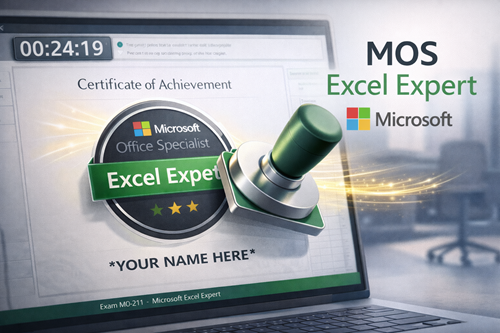
The MOS Excel Expert badge is Microsoft’s formal proof of advanced proficiency. Candidates complete a 50-minute, task-based exam inside a live workbook.
Scoring and cost: Pass with 700 / 1000 points. As of October 2025, vouchers list at US $100 (student discounts bring it to about US $80).
Prep resources: Udemy, LinkedIn Learning, and GMetrix practice labs mirror the timed-project format. Review Microsoft’s objective list first; staples include Scenario Manager, PivotChart slicers, and workbook protection.
Why it matters
- Recognized by HR software that filters for “MOS Expert”
- Credential never expires for the version tested, so the badge stays relevant
- Cheaper than most weekend workshops yet adds more résumé weight
Earn the MOS Excel Expert certification when you need a verifiable differentiator, whether to negotiate a raise, stand out in a crowded applicant pool, or benchmark your skills against Microsoft’s own standard.
Compare your options at a glance
| Program | Total hours | Typical cost* | 365-ready features | Credential | Ideal for |
| GoSkills – Advanced Excel course | 14 (3.5 video) | US $39 | Full | 14 CPE hours | Fast 365 refresh |
| Coursera – Macquarie specialization | 100 | about US $150 (3 months) | Full | University certificate | Deep, structured mastery |
| Coursera – Johns Hopkins analytics | 23 | about US $50 (1 month) | Partial | University certificate | Stats-driven insight |
| LinkedIn learning path | 14 | US $0–40 (1 month) | Full | LinkedIn profile badge | Recruiter visibility |
| Udemy – Kyle Pew | 19 | about US $20 (sale) | Full | Udemy completion badge | Lifetime reference |
| Udemy – Leila Gharani | 12 | about US $20 (sale) | Full | Udemy completion badge | Dashboards and power tools |
| CFI – advanced formulas | 2 | US $497 per year | Full | 3.5 CPE hours | Finance models, CPE credit |
| Microsoft/edX MOOC | 20 | Free or US $90 certificate | Partial | Microsoft course cert | Power Query and DAX |
| MOS Excel Expert exam | — (prep varies) | US $100 voucher | Full | Microsoft digital badge | Proof of mastery |
*Sale prices and subscription promos change; figures shown reflect typical 2025 pricing.
Conclusion
Advanced Excel skills aren’t just a résumé booster, they’re a productivity multiplier. Whether you’re automating month-end reports, modeling financial scenarios, or designing dashboards that get decision-maker buy-in, modern Excel mastery sets you apart. And in 2026, when AI tools like Copilot assist more but replace less, knowing Excel’s logic becomes even more valuable.
You’ve seen nine paths, some fast, some deep, all current. Pick one based on your goals: short-term wins, formal certification, long-term career leverage. Or pair two to build skills and prove them. Bookmark this guide, compare your shortlist, and choose the training that moves you forward. The formulas haven’t changed the world, but the people who wield them do.
Frequently Asked Questions
1. Do advanced Excel skills still matter now that Copilot can write formulas?
Yes. Copilot accelerates routine tasks, but it leans on your prompts. If you cannot articulate what a dynamic array should return or how a Power Query join works, Copilot generates guesswork. Mastery lets you steer the AI and audit its output, not outsource judgment.
2. How long does it really take to reach “advanced”?
Plan on twenty to forty focused hours. That covers learning modern functions, Power Query basics, and dashboard design. Spread those hours over eight weeks and you will notice workflows shrinking from hours to minutes.
3. Which single skill gives the biggest productivity jump?
Power Query. Automating data cleanup removes the daily copy-paste grind and turns reporting into a one-click refresh.
4. Are cheaper courses as effective as university options?
For raw skill, absolutely. Udemy or GoSkills deliver hands-on practice fast. University badges, however, carry external credibility. Decide whether you need knowledge, a recognised credential, or both.
5. What version of Excel should I use while training?
Microsoft 365. Most courses in this list teach features that never surfaced in perpetual licences (XLOOKUP, dynamic arrays, Python-in-Excel). Download the trial if your employer still runs 2019.
6. Should I chase the MOS certification first?
Treat it as a capstone. Build skills through a course, then book the exam to prove competence. Studying for the test without real work context feels like memorising city maps you never drive.