If Jira feels too complex, expensive, or slow for your workflow, you’re not alone. Many teams switch to simpler and more flexible tools that get the job done without the overhead.
Here are the best Jira alternatives you can use today:
- ClickUp – Best all-in-one solution
- Trello – Best for simplicity
- Asana – Best for team workflows
- Monday.com – Best for visual planning
- Linear – Best for developers
- Notion – Best for flexibility
Quick Picks:
- Developers → Linear
- Small teams → Trello
- All-in-one → ClickUp
- Visual workflows → Monday.com
Each tool solves a different problem, so the right choice depends on how your team works.
Let’s compare them in detail so you can pick the right one.
Quick Comparison Table
Here’s a quick side-by-side comparison of the top alternatives to Jira so you can easily shortlist the right tool:
| Tool | Best For | Ease of Use | Pricing | Key Feature |
|---|---|---|---|---|
| ClickUp | All-in-one | Medium | Free/Paid | Everything in one place |
| Trello | Simple tasks | Easy | Free/Paid | Kanban boards |
| Asana | Team workflows | Easy | Free/Paid | Task automation |
| Monday.com | Visual teams | Medium | Paid | Custom dashboards |
| Linear | Developers | Fast | Paid | Issue tracking |
| Notion | Flexible workflows | Medium | Free/Paid | Docs + tasks |
This table gives you a quick overview, pick based on your team size, workflow, and how simple or advanced you want your tool to be.
Why Look for a Jira Alternative?
While Jira is powerful, it’s not always the best fit for every team. Many users switch because it can feel heavy, complex, or expensive for their needs.
Here are the main reasons teams look for alternatives:
Complex UI & Steep Learning Curve
- Takes time to understand and set up
- Not beginner-friendly
- Requires training for new team members
Tools like Trello or ClickUp are much easier to get started with
Expensive for Growing Teams
- Pricing increases as your team grows
- Advanced features often require higher-tier plans
Budget-friendly tools like ClickUp and Notion offer better value
Slow Performance on Large Projects
- Can lag when handling large datasets
- Slower navigation in complex workflows
Lightweight tools like Linear are designed for speed
Overkill for Small Teams
- Too many features for simple task management
- Adds unnecessary complexity
Simple tools like Trello are better for small teams
Limited Flexibility Without Plugins
- Requires plugins for customization
- Can become complicated to manage
Alternatives like Notion offer built-in flexibility
Best Jira Alternatives (Detailed Review)
1. ClickUp – Best All-in-One Tool
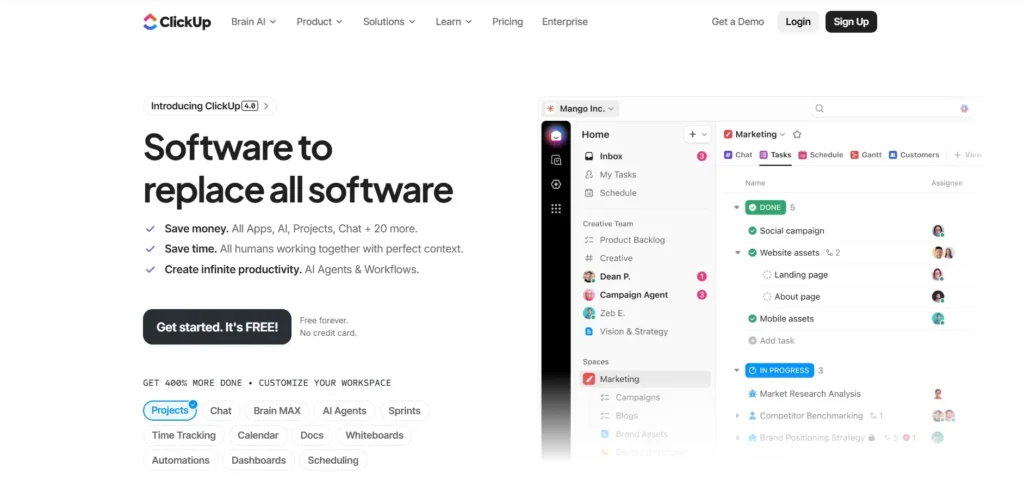
ClickUp is one of the most powerful Jira alternatives because it combines multiple tools into a single platform. Instead of using separate apps for tasks, docs, and collaboration, ClickUp brings everything into one workspace.
Key Features
- Tasks, docs, goals in one place, Manage projects, write docs, track goals, and collaborate without switching tools
- Highly customizable workflows – Adapt views, statuses, and automations to fit your process
- Multiple views – Kanban, Gantt, calendar, list, and more for flexible project tracking
- Automation & collaboration – Automate repetitive tasks and work with your team in real time
Pros
- Replaces multiple tools (tasks, docs, dashboards in one place)
- Strong free plan with powerful features
- Highly flexible for different workflows and teams
Cons
- Slight learning curve, especially for new users
- Can feel overwhelming due to too many features
- Performance may slow down in large projects
ClickUp is perfect if you want an all-in-one replacement for Jira and multiple other tools. It offers huge flexibility and value, but you’ll need some time to set it up and get used to it.
2. Trello – Best for Simplicity

Trello is one of the easiest Jira alternatives to get started with. It uses a simple Kanban-style board, where tasks are organized into lists and moved with drag-and-drop.
Key Features
- Kanban-style boards – Visual task management with columns like “To Do”, “In Progress”, and “Done”
- Drag-and-drop tasks – Move tasks easily across stages
- Cards & checklists – Break tasks into smaller steps
- Power-Ups (integrations) – Add extra features when needed
Best For
- Small teams
- Startups
- Individuals managing simple workflows
Pros
- Extremely easy to use (no learning curve)
- Clean and visual interface
- Quick setup (start in minutes)
Cons
- Limited advanced features
- Not ideal for complex workflows or large teams
- Can get messy with too many boards
If you want something simple, fast, and easy to manage, Trello is a great choice. It’s perfect for small teams that don’t need the complexity of Jira.
3. Asana – Best for Team Workflows

Asana is a strong Jira alternative for teams that need structured workflows without complexity. It’s designed to help teams organize tasks, track progress, and automate repetitive work.
Key Features
- Task dependencies – Set relationships between tasks so teams know what needs to be done first
- Workflow automation – Automate repetitive actions like assigning tasks or updating statuses
- Timeline & calendar views – Plan projects visually with clear deadlines
- Team collaboration – Assign tasks, add comments, and track progress in one place
Best For
- Teams managing structured workflows
- Marketing, operations, and product teams
- Projects with multiple dependencies
Pros
- Easy to use compared to Jira
- Strong workflow and task management features
- Great for team collaboration and tracking
Cons
- Limited advanced features for developers
- Some key features locked behind paid plans
Asana is ideal if your focus is organized team workflows and task management. It gives you structure without the complexity of Jira, making it a great fit for most teams.
4. Monday.com – Best for Visual Planning

Monday.com is a great Jira alternative if you prefer visual project management. It turns complex workflows into clear, easy-to-understand dashboards and boards.
Key Features
- Visual dashboards – Track progress, timelines, and team performance in real time with charts and widgets
- Custom workflows – Build workflows that match your team’s process without coding
- Multiple views – Use Kanban, timeline, calendar, and table views for better planning
- Automation & integrations – Connect tools and automate repetitive tasks easily
Best For
- Teams that prefer visual planning
- Marketing, design, and operations teams
- Projects that need clear tracking and reporting
Pros
- Highly visual and easy to understand
- Flexible dashboards for different teams
- Strong automation and integrations
Cons
- Can get expensive as team size grows
- Some advanced features are locked behind higher plans
Monday.com is ideal if you want a visual, flexible, and easy-to-manage workflow system. It’s especially useful for teams that need clear dashboards and simple planning without Jira’s complexity.
5. Linear – Best for Developers
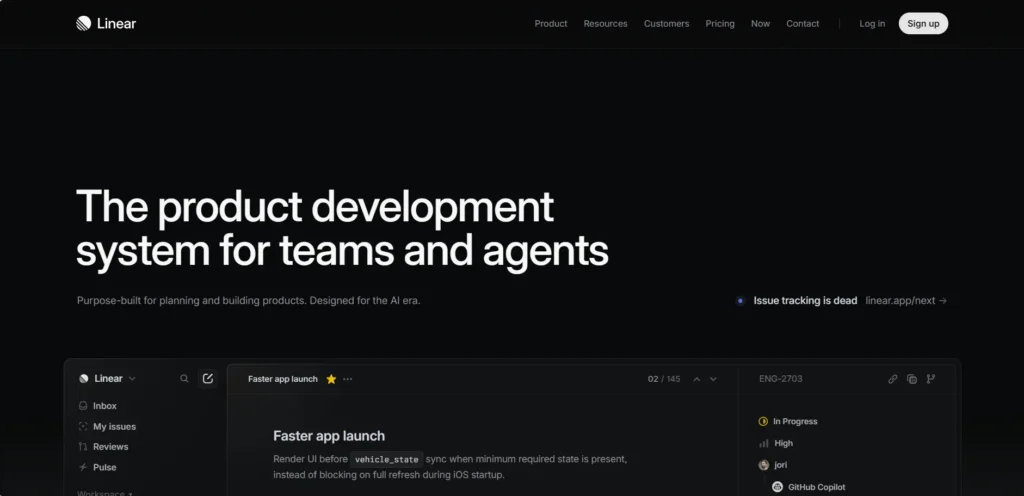
Linear is built specifically for modern development teams that want speed, simplicity, and focus. Unlike Jira, it removes unnecessary complexity and gives developers a clean, fast workflow.
Key Features
- Fast and minimal interface – Designed for speed with a clean UI and keyboard shortcuts for quick actions
- Built for dev teams – Handles issue tracking, sprint cycles, and bug management in one place
- Smart issue tracking – Create, assign, and prioritize issues quickly with automation and labels
- Cycle-based planning – Manage sprints with focused workflows and clear priorities
Best For
- Developers and engineering teams
- Startups and SaaS companies
- Teams that want fast issue tracking without complexity
Pros
- Extremely fast and responsive
- Clean, distraction-free interface
- Great for agile development workflows
- Strong integrations (GitHub, Slack, etc.)
Cons
- Not ideal for non-technical teams
- Fewer features compared to Jira for enterprise use
Linear is perfect if you want a fast, developer-focused alternative to Jira. It keeps things simple while still giving you everything needed to track issues and ship products quickly.
6. Notion – Best for Flexibility
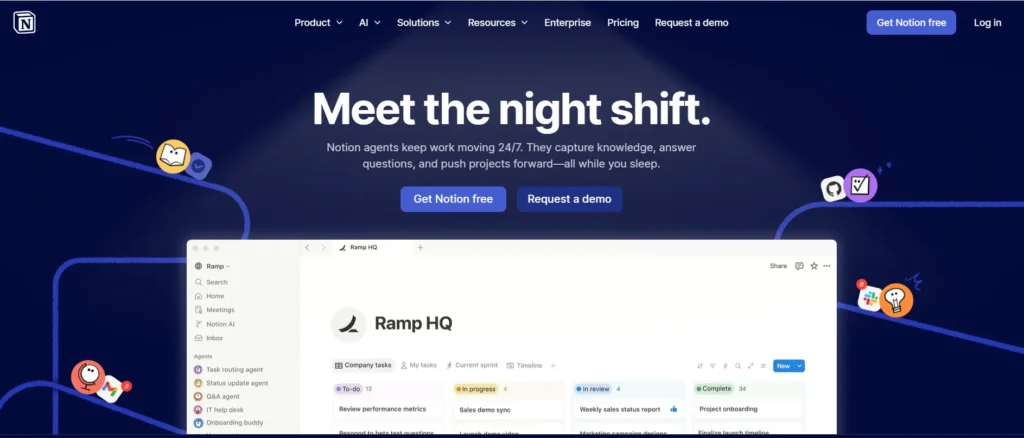
Notion is a flexible alternative to Jira that lets you build your own system instead of following a fixed structure. It combines docs, tasks, and databases into one workspace.
Key Features
- Combines docs + tasks – Manage projects, write notes, and track tasks in one place
- Fully customizable – Create your own workflows using databases, templates, and views
- Multiple views – Kanban, table, calendar, and list views
- Collaboration tools – Share pages, assign tasks, and work together in real time
Best For
- Teams that want full control over workflows
- Content teams, startups, and creators
- Users who prefer a flexible system over fixed tools
Pros
- Highly customizable workspace
- Combines multiple tools into one
- Strong free plan
Cons
- Takes time to set up properly
- Not ideal for complex dev workflows
- Can feel unstructured without proper setup
Notion is perfect if you want complete flexibility and control. It’s best for teams that prefer building their own workflow instead of using a rigid system like Jira.
What to Look for in a Jira Alternative
Choosing the right alternative to Jira isn’t just about features, it’s about how well the tool fits your team’s workflow. Here are the key things you should evaluate before making a switch:
Ease of Use
- Simple interface with minimal learning curve
- Quick onboarding for new team members
- Less time spent on setup and training
Tools like Trello and Asana are known for their simplicity
Agile Support (Scrum, Kanban)
- Support for Scrum boards, sprints, and backlog management
- Kanban boards for visual task tracking
- Sprint planning and reporting features
Essential for development teams following agile methodologies
Custom Workflows
- Ability to create custom statuses and processes
- Flexibility to match your team’s workflow
- Automation to reduce manual work
Tools like ClickUp and Monday.com excel here
Integrations
- Connect with tools like Slack, GitHub, Google Drive
- Reduce tool-switching and improve productivity
- API support for advanced setups
Integrations are critical for scaling workflows
Pricing
- Free vs paid plans
- Cost per user as your team grows
- Value for features offered
Budget-friendly tools like ClickUp and Notion offer strong value
Scalability
- Can the tool grow with your team?
- Handles large projects without slowing down
- Supports multiple teams and workflows
Important for startups planning to scale
The best Jira alternative is one that balances ease of use, flexibility, and scalability—without adding unnecessary complexity to your workflow.
Free vs Paid Tools
When choosing a Jira alternative, one of the biggest decisions is whether to go with a free plan or invest in a paid tool. Both have their place, it depends on your team size and how complex your work is.
Free Tools
Free tools are usually the starting point for most teams. They’re simple, accessible, and good enough for basic workflows.
Best for:
- Small teams or startups
- Individuals managing simple tasks
- Testing a tool before upgrading
What you get:
- Basic task management features
- Limited users, storage, or integrations
- Simple workflows without advanced automation
Free tools work well when your projects are small and don’t require complex tracking or reporting
Paid Tools
Paid tools are built for growing teams that need more control, automation, and scalability.
Best for:
- Businesses and scaling teams
- Complex projects with dependencies
- Teams needing advanced collaboration
What you get:
- Advanced automation and reporting features
- Better integrations with other tools
- Stronger security and support
- Ability to scale with team growth
Paid tools offer more robust functionality and support, making them ideal for long-term use
Quick Comparison
| Feature | Free Tools | Paid Tools |
|---|---|---|
| Usage | Small teams | Growing teams |
| Features | Basic | Advanced |
| Automation | Limited | Full automation |
| Integrations | Limited | Extensive |
| Scalability | Low | High |
- Use free tools if you need something simple and cost-effective
- Switch to paid tools when your workflow becomes complex or your team grows
A smart approach is to start free, test the tool, and upgrade only when you actually need advanced features
Jira vs Alternatives
Here’s a clear comparison to help you understand how Jira compares with modern alternatives:
| Feature | Jira | Alternatives |
|---|---|---|
| Complexity | High (steep learning curve, complex setup) | Low–Medium (simpler onboarding) |
| Pricing | Expensive as team grows | Flexible (free plans + scalable pricing) |
| Ease of Use | Difficult for beginners | Easier, more intuitive UI |
| Customization | High (but complex to configure) | High (simpler and more flexible setup) |
Key Insights
- Complexity: Jira is powerful but often difficult to learn and configure, especially for non-technical teams.
- Ease of Use: Alternatives like ClickUp, Asana, and Trello are designed to be more user-friendly and quicker to adopt.
- Pricing: Jira can become expensive as teams scale, while many alternatives offer free plans or more flexible pricing tiers.
- Customization: Jira offers deep customization, but it can be complex to set up. Alternatives provide similar flexibility with simpler workflows.
- Choose Jira if you need deep customization and advanced agile features
- Choose alternatives if you want something simpler, faster, and easier to manage
For most teams today, ease of use and flexibility make alternatives a better fit unless you specifically need Jira’s advanced capabilities
Use Case-Based Recommendations
Not every team works the same way, so the best Jira alternative depends on your specific use case. Here’s a quick breakdown to help you choose faster:
Developers → Linear
- Fast, minimal, and built for engineering teams
- Great for issue tracking, sprints, and bug management
- Ideal if you want speed without Jira’s complexity
Startups → ClickUp
- All-in-one tool (tasks, docs, goals)
- Helps replace multiple tools and save cost
- Scales as your startup grows
Simple Workflows → Trello
- Easy to use with no learning curve
- Perfect for small teams and basic task tracking
- Visual Kanban boards keep things simple
Enterprise Teams → Monday.com
- Advanced dashboards and reporting
- Custom workflows for large teams
- Strong automation and integrations
Content Teams → Notion
- Combines docs, planning, and tasks
- Ideal for content calendars and workflows
- Highly flexible and customizable
Quick Tip
Don’t pick based on popularity, pick based on how your team actually works.
- Need speed → Linear
- Need everything in one place → ClickUp
- Need simplicity → Trello
The right choice saves time, reduces confusion, and improves team productivity.
FAQs (People Also Ask)
1. What is the best free Jira alternative?
ClickUp and Trello offer some of the strongest free plans.
- ClickUp gives you an all-in-one workspace with many features
- Trello is simple and great for quick task management
Both are solid choices if you don’t want to pay upfront
2. Which tool is easier than Jira?
Trello and Asana are much easier to use than Jira.
- Clean interface
- Minimal setup
- Faster onboarding for teams
3. What is better than Jira for developers?
Linear is often preferred by developers.
- Faster performance
- Minimal and focused UI
- Built specifically for dev workflows
4. Why do people move away from Jira?
Many teams switch from Jira due to:
- Complex interface
- High cost as teams grow
- Slower performance on large projects
5. Can Jira be replaced completely?
Yes, Jira can be replaced depending on your needs.
- Most alternatives offer similar features
- Some are even easier and more flexible
The right replacement depends on your workflow, team size, and budget
Conclusion
There’s no one-size-fits-all alternative to Jira. The right tool depends on how your team works and what you actually need.
Choose Based On:
- Simplicity → Go with Trello or Asana
- Budget → Start with ClickUp or Notion
- Team size → Use Monday.com for larger teams or Linear for dev-focused teams
Start with 1–2 tools, test them with your team, and see which one fits your workflow before making a full move. The best Jira alternative is the one that helps your team work faster, stay organized, and avoid unnecessary complexity.