Having a reliable web content filtering software is essential for maintaining security and productivity. Web filters not only block dangerous sites (often recognized by global threat databases) but also enforce company policies on acceptable use. This prevents cyberattacks and ensures compliance with regulations.
For example, Google’s ThreatLabz reported millions of malicious sites online in 2020; blocking such sites at the DNS or web gateway level keeps businesses safe.
Modern web content filtering tools often include cloud-based management and granular controls, making it easier for companies of all sizes to secure internet usage and improve bandwidth efficiency.
Let’s explore the 7 Web Content Filtering solutions for businesses trending in 2025.
Why do modern businesses need Web Content Filtering software?
Businesses face numerous online threats and distractions. Web Content Filtering software cater to this by helping businesses:
A. Prevent malware and phishing attacks: Web content filtering software for businesses blocks access to malicious sites that spread malware or attempt phishing, reducing data breach risks.
B. Minimize productivity loss: By restricting access to distracting or non-work-related sites, businesses improve employee focus and reduce wasted bandwidth.
C. Enforce acceptable use policies: Filters control access to inappropriate content such as adult or gambling sites, protecting company reputation and compliance.
D. Protect against data leaks: Content filters prevent unauthorized uploads to cloud services or forums, guarding against data exfiltration.
E. Strengthen cybersecurity posture: Adding the best web content filtering solutions alongside firewalls and endpoint security helps detect threats faster and enhances protection.
Top 7 Web Content Filtering solutions for modern businesses
1. Scalefusion Veltar
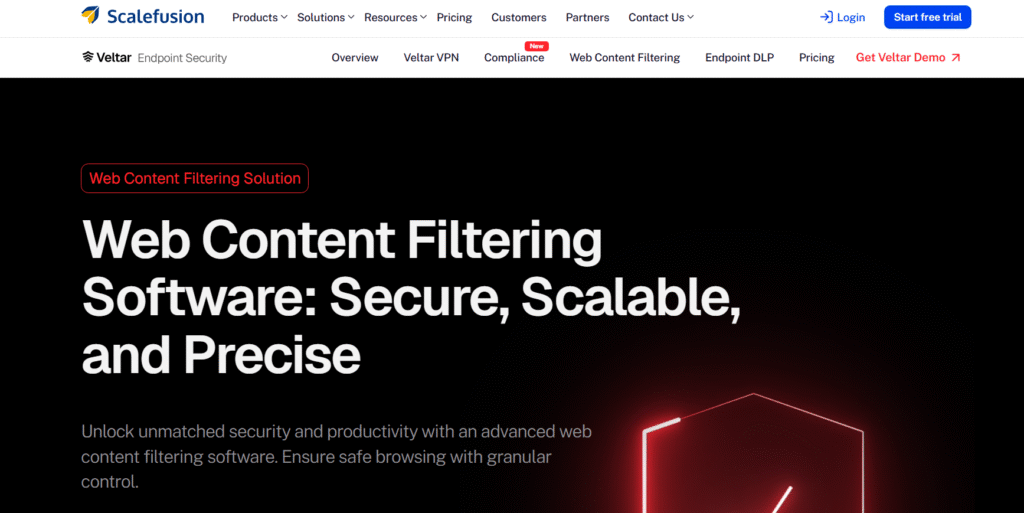
Veltar (by Scalefusion) is a cloud-based web content filtering software designed for enterprises and schools. It secures and optimizes web access by enforcing internet usage policies across the organization. Veltar’s platform integrates with device management to apply filters on Android, iOS and Windows devices.
It inspects web traffic in real time and applies rules. Veltar focuses on safe browsing: it gives administrators centralized and granular control over which sites are allowed and blocked, regardless of where users connect, office, home, or remote.
Key features
- Category-based blocking: Blocks or allows websites based on predefined categories (e.g. social media, gambling, adult content). Administrators can quickly enforce broad policy rules (e.g. ban all unnecessary and malicious sites) to improve safety from malware & phishing attacks, increase productivity, and save bandwidth.
- Custom URL lists: Allows fine-tuning with custom allowlists/blocklists. You can specify individual domains or URLs to block or whitelist.
- User/Device policies: Applies different filtering rules per user group or device group. For example, stricter rules for contractors or more open access for developers.
- Pattern-based blocking: Matches and blocks specific domain patterns or subdomains, ensuring precise control over web access.
- Flexible deployment: Scalable cloud architecture requires no hardware. Veltar can be enabled by installing a lightweight agent, making rollout easy across multiple locations. This makes it an ideal solution for small, medium and large businesses seeking secure and affordable solutions.
- Intuitive interface: Modern dashboard and reporting simplify policy management. Administrators can quickly review usage reports and adjust rules on multiple devices with a single click.
2. Barracuda Web Security Gateway
Barracuda’s Web Security Gateway is a comprehensive on-premise or cloud solution that filters web content and protects networks from online threats. It enforces company policies by user, group, or location.
The Barracuda gateway scans incoming and outgoing web data to block malware, viruses, and inappropriate sites. It comes with unlimited remote user licenses, allowing the same policies to apply to roaming laptops through an agent or VPN integration.
Key features
- Malware & spyware protection: Blocks malicious sites using real-time threat databases to safeguard users and optimize bandwidth.
- Policy enforcement: Applies detailed usage rules by user, group, or time to control access and limit distractions.
- SSL inspection: Decrypts and filters HTTPS traffic to stop phishing and hidden threats.
- Integrated reporting: Delivers real-time dashboards and logs for visibility, compliance, and quick issue detection.
- Remote protection: Extends the same filtering policies to off-network users via agent or CloudGen Access.
- Flexible deployment: Offers on-prem, virtual, or cloud options for simplified, all-in-one web security.
3. Fortinet FortiGuard URL Filtering
FortiGuard URL Filtering is a web content filtering tool integrated into Fortinet’s FortiGate firewalls. It uses Fortinet’s global intelligence and AI to classify and block web content in real time. Through the FortiGate interface, administrators can apply URL filtering policies to different user groups and zones. FortiGuard updates a massive database of domains. When users browse, URLs are checked against this list and flagged if malicious or inappropriate.
Key features
- Extensive URL database: Filters 307M+ URLs across 90+ categories with flexible policy control by user, time, or interface.
- AI-driven threat detection: Identifies zero-day malicious URLs using machine learning.
- TLS/SSL inspection: Decrypts HTTPS traffic to scan encrypted sites with up-to-date TLS support.
- Security fabric integration: Natively connects with FortiGuard, FortiGate, and FortiAnalyzer for unified, intelligent protection.
4. Zscaler Internet Access
Zscaler Internet Access (ZIA) is a cloud-native Secure Web Gateway (SWG) and cloud firewall service. ZIA provides web content filtering, threat prevention and data protection for all users and devices. It is SaaS-based and has no on-prem hardware. Traffic from branch offices, data centers or users’ laptops is routed to Zscaler’s network (via lightweight connectors), where AI-driven engines analyze every byte. ZIA covers internet and SaaS app access, securing both web browsing and uploads to cloud services.
Key features
- AI-powered threat protection: Blocks malware and zero-day attacks using sandboxing, SSL inspection, and machine learning.
- URL filtering: Categorizes content and blocks high-risk or policy-violating websites.
- Cloud firewall & IPS: Provides full traffic protection beyond web access.
- Data loss prevention (DLP): Scans web and app traffic to stop sensitive data leaks.
- CASB: Blocks unsanctioned cloud apps and enforces usage policies.
- Zero trust browser: Isolates risky sessions to prevent endpoint data exfiltration.
5. Cisco Umbrella
Cisco Umbrella is a cloud-based security platform that provides DNS-layer protection and optional secure web gateway services. It blocks malicious domains and filters web content as users access the internet, regardless of location.
It also offers an Integrated Cloud Gateway (ICG) for deeper HTTP(S) inspection, CASB capabilities, and firewall features under the Cisco Secure Internet Gateway portfolio. Umbrella is often the first line of defense, working alongside endpoint and firewall security.
Key features
- Cloud-based enforcement: Simplifies perimeter security by placing policy enforcement in the cloud.
- DNS-layer security: Instantly blocks requests to known malicious domains (phishing, ransomware) using Cisco Talos threat feeds.
- URL/Content filtering: Filters content by categories such as gaming, news, ads etc.
- Secure Web Gateway (SWG): Offers proxy web traffic for advanced inspection. Identity-based policies tie rules to users or groups.
- Cloud Access Security Broker (CASB): Manages use of cloud apps, discovers shadow IT, and blocks risky SaaS usage.
6. DNSFilter
DNSFilter is a cloud-based DNS security and web content filtering solution. It blocks threats and unwanted content at the DNS lookup level. DNSFilter provides enterprise-grade filtering with an easy learning curve. It offers easy deployment and provides multi-tenant management for MSPs.
The solution continuously updates its database with global threat intelligence and its own real-time analysis, spotting new threats faster than many competitors
Key features
- Real-time threat detection: Blocks malicious domains up to 10 days faster, stopping threats before connection.
- Content filtering: Filters by category, domain, or keyword for precise control.
- Flexible policies: Supports per-user/network rules with transparent mode and DHCP relay.
- Integrations & reporting: Syncs with AD and SIEMs for automated policy assignment; offers detailed DNS and threat reports.
7. WebTitan
WebTitan by TitanHQ is a DNS-based web content filtering tool. It is available in WebTitan Cloud (hosted DNS filter) and WebTitan Gateway (on-prem appliance) editions. WebTitan Cloud is comprehensive and cloud-based, thus requires no hardware and requires minimal maintenance.
WebTitan is an easy-to-deploy content filter at the DNS layer, and delivers enterprise-grade coverage. It adds to any stack by blocking malware and enforcing browsing policies upfront.
Key features
- Scalable DNS filtering: Handles unlimited queries with low latency, avoiding bandwidth issues.
- Real-time URL categorization: Uses extensive category lists and live threat feeds for precise filtering.
- Flexible deployment: Install on Windows, Linux, or as a virtual appliance; integrates with directory services.
- White-label ready: MSPs can fully rebrand, customize block pages, and reduce strain on downstream security.
- Detailed reporting & alerts: Provides per-site logs and policy insights to fine-tune web access rules.
Web Content Filtering solutions: a must-have security layer
Web content filtering solutions protect organizations by blocking malware, enforcing safe browsing, and preventing data leaks. The best web content filtering solutions range from ease to use and robust web content filtering tools like Veltar and Control D to full secure web gateways like Zscaler and Netskope.
Choosing the right web content filtering tools depends on budget, scale, deployment preference, and integrations. Small businesses benefit from easy, cost-effective DNS filters, while large enterprises often need integrated platforms combining web security with firewalls and CASB.
Regardless of size, web content filtering solutions must boost productivity, ensure compliance, and strengthen defense against the modern-day cyberthreats.
Frequently asked questions (FAQs)
1. What is a web filtering solution?
A web filtering solution is a cybersecurity tool that helps organizations control that websites users can access.
It blocks access to harmful, inappropriate, or non-work-related content to reduce security risks and improve employee productivity. By filtering web traffic in real time, it ensures that users only reach safe and approved online destinations.
2. What are the key features to look for in the best web content filtering tools?
The best web content filtering tools combine strong security with flexible control. Look for features such as malware and phishing protection, granular policy control for different users and devices, and real-time threat detection powered by AI or machine learning.
The ability to customize blocking categories like adult content, social media, or streaming sites is essential for enforcing company policies. Cloud-based management, remote enforcement, detailed reporting, and integrations with other tools Mobile Threat Defense further enhance usability and coverage.
3. How does content filtering improve security in a business environment?
Content filtering improves security by blocking access to known malicious domains, phishing sites, and compromised web pages. It prevents employees from unknowingly downloading malware or leaking sensitive data through unsanctioned platforms.
By restricting access to risky or unauthorized content, it also helps enforce data usage policies and limits exposure to external threats like shadow IT or accidental data exfiltration.
4. Can web content filtering software block specific websites or categories?
Yes, modern web content filtering software allows administrators to block both individual websites and entire categories of content. These can include adult sites, gambling platforms, streaming services, social media, and more.
This selective blocking helps organizations enforce internet usage policies, maintain compliance, reduce distractions, and protect bandwidth.