Remember when creating something beautiful online meant hiring a team of pros or spending months learning complicated software? Those days are officially behind us. We’ve entered a new era where artificial intelligence isn’t just writing text or analyzing data, it’s acting as your personal art director.
This shift is huge for everyone, from content creators and marketers to small business owners. You don’t need a design degree to create stunning visuals anymore. You just need an idea and the willingness to experiment.
By pairing AI visual tools with modern website builders, you can bring your vision to life faster and more affordably than ever before. Let’s look at how these two powerhouses work together to change the way you build.
TL;DR
- AI tools are reshaping how visuals are created, making design accessible to everyone.
- You no longer need extensive expertise, just creativity and experimentation.
- Combining AI visual tools with modern website builders simplifies and accelerates the creation process.
- This approach is cost-effective and empowers creators, marketers, and small business owners alike.
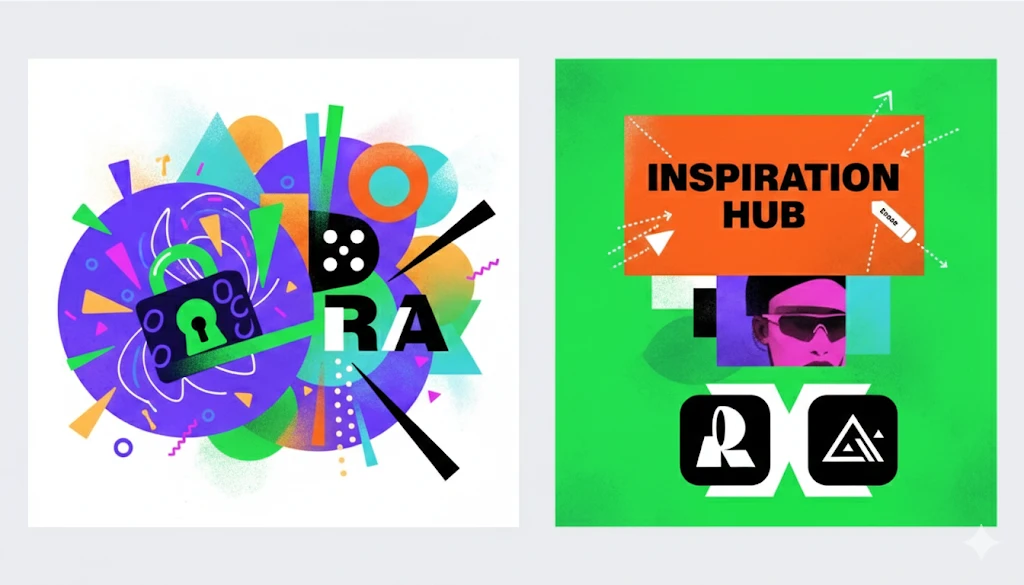
The Quick Win: AI Meets Your Website Builder
The best thing about this combination? You get total creative freedom at lightning speed. Creating a website used to be a long process, but with Wix, you can get online in just a few steps. Setting up your layout and connecting your domain is quick and easy for everyone.
Now, your site needs a personal touch to make it yours. That’s where AI-generated images come in. Instead of using the same stock photos as everyone else, you can create unique visuals that match your brand perfectly. Whether it’s a specific hero image or a custom icon, you’re in control.
When you use a builder that works well with AI, you can drop in your art and tweak the design until it’s exactly what you pictured. It’s all about bringing your vision to life so you can focus on the best part: expressing your brand.
Building Faster with AI Visuals
Imagine you’re launching a landing page for a new artisanal coffee brand. You need a specific shot: a barista pouring latte art, but with moody, warm lighting to match your brand colors.
Instead of booking a photographer and hoping for the best, you type a description into an AI image generator. Seconds later, you have a custom image ready to drop into your hero section.
This workflow is a game-changer. You go from concept to live site in hours, not weeks. You can generate custom graphics for headers, create unique textures for section backgrounds, or even design temporary logos to get your project off the ground.
When This Approach Works Best
This speed is perfect for specific scenarios:
- Marketing campaigns: Need a dedicated landing page for a weekend sale? You can spin one up with custom visuals in an afternoon.
- Portfolio sites: Express a specific vibe or aesthetic that stock photos just can’t capture.
- Small business sites: Get a polished, professional look on a budget.
- Rapid prototyping: Test an idea quickly to see if it has legs before investing heavily.
Beyond the Build: The AI Visual Ecosystem
While websites are a great starting point, the world of AI design tools is vast. Understanding the different types of tools available helps you create better work across the board.
AI Image Generators
Major AI image generators are the powerhouses of this movement. They build images from scratch based on your text prompts, making it easy to see your ideas come to life.
- Concept Art: Bring your ideas to life instantly before starting a full project.
- Illustrations: Create unique graphics for blog posts or social media with a specific artistic style.
- Visual Libraries: Once you find a style that works for you, generate endless variations to keep your brand looking sharp.
AI-Powered Photo Editors
Creating an image is just the first step. Sometimes you have a great shot that just needs a little fine-tuning. AI editors make these tweaks incredibly simple. You can remove distracting objects, extend backgrounds, or swap out elements entirely with just a few clicks.
It’s even possible to turn a vertical phone photo into a wide website banner by letting AI naturally fill in the missing sides for you.
AI Design Assistants
These tools help you put it all together. Platforms like Wix and Canva have built-in AI that can suggest layouts, pick color palettes based on an image you upload, or even help you write the text that goes on your graphics. They act as a creative guide, ensuring your final design looks balanced and professional.
Better Together: Integrated Workflows
The real magic happens when you stop using these tools in isolation and start chaining them together. This creates a pipeline that saves you time and keeps your quality high.
Social Media Content Pipeline
Social media demands a constant stream of fresh content. Here is how you can manage it without burning out:
- Generate: Create a base image using an AI generator. Maybe it’s a futuristic workspace for a tech post.
- Edit: Take that image into an AI editor. Add your product into the scene or remove a distraction from the background.
- Variation: Use the editor to create three different crops (square for Instagram, vertical for Stories, horizontal for LinkedIn).
- Schedule: Upload them to your scheduling tool.
Marketing Materials Creation
You can use a similar flow for your marketing materials. Start with an AI concept for a brochure cover. Use an upscaling tool to make sure the resolution is high enough for print.
Then, bring it into a layout tool to add your text and logos. You can create product mockups, email banners, and presentation slides that all share the same visual DNA, making your brand look much bigger than it is.
Content Creator Workflow
For YouTubers and bloggers, thumbnails and featured images are crucial for clicks. You can build a consistent visual theme by using the same style prompts for every video or article.
This helps your audience recognize your content instantly in a crowded feed. Plus, you can iterate quickly. If a thumbnail isn’t performing well, generate a new variation and swap it out in minutes.
Level Up: Advanced Techniques
Once you get comfortable with the basics, you can start using advanced techniques to really fine-tune your output.
Layering AI Tools
Don’t settle for the raw output of a single tool. Think of it like cooking. You don’t just microwave a meal; you add spices and sides. Start with an image generator to get the composition you want.
Then, move to a photo editor to fix any weird details (AI still struggles with hands sometimes). Finally, add your text and branding elements manually. This layering process gives you the speed of AI with the quality control of a human eye.
Prompt Engineering for Consistency
Getting a cool image once is luck. Getting cool images every time is a skill. This is called prompt engineering. It means learning how to talk to the AI to get exactly what you want.
- Templates: Create a “recipe” for your prompts. For example, always specifying lighting, camera angle, and color palette.
- Style Guides: Keep a document with the specific words that define your brand style (e.g., “minimalist,” “neon,” “pastel,” “cyberpunk”).
- Reference Images: Many tools allow you to upload a reference image so the AI knows what vibe you are aiming for.
Making It Work for Your Industry
Every industry can find a way to use these tools to solve specific problems.
E-commerce and Product Marketing
Professional product photography adds up fast. While real shots of your goods are a must, AI is your secret weapon for those dreamy lifestyle scenes. Just snap a photo of your product on a plain background and let AI work its magic, placing it on a sun-drenched beach towel or a rustic kitchen counter in seconds.
It’s a great way to see what clicks with your customers without actually having to pack a bag for the Alps. Plus, you can experiment with different formats to see what hits the mark, which convert better? 3D Model vs. 360 Video vs. Images.
Content Marketing and Blogging
Walls of text are boring. Readers need visual breaks. Instead of using the same generic stock photo of a “team meeting” that is on a thousand other sites, generate an illustration that specifically matches the metaphor you used in your introduction.
Infographic elements and data visualizations can also be spiced up with AI-generated icons and backgrounds.
Personal Branding
Your personal brand is how you present yourself to the world. You can use AI to create consistent aesthetics for your slide decks, your social profiles, and your course materials.
While you should use real headshots, you can use AI to touch them up or create artistic versions for creative projects.
Choosing Your Toolkit
You don’t need to break the bank to start. There is a stack for every budget.
Budget-Friendly Starter Stack
If you are just dipping your toes in, start with free or freemium tools. You can use the free credits on many image generators to experiment. Combine these with free graphic design software to add text.
This is a great way to build your skills and understand how prompting works without a monthly commitment.
Professional-Grade Setup
For serious creators, paying for subscriptions is an investment in productivity. Professional tiers often give you faster generation times, higher resolution downloads, and commercial usage rights.
They also tend to integrate better with other tools, allowing for a smoother workflow. If you are creating content daily, the time saved is well worth the monthly fee.
Challenges and Workarounds
AI is powerful, but it isn’t perfect. You will run into hurdles, but they are manageable.
Common AI Design Challenges
One main issue is text. AI generators are notoriously bad at spelling. If you try to generate a sign that says “Coffee,” it might come out as “Cofefe.” The fix is simple. Don’t ask the AI to generate text. Generate the sign blank, and add the text yourself using a design tool.
Another challenge is the “AI look.” Some images have a plastic, overly smooth quality that feels generic. You can avoid this by being specific in your prompts about textures, lighting, and camera film types.
Legal and Ethical Considerations
This is an important area. Copyright laws regarding AI are still evolving. In general, you cannot copyright an image that was purely generated by AI, but you can own the rights to the overall design if you have added significant human creativity to it.
Always check the specific usage policies of the platform you are using. Also, be mindful of artists. Try to avoid using prompts that mimic the style of a specific living artist. It is better to develop your own unique style combination.
Getting Started: Your First AI Design Project
Ready to dive in? Here is a simple plan for your first week.
Week 1 Action Plan
- Days 1-2: Choose one tool to learn. Don’t try to learn them all at once.
- Day 3: Create 10 variations of a single concept. Try changing one word in your prompt each time to see how it affects the result.
- Day 4: Learn how to refine an image. Take your favorite result and try to edit it or expand the background.
- Days 5-7: Build a complete project. Maybe it is a new header for your blog or a set of Instagram posts.
Building Your AI Design System
As you work, save your best prompts. Create a “prompt library” that you can copy and paste from later. Organize your generated assets into folders so you can find them again. Document what worked and what didn’t. This system will make you faster and more consistent over time.
The Future of AI-Assisted Design
We are just getting started. The tools are getting better, faster, and more intuitive every month. We will likely see features that allow for even more precise control over composition and style. But one thing will remain constant: the value of human taste.
AI can generate a thousand images in an hour, but it can’t tell you which one will connect with your audience. That is your job. Your ability to curate, direct, and strategize is what turns a cool image into a powerful brand asset.
Think of AI tools not as a replacement for creativity, but as an amplifier for it. They remove the hurdles that used to stop people from bringing their ideas to life. This democratization of design means that the best idea wins, not just the one with the biggest budget.
So go ahead and experiment. Try a weird prompt. Mix two tools together. Find a workflow that feels right for you. The only limit now is your imagination. Start with one tool today, and see what you can create.
FAQ
What are the benefits of combining AI design tools with no-code website builders?
Combining AI design tools with no-code website builders empowers users to create stunning visuals and professional-looking websites quickly and affordably. This integration allows for total creative freedom, enabling users to generate unique images that match their brand, thus simplifying and accelerating the web development process.
How can AI image generators speed up the website creation process?
AI image generators significantly streamline the website creation process by allowing users to produce custom images in seconds based on text prompts. For instance, rather than hiring a photographer or using stock images, users can describe their desired image, generate it instantly, and incorporate it directly into their websites, enabling them to launch projects in hours instead of weeks.
What types of projects are best suited for AI visual tools?
AI visual tools work exceptionally well for various projects, including marketing campaigns, portfolio sites, small business websites, and rapid prototyping.
These tools are particularly valuable when unique visuals are required to express specific aesthetics or when time constraints exist, such as needing a landing page developed for a short-term sale.
What are some challenges when using AI design tools and how can they be mitigated?
Some challenges include the AI’s difficulty with text generation, often resulting in misspellings, and the generic quality of images produced. To mitigate these issues, avoid asking AI to generate text directly, create images without it and format text using design software. Be specific about textures and lighting in prompts to improve the visual quality.
What should I consider when choosing AI design tools for my projects?
When selecting AI design tools, consider your budget and the complexity of your projects. Beginners might start with free or freemium tools to build skills before investing in professional-tier subscriptions that offer better quality and integration. It’s also vital to check copyright policies and ensure a unique style that represents your brand.