Data has become the backbone of every successful business but its true value lies in how well it’s organized, protected, and accessible. That’s where Enterprise Content Management (ECM) software comes into play. By automating workflows, maintaining compliance, and enabling seamless collaboration, ECM platforms empower organizations to manage and utilize their growing digital content more effectively.
With countless solutions available, finding the right ECM system can be overwhelming. So, which platforms truly stand out in 2025? Let’s explore the top enterprise content management software leading the way this year.
What Is Enterprise Content Management (ECM)?
Enterprise Content Management (ECM) is a comprehensive approach that combines tools, strategies, and technologies to help organizations capture, store, manage, and deliver digital content efficiently.
It goes far beyond simple document storage — the true goal of ECM is to ensure that the right people have access to the right content at the right time, enabling smarter decisions and smoother operations.
A robust ECM system typically includes:
- Document and records management — for organizing, tracking, and maintaining all business documents in one secure location.
- Workflow automation — to streamline repetitive tasks and improve operational efficiency.
- Version control and collaboration — allowing teams to work together in real time without data conflicts.
- AI-powered content search and tagging — making it easy to locate, categorize, and analyze information.
- Secure access and compliance features — ensuring data protection and adherence to industry regulations.
Why Businesses Need ECM Software
Managing business content manually has become nearly impossible in a data-driven world. Every organization deals with an overwhelming amount of digital information from emails, invoices, reports, and contracts to customer communications and project files. Without a structured system, this data becomes scattered, hard to retrieve, and vulnerable to loss or security breaches.
That’s where Enterprise Content Management (ECM) software proves invaluable. It centralizes your organization’s digital assets, automates routine processes, and ensures that every document is handled efficiently, securely, and in compliance with industry standards.
Here’s how ECM software benefits modern businesses:
1. Boosts Productivity and Efficiency
Manual document handling is time-consuming and error-prone. ECM automates repetitive tasks like document filing, approval routing, and version control. This allows teams to focus on high-value work while ensuring files are stored, categorized, and accessible in seconds.
2. Ensures Compliance and Data Governance
Industries such as healthcare, finance, and legal services must follow strict regulatory standards. ECM systems enforce compliance by maintaining audit trails, retention schedules, and secure access protocols reducing the risk of penalties or data breaches.
3. Enhances Collaboration Across Teams
With documents stored in a centralized repository, teams can easily collaborate regardless of location. Version control ensures everyone works on the latest file, while real-time updates prevent duplication and confusion.
4. Improves Security and Reduces Risk
Sensitive information is protected through role-based permissions, encryption, and automated backups. ECM ensures only authorized users can access or modify content, helping organizations prevent data leaks or unauthorized sharing.
5. Centralizes Information in a Unified Digital Hub
Instead of having files scattered across email attachments, network drives, or cloud folders, ECM consolidates all content into a single platform. This improves searchability, visibility, and control ensuring business information is always accurate and up to date.
Top Enterprise Content Management Software for 2025
The demand for smarter, more secure, and scalable content management solutions is growing rapidly and software providers are stepping up with innovative features powered by automation, AI, and cloud technology.
Below, we explore some of the best Enterprise Content Management (ECM) platforms of 2025, each offering distinct strengths tailored to different industries, business sizes, and operational needs. Whether you’re looking to streamline workflows, enhance compliance, or improve document collaboration, these ECM tools stand out for their reliability and performance.
1. OpenText Extended ECM
Best for: Large enterprises and regulated industries
Overview:
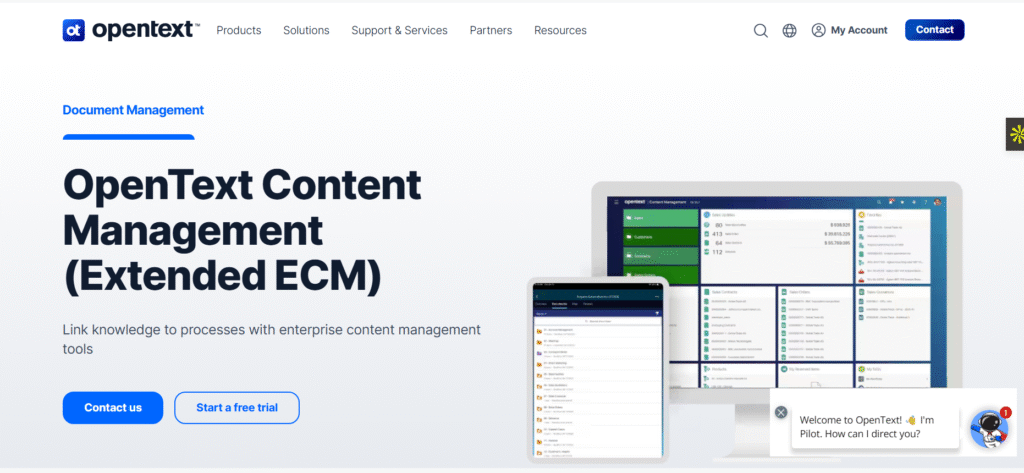
OpenText has long been recognized as a global leader in Enterprise Content Management (ECM). Its Extended ECM platform allows organizations to manage content seamlessly within the context of their business processes. By integrating smoothly with systems like SAP, Salesforce, and Microsoft, OpenText ensures that critical documents are accessible exactly where and when they are needed.
Key Features:
- Advanced document and records management organize, track, and securely store all business documents.
- Deep integration with ERP and CRM tools embed content directly into workflows and business applications.
- AI-powered metadata extraction automatically categorize and tag documents for easier search and retrieval.
- Secure hybrid deployment options choose between on-premises, cloud, or hybrid setups to match your IT strategy.
Why it stands out:
OpenText Extended ECM excels in compliance, scalability, and long-term content governance, making it an ideal choice for complex enterprises operating in heavily regulated industries. Its ability to integrate with existing enterprise systems ensures content is not just stored but actively supports business processes.
2. IBM FileNet Content Manager
Best for: Organizations needing AI-driven insights and automation
Overview:
IBM FileNet continues to lead in intelligent content management with its cloud-native capabilities and advanced content services. By integrating with IBM Watson, FileNet leverages AI to classify documents, extract insights, and automate complex business processes helping organizations turn unstructured content into actionable intelligence.
Key Features:
- AI and machine learning for document processing automate classification, tagging, and content analysis.
- Scalable cloud and hybrid deployment flexible options to meet enterprise growth and IT strategies.
- Federated content search and governance access content across multiple repositories securely and efficiently.
- Secure content lifecycle management ensure compliance, retention, and secure disposal of sensitive information.
Why it stands out:
IBM FileNet is ideal for enterprises handling large volumes of unstructured data and seeking to harness AI for smarter, faster decision-making. Its combination of automation, intelligence, and security makes it a powerful solution for data-driven organizations.
3. Hyland OnBase
Best for: Mid-to-large enterprises seeking document workflow automation
Overview:
Hyland’s OnBase is a versatile Enterprise Content Management platform designed to simplify document management while automating business processes. Its modular architecture allows organizations to implement exactly what they need and scale as requirements grow. OnBase is particularly popular in healthcare, government, and financial services, where secure document handling, compliance, and workflow efficiency are critical. The platform offers flexible deployment options, including cloud, on-premises, and hybrid, ensuring it fits a wide range of IT strategies.
Key Features:
- Centralized content repository store all business documents in a secure, organized, and easily accessible location.
- Automated workflows and approvals streamline repetitive tasks, reduce bottlenecks, and accelerate decision-making.
- Role-based security and compliance control access based on user roles and maintain compliance with industry regulations.
- Integration with third-party applications seamlessly connect with ERP, CRM, and other business systems to ensure content is available where it’s needed most.
Why it stands out:
OnBase shines for its ease of use and scalability. The platform’s modular design allows organizations to start with essential features and expand capabilities over time, balancing power and simplicity. Its strong focus on workflow automation and secure content management makes it an excellent choice for enterprises seeking efficiency without complexity.
4. Nuxeo (Now Part of Hyland)
Best for: Companies managing rich media and diverse digital assets
Overview:
Nuxeo, now part of Hyland, is a modern, open-source Enterprise Content Management (ECM) platform designed to manage complex content types, including documents, images, videos, and other rich media. Unlike traditional ECM solutions that focus primarily on documents, Nuxeo specializes in digital asset management (DAM), enabling organizations to handle multimedia content efficiently while maintaining control, organization, and accessibility.
The platform’s cloud-native and API-first architecture makes it highly scalable, flexible, and adaptable to evolving business requirements. It’s particularly popular in media, technology, creative industries, and large enterprises that manage diverse and high-volume content repositories.
Key Features in Detail
- Cloud-Native and API-First Architecture
Nuxeo is built to support modern digital transformation initiatives:
- Fully cloud-ready deployment for scalability and easy access
- API-first design allows seamless integration with existing business applications, including CRM, ERP, and marketing platforms
- Supports hybrid environments for organizations transitioning from on-premises systems
- Fully cloud-ready deployment for scalability and easy access
- Strong Digital Asset Management (DAM) Capabilities
Nuxeo provides robust tools to manage multimedia assets:
- Store, organize, and retrieve images, videos, audio files, and documents in a unified repository
- Track usage, licensing, and version history for all digital assets
- Facilitate collaboration among teams working on creative or marketing projects
- Store, organize, and retrieve images, videos, audio files, and documents in a unified repository
- AI-Driven Metadata and Content Tagging
The platform leverages artificial intelligence and machine learning to:
- Automatically extract metadata and categorize content for easy searchability
- Tag digital assets based on content recognition (e.g., images, videos)
- Reduce manual data entry, improve accuracy, and speed up asset retrieval
- Automatically extract metadata and categorize content for easy searchability
- Developer-Friendly Customization
Nuxeo’s open-source nature provides flexibility for developers to:
- Customize workflows, content models, and user interfaces
- Build tailored applications and integrations to fit unique business processes
- Extend platform functionality without being locked into proprietary constraints
- Customize workflows, content models, and user interfaces
- Advanced Workflow and Automation
Nuxeo allows organizations to automate content-driven processes, such as:
- Approval workflows for creative assets and documents
- Notifications and task routing based on content changes
- Integration with AI or analytics tools to optimize content management
- Approval workflows for creative assets and documents
Why It Stands Out
Nuxeo shines for its flexibility, innovation, and multimedia capabilities, setting it apart from traditional ECM platforms. It is ideal for businesses that need to manage large volumes of rich media and complex content, while also enabling integration with modern enterprise systems and creative workflows.
By combining open-source adaptability, cloud-native scalability, and AI-powered automation, Nuxeo allows organizations to go beyond basic document management and build dynamic, intelligent content ecosystems.
5. Microsoft SharePoint Syntex
Best for: Microsoft 365 users and digital workplaces
Overview:
Microsoft SharePoint has long been a cornerstone of enterprise collaboration and document management. With the introduction of SharePoint Syntex, Microsoft takes this functionality to a new level by infusing artificial intelligence (AI) and machine learning into content management workflows.
Syntex transforms the way organizations handle information by automating document understanding, metadata extraction, and content tagging all within the familiar SharePoint and Microsoft 365 environment.
For businesses already deeply embedded in the Microsoft ecosystem, Syntex represents a seamless evolution rather than a disruption. It allows companies to unlock the full potential of their existing data repositories by turning static content into searchable, categorized, and actionable information.
Whether you’re managing contracts, policies, invoices, or project documentation, Syntex intelligently classifies files, extracts key data points, and applies metadata automatically saving time and reducing manual errors.
Why It Matters:
In most organizations, vast amounts of valuable information remain buried in unstructured documents across SharePoint sites and Microsoft Teams channels. Manually managing these files is time-consuming and inefficient.
Syntex changes that by making content smarter. It uses prebuilt and trainable AI models to recognize document types, extract relevant information (like dates, names, or contract values), and apply metadata to improve searchability and governance.
This capability ensures teams spend less time hunting for documents and more time acting on the insights they contain. Plus, since it’s natively part of Microsoft 365, deployment is straightforward no need for third-party integrations or complex migrations.
Key Strengths:
- Native Integration with Microsoft 365 Ecosystem
- Syntex works directly within SharePoint, Teams, Outlook, and OneDrive, maintaining a consistent user experience.
- Users can manage, tag, and search content without leaving their familiar Microsoft tools.
- Seamless integration ensures consistent document workflows across departments.
- Syntex works directly within SharePoint, Teams, Outlook, and OneDrive, maintaining a consistent user experience.
- AI-Powered Content Understanding
- Uses AI and machine learning models to identify document types, extract metadata, and automate tagging.
- Can recognize forms, contracts, invoices, and other structured or unstructured content.
- Reduces manual classification errors and improves document organization.
- Uses AI and machine learning models to identify document types, extract metadata, and automate tagging.
- Automation and Workflow Optimization
- Streamlines content review, approvals, and publishing using Power Automate and Power Apps.
- Enables organizations to automate repetitive document-based processes without custom coding.
- Helps ensure compliance by automating retention and access policies.
- Streamlines content review, approvals, and publishing using Power Automate and Power Apps.
- Scalability and Security in the Cloud
- Fully cloud-based, leveraging Microsoft’s Azure infrastructure for scalability and enterprise-grade security.
- Offers role-based access control, data encryption, and compliance certifications (ISO, GDPR, HIPAA).
- Ideal for distributed or remote teams working collaboratively in real-time.
- Fully cloud-based, leveraging Microsoft’s Azure infrastructure for scalability and enterprise-grade security.
- Improved Search and Knowledge Discovery
- Syntex enriches metadata and improves search results across SharePoint libraries.
- Employees can quickly find documents using contextual filters, improving knowledge management and productivity.
- Integrates with Microsoft Search for organization-wide information discovery.
- Syntex enriches metadata and improves search results across SharePoint libraries.
Use Case:
A corporate legal department that manages hundreds of contracts and agreements in SharePoint can deploy Syntex to automate document classification and approval workflows.
Here’s how it works:
- Syntex scans uploaded contracts and automatically recognizes them as “Legal Agreements.”
- The system extracts key details like contract type, effective date, and renewal terms, and applies them as metadata.
- A Power Automate workflow then routes the contract to the appropriate approver based on predefined rules.
- Once approved, the document is securely archived with compliance policies automatically applied.
The result? Faster turnaround times, reduced administrative burden, and complete visibility into the document lifecycle — all within SharePoint.
Why It Stands Out:
Microsoft SharePoint Syntex bridges the gap between traditional document management and intelligent content automation.
For organizations already using Microsoft 365, Syntex offers a cost-effective, scalable, and secure way to upgrade existing SharePoint environments into full-fledged ECM systems without adding another platform.
It empowers employees to work smarter by letting AI handle the tedious tasks of classifying, tagging, and organizing documents. In doing so, Syntex helps businesses achieve greater productivity, compliance, and collaboration, while fully leveraging their investment in Microsoft technology.
6. Laserfiche
Best for: SMBs and growing enterprises focused on digital transformation
Overview:
Laserfiche is a comprehensive Enterprise Content Management (ECM) platform that combines document management, process automation, and analytics to help organizations streamline operations and manage content efficiently. Known for its user-friendly interface, robust security, and flexibility, Laserfiche supports both cloud and on-premises deployments, making it accessible to businesses of all sizes, from small and medium-sized enterprises (SMBs) to growing enterprises.
Laserfiche empowers organizations to modernize their operations, reduce manual paperwork, and ensure compliance, all while maintaining control over sensitive data. Its intuitive design makes it easy for teams to adopt, helping businesses accelerate digital transformation without the complexity typically associated with large-scale ECM platforms.
Key Features in Detail
- Process Automation and E-Forms
Laserfiche allows organizations to automate repetitive business processes and digitize paper-based workflows:
- Automate approvals, notifications, and document routing
- Replace manual forms with e-forms for faster, error-free data collection
- Streamline HR, finance, and operational processes to save time and reduce human error
- Automate approvals, notifications, and document routing
- Cloud and Hybrid Support
Laserfiche provides flexible deployment options to meet varying IT strategies:
- Cloud deployment ensures scalability, remote access, and low maintenance
- On-premises deployment allows organizations with strict data control needs to maintain local governance
- Hybrid deployment supports a combination of both for gradual digital transformation
- Cloud deployment ensures scalability, remote access, and low maintenance
- Robust Data Security and Compliance
Security and compliance are central to Laserfiche:
- Role-based permissions control access to sensitive content
- Advanced encryption protects data in transit and at rest
- Supports regulatory compliance with audit trails, retention policies, and secure disposal of records
- Role-based permissions control access to sensitive content
- Visual Workflow Designer
Laserfiche includes a drag-and-drop visual workflow designer to simplify process creation:
- Create workflows without needing extensive IT or coding expertise
- Monitor and optimize workflow efficiency with real-time analytics
- Customize workflows for specific departments or business needs
- Create workflows without needing extensive IT or coding expertise
- Analytics and Reporting
Laserfiche also provides actionable insights through built-in analytics:
- Track document usage, workflow efficiency, and process bottlenecks
- Generate reports to measure productivity and identify areas for improvement
- Supports data-driven decision-making across the organization
- Track document usage, workflow efficiency, and process bottlenecks
Why It Stands Out
Laserfiche is ideal for organizations that want enterprise-grade ECM functionality without the complexity or high cost of larger ECM systems. Its combination of ease of use, process automation, robust security, and flexible deployment options makes it an excellent choice for SMBs and growing enterprises looking to modernize their content management and operational processes.
By offering scalable digital transformation capabilities, Laserfiche ensures that businesses can streamline operations, improve compliance, and empower teams to work more efficiently while maintaining full control over their content.
7. M-Files
Best for: Metadata-driven Enterprise Content Management
Overview:
M-Files brings a fresh perspective to enterprise content management by changing the way organizations store and access information. Unlike traditional ECM systems that depend on rigid folder structures, M-Files uses a metadata-driven architecture meaning files are organized based on what they are rather than where they’re stored.
This approach enables businesses to locate documents instantly, regardless of their location, while maintaining consistency, accuracy, and compliance. With its blend of AI, automation, and deep integrations, M-Files helps companies simplify workflows, reduce information silos, and ensure the right data is always accessible to the right people.
Why It Matters:
In many organizations, employees waste significant time searching for the right version of a document or trying to remember where a file was saved. M-Files eliminates this challenge by categorizing content according to its context such as client name, project type, document status, or department.
This metadata-centric design not only boosts productivity but also strengthens data governance and compliance by ensuring every file is properly tagged, versioned, and auditable. Whether your documents are stored on local drives, network folders, or in the cloud, M-Files creates a unified, searchable system that saves time and reduces human error.
Key Strengths:
- AI-Powered Document Classification
M-Files leverages artificial intelligence to automatically identify, tag, and categorize documents based on their content. This smart automation minimizes manual filing, reduces inconsistencies, and ensures that every document is indexed correctly even across large data repositories. - Efficient Version Control and Audit Trails
Keeping track of document versions can be a nightmare in fast-moving organizations. M-Files solves this by maintaining complete version histories and audit trails for every file. You can instantly view who edited a document, when changes were made, and easily revert to earlier versions if needed — essential for compliance-driven industries like finance, legal, and healthcare. - Seamless Integration with ERP and CRM Systems
M-Files integrates effortlessly with popular business systems such as Microsoft 365, Salesforce, SAP, and Google Workspace, allowing teams to access and manage documents within the tools they already use. This integration breaks down silos between departments and ensures information flows smoothly across business functions. - Enhanced Compliance and Security
With role-based permissions, encryption, and audit controls, M-Files helps organizations comply with strict data privacy and industry regulations. It ensures sensitive documents are accessed only by authorized users and that all actions are traceable. - Unified Access to Distributed Content
Whether your data resides in on-premises file servers, network drives, or cloud storage, M-Files creates a single access point for all documents. This allows employees to find any file anywhere without needing to migrate data or duplicate storage.
Use Case:
A law firm managing thousands of case files, contracts, and client documents can use M-Files to completely streamline its document handling process. Instead of remembering where files are stored, legal teams can search by metadata — for example, by client name, case ID, or document type.
This allows attorneys to retrieve the exact document they need within seconds, while maintaining strict compliance with legal regulations and confidentiality standards.
The firm benefits from reduced manual effort, faster case preparation, and complete visibility into document revisions and access logs.
Why It Stands Out:
M-Files transforms how businesses manage information by focusing on intelligent organization and contextual access rather than static storage. It’s especially valuable for organizations that deal with high volumes of unstructured data or operate in industries where compliance, version control, and auditability are critical.
Whether you’re a growing SMB or a global enterprise, M-Files provides a scalable, secure, and smart ECM solution that adapts to your workflows — not the other way around.
8. Box
Best for: Cloud-first organizations and remote teams
Overview:
Box is a cloud-native Enterprise Content Management (ECM) platform built to meet the needs of modern, distributed workplaces. With its emphasis on secure file sharing, real-time collaboration, and workflow automation, Box enables organizations to manage all their content in one centralized and accessible platform.
Designed for the digital and hybrid workforce, Box ensures that teams can create, edit, and share documents anytime, anywhere all while maintaining enterprise-grade security and compliance. From startups to global enterprises, Box has become a go-to solution for organizations prioritizing collaboration, cloud scalability, and data protection.
Why It Matters:
In today’s remote and hybrid work environment, teams need a way to collaborate efficiently without compromising data security. Traditional ECM systems that rely on local servers or VPNs can slow down access and complicate teamwork.
Box eliminates these barriers by offering a cloud-first content management solution that keeps everything from proposals and reports to multimedia files and contracts securely stored and easily shareable. With granular access controls, advanced encryption, and compliance certifications, Box gives organizations the freedom to collaborate globally while maintaining complete control over their data.
Additionally, Box’s intuitive interface and deep integrations with tools like Microsoft 365, Google Workspace, Slack, and Zoom make it a natural fit for enterprises aiming to modernize their digital ecosystem without steep learning curves.
Key Strengths:
- Cloud Storage with Enterprise-Grade Security and Compliance
- Box provides highly secure, scalable cloud storage with built-in compliance for standards like GDPR, HIPAA, and ISO 27001.
- Data is encrypted both at rest and in transit, ensuring protection from unauthorized access.
- Administrators can set role-based permissions and audit logs to maintain visibility and control.
- Box provides highly secure, scalable cloud storage with built-in compliance for standards like GDPR, HIPAA, and ISO 27001.
- Seamless Integration with Enterprise Productivity Apps
- Integrates with more than 1,500 third-party apps, including Microsoft 365, Slack, Salesforce, and Google Workspace.
- Allows users to edit documents, share updates, and collaborate without leaving their preferred tools.
- Centralizes content so employees spend less time switching between platforms and more time getting work done.
- Integrates with more than 1,500 third-party apps, including Microsoft 365, Slack, Salesforce, and Google Workspace.
- Workflow Automation for Document Approvals and Sharing
- Box’s “Relay” feature enables users to automate document reviews, approvals, and task notifications.
- Helps standardize business processes from HR onboarding to contract management with minimal manual input.
- Increases team efficiency and ensures accountability across departments.
- Box’s “Relay” feature enables users to automate document reviews, approvals, and task notifications.
- Collaboration and Version Control
- Multiple users can co-edit and comment on documents in real time.
- Automatic versioning ensures that everyone is working on the latest file, reducing confusion and rework.
- Integrated communication tools keep feedback centralized and organized.
- Multiple users can co-edit and comment on documents in real time.
- Global Accessibility and Scalability
- As a fully cloud-native platform, Box scales effortlessly as organizations grow.
- Supports remote access from any device, enabling global teams to collaborate securely without dependence on physical infrastructure.
- As a fully cloud-native platform, Box scales effortlessly as organizations grow.
Use Case:
A distributed marketing team working across multiple time zones uses Box to collaborate on campaign materials, proposals, and client presentations.
Team members can:
- Upload creative assets and documents to shared folders.
- Collaborate on edits in real time using Microsoft 365 or Google Docs integrations.
- Track revisions automatically through version control.
- Manage approval workflows using Box Relay, ensuring projects move forward efficiently.
The result? A seamless, transparent, and secure collaboration process even when team members are oceans apart.
Why It Stands Out:
Box stands out as a cloud-first, collaboration-driven ECM platform designed for flexibility, speed, and global teamwork. It combines security, simplicity, and scalability empowering organizations to stay connected, productive, and compliant without managing on-premises infrastructure.
For companies embracing remote work or digital transformation, Box is more than just a storage solution it’s a complete ecosystem for intelligent content collaboration.
9. DocuWare
Best for: Businesses digitizing workflows and document management
Overview:
DocuWare is a leading ECM and workflow automation platform designed to help organizations transition from paper-based operations to fully digital environments. Trusted by thousands of businesses worldwide, DocuWare combines document management, process automation, and secure archiving into a unified system that enhances efficiency, accuracy, and compliance.
The platform offers both cloud and on-premises deployment, making it flexible for businesses of all sizes and IT infrastructures. Whether you’re automating invoice processing, HR onboarding, or contract approvals, DocuWare ensures that every document is securely stored, easily retrievable, and efficiently routed through digital workflows.
By eliminating manual data entry and physical paperwork, DocuWare enables companies to reduce operational costs, improve employee productivity, and achieve a faster, more transparent approval cycle.
Why It Matters:
In today’s fast-paced business landscape, organizations can’t afford to lose time to manual filing, searching for documents, or chasing paper approvals. DocuWare solves this by providing a centralized digital document hub that streamlines every stage of a document’s lifecycle from capture to storage to approval.
Its workflow automation capabilities ensure that tasks like invoice approvals, purchase order reviews, and HR document processing happen seamlessly without human bottlenecks. The result is a more efficient, accurate, and compliant workplace that’s prepared for digital transformation.
Moreover, DocuWare’s compliance-ready architecture helps organizations meet industry regulations such as GDPR, ISO 9001, and HIPAA by maintaining detailed audit trails and secure access controls.
Key Strengths:
- Flexible Cloud and On-Premises Deployment
- DocuWare offers hybrid deployment options, allowing businesses to choose between cloud, on-premises, or a combination of both.
- Its cloud version provides easy scalability, automatic updates, and global access, while the on-premises version gives complete control to IT teams with strict security or data residency needs.
- DocuWare offers hybrid deployment options, allowing businesses to choose between cloud, on-premises, or a combination of both.
- Automated Approvals and Workflow Routing
- Built-in workflow automation tools simplify and accelerate repetitive business processes.
- Documents like invoices, contracts, or purchase orders can be automatically routed to the right department for approval.
- Notifications, task assignments, and deadline tracking reduce bottlenecks and ensure accountability.
- Built-in workflow automation tools simplify and accelerate repetitive business processes.
- Seamless Integration with ERP and Productivity Tools
- DocuWare integrates with leading ERP systems (like SAP and Microsoft Dynamics) and productivity suites (like Microsoft 365 and Google Workspace).
- This ensures documents and data flow smoothly between systems, eliminating manual data entry and duplication errors.
- Users can access, upload, and manage documents directly within familiar applications.
- DocuWare integrates with leading ERP systems (like SAP and Microsoft Dynamics) and productivity suites (like Microsoft 365 and Google Workspace).
- Secure Digital Archiving and Compliance
- Documents are stored in encrypted archives with role-based permissions, protecting sensitive information.
- Audit trails, access logs, and version histories make compliance reporting straightforward.
- Advanced search features allow users to retrieve documents instantly whether they’re two days or two years old.
- Documents are stored in encrypted archives with role-based permissions, protecting sensitive information.
- Intelligent Document Capture and Indexing
- Using OCR (Optical Character Recognition) and intelligent indexing, DocuWare automatically captures and classifies documents from emails, scanners, or file uploads.
- Metadata tagging enables quick retrieval without needing to remember folder paths or filenames.
- Using OCR (Optical Character Recognition) and intelligent indexing, DocuWare automatically captures and classifies documents from emails, scanners, or file uploads.
Use Case:
A manufacturing company uses DocuWare to digitize its financial and operational workflows.
- Incoming invoices are scanned or emailed into the system, where OCR automatically extracts key data (vendor name, amount, date).
- The system routes these invoices to the appropriate approvers based on predefined rules.
- Once approved, they’re archived securely and linked to purchase orders in the ERP system for easy audit tracking.
This automation reduces manual errors, shortens approval times, and ensures every financial document is securely stored and easily accessible transforming what once took days into a matter of minutes.
Why It Stands Out:
DocuWare stands out for its balanced approach to document management and workflow automation. It’s powerful enough for large enterprises yet simple and cost-effective for mid-sized businesses looking to digitize their operations.
Its flexibility offering both cloud and on-premise deployment, combined with deep integration capabilities and a user-friendly interface makes DocuWare an ideal choice for organizations ready to modernize their document workflows without a steep learning curve.
With DocuWare, businesses not only replace paper with digital files but also build a smarter, faster, and more compliant workflow ecosystem.
10. Alfresco (Now Part of Hyland)
Best for: Enterprises seeking open-source flexibility and scalable ECM
Overview:
Alfresco, now part of Hyland, is one of the most recognized names in open-source enterprise content management. Known for its flexibility, extensibility, and developer-friendly environment, Alfresco allows organizations to build tailored ECM solutions that adapt perfectly to their workflows and compliance needs.
Originally founded with the vision of making content management open and accessible, Alfresco offers a cloud-native, API-driven platform that manages everything from documents and records to multimedia assets and business processes.
It is especially popular among enterprises that need a highly customizable system without being locked into proprietary frameworks. Alfresco’s architecture enables businesses to integrate it seamlessly with existing applications like ERP, CRM, and HR systems ensuring unified data flow and content governance.
Since its acquisition by Hyland, Alfresco continues to evolve with enhanced cloud capabilities, AI-driven metadata tools, and enterprise-grade security, all while retaining its open-source roots.
Why It Matters:
In modern enterprises, flexibility and scalability are critical especially for organizations operating across multiple departments, geographies, and regulatory frameworks. Alfresco offers both.
Its open-source foundation means that businesses have full control over how they deploy, customize, and extend their ECM system. Whether you’re building a custom document management workflow, automating records retention, or embedding content services into a business app, Alfresco provides the tools and APIs to make it happen.
Moreover, Alfresco’s cloud-native design supports agile digital transformation initiatives. It empowers IT teams to deliver ECM capabilities faster while ensuring consistent security, compliance, and scalability across hybrid environments.
Key Strengths:
- Open-Source and Developer-Friendly Platform
- Alfresco’s open architecture gives organizations full control over customization and deployment.
- Its RESTful APIs and modular design make it easy to build integrations or tailor workflows specific to business needs.
- Active community support ensures continuous innovation and transparency.
- Alfresco’s open architecture gives organizations full control over customization and deployment.
- Cloud-Native and Scalable Architecture
- Built for scalability, Alfresco supports cloud, on-premises, or hybrid deployments.
- It leverages containerization (Docker and Kubernetes) to provide flexible and fast deployments.
- This makes it ideal for enterprises managing millions of documents or operating in multiple regions.
- Built for scalability, Alfresco supports cloud, on-premises, or hybrid deployments.
- Advanced Content and Records Management
- Alfresco offers robust document lifecycle management, version control, and records retention features.
- It supports automated classification, policy-based archiving, and compliance with standards like DoD 5015.2 and ISO 15489.
- Users can easily set retention rules, audit content, and ensure legal defensibility.
- Alfresco offers robust document lifecycle management, version control, and records retention features.
- AI-Driven Metadata and Intelligent Search
- Through integration with AI services (like Google Vision and AWS Comprehend), Alfresco automatically extracts metadata, tags content, and enables powerful contextual search.
- This reduces manual tagging and speeds up content discovery across large repositories.
- Through integration with AI services (like Google Vision and AWS Comprehend), Alfresco automatically extracts metadata, tags content, and enables powerful contextual search.
- Seamless Integration with Business Applications
- Alfresco connects smoothly with major enterprise systems like Salesforce, SAP, Microsoft 365, and Google Workspace.
- These integrations allow users to manage and access documents directly within the tools they already use.
- Alfresco connects smoothly with major enterprise systems like Salesforce, SAP, Microsoft 365, and Google Workspace.
- Enhanced Security and Compliance
- Offers role-based permissions, encryption, and detailed audit trails.
- Meets stringent data privacy and security regulations across industries, including government, healthcare, and finance.
- Offers role-based permissions, encryption, and detailed audit trails.
Use Case:
A global financial services firm uses Alfresco to manage its client onboarding documentation and compliance workflows.
- When a new client is added, relevant identification and verification documents are uploaded into Alfresco.
- The system automatically categorizes, tags, and routes the files to compliance officers for review using predefined workflows.
- Once approved, all records are archived according to financial regulations and retained securely for auditing.
This process reduces manual effort, ensures consistency across departments, and guarantees that compliance requirements are always met without slowing down client onboarding.
Why It Stands Out:
Alfresco stands out as one of the most flexible and scalable ECM platforms available today. It’s ideal for organizations that want control, customization, and cloud-readiness without sacrificing security or compliance.
Now strengthened under Hyland’s umbrella, Alfresco combines open-source innovation with enterprise-grade support and reliability. It’s a great fit for businesses that see ECM not just as a tool for storing content, but as a strategic enabler for digital transformation.
Whether deployed in the cloud or on-premises, Alfresco empowers enterprises to build a content ecosystem that is intelligent, automated, and future-ready.
How to Choose the Right ECM Software
Selecting the right Enterprise Content Management (ECM) software is a critical decision that can significantly impact your organization’s productivity, compliance, and digital transformation strategy. With a wide range of ECM platforms available, it’s essential to evaluate each option carefully to ensure it aligns with your business goals, technical infrastructure, and user needs.
Here are the key factors to consider when choosing the best ECM solution for your organization:
1. Scalability
Your ECM system should be able to grow alongside your organization. Consider:
- Whether the platform can handle increasing volumes of content and users without performance issues
- Options for expanding functionality as your business processes evolve
- Support for multi-site, multi-department, or global deployments
A scalable ECM ensures that you won’t outgrow the system as your organization expands, avoiding costly migrations in the future.
2. Compliance Needs
Regulatory compliance is critical in industries such as healthcare, finance, legal, and government. The ECM solution should:
- Support industry-specific regulations and standards (e.g., HIPAA, GDPR, ISO)
- Provide audit trails, retention policies, and secure access controls
- Enable proper disposal or archiving of sensitive documents
Choosing a platform that meets compliance requirements reduces legal risks and ensures your organization maintains trust and credibility.
3. Integration with Existing Systems
A strong ECM system must integrate seamlessly with your current software ecosystem, including ERP, CRM, HR, and productivity tools. Effective integration allows:
- Content to be accessible directly within the applications employees use daily
- Automated workflows across systems to reduce manual duplication of tasks
- Better collaboration and a unified view of business processes
Integration ensures that ECM becomes a value-adding component rather than an isolated repository.
4. Ease of Use and Adoption
An ECM platform’s success largely depends on whether employees adopt and use it effectively. Evaluate:
- User interface simplicity and intuitiveness
- Availability of training, documentation, and support
- Mobile accessibility for remote and hybrid teams
A user-friendly ECM minimizes resistance to adoption, reduces training costs, and improves productivity across departments.
5. Cost vs. Value
Finally, consider the total cost of ownership (TCO) and expected return on investment (ROI). Look beyond the upfront license or subscription fees and assess:
- Implementation and integration costs
- Maintenance, support, and upgrade expenses
- Efficiency gains, time savings, and risk reduction that the ECM provides
Choosing a solution that balances cost with long-term value ensures your investment drives measurable business benefits.
Final Thoughts
Enterprise Content Management (ECM) is no longer just a tool for organizing documents — it has become a strategic necessity for modern organizations. In an era where data drives business decisions, having a robust ECM system ensures that your organization can capture, store, manage, and leverage content effectively, while maintaining security and compliance.
The right ECM platform does more than just store documents. It streamlines workflows, reduces operational inefficiencies, and improves collaboration across teams and departments. By automating routine processes, integrating with existing enterprise systems, and providing AI-driven insights, ECM platforms empower organizations to work smarter and make faster, data-informed decisions.
Choosing the right solution depends on your organization’s specific needs:
- OpenText Extended ECM – Excels in compliance, scalability, and governance, making it ideal for large enterprises and highly regulated industries that need robust document control and secure content collaboration.
- IBM FileNet Content Manager – Brings AI-driven automation and analytics to manage massive volumes of unstructured data, helping enterprises transform content into actionable intelligence.
- Hyland OnBase – Offers modular workflow automation and process optimization tools, making it perfect for mid-to-large enterprises in sectors like healthcare, government, and finance.
- Nuxeo (Now Part of Hyland) – Designed for managing rich media and complex digital assets, Nuxeo empowers creative, media, and technology-driven organizations with an API-first, cloud-native architecture.
- Microsoft SharePoint Syntex – Integrates seamlessly with the Microsoft 365 ecosystem, using AI to automate document classification and metadata management, perfect for digital workplaces and hybrid teams.
- Laserfiche – Provides a user-friendly, scalable ECM platform combining process automation and analytics ideal for SMBs and growing enterprises embracing digital transformation.
- M-Files – Uses a metadata-driven approach to organize information based on what it is rather than where it’s stored, ensuring quick retrieval, compliance, and improved document governance.
- Box – A cloud-native ECM solution built for collaboration and secure content sharing. It’s particularly suited for remote teams and cloud-first organizations focused on agility and real-time cooperation.
- DocuWare – Specializes in workflow automation and digital archiving, enabling businesses to eliminate paper-heavy processes and improve efficiency with cloud or on-premises deployment options.
- Alfresco (Now Part of Hyland) – An open-source, developer-friendly ECM offering maximum flexibility and scalability. It’s a favorite among enterprises seeking customization and hybrid cloud deployments.
In summary, adopting the right ECM solution is not just about managing content — it’s about unlocking the full value of your data, driving operational efficiency, ensuring regulatory compliance, and supporting digital transformation initiatives. By carefully evaluating your organization’s goals, workflows, and technology ecosystem, you can select an ECM platform that not only meets today’s requirements but also scales to support future growth.
The right ECM platform transforms content from a passive resource into a strategic asset, empowering your organization to stay competitive, agile, and data-driven in an increasingly digital world