If you’ve ever checked your backlinks in three different tools and gotten three different numbers, you’re not imagining things. Ahrefs might tell you that you have 12,000 backlinks. Semrush says 18,500. Google Search Console shows 2,300. None of them are lying to you. They’re just counting different things.
That’s the real problem people run into when they search for the best backlink checker. It’s not that good tools don’t exist. It’s that nobody explains which tool fits which job, or why the numbers never match up.
This guide covers both. We’ll walk through the strongest backlink checkers on the market, what each one is actually good at, and how to pick the right one for what you’re trying to do, whether that’s auditing your own site, sizing up a competitor, or cleaning up a spammy link profile before it drags your rankings down.
Quick answer if you’re in a hurry: Ahrefs is the strongest all-around backlink checker for most SEOs. Google Search Console is the best free option if you only need data on your own site.
Semrush is a close second to Ahrefs and edges ahead if you want backlink data bundled with broader competitive research. Keep reading for the reasoning, the trade-offs, and seven more tools worth knowing about.
Best Backlink Checker Tools at a Glance
1. Ahrefs: Best for Overall Backlink Analysis
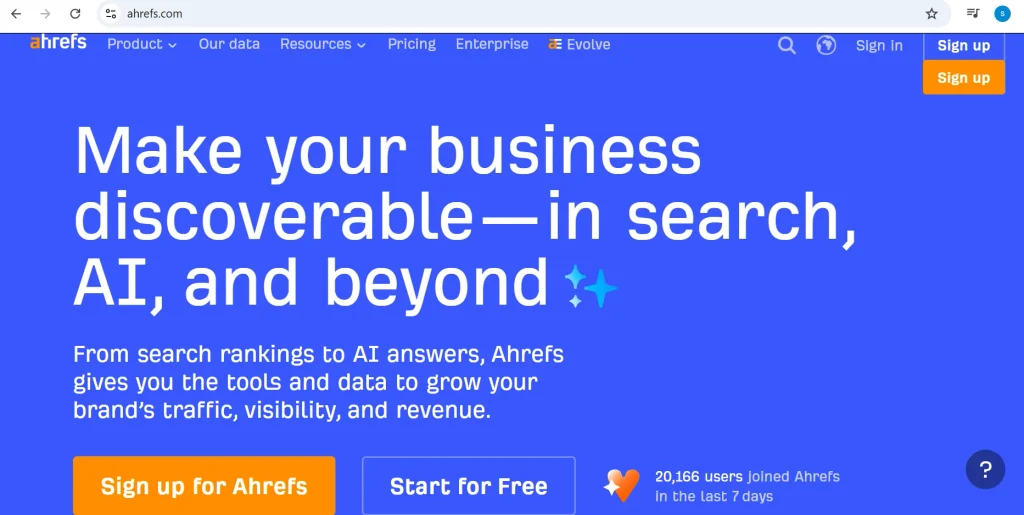
Ahrefs is one of the most widely used SEO platforms for analyzing backlinks and understanding a website’s overall link profile. Its backlink tools can help you discover which websites are linking to your domain, examine referring pages and domains, and identify potentially valuable links.
Ahrefs is particularly useful when you want to research competitor backlinks. You can analyze where competitors are earning links and use those insights to find potential link-building opportunities for your own website.
Key features:
- Comprehensive backlink analysis
- Competitor backlink research
- Referring domains and pages
- Anchor text analysis
- Historical backlink data
- Backlink monitoring
- Link-building opportunity research
Free option: Limited free backlink checker
Best for: SEO professionals, marketers, and businesses that need detailed backlink research
2. Semrush: Best for Competitive SEO Research
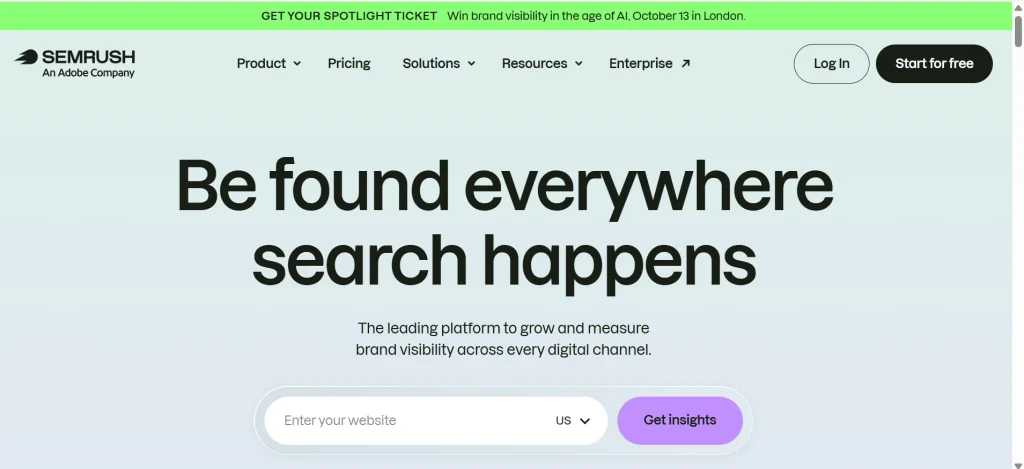
Semrush is an all-in-one SEO platform that includes powerful backlink analysis and competitive research features. Its Backlink Analytics tool lets you investigate a website’s backlink profile and compare it with competitors.
One of Semrush’s biggest advantages is that backlink data can be combined with other SEO insights. This makes it useful when you’re not just checking backlinks but also trying to understand a competitor’s broader SEO strategy.
Key features:
- Backlink profile analysis
- Competitor backlink research
- Referring domains analysis
- Anchor text information
- Toxic backlink identification
- Backlink gap analysis
- Competitor comparison
Free option: Limited free access
Best for: Competitive SEO research and digital marketing teams
3. Google Search Console: Best for Your Own Website
Google Search Console is a free tool from Google that provides website owners with information about their site’s performance in Google Search. Its Links report can show which websites link to your pages and which pages on your site receive the most external links.
Unlike dedicated backlink tools, Google Search Console is primarily designed to help you understand your own website, not competitors. It’s therefore a good starting point for beginners who want basic backlink information without paying for an SEO platform.
Key features:
- External links report
- Top linking websites
- Top linked pages
- Internal links information
- Free access
- Directly connected to your Google Search data
Free option: Yes
Best for: Website owners and beginners checking their own backlinks
4. Moz Link Explorer: Best for Beginners
Moz Link Explorer is a backlink analysis tool designed to make link research relatively straightforward. It allows users to investigate backlinks, referring domains, anchor text, and other information related to a website’s link profile.
Moz can be particularly useful for beginners who are learning how backlinks influence SEO. Its metrics can also help users evaluate the relative authority of linking domains and identify potential link-building opportunities.
Key features:
- Backlink analysis
- Link discovery
- Referring domain research
- Anchor text analysis
- Competitor backlink research
- Domain authority-related metrics
- Link-building opportunities
Free option: Limited free searches
Best for: Beginners and small businesses getting started with backlink analysis
5. Majestic: Best for Link Intelligence
Majestic is an SEO platform with a strong focus on backlinks and link intelligence. Rather than trying to be an all-purpose SEO platform, it places considerable emphasis on understanding the web’s link graph.
Its backlink data can help you examine referring domains, link history, anchor text, and the quality or strength of links pointing to a website. This makes it useful for marketers and SEO professionals who want to go deeper into link-focused research.
Key features:
- Backlink database
- Referring domain analysis
- Anchor text research
- Link history
- Competitor backlink analysis
- Link intelligence metrics
- Trust and citation-related metrics
Free option: Limited access
Best for: SEO professionals who focus heavily on backlink and link-profile analysis
6. Ubersuggest: Best for Budget-Conscious Users
Ubersuggest offers backlink analysis alongside other SEO features such as keyword research, site audits, and competitor research. Its backlink report can help users discover links pointing to a website and investigate competitor link profiles.
The platform is worth considering if you need basic backlink research while also wanting access to other SEO tools without investing in a more advanced enterprise-level platform.
Key features:
- Backlink overview
- Referring domains
- Competitor backlink research
- Link opportunities
- Keyword research
- Site auditing
- SEO competitor analysis
Free option: Limited
Best for: Beginners, freelancers, bloggers, and budget-conscious SEO users
7. SE Ranking: Best for Agencies
SE Ranking is an SEO platform that combines backlink analysis with tools for keyword tracking, website audits, competitor research, and other SEO tasks. Its backlink tools can help agencies and businesses monitor their link profiles and investigate competitors.
For agencies managing multiple websites, having backlink analysis alongside other SEO workflows can make it easier to organize research and reporting from one platform.
Key features:
- Backlink checker
- Backlink monitoring
- Competitor backlink research
- Referring domains
- Anchor text analysis
- Link quality analysis
- SEO reporting tools
Free option: Free trial
Best for: Agencies, SEO teams, and businesses managing multiple websites
Best Backlink Analysis Tools: Quick Comparison
| Tool | Best For | Free Option | Competitor Backlinks | Monitoring | Starting Price |
| Ahrefs | Overall backlink analysis | Limited free checker | Yes | Yes | Check current pricing |
| Semrush | Competitive SEO research | Limited free checker | Yes | Yes | Check current pricing |
| Google Search Console | Your own website | Free | No | Limited | Free |
| Moz Link Explorer | Beginners | Limited free checker | Yes | Limited | Check current pricing |
| Majestic | Link intelligence | Limited | Yes | Yes | Check current pricing |
| Ubersuggest | Budget-conscious users | Limited | Yes | Limited | Check current pricing |
| SE Ranking | Agencies | Free trial | Yes | Yes | Check current pricing |
Pricing and free-tier limits change often. Check each provider’s pricing page before you commit to a plan.
Which Backlink Checker Should You Choose?
The best backlink checker depends on what you actually need. Ahrefs and Semrush are strong choices for advanced backlink and competitor research, while Google Search Console is the simplest free option for checking your own website.
If you’re a beginner, Moz Link Explorer or Ubersuggest can be easier starting points. Majestic is particularly useful when your work is heavily focused on link intelligence, while SE Ranking can be a practical option for agencies managing multiple SEO campaigns.
Before choosing a paid tool, compare its backlink database, competitor-analysis capabilities, monitoring features, usage limits, and current pricing. Free plans and pricing can change, so always check the provider’s latest terms before subscribing.
What Is a Backlink Checker?
A backlink checker is a tool that crawls the web, builds an index of links between pages, and lets you search that index by domain. Type in a URL, and it shows you every link it has found pointing to that page or site.
What does a backlink checker do?
At a basic level, it answers one question: who is linking to this site? Beyond that, most tools break the data down by referring domain, anchor text, link type, and some measure of authority so you’re not stuck scrolling through a flat list of thousands of URLs.
What data does a backlink checker show?
Most tools report on a similar set of fields, even though the exact labels differ:
- Total backlinks and referring domains
- Anchor text used in each link
- Dofollow versus nofollow status
- The specific page being linked to
- An authority or strength score for the linking domain
- New and lost links over time
Why backlink checkers show different numbers
This is the part almost nobody explains well, so let’s slow down here. Every backlink tool runs its own web crawler. That crawler doesn’t visit the entire internet. Nothing does. It follows a set of rules about which pages to visit, how often to revisit them, and how deep to crawl into a site.
Ahrefs and Semrush both operate independent crawlers with different crawl budgets and different refresh schedules. Majestic keeps two separate indexes (a Fresh Index of recently found links and a Historic Index going back years) and reports different totals depending on which one you’re looking at.
Google Search Console isn’t a general web crawler at all; it only shows links Google itself has indexed and attributed to your verified property, which is why its numbers are usually the smallest of the group.
None of these numbers is “wrong.” They’re measuring the same thing with different nets. The size of the net matters less than whether you’re using the same tool consistently so your trends are comparable over time.
How We Compared the Best Backlink Checkers
We evaluated each tool against the criteria that actually affect day-to-day SEO work, not just marketing claims on the pricing page.
1. Backlink database size
How many links and referring domains the tool’s index contains, and how that compares across tools when checking the same domain.
2. Referring-domain coverage
Total backlinks matter less than unique referring domains. A tool that surfaces domain diversity clearly is more useful than one that just shows a big raw count.
3. Data freshness
How often the crawler revisits sites and updates the index. A tool that takes weeks to register a new link isn’t much help for active outreach or disavow work.
4. Competitor analysis
Whether you can pull backlink data for any domain, not just ones you own and verify.
5. Link-quality metrics
Whether the tool offers some signal (Domain Rating, Domain Authority, Trust Flow, or similar) to help you judge a link’s strength beyond just existing.
6. New and lost backlink tracking
Whether the tool alerts you when you gain or lose links, which matters for ongoing monitoring rather than one-off audits.
7. Filtering and exporting
How easy it is to filter by dofollow/nofollow, anchor text, or link type, and whether you can export the data for a client report or a spreadsheet.
8. Ease of use
How much of a learning curve a beginner faces before the tool becomes useful rather than overwhelming.
9. Price and free limits
What’s actually available without paying, and how quickly you hit a wall.
1. Ahrefs: Best Overall Backlink Checker
Why Ahrefs stands out
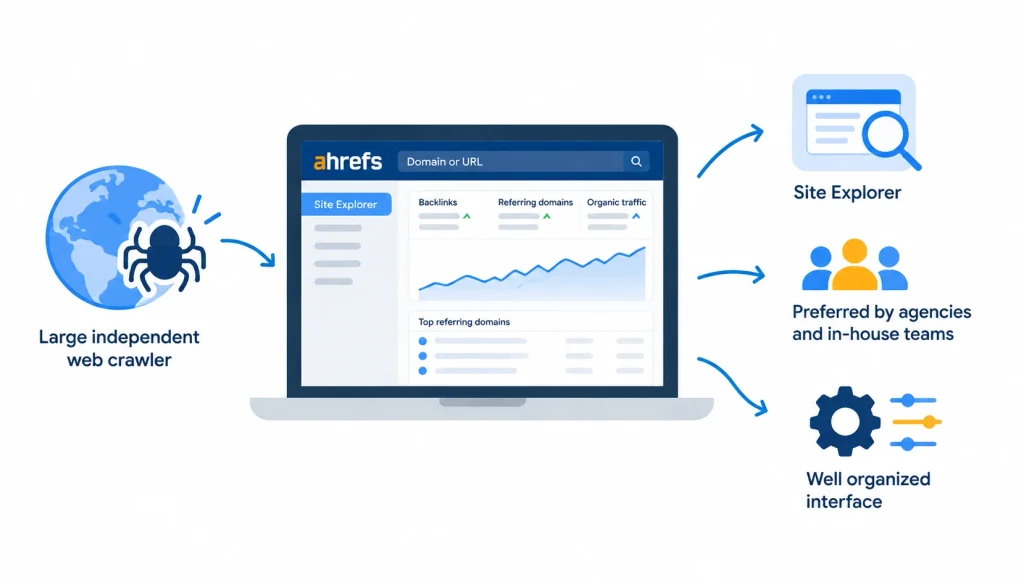
Ahrefs runs one of the largest independent web crawlers in SEO, and its Site Explorer tool is often the first stop for agencies and in-house teams doing serious link analysis. The interface is dense but well organized once you learn where things live.
Backlink analysis features
Site Explorer breaks backlinks down by referring domain, anchor text, first seen date, and link type. You can filter by Domain Rating, platform (like whether the link comes from a blog, forum, or news site), and language.
Competitor backlink research
Because Ahrefs indexes the whole web, not just verified properties, you can run the same analysis on a competitor’s domain that you’d run on your own. This is the feature that separates it from Google Search Console entirely.
Link Intersect and link-gap opportunities
The Link Intersect tool shows you domains linking to your competitors but not to you, a practical shortlist for outreach rather than a cold start.
Pros
Deep, well-organized data. Strong filtering. Widely trusted in the SEO community, including on r/SEO on Reddit, where it’s a recurring recommendation.
Cons
Pricing sits above budget tools, and the interface takes real time to learn.
Pricing and free options
Ahrefs offers a limited free backlink checker that shows a capped set of results per domain. Full access requires a paid plan; check Ahrefs’ pricing page for current tiers.
Best for
Agencies, in-house SEO teams, and anyone doing frequent competitor research.
2. Semrush: Best for Competitive SEO Analysis
Backlink Analytics
Semrush’s Backlink Analytics tool covers similar ground to Ahrefs (referring domains, anchor text, authority score) and pairs it with the rest of Semrush’s competitive research suite, so you’re not switching platforms to check rankings or ad data for the same domain.
Backlink Audit
This is where Semrush pulls ahead for a specific use case: cleaning up a toxic link profile. The Backlink Audit tool flags links that look spammy or risky and helps you build a disavow file, which is genuinely useful if you’re recovering from a past link-building mistake.
Backlink Gap
Similar to Ahrefs’ Link Intersect, this tool compares your backlink profile against up to several competitors at once and shows where they’re getting links you’re missing.
New and lost backlinks
Semrush tracks link changes over time and can alert you when a link disappears, which matters if you’re monitoring a digital PR campaign or a set of client sites.
Pros and cons
Semrush’s strength is breadth: it bundles backlink data with keyword, traffic, and ad research in one subscription. The trade-off is that its backlink index, while large, isn’t always identical in size to Ahrefs’ for the same domain, so cross-referencing both is common practice among agencies.
Pricing
Semrush offers a limited free backlink checker; full Backlink Analytics access requires a paid subscription. Check Semrush’s current pricing page for details.
Best for
Teams that want backlink data alongside broader competitive and keyword research in a single tool.
3. Google Search Console: Best Free Option for Your Own Website
What backlink data does Search Console provide?
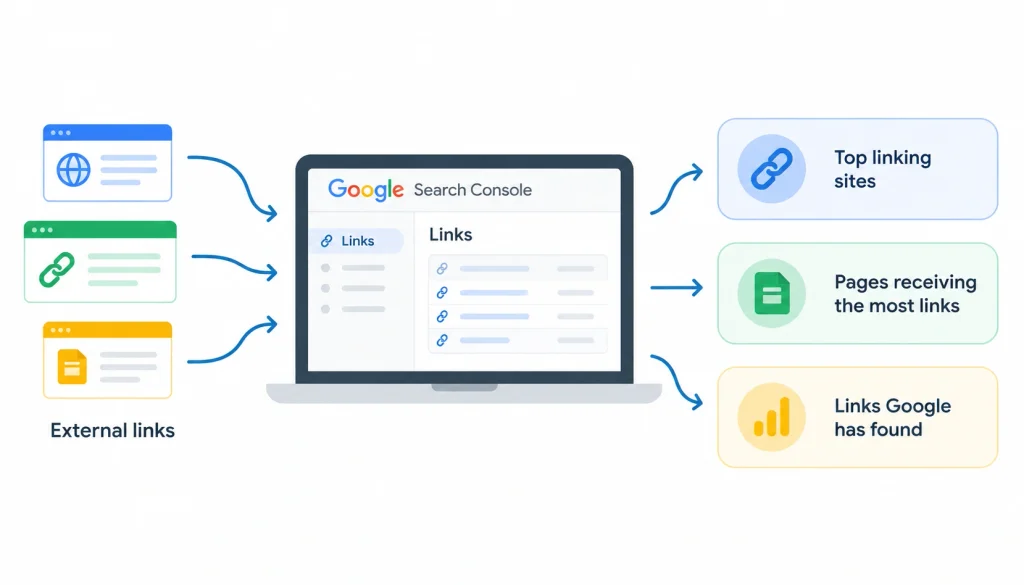
Search Console’s Links report shows external links Google has found pointing to your verified property, along with the top linking sites and the pages receiving the most links. It’s not exhaustive, but it reflects what Google itself has actually indexed, which third-party tools can’t claim.
How to find backlinks in Google Search Console
Log into Search Console, select your property, and open the Links report from the left sidebar. The External Links tab shows top linked pages, top linking sites, and top linking text (anchor text). You can export any of these lists.
What Search Console does better than third-party tools
It’s free, requires no separate index, and shows data straight from Google’s own crawler, useful as a sanity check against third-party tools, and it’s the only source that reflects exactly what Google has seen.
Limitations
You can only see this data for properties you’ve verified ownership of. There’s no way to look up a competitor’s backlinks here, and the reporting is far less granular than what Ahrefs or Semrush offer: no authority scoring, no anchor-text filtering by link type.
Best for
Site owners who just need to know who’s linking to their own domain, at zero cost. It’s a poor fit for competitor research.
A quick note worth repeating because it trips people up constantly: Google Search Console is excellent for your verified properties but cannot be used to inspect a competitor’s backlink profile. For that, you need a third-party crawler-based tool.
4. Moz Link Explorer: Best for Beginners
Key backlink metrics
Moz built its reputation on Domain Authority (DA) and Page Authority (PA), two proprietary scores that estimate how likely a page is to rank, on a 1-100 scale. These aren’t Google ranking factors; Moz created them as a comparative shorthand. Still, they’re widely recognized across the industry.
Domain Authority
DA is probably the most-cited third-party authority metric in SEO, partly because Moz was early to popularize it and partly because the scale is easy to explain to non-technical stakeholders.
Link analysis
Link Explorer shows referring domains, anchor text distribution, and spam score, a metric flagging links that share patterns with known low-quality or penalized sites.
Pros and cons
The interface is one of the more approachable in the category, which makes it a reasonable starting point if you’re new to backlink analysis. The trade-off is that Moz’s index has historically trailed Ahrefs and Semrush in raw size, so serious competitor research may need a second tool.
Best for
Beginners and small business owners who want a straightforward first backlink tool without a steep learning curve.
5. Majestic: Best for Link Intelligence
Trust Flow
Trust Flow estimates the quality of a site based on how trustworthy the sites linking to it are. A high Trust Flow generally means the site is linked to by other established, credible domains.
Citation Flow
Citation Flow measures link quantity and influence, regardless of quality. Majestic recommends looking at the ratio between the two: a site with high Citation Flow but low Trust Flow often has a lot of low-quality links.
Fresh Index vs. Historic Index
Majestic maintains two separate databases. The Fresh Index covers links discovered in roughly the last few months; the Historic Index goes back much further. Checking the wrong one for your purpose is a common mistake: use Fresh Index for current link status, Historic for pattern analysis over years.
Pros and cons
Majestic’s Trust Flow and Citation Flow metrics offer a genuinely different lens than DA or DR, and its Historic Index is useful for long-term pattern spotting. It’s less of an all-in-one SEO suite than Ahrefs or Semrush, so it usually sits alongside another tool rather than replacing one.
Best for
Link builders and analysts who want a dedicated, quality-focused view of a backlink profile rather than a bundled SEO suite.
6. Ubersuggest: Best Budget-Friendly Option
Backlink overview
Ubersuggest, built by Neil Patel’s team, gives a simplified backlink report covering total backlinks, referring domains, and a domain score. It won’t match Ahrefs or Semrush for depth, but for a quick check it gets the job done.
Competitor analysis
You can run the same backlink lookup on competitor domains, with results capped depending on your plan.
Anchor text
The tool shows top anchor text used across your backlinks, though the filtering options are more limited than in Ahrefs or Semrush.
Pros and cons
Ubersuggest is priced well below the two market leaders and covers the basics competently. The trade-off is a smaller index and shallower filtering, so it’s better suited to smaller sites and solo operators than to agencies managing enterprise clients.
Best for
Freelancers, small businesses, and anyone who wants backlink basics without paying for an enterprise-grade suite.
7. SE Ranking: Best for Agencies and Growing Websites
Backlink Checker
SE Ranking’s backlink tool covers the standard set, referring domains, anchor text, link type, and a proprietary trust score, with a clean interface built for client reporting.
Backlink Monitoring
The platform tracks new and lost links automatically and can send alerts, which matters for agencies managing several client accounts at once and needing to catch link losses quickly.
Competitor analysis
You can benchmark your backlink profile against several competitors and export the comparison directly into a white-label report, a detail agencies tend to value more than solo SEOs.
Pros and cons
SE Ranking’s pricing tends to sit below Ahrefs and Semrush while still covering agency needs like white-label reporting. Its backlink index, while solid, is generally considered smaller than Ahrefs’ or Semrush’s for competitive research at scale.
Best for
Agencies and growing websites that need monitoring and client-ready reports without paying top-tier pricing.
Best Backlink Checker by Use Case
Best overall
Ahrefs, for depth of data and filtering.
Best free backlink checker
Google Search Console, for your own verified sites at no cost.
Best for competitor backlinks
Ahrefs or Semrush, since Search Console can’t do this at all.
Best for agencies
SE Ranking, for monitoring and white-label reporting.
Best for beginners
Moz Link Explorer, for its simpler learning curve.
Best budget option
Ubersuggest, for basic backlink checks at a lower price point.
Best for backlink monitoring
Semrush or Ahrefs, both of which track new and lost links reliably.
Best for link intelligence
Majestic, for Trust Flow and Citation Flow analysis.
Best Free Backlink Checkers
“Free” means different things depending on the tool, so it’s worth being specific rather than just slapping the word on a list.
Google Search Console is genuinely free with no limits, but only for domains you’ve verified. It can’t check anyone else’s site.
Ahrefs’ free backlink checker shows a capped number of results per domain, no signup required, useful for a quick spot-check but not a full audit.
Semrush’s free checker works similarly, a limited results table meant to preview the paid tool rather than replace it.
Moz Link Explorer offers a free tier with daily query limits tied to a free account.
Ubersuggest allows a small number of free lookups per day before nudging you toward a paid plan.
What “free” actually means
Before trusting a “free” label, check:
- Does it require signup, or is it instant?
- How many searches are allowed per day?
- How many backlinks or referring domains are visible per result?
- Can you check competitor domains, or only your own?
- Can you export the data?
- Do you get historical data, or only current snapshots?
How to Check Backlinks Step by Step
Step 1: Enter your domain. Start with your own site in whichever tool you’re using, so you have a baseline before comparing anything else.
Step 2: Review total backlinks. Note the raw count, but don’t treat it as the headline number. Referring domains matter more.
Step 3: Analyze referring domains. A hundred links from five domains is a weaker profile than a hundred links from eighty domains. Diversity is the signal here.
Step 4: Check anchor text. Look for natural variation. A pile of exact-match commercial anchor text pointing at the same page is a pattern search engines have learned to distrust.
Step 5: Analyze dofollow and nofollow links. Dofollow links pass authority signals; nofollow links generally don’t, though a healthy link profile includes both, since an all-dofollow profile can itself look unnatural.
Step 6: Evaluate link quality and relevance. A link from a site in your industry, even a smaller one, is usually worth more than a link from an unrelated high-authority domain.
Step 7: Find new and lost backlinks. Check what changed since your last review. A sudden spike or drop is worth investigating before you assume it’s good or bad news.
Step 8: Export and prioritize the data. Pull the data into a spreadsheet and rank it by what needs action, broken links to reclaim, toxic links to review, or gaps to pursue.
How to Check a Competitor’s Backlinks
Start by entering the competitor’s domain into a crawler-based tool like Ahrefs or Semrush. Search Console won’t work here since you don’t own the property.
From there, look at their strongest referring domains first. These tell you who trusts them enough to link out, and that’s often a realistic outreach target for your own site too.
If you want to turn this research into an ethical outreach campaign, white hat link building services can help identify relevant opportunities and earn contextual backlinks.
Check which of their pages attract the most links. This usually points to content formats that work in your niche: original research, tools, or in-depth guides tend to show up repeatedly. Creating this type of link-worthy resource often requires a consistent content marketing and blog writing strategy.
Review their anchor text patterns for a sense of how other sites describe their content or brand in natural language.
Run a side-by-side comparison of referring domains between your site and theirs using a link-gap tool. The domains linking to them but not to you are a practical starting list for outreach, not just a data point to admire.
How to Choose the Right Backlink Checker
Choose based on your website size. A small site with a few hundred backlinks doesn’t need Ahrefs’ enterprise-scale index. A large site or competitive niche usually does.
Choose based on your SEO goal. Auditing your own link profile is a different task than researching ten competitors; the second needs a tool built for cross-domain comparison.
If backlink analysis is part of a broader SEO strategy, you may also need digital marketing services that combine SEO, content, link building, and other acquisition channels.
Choose based on competitor research needs. If you never need to look at anyone else’s backlinks, Google Search Console alone may be enough.
Choose based on budget. Ubersuggest or Moz’s entry tiers make sense for solo operators; agencies managing multiple clients usually get more value from Ahrefs, Semrush, or SE Ranking despite the higher price.
Choose based on reporting requirements. If you need white-label client reports, prioritize tools built for that, like SE Ranking.
Choose based on data freshness. If you’re doing active outreach or disavow work, a tool with frequent crawl updates matters more than raw index size.
Why Backlink Tools Show Different Results
We touched on this earlier, but it deserves its own breakdown since it’s the question people search for most often after comparing tools side by side.
1. Different web crawlers
Each company runs its own bot, and no two bots crawl the same set of pages in the same order.
2. Different indexes
Some tools maintain multiple indexes (like Majestic’s Fresh and Historic), which report different totals depending on which one is queried.
3. Different crawl frequencies
A tool that revisits sites weekly will catch new links faster than one that revisits monthly, which affects how current the numbers feel.
4. Different filtering rules
Some tools automatically exclude links they classify as spam or low-value from headline counts; others include everything and let you filter manually.
5. Google Search Console vs. third-party databases
Search Console only reflects what Google’s own crawler has indexed and attributed to a verified property. It’s not trying to be a comprehensive third-party database, so comparing its numbers directly against Ahrefs or Semrush isn’t really an apples-to-apples comparison.
6. Which number should you trust?
None of them in isolation. Use one tool consistently to track your own trend line over time, and treat cross-tool comparisons as directional rather than exact.
How to Evaluate Backlink Quality
Not all backlinks are worth the same, and total count is a weak proxy for quality on its own.
Relevance matters more than most beginners expect. A link from a site in your industry tends to carry more weight than a link from an unrelated high-authority domain.
Referring-domain authority is a reasonable filter, but don’t treat any single score, DA, DR, or Trust Flow, as gospel. They’re estimates from different companies using different methods, not each other’s equivalents.
Editorial placement, a link that appears naturally within an article, chosen by an editor, generally carries more trust than a link stuffed into a sidebar widget or footer.
Dofollow versus nofollow still matters, though a link profile made up entirely of dofollow links can look manufactured.
Anchor text should be read naturally. Heavy repetition of exact-match commercial phrases is one of the more common patterns flagged in manual link reviews.
Traffic potential is a metric third-party tools may underweight: a link on a page that actually gets visitors can send real referral traffic, independent of its SEO value.
Spam signals, things like link farms, clearly automated directories, or PBN patterns, are worth screening out before they accumulate.
Link context, the surrounding content and whether it’s topically related to the linked page, rounds out the picture better than any single number can.
Common Backlink Checker Mistakes
Focusing only on total backlinks. A site with 5,000 backlinks from 50 domains is weaker than one with 2,000 backlinks from 800 domains.
Ignoring referring domains. This is really the same mistake stated differently, and it’s common enough to call out twice.
Treating DA/DR as Google metrics. Domain Authority and Domain Rating are proprietary scores built by Moz and Ahrefs respectively. Google has stated publicly that it does not use either as a ranking factor. They’re useful comparative shortcuts, not inputs to the algorithm.
Assuming every high-authority link is valuable. Relevance and placement matter as much as the linking domain’s score.
Automatically disavowing “toxic” links. Google’s own guidance says disavowing is meant for cases of manual or deliberate spam link building, not a routine cleanup step, and misusing it can remove links that were actually helping you.
Comparing numbers from different tools without understanding their indexes. If you take nothing else from this article, take this: a lower count in one tool doesn’t mean the other tool is wrong, or that you’ve lost links. It usually means you’re comparing two different nets.
Frequently Asked Questions
1. What is the best backlink checker?
Ahrefs is generally considered the strongest all-around backlink checker for depth of data and filtering, though the right choice depends on your budget and whether you need competitor research or just your own site’s data.
2. What is the best free backlink checker?
Google Search Console is the best fully free option, but only for domains you own and verify. For competitor research, Ahrefs and Semrush both offer limited free checkers with capped results.
3. Which backlink checker is most accurate?
There’s no single “most accurate” tool, since each one crawls and indexes the web differently. Accuracy depends on what you’re measuring, index size, freshness, or filtering precision all vary by tool.
4. How can I check my website’s backlinks?
Use Google Search Console for a free, verified view of your own site, or a third-party tool like Ahrefs or Semrush for deeper filtering and authority metrics.
5. How can I check competitor backlinks?
Enter their domain into a crawler-based tool like Ahrefs, Semrush, Moz, or Majestic. Google Search Console can’t do this since it only covers verified properties.
Conclusion
If you want the most complete data and don’t mind a learning curve, choose Ahrefs. If you want backlink data bundled with broader competitive research, choose Semrush. If you only need data on your own site and don’t want to pay anything, choose Google Search Console.
If you’re new to backlink analysis, start with Moz. If you’re running an agency and need monitoring plus client reports, SE Ranking is worth a look. If the budget is tight, Ubersuggest covers the basics.
There isn’t one best backlink checker for everyone, and any article that tells you otherwise is skipping the part where your goal, budget, and site size actually matter.
Match the tool to the job, check the current pricing before you commit, and use whichever tool you settle on consistently, that consistency is what makes your backlink data useful over time, more than any single number ever will.
Sources and further reading: Google Search Central documentation on Search Console’s Links report, Google’s guidance on the Disavow Links tool, r/SEO on Reddit for ongoing practitioner discussion of backlink tools, and Wikipedia’s overview of backlinks for background on the concept itself.