If you’ve ever watched a support inbox fill up with the same five questions over and over, you already understand why FAQs exist. An FAQ isn’t a formality you bolt onto a footer.
Done right, it’s one of the most useful pages on your site, for visitors, for your support team, and for search engines trying to figure out what you actually help people with.
This guide walks through how to write an FAQ for your website from the ground up: finding the right questions, deciding what belongs on the page, writing answers people trust, structuring everything so it’s easy to scan, and optimizing it for both traditional search and the newer wave of AI-generated answers. By the end, you’ll have a repeatable process instead of a one-off list of tips.
What Is an FAQ on a Website?

An FAQ, or frequently asked questions section, is a list of common customer questions paired with direct answers. Its job is to resolve doubts and objections before someone has to email you, call you, or abandon your site altogether.
FAQ vs. FAQ page vs. FAQ section
People use these terms loosely, but they’re not the same thing:
- An FAQ is the content itself, the questions and answers.
- An FAQ page is a standalone URL dedicated entirely to those questions.
- An FAQ section is a smaller block of Q&A embedded within another page, like a product or pricing page.
You can use one, or all three, depending on how much content you have and where your visitors get stuck.
What makes an FAQ effective?
A good FAQ answers real questions, in the language customers actually use, without padding or vague reassurances. If someone can read your FAQ and walk away with an actual answer instead of a marketing paragraph, it’s working.
Why Does Your Website Need an FAQ?
An FAQ pulls weight in several places at once. Here’s where.
It helps visitors find answers faster. Most people don’t want to dig through a full product page or start a chat with support just to check your return window. A well-organized FAQ saves them the trip.
It reduces repetitive support questions. If your team answers the same three questions fifty times a week, that’s fifty tickets an FAQ could have absorbed. Several support teams track this directly by comparing ticket volume before and after publishing an FAQ.
It removes buying objections. Hesitation before a purchase usually comes down to unanswered questions, shipping cost, compatibility, cancellation terms. Answering these openly on the page reduces the friction that stops a sale.
It builds trust. Straight answers, including the inconvenient ones, signal that you’re not hiding anything. That matters more than most sites treat it.
It captures informational search demand. People search Google for exact questions, “does work with [X],” “what is your return policy”, and a well-written FAQ can rank for that demand.
It’s worth being honest here: an FAQ doesn’t automatically boost your rankings just because it exists. It helps when it answers real search queries and satisfies the intent behind them, not because it’s an FAQ in name.
How to Decide Between an FAQ Page and an FAQ Section
This decision trips up more site owners than it should, so here’s a simple way to think about it.
| FAQ Page | FAQ Section |
| Targets broad question-based searches on its own | Answers objections in context, right where a decision is being made |
| Works well when you have 15+ questions across topics | Works well for 4-8 questions tied to one product or service |
| Can grow into a small information hub over time | Keeps the visitor on the page instead of sending them elsewhere |
| Better for company-wide policy questions (shipping, returns, billing) | Better for product-specific or service-specific questions |
Use an FAQ section when…
You have a handful of questions tied directly to one page, a pricing page, a specific product, a signup flow, and you want to answer them without pulling the visitor away.
Create a dedicated FAQ page when…
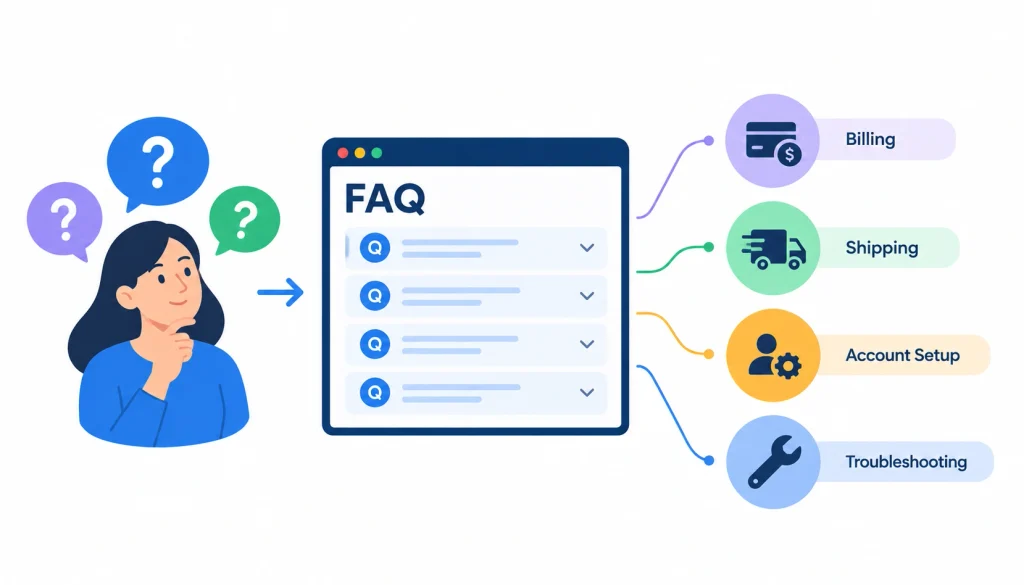
You’ve got questions spanning multiple topics: billing, shipping, account setup, troubleshooting. A single page gives all of that a proper home and a shot at ranking for question searches.
Use a knowledge base instead when…
Your FAQ has grown into 50+ articles with detailed, multi-step answers. At that point you’re not really writing FAQs anymore, you’re building documentation, and it deserves its own structure with search and categories.
When should you use all three?
Larger sites often run all three at once: FAQ sections on key product pages, a general FAQ page for company-wide questions, and a knowledge base for deep troubleshooting. There’s nothing wrong with that split as long as each one has a clear job.
How to Find the Right FAQ Questions
The most common mistake in FAQ writing is guessing. Someone sits down, imagines what customers “probably” want to know, and writes ten questions from memory. The problem is that guessed questions rarely match what people actually search or ask.
Mine your questions instead of inventing them.
Search your customer support emails. This is the single richest source you have. Pull the last few months of tickets and look for repeated phrasing, not just repeated topics.
Analyze live-chat conversations. Chat logs often capture the exact wording customers use, which is gold for writing questions that sound natural instead of stiff.
Ask your sales team. They hear objections daily: pricing pushback, compatibility doubts, contract terms. Those often never make it into a support ticket because the deal just quietly falls through instead.
Review customer feedback and reviews. Negative reviews in particular tend to name a confusion or gap directly. That confusion is a ready-made FAQ.
Check Google Search Console. Look at the queries your pages already get impressions for. If people are searching a question and landing on a page that doesn’t answer it, that’s a gap worth closing.
Use Google Autocomplete. Type your product or topic into Google and see what it suggests finishing the sentence with. It’s a rough proxy for what people are actually typing.
Mine “People Also Ask” boxes. Search your core topics and expand the PAA boxes that show up. Google is effectively showing you related questions it already knows people ask.
Research Reddit, forums, and communities. Threads on Reddit and niche forums surface unfiltered questions people ask each other, often more candid than what they’d type into a support form.
Analyze competitor FAQs. Not to copy them, but to spot categories of questions you might be missing entirely.
Use keyword research tools. Tools like Ahrefs or Semrush can show search volume for specific question phrasing, which helps you prioritize later.
How to Choose Which Questions Belong in Your FAQ
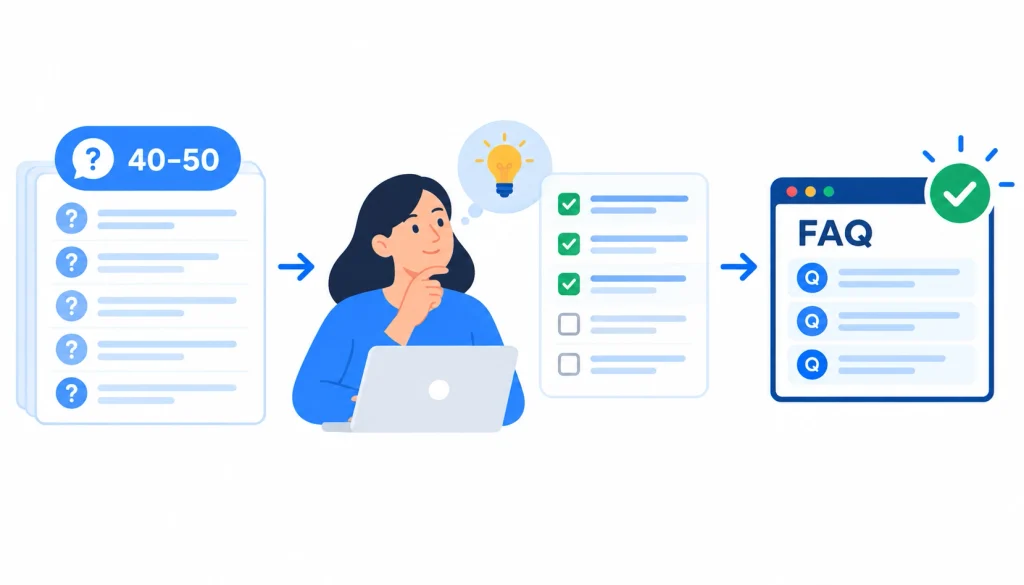
Once you’ve collected forty or fifty candidate questions, you need a way to decide which ones actually earn a spot. This is where most FAQ articles stop short, they tell you to “know your audience” and leave it there.
Instead, score each question against four factors:
| Question type | Priority |
| Asked frequently by real customers | Very high |
| Blocks a purchase or signup | Very high |
| High search demand on Google | High |
| Generates support tickets | High |
| Clarifies an important product or service detail | High |
| Broad, general informational question | Medium |
| Rare or internal-only question | Low |
Prioritize frequently asked questions. If it comes up constantly, it belongs near the top regardless of how “important” it feels strategically.
Prioritize questions that block conversions. A question that stops someone from buying deserves priority over one that’s merely interesting.
Prioritize high-value search queries. If Search Console or a keyword tool shows real volume behind a question, it’s worth a dedicated entry even if your team doesn’t hear it often internally.
Prioritize questions that generate support tickets. Every ticket an FAQ prevents is time your team gets back.
Remove duplicate questions. Five slightly different phrasings of the same question should become one well-written entry, not five thin ones.
Move complex questions to dedicated content. If a question needs 800 words and three screenshots to answer properly, it belongs in a guide or knowledge base article, with the FAQ giving a short answer and a link.
Don’t add questions just because they contain keywords. A question nobody asks, stuffed in purely for search terms, reads as filler and usually gets ignored by both readers and Google.
Organize Your FAQ Around Search Intent and the Customer Journey
Not every question sits at the same stage of the buying process, and grouping them by journey stage makes your FAQ far easier to scan.
Awareness questions come from people still figuring out if they even have the problem you solve. Example: “What is [category of product]?”
Consideration questions come from people comparing options. Example: “How is this different from [competitor or alternative approach]?”
Decision-stage questions come right before a purchase. Example: “Is there a free trial?” or “What happens if I cancel?”
Post-purchase questions come from people who already bought and need setup or usage help. Example: “How do I reset my password?”
Troubleshooting questions come from people hitting a specific error or problem. Example: “Why isn’t my payment going through?”
Grouping your FAQ by these stages, rather than dumping everything into one flat list, helps visitors, and search engines, understand exactly what each answer is for.
How to Write FAQ Questions
The question itself matters almost as much as the answer. Here’s what separates a question that reads naturally from one that clearly came out of a keyword tool.
Write questions the way customers actually ask them. Not “Shipping Information,” but “How long does shipping take?”
Use natural language. Read the question out loud. If it sounds like something a person would actually type or say, keep it.
Be specific. “Can I return this?” is weaker than “Can I return an item after 30 days?”
Avoid jargon. If your customers don’t use the term internally, don’t use it in the question either.
Include the complete question. Don’t truncate it for the sake of brevity. A half-question reads as careless.
Don’t force keywords into questions. If a keyword doesn’t fit naturally, leave it out. A clunky question won’t rank better; it’ll just read worse.
Weak vs. strong FAQ question examples
- Weak: “Shipping” → Strong: “How much does shipping cost, and how long does it take?”
- Weak: “Refunds” → Strong: “Can I get a refund if I’m not satisfied?”
- Weak: “Do you offer support?” → Strong: “What support options are available if I get stuck?”
- Weak: “Pricing” → Strong: “How much does the [plan name] plan cost per month?”
- Weak: “Compatibility” → Strong: “Does this work with [specific software or device]?”
How to Write Better FAQ Answers
This is where most FAQs fall apart. Questions are usually fine. Answers are where vague marketing language creeps in.
Answer the question immediately. Don’t build up to it with a paragraph of context first.
Put the key answer in the first sentence. If someone only reads one line, that line should still resolve the question.
Keep one answer focused on one question. Resist the urge to cram three related points into a single entry.
Give enough context to be useful. A one-word answer often isn’t enough. Add the detail that makes it actionable.
Use specific facts instead of vague claims. “Fast shipping” tells a reader nothing. “3-5 business days” does.
Use bullets or short steps for complex answers. If the answer involves multiple actions, a short numbered list beats a dense paragraph.
Link to deeper resources when necessary. If a full answer needs more space, answer briefly and link to a detailed guide or relevant content marketing strategy resource instead of forcing the whole explanation into the FAQ.
Use a direct “yes” or “no” for yes/no questions. Then explain. Don’t make the reader guess your answer from the explanation.
Match your brand voice without sacrificing clarity. Personality is fine. Confusion isn’t.
Here’s the difference in practice:
- Weak: “Do you offer shipping?” → “Yes, we do offer shipping options for our valued customers.”
- Better: “Yes. We ship throughout the U.S. Standard shipping takes 3-5 business days and costs $6.95. Orders over $75 ship free.”
The second version is specific and gives the reader everything they need to make a decision, without extra words doing no work.
How Long Should an FAQ Answer Be?
There’s no universal word count that works for every question, and any article that gives you one is guessing. Instead, follow one rule: write the shortest answer that completely resolves the question.
Short questions, such as “Do you ship internationally?”, deserve a short answer. One or two sentences is enough.
Complex questions, such as “How do I migrate my account to a new plan?”, need more room, sometimes with numbered steps.
When an answer runs too long, it’s usually a sign the question is actually two questions, or that the detail belongs in a separate guide with a link from the FAQ.
When to split one question into multiple questions: if you find yourself writing “and” halfway through a question to cover a second topic, split it into two entries instead.
FAQ Examples: Bad vs. Good
Seeing the difference across formats makes the principle easier to apply to your own content.
Product FAQ
- Bad: “Is this product good quality?” → “Yes, we take pride in offering excellent products.”
- Good: “What materials is this made from?” → “The frame is powder-coated steel and the seat is solid oak. It’s rated for up to 250 lbs.”
Service business FAQ
- Bad: “How long does a project take?” → “Project timelines vary depending on scope.”
- Good: “How long does a typical logo design project take?” → “Most logo projects take 2-3 weeks, including two rounds of revisions.”
Ecommerce FAQ
- Bad: “What’s your return policy?” → “We want you to be happy with your purchase.”
- Good: “What’s your return policy?” → “You can return unused items within 30 days for a full refund. Return shipping is free on orders over $50.”
SaaS FAQ
- Bad: “Is there a free trial?” → “We offer flexible plans to suit your needs.”
- Good: “Is there a free trial?” → “Yes, a 14-day free trial with full access. No credit card required to start.”
Local business FAQ
- Bad: “Do you take walk-ins?” → “We’re happy to serve all our customers.”
- Good: “Do you take walk-ins?” → “Yes, walk-ins are welcome, but appointments get priority. Wait times are usually 15-20 minutes on weekdays.”
How to Structure Your FAQ Page
Structure decides whether people actually read your FAQ or bounce off it.
Use descriptive headings and categories. Group questions under labels like “Shipping,” “Returns,” and “Account Setup” instead of one long undivided list.
Put important questions first. Lead with the questions that come up most, not the ones that are easiest to answer.
Use accordions carefully. Collapsible questions keep the page tidy, but make sure the collapsed text is still crawlable and not hidden from search engines entirely.
Add FAQ search for large knowledge bases. Once you’re past 30-40 questions, a search bar saves people from scrolling endlessly.
Make questions visually distinct. Bold or larger text for questions helps visitors scan the page instead of reading every word.
Make the page mobile-friendly. Most FAQ traffic arrives on a phone. Test your accordions and spacing on a small screen before publishing.
Make FAQs accessible. Use proper heading tags and ensure accordions work with keyboard navigation and screen readers.
Add a clear path to contact or support. Every FAQ should end with an obvious next step for people whose question isn’t covered.
How to Optimize FAQs for SEO
SEO for FAQs isn’t about stuffing keywords into questions. It’s about matching real search intent.
Match FAQs to real search queries. Use the research methods above rather than assumptions.
Target long-tail questions naturally. Specific phrasing tends to match how people actually search.
Cover related questions and entities. If you answer “what is X,” also cover the follow-up questions people typically have next.
Avoid keyword stuffing. Repeating a phrase awkwardly across every answer reads as spam to both readers and search engines.
Optimize for search intent, not just keywords. SEO for FAQs isn’t about stuffing keywords into questions. It’s about matching real search intent and building it into a broader digital marketing strategy.
Add relevant internal links. Point complex questions toward deeper guides, product pages, or documentation.
Connect FAQs to topical clusters. An FAQ that links out to your pillar content strengthens both pages.
Don’t create thin FAQ content solely for rankings. A page of shallow, keyword-driven questions with no real answers tends to underperform compared to a shorter FAQ that’s genuinely useful.
How to Use FAQ Schema Correctly
This is a section where a lot of older FAQ advice is out of date, so it’s worth being precise.
What is FAQPage schema? It’s a type of structured data, defined on Schema.org, that marks up a page’s questions and answers in a machine-readable format so search engines can better understand the content.
FAQPage vs. QAPage: FAQPage is meant for a single page author presenting a fixed set of Q&A content, like a support FAQ. QAPage is meant for pages where users submit their own questions and get multiple answers, like a forum thread.
What information should the schema contain? Only the questions and answers that are visibly present on the page. Nothing hidden, nothing added just for the markup.
Make schema match visible content. If your JSON-LD says one thing and the visible page says another, that’s a mismatch Google’s documentation explicitly warns against.
Use JSON-LD. This is Google’s recommended format for adding FAQPage structured data.
Validate structured data before publishing. Use Google’s Rich Results Test or Schema.org’s validator to check for errors before it goes live.
Does FAQ schema guarantee a Google rich result? No. Google has scaled back how often FAQ rich results appear in search results over time, and having valid schema doesn’t guarantee a visual rich result will show up for your page.
Does FAQ schema guarantee AI Overview visibility? No, and it’s worth being direct about this. Schema can help machines parse your content more reliably, but it’s the clarity and specificity of the actual answer that determines whether it gets surfaced or cited. The markup alone isn’t a shortcut.
How to Write FAQs for AI Overviews and AI Search
This is the part most existing FAQ guides haven’t caught up to yet, and it’s becoming one of the more important things to get right.
Write explicit question-and-answer pairs. Clear, bounded Q&A format is easier for retrieval systems to parse than a paragraph that buries the answer in the middle.
Make each answer self-contained. A reader (or an AI system pulling a snippet) shouldn’t need to read three other answers to understand this one.
Lead with the answer. Front-load the direct response, then add supporting detail after.
Use factual, specific language. Numbers, timeframes, and concrete terms extract more cleanly than vague marketing phrasing.
Answer one question at a time. Mixed answers covering multiple sub-questions are harder for any system, human or automated, to extract cleanly.
Include supporting context and entities. Naming the specific product, plan, or policy involved helps the answer stand on its own outside the page.
Keep important answers easy to extract. Short paragraphs and clear sentence structure beat dense blocks of text.
Don’t write FAQs solely to manipulate AI systems. Content built for genuine clarity tends to perform better across search, snippets, and AI answers alike. Content built purely to game a system tends not to hold up.
Use FAQs to Strengthen Internal Linking and Topical Authority
FAQs shouldn’t sit in isolation from the rest of your site. Treat them as connective tissue.
Link FAQs to pillar pages. If a question touches a topic you’ve covered in depth elsewhere, link to it instead of trying to re-explain everything in the FAQ.
Strong internal linking should also fit into a broader link profile strategy, helping search engines understand how your site’s content and authority are connected.
Link product questions to product pages. Send the reader to where they can actually act on the answer.
Link technical questions to guides or documentation. Keep the FAQ answer short, and let the linked resource carry the depth.
Link comparison questions to comparison pages. If someone’s asking how you differ from an alternative, a dedicated comparison page usually serves them better than a two-line FAQ answer.
Avoid using every FAQ as an excuse for a link. Not every answer needs an outbound pointer. Sometimes the short answer is genuinely the whole answer.
Build FAQ clusters around important topics. Grouping related FAQ entries around one topic, then linking them to a central guide, helps both readers and search engines understand how your content fits together.
How to Use FAQs to Increase Conversions
A well-written FAQ isn’t just support content. It’s a quiet sales tool.
Answer pricing questions directly. Vague pricing pages push people to competitors who are upfront about cost.
Address product or service objections. If people commonly hesitate over a specific concern, answer it head-on instead of avoiding it.
Explain guarantees and policies clearly. A clear return or cancellation policy reduces the perceived risk of buying.
Remove technical concerns. Compatibility and integration questions are common last-minute blockers before checkout.
Address trust and security concerns. Payment security, data handling, and privacy questions deserve straightforward answers, not deflection.
Answer “is this right for me?” questions. Helping the wrong customer self-select out is fine. It saves both sides time.
End high-intent answers with the appropriate next step. A link to sign up, book a call, or start a trial, placed right after a decision-stage answer, can convert.
Common FAQ Mistakes to Avoid
A few patterns show up again and again in FAQs that underperform.
Inventing questions nobody asks. If it didn’t come from real research, it’s probably filler.
Writing vague answers. “It depends” without further explanation helps no one.
Making every answer promotional. An FAQ that reads like an ad loses the reader’s trust fast.
Keyword stuffing. Repeating a phrase unnaturally across answers reads as spam.
Creating dozens of unnecessary questions. Quantity isn’t the goal. Usefulness is.
Hiding important information behind excessive interaction. If a critical answer requires three clicks to reveal, most visitors won’t find it.
Sending users away instead of answering. “Contact us for details” is a weak substitute for an actual answer, when you already know the answer.
Letting outdated information stay live. A wrong price or an expired policy in your FAQ actively damages trust.
Duplicating the same FAQ across pages. Repeating identical content site-wide can create duplicate content issues and dilutes which page should rank.
Treating schema as an SEO shortcut. As covered above, markup helps machines parse content. It doesn’t replace writing a genuinely useful answer.
How Many Questions Should an FAQ Have?
There’s no fixed number that applies across every site. What matters more is that every question earns its place.
Small business FAQ: Usually 8-15 questions covering the basics: hours, location, pricing, booking, policies.
Ecommerce FAQ: Often 15-25 questions, split across shipping, returns, sizing, and payment.
SaaS FAQ: Typically 20-30 questions, covering billing, features, integrations, and account management.
Large knowledge base: Can run into the hundreds, but at that scale it’s really a documentation library, not a traditional FAQ page, and should be structured and searchable accordingly.
How to Measure Whether Your FAQ Is Working
Publishing an FAQ isn’t the finish line. Track how it’s actually performing.
Organic impressions and clicks in Google Search Console show whether your FAQ is appearing for, and getting clicked on, real search queries.
Search queries tell you which exact phrasing is driving traffic, which helps you refine or add questions.
Click-through rate on FAQ pages that appear in search can flag when a title or snippet isn’t matching what searchers expect.
Conversions from FAQ pages, if you can track them, show whether the page is actually helping close sales, not just answering questions.
Support-ticket reduction is one of the clearest signals. If tickets on a topic drop after you publish an FAQ answer, it’s working.
FAQ interaction data (which accordions get opened most) shows you which questions people actually care about.
Questions that still generate support inquiries despite being “answered” in the FAQ probably need a clearer rewrite.
How Often Should You Update Your FAQ?
An outdated FAQ can do more damage than no FAQ at all, since it actively misleads visitors.
Review customer questions regularly. New products, new features, and new policies bring new questions.
Update changed policies and pricing immediately. Don’t let an old shipping fee or return window sit live after it’s changed.
Review search queries periodically, roughly quarterly, to catch new demand your current FAQ doesn’t cover.
Remove obsolete questions tied to discontinued products or old policies.
Add emerging questions as your support team flags new patterns.
Audit FAQ links and structured data to catch broken links or schema that’s drifted out of sync with the visible content.
FAQ Writing Checklist
Before you publish, run through this list:
- Based on real customer questions, not guesses
- Search intent behind each question is understood
- Questions have been prioritized, not just listed
- Questions are written the way customers actually phrase them
- Answers start with the direct response
- Answers are complete, not truncated for brevity
- No unnecessary jargon
- Relevant internal links added where useful
- Questions organized logically, by topic or journey stage
- Mobile layout checked
- Accessibility checked (headings, keyboard navigation)
- Structured data validated, if used
- No keyword stuffing
- Information is accurate and current
- A plan is in place to measure and update the page
Frequently Asked Questions About Writing Website FAQs
1. What is an FAQ on a website?
An FAQ is a list of common customer questions with direct answers, designed to resolve doubts before a visitor needs to contact support.
2. How do you write a good FAQ?
Research real customer questions, prioritize the ones that matter most, write answers that lead with the direct response, and organize everything by topic or customer journey stage.
3. How many questions should an FAQ page have?
It depends on your business, but most small sites do well with 10-20 well-chosen questions rather than a long, thin list.
4. Should every website have an FAQ page?
Not necessarily a full page. A smaller site might only need an FAQ section on a key page, like pricing or checkout, rather than a standalone page.
5. Are FAQs good for SEO?
They can be, when they answer real search queries clearly. An FAQ that exists purely to insert keywords rarely performs well.
Conclusion
Writing an effective FAQ isn’t about adding as many questions as possible. It’s about identifying what your customers genuinely want to know and providing clear, useful answers.
Find questions through customer support, sales conversations, reviews, Google Search Console, People Also Ask, forums, and keyword research. Then prioritize questions that solve problems, remove buying objections, or match real search demand.
Keep answers direct, specific, and easy to understand. Use FAQs to support SEO, strengthen internal linking, and guide visitors toward helpful resources without keyword stuffing.
Finally, keep your FAQ updated as your products, policies, and customer needs change. The best FAQ isn’t the longest, it’s the one that gives the right answer at the right time.