Finding keywords for your website isn’t about grabbing a list of “high volume” search terms and stuffing them into a page. It starts with understanding what your audience actually types into Google, then testing those phrases against relevance, intent, competition, demand, and whether they’d bring you customers you actually want.
This guide walks through the whole process: where to find keyword ideas, how to judge whether they’re worth chasing, and how to map them onto real pages on your site. Along the way there’s a full worked example, a scoring framework you can reuse, and a checklist for when you’re done reading and ready to work.
What Are Keywords and Why Do They Matter for Your Website?
1. What is an SEO keyword?
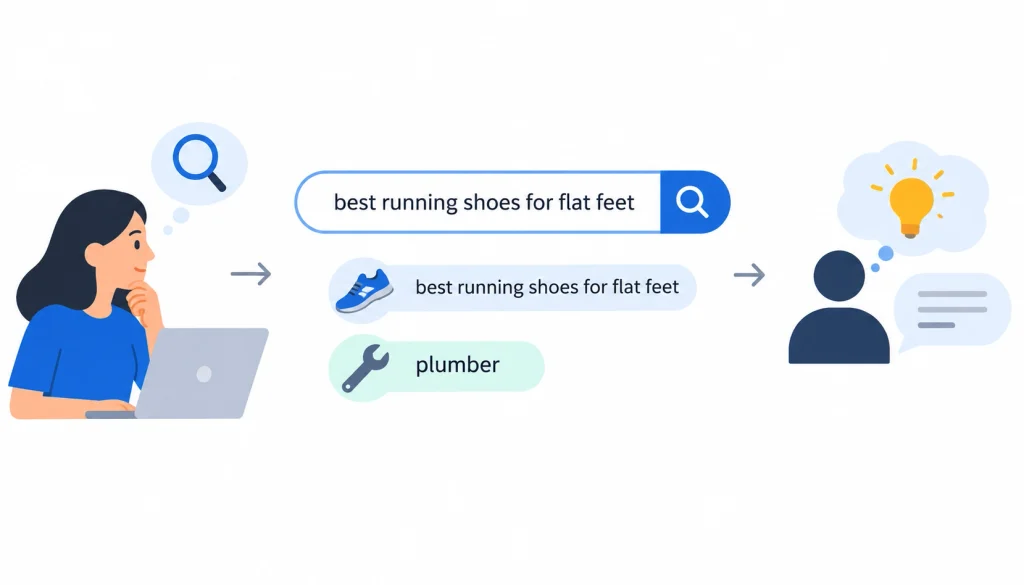
A keyword is simply a word or phrase someone types into a search engine when they’re looking for something. “Best running shoes for flat feet” is a keyword. So is “plumber.” Keywords matter because they tell you, in the searcher’s own words, what problem they’re trying to solve.
2. Why keyword research matters
If you write content around topics nobody searches for, it doesn’t matter how good the writing is, nobody will find it. If you write about topics that are searched constantly but don’t relate to what you sell, you might get traffic that never converts into a customer. Keyword research is how you find the overlap between what people search for and what your business can actually help with.
3. Keywords vs. topics vs. search queries
These three terms get used loosely, so it’s worth pinning them down:
- A search query is the exact string someone types, typos and all.
- A keyword is the target phrase or concept you’re optimizing a page around, usually a cleaned-up version of common queries.
- A topic is the broader subject a keyword belongs to, often made up of dozens of related keywords and questions.
Modern SEO leans more on topics than on chasing one exact phrase, but you still need specific keywords to anchor your research and your content.
4. Why search volume alone isn’t enough
Search volume tells you how often a phrase gets searched, on average, per month. It doesn’t tell you who’s searching, why, or whether they’re likely to buy from you. A keyword with 50 searches a month from people ready to hire your agency can be worth more than one with 5,000 searches a month from people just browsing. We’ll come back to this with a scoring framework later on.
Before Finding Keywords, Define What Your Website Should Rank For
Most keyword guides jump straight to tools. That’s a mistake. If you don’t know what your business actually offers and who it’s for, you’ll end up with a keyword list that has no direction.
1. Identify your products, services, or core topics
List out everything you sell or every subject you cover. Be specific, “web design” is a start, but “WordPress redesigns for small retail businesses” gets you much closer to something you can actually target.
2. Define your target audience
Who are you trying to reach? A freelance illustrator and a 200-person law firm search Google very differently, even if they’re both looking for a “logo designer.” Write down who your ideal customer is and what stage of the buying process they’re usually in when they find you.
3. Identify customer problems and questions
Think about the questions people ask before they buy from you, and the ones they ask after. Sales calls, support tickets, and reviews are full of real phrasing you can turn into keywords later.
4. Identify your business goals
Are you trying to generate leads, sell products directly, build brand awareness, or all three? A keyword that’s great for brand awareness (broad, informational) might be a poor match for a business that needs direct sales this quarter.
5. Create your initial seed-topic list
Pull all of this together into a short list of seed topics, five to fifteen broad phrases that describe what your site is about. This list becomes the starting point for everything that follows.
For example, a local web design agency might start with: web design, website redesign, ecommerce websites, WordPress development, local SEO.
How to Find Keywords for Your Website
1. Start with Google Search itself
Google is still the fastest, free way to see what people are actually searching for.
Google Autocomplete. Type your seed keyword into the search bar and don’t hit enter. The suggestions that pop up are real queries other people have searched.
Related searches. Scroll to the bottom of a results page and you’ll find a “related searches” box with more phrasing to explore.
People Also Ask. This box shows the exact questions people ask around your topic, a goldmine for FAQ sections and subheadings.
Analyze the current SERP. Before you commit to a keyword, search it and look at what’s already ranking. The top results tell you what format Google expects (blog post, product page, comparison, video), what subtopics get covered, and who you’re actually competing against.
2. Use Google Search Console to find keywords you already rank for
If your site has been live for a while, Google Search Console is one of the most underused keyword tools around, because it shows you real data instead of estimates.
Find queries already generating impressions. The Performance report shows every query your pages have shown up for, even ones you never intentionally targeted.
Find page-2 rankings. Look for keywords where your page ranks between positions 11 and 20. These are often the easiest wins, a small content or optimization push can move them onto page one.
Find high-impression, low-CTR queries. If a page gets shown a lot but few people click, your title or meta description probably isn’t matching what searchers expect.
Find unexpected queries. Sometimes a page ranks for a phrase you never wrote for. That’s a signal Google sees a connection worth expanding on.
Turn each of these into an action: update a title tag, add a section, or write a new page entirely.
3. Research your competitors’ keywords
Choose three to five relevant competitors. Pick businesses that genuinely compete with you for customers, not just companies that happen to be bigger.
Find keywords they rank for. Tools like Ahrefs or Semrush will show you a competitor’s top organic keywords. Even a free trial is usually enough to get a useful snapshot.
Look for keyword gaps. These are terms competitors rank for that you don’t currently target at all, a quick way to spot blind spots in your own content.
Identify topics they haven’t covered. Just as useful as gaps are the questions nobody in your space is answering well yet.
Don’t blindly copy competitor keywords. A competitor’s keyword list reflects their business, not necessarily yours. Use it as a starting point, not a shopping list.
4. Use keyword research tools
Free and paid tools each have a role. If you need help turning keyword research into a broader SEO strategy, explore our digital marketing services.
| Tool | Best for | Free option? | Useful data |
| Google Keyword Planner | Basic keyword discovery | Yes | Volume ranges, forecasts |
| Google Search Console | Existing rankings | Yes | Queries, clicks, impressions |
| Ahrefs | Competitor research | Limited | Keywords, difficulty, SERP data |
| Semrush | Full SEO research | Limited | Keywords, competitors, trends |
| Mangools / KWFinder | Beginner-friendly research | Limited | Volume, difficulty, suggestions |
No single tool gives you the full picture. Most experienced SEOs cross-check a keyword across two or three sources before trusting the numbers.
5. Find long-tail keywords
What are long-tail keywords? These are longer, more specific phrases, usually three or more words, that get searched less often individually but add up to a large share of total search traffic.
How to find them. Start with a broad seed term, then watch what Autocomplete and People Also Ask suggest as you add more words to it.
Why specific queries can have higher business value. Someone searching “web design” could be a student researching a school project. Someone searching “affordable web design for small retail business” is much closer to being ready to hire someone.
Example of broadening into long-tail: “web design” → “web design services” → “affordable web design for small business” → “website redesign for local retail store.”
6. Find keywords from your customers
This is the source most articles skip, and it’s often the richest one.
Customer support questions. Whatever your support team gets asked repeatedly is language your customers are also typing into Google.
Sales calls. Salespeople hear objections and questions in the prospect’s own words, often better phrasing than anything a keyword tool suggests.
Reviews. Read your own reviews and your competitors’ reviews. People describe problems and benefits in plain, searchable language.
Surveys. A short customer survey can surface phrasing and pain points you’d never think of on your own.
Website search. If your site has an internal search bar, check what visitors type into it, it’s a direct line into what they couldn’t find.
Reddit and industry forums. Communities like r/SEO are full of people discussing exactly how they search for solutions in your industry, in unfiltered language.
YouTube comments and questions. Comments sections often contain the exact follow-up questions viewers still have after watching a video on your topic.
How to Evaluate Keywords Before You Target Them
Finding keyword ideas is the easy part. Deciding which ones are actually worth your time is where most of the value sits.
1. Relevance
Ask a simple question: does this keyword genuinely describe your business, this page, or your audience? If the honest answer is no, skip it, no matter how much volume it has.
2. Search intent
Every keyword carries an intent behind it:
- Informational: the person wants to learn something (“what is keyword research”)
- Commercial: they’re comparing options (“best keyword research tools”)
- Transactional: they’re ready to act (“buy KWFinder subscription”)
- Navigational: they’re looking for a specific brand or site (“Ahrefs login”)
Matching your page to the right intent matters more than matching the exact phrase.
3. Search demand
Volume gives you a rough sense of scale, but treat the numbers as estimates rather than facts, different tools often disagree by a wide margin for the same keyword.
4. Keyword difficulty
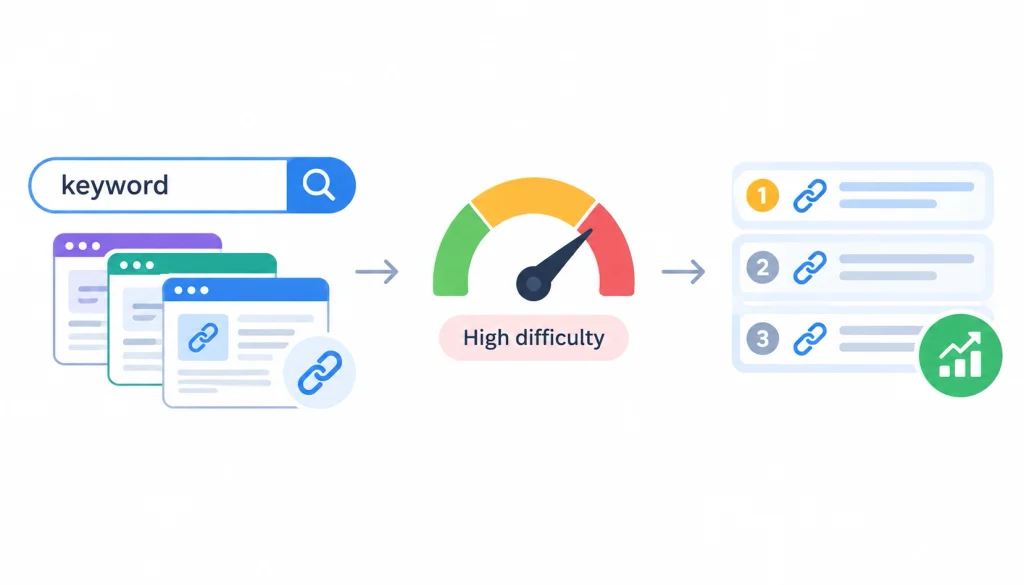
Difficulty scores estimate how hard it would be to rank, based mostly on the backlink profiles of current top-ranking pages. They’re a useful guide, not a guarantee, and every tool calculates them slightly differently.
5. SERP competition
Don’t stop at the difficulty number. Search the keyword yourself and look at who’s actually ranking. If the top ten results are all major, well-established sites with content far more thorough than anything you could produce soon, that tells you more than a score does.
6. Business value
Ask what would happen if this keyword brought you 100 qualified visitors. Would some of them realistically become customers, or is it just traffic for traffic’s sake?
7. Conversion potential
It helps to separate keywords into three rough tiers: traffic keywords that mostly build awareness, qualified traffic keywords that attract the right audience, and revenue keywords that tend to convert directly. A healthy content plan includes all three, weighted toward your business goals.
The Keyword Prioritization Framework
Once you have a long list of candidate keywords, you need a consistent way to rank them. Score each one from 1 to 5 across these factors:
| Factor | Score |
| Relevance | 1–5 |
| Search intent match | 1–5 |
| Business value | 1–5 |
| Ranking feasibility | 1–5 |
| Search demand | 1–5 |
| Content fit | 1–5 |
Add the scores together and you get a rough opportunity ranking. The formula, stated simply, is:
Keyword opportunity = relevance × intent match × business value × ranking feasibility
Example scoring
Say our local web design agency is comparing two keywords:
- “web design”: high demand, but broad intent, brutal competition, and low buyer-readiness. Score: relevance 3, intent 2, business value 2, feasibility 1, demand 5. Weak overall pick despite the volume.
- “affordable web design for small business”: lower demand, but sharp relevance, clear commercial intent, realistic feasibility, and strong buyer-readiness. Score: relevance 5, intent 5, business value 5, feasibility 4, demand 2. Much stronger pick.
This is the core lesson: the keyword with the biggest number attached to it isn’t automatically the best one to chase.
How to Group Keywords into Topics
1. Primary vs. secondary keywords
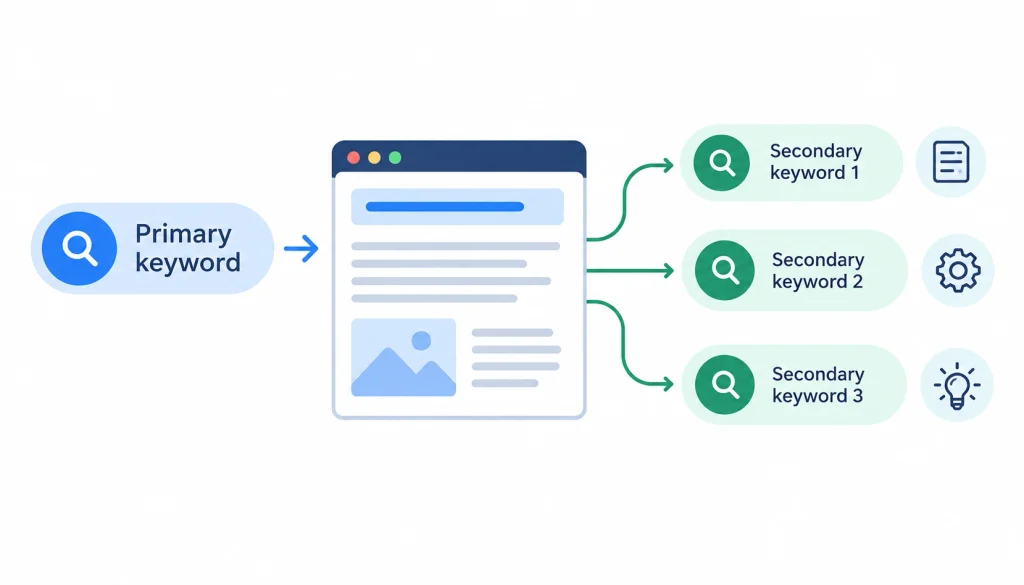
A page usually has one primary keyword, its main target, and several secondary keywords that describe closely related subtopics the page also covers.
2. Keyword clustering
Clustering means grouping keywords that share the same search intent and could reasonably be answered by the same page, rather than creating a separate page for every slight variation of a phrase.
3. Semantic relationships
Google understands that “web design” and “website design” mean roughly the same thing, and that “web designer” relates closely to both. You don’t need a separate page for each near-identical phrase.
4. Avoiding keyword cannibalization
Cannibalization happens when two or more pages on your own site compete for the same keyword, splitting your ranking potential instead of concentrating it. If you notice this happening, usually the fix is to merge the pages or clearly differentiate their intent.
5. When multiple keywords should share one page
If a group of keywords all reflect the same underlying question or need, they belong on one comprehensive page rather than scattered across several thin ones.
6. When keywords deserve separate pages
Separate pages make sense when the intent is genuinely different, for example, “web design pricing” and “web design portfolio” serve different purposes even though they’re related topics.
How to Map Keywords to Your Website Pages
| Search intent | Keyword type | Best page |
| Informational | How/why questions | Blog post or guide |
| Commercial | Best/top/review | Comparison page |
| Transactional | Buy/pricing/service | Product or service page |
| Navigational | Brand/product name | Homepage or product page |
| Local | Service + location | Location or service page |
Homepage keyword mapping
Your homepage should usually target your broadest, most brand-relevant terms, the ones that describe what your business is, overall.
Service and product pages
These pages should target commercial and transactional keywords tied directly to what you sell.
Category pages
Category pages sit between broad and specific, they’re a good home for keywords that describe a group of related products or services.
Blog posts
Blog content is the natural home for informational keywords, questions, and long-tail research phrases. A strategic content marketing and blog writing approach can then turn those keywords into useful, search-focused content
Location pages
If you serve specific geographic areas, dedicated location pages can target “service + city” style searches directly.
How to Find Keywords for a New Website
A brand-new site doesn’t have the authority to compete for broad, high-competition terms right away. Instead:
- Start with low-competition topic clusters where you can realistically rank within months, not years.
- Target specific long-tail queries first, then build outward.
- Build topical depth by covering a subject thoroughly rather than publishing scattered one-off pages.
- Create pillar pages with supporting articles linked underneath them, rather than treating every page as a standalone effort.
- Avoid chasing broad head terms until you’ve built some track record.
How to Find Keywords for an Existing Website
If your site already has content and traffic, the fastest wins often come from data you already own:
- Mine Google Search Console for queries close to page one.
- Look for pages with declining rankings, something changed, and it’s worth investigating why.
- Check for pages ranking on unexpected queries you could deliberately expand into.
- Compare your content against competitors to spot gaps.
- Update older pages with additional relevant subtopics instead of always starting from scratch.
- Watch for cannibalization between similar pages.
Where Should You Put Keywords on Your Website?
Once you’ve chosen a keyword, use it naturally in these places:
- Page title
- H1 heading
- Subheadings, where it fits naturally
- Body content
- URL
- Meta description
- Image alt text
- Internal links and anchor text
The goal is natural, readable placement, not repeating the phrase so often that the writing feels forced. Google’s own guidance on how Search works emphasizes writing for people first.
How to Find Keywords Without Paying for SEO Tools
You genuinely don’t need an expensive subscription to get started:
- Google Autocomplete
- Related searches
- People Also Ask
- Google Search Console (free for any site you verify)
- Google Keyword Planner (free with a Google Ads account)
- Reddit and industry forums
- Competitor SERPs, checked manually
- Direct customer questions
Plenty of small businesses build solid keyword lists using nothing but these free sources.
How Keyword Research Is Changing with AI Search
Search itself is shifting. Google now shows AI Overviews and an AI Mode for many queries, and tools like ChatGPT and Perplexity are becoming search entry points in their own right. That changes how keyword research needs to work.
1. Keywords vs. conversational queries
People increasingly type, or speak, full questions instead of clipped keyword fragments. “keyword research tools” is being joined by “what’s the best free way to find keywords for a small business website.”
2. Search intent and contextual relevance
AI-driven results tend to reward pages that answer a question thoroughly and directly, not pages that repeat a phrase many times. This is why an SEO-driven content strategy should connect search intent, useful content, internal linking, and conversion goals
3. Entities and related concepts
Search systems increasingly understand topics as networks of related entities and concepts, not isolated strings of text. Covering a topic well, with the related terms a knowledgeable person would naturally use, matters more than matching one exact phrase.
4. Question-based content
Structuring content around real questions, the kind found in People Also Ask or on forums like Reddit, tends to perform well in both traditional results and AI-generated summaries.
5. Researching topics instead of chasing exact-match phrases
The practical takeaway: keep using specific keywords to anchor your research, but write comprehensive content that covers a topic fully, rather than obsessing over hitting one exact phrase a certain number of times.
A Complete Keyword Research Example
Here’s the whole process applied to one fictional business, from start to finish.
Example business: A local web design agency serving small retailers.
Step 1: Generate seed keywords: web design, website redesign, ecommerce website, WordPress development.
Step 2: Expand the list: Using Autocomplete and People Also Ask, that grows to: web design services, small business web design, affordable web design, website redesign services, WordPress web design, ecommerce website design.
Step 3: Research competitors: Three local competitors are found to rank for “small business website packages” and “ecommerce web design pricing”, two phrases not yet on the list.
Step 4: Check Search Console: The existing site already gets impressions for “web designer near me,” ranking at position 14, a clear page-2 opportunity.
Step 5: Analyze SERPs: Searching “affordable web design for small business” shows mostly agency service pages, not blog posts, signaling this keyword needs a dedicated service page, not an article.
Step 6: Score keywords: Using the prioritization framework, “affordable web design for small business” scores far higher than “web design” once business value and feasibility are factored in.
Step 7: Cluster keywords: “Small business web design,” “affordable web design,” and “web design services” cluster together under one service page, since they share commercial intent.
Step 8: Map to pages: The cluster maps to a new service page; “web designer near me” maps to an update of the existing local landing page; “how much does a website cost” maps to a new blog post.
Step 9: Create the content plan: One new service page, one updated landing page, one new blog post, scheduled over the next month.
Step 10: Track performance: Search Console and rank tracking are checked monthly to see whether the new and updated pages start climbing.
The end result is a small, focused keyword map tied directly to three concrete pieces of work, not a spreadsheet of 200 keywords nobody will act on.
Common Keyword Research Mistakes to Avoid
- Choosing keywords based only on search volume
- Ignoring search intent when picking a keyword
- Targeting keywords that aren’t actually relevant to the business
- Going after keywords that are too competitive for the site’s current authority
- Creating a separate page for every keyword variation
- Stuffing exact-match keywords into content unnaturally
- Ignoring the data already sitting in Search Console
- Copying a competitor’s keyword list without understanding why it works for them
- Doing keyword research once and never revisiting it
How Often Should You Do Keyword Research?
Treat keyword research as an ongoing habit, not a one-time project:
- Do a full pass when you first set strategy.
- Review quarterly to catch new opportunities and fading ones.
- Redo it whenever your business changes significantly, new products, new services, new markets.
- Check in after major search algorithm changes.
- Investigate immediately if you notice declining traffic.
- Watch for new competitors entering your space.
- Stay alert to emerging topics in your industry before competitors cover them.
Frequently Asked Questions
How do I find keywords for my website?
Start by defining your audience and business goals, then gather keyword ideas from Google Autocomplete, Search Console, competitor research, and your own customers. Evaluate each one for relevance, intent, and business value before targeting it.
What is the easiest way to find SEO keywords?
For most beginners, typing seed terms into Google and reading the Autocomplete suggestions and People Also Ask box is the fastest, free starting point.
How can I find keywords for free?
Google Autocomplete, related searches, People Also Ask, Google Search Console, and Google Keyword Planner are all free and cover most of what a small business needs.
How many keywords should I target per page?
One primary keyword per page, supported by a handful of closely related secondary keywords and subtopics the page also naturally covers.
How do I find keywords my competitors rank for?
A competitor research tool like Ahrefs or Semrush will show you a list of the organic keywords a domain ranks for, which you can then compare against your own list to spot gaps.
Keyword Research Checklist
- [ ] Define target audience
- [ ] Define business goals
- [ ] Create seed topics
- [ ] Expand keyword ideas
- [ ] Research competitors
- [ ] Check Search Console
- [ ] Analyze SERPs
- [ ] Identify search intent
- [ ] Evaluate relevance
- [ ] Evaluate business value
- [ ] Check demand
- [ ] Assess competition
- [ ] Cluster related keywords
- [ ] Map keywords to pages
- [ ] Create or update content
- [ ] Track rankings and conversions
- [ ] Revisit the keyword set regularly
Final Thoughts
Learning how to find keywords for your website isn’t really about collecting a list of phrases from SEO tools. It’s about understanding your audience well enough to predict what they’ll actually type into Google when they’re looking for information, comparing options, or ready to buy.
The tools can help you uncover ideas and estimate search demand, but they can’t decide which keywords make sense for your business.
Start with solid seed research based on your products, services, customers, and the questions they ask. From there, evaluate each keyword based on relevance, search intent, competition, potential traffic, and business value rather than chasing search volume alone.
Finally, map the keywords you choose to specific pages so each page has a clear purpose and target audience. Get those three steps right, research, evaluation, and mapping, and the rest of your SEO work becomes much easier to plan, prioritize, and execute.