Video editing has traditionally meant choosing between speed and control. Professional editors often need deep timeline control, advanced color and audio tools, and support for complex productions, but those capabilities can also mean more manual work.
AI is changing that balance. Modern editors can now automate parts of the editing process instead of performing every operation themselves. This makes the comparison between invideo editor and Adobe Premiere Pro less about which software has a bigger feature list and more about how each approaches the editing workflow.
Adobe Premiere Pro remains a powerful professional non-linear editor with extensive tools for film, broadcast, commercial, and long-form production. invideo Editor takes a different approach by combining a professional multitrack timeline with AI editing agents that can be assigned real editing tasks.
Invideo Editor vs. Adobe Premiere Pro at a Glance
| Feature | Invideo Editor | Adobe Premiere Pro |
| Editing environment | Browser-based | Desktop and mobile |
| Multitrack timeline | Yes | Yes |
| AI-assisted editing | AI agents can execute editing tasks | AI features assist with specific editing operations |
| First-cut assembly | AI can assemble a base cut from raw footage | Primarily editor-driven |
| Multicam assistance | AI-assisted multicam workflows | Advanced multicam editing |
| Manual editing | Yes | Yes |
| Color tools | Color workspace and grading controls | Advanced Lumetri Color |
| Audio | Track mixer and audio controls | Advanced audio editing |
| Collaboration | Shared project workflow | Frame.io integration |
| Best suited to | AI-assisted, collaborative editing workflows | Deep professional post-production |
The important difference is that both platforms offer AI and professional editing capabilities, but they approach automation differently. Premiere Pro adds AI-powered features to an established professional editing environment. Invideo editor puts AI agents directly into the editing workflow so users can delegate broader editing assignments.
1. AI-Assisted Editing
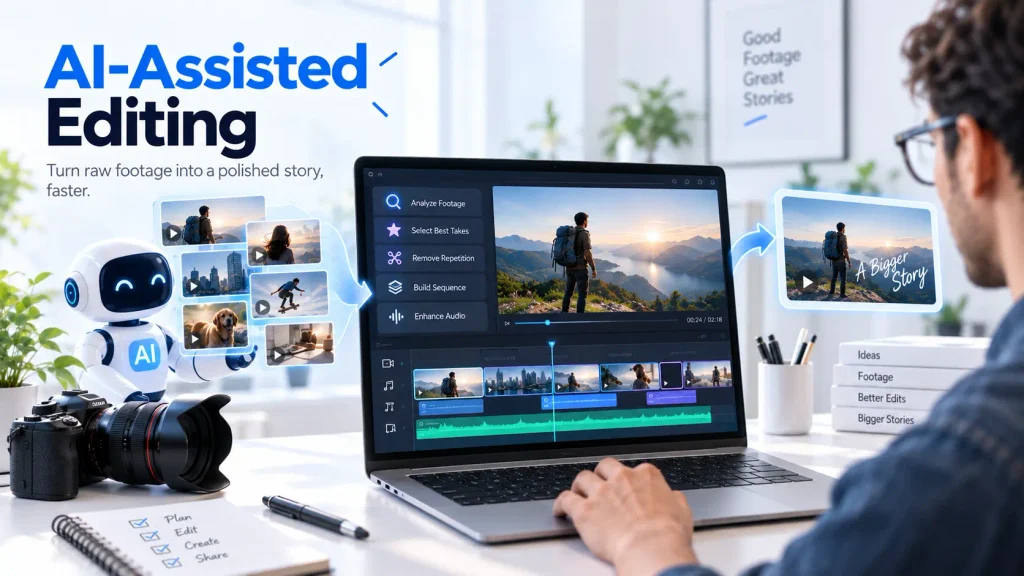
This is one of the biggest differences between the two platforms.
Premiere Pro includes AI-powered features that can speed up specific tasks. Its current tools include Text-Based Editing, filler-word detection, AI audio categorization, and other AI-assisted functions. Text-Based Editing, for example, lets editors create rough cuts from transcripts and then refine them on the timeline.
Invideo editor takes AI assistance further through an agentic workflow. Instead of asking the user to activate separate AI features one at a time, its editing agents can receive a broader instruction and determine the steps required to complete it.
An editor can ask an agent to review footage, select strong takes, remove filler, and create a first cut, with the resulting edits placed directly on the timeline.
Advantage: Invideo editor for users who want to delegate multi-step editing work. Premiere Pro for editors who prefer granular control over individual editing operations.
2. First Cuts From Raw Footage
Creating a first cut can involve hours of reviewing footage before the creative editing even begins.
Invideo editor is designed to reduce this initial workload. Creators can provide raw footage with or without a script and have an AI editing agent build an editable base cut by selecting usable takes, removing mistakes and filler, and arranging the material on the timeline.
Premiere Pro offers tools that speed up rough cuts, especially for dialogue-heavy projects. Its transcript-based workflow can turn selected text into clips on the timeline, after which editors can refine the sequence.
Advantage: Invideo editor has a stronger edge when the goal is to delegate the broader first-cut assembly. Premiere Pro provides more traditional hands-on control over how that rough cut is constructed.
3. Multicam Editing
Both editors can handle multicam work, but the workflows differ.
Premiere Pro has long been designed for professional multicamera editing and gives editors detailed control over camera angles and sequences. This makes it a strong choice for complex productions where an editor wants to manually control every angle.
Invideo Editor adds AI assistance to the multicam process. Its editing agent can frame-match camera angles and switch between them based on factors such as who is speaking, creating a starting multicam sequence that the editor can then adjust.
Advantage: Premiere Pro for highly detailed manual multicam control; invideo editor for getting to a usable multicam starting point faster.
4. Timeline Control
This is an area where both platforms are closer than the “AI editor vs. traditional editor” distinction might suggest.
Invideo editor has a multitrack timeline with video and audio tracks, keyframes, effects, transitions, audio controls, color tools, and other conventional editing functions. AI-generated changes appear as normal clips and cuts that can be moved, trimmed, changed, or undone.
Premiere Pro is built around detailed timeline editing and provides extensive control for professional post-production. It also supports customizable workspaces and workflows for different types of productions.
Advantage: Premiere Pro still has the edge for editors who need an extremely mature, detailed NLE. Invideo editor has an advantage for users who want traditional timeline control combined with delegated AI editing.
5. Working in the Browser
Invideo editor runs in the browser, so there is no desktop editing application that needs to be installed before starting a project. Users can upload media, work on the timeline, direct AI agents, and continue editing within the same browser-based environment.
Premiere Pro is primarily a professional desktop application, with Adobe also offering a mobile version. Its desktop environment remains better suited to editors who want a dedicated application and established professional post-production setup.
Advantage: Invideo Editor for teams and creators who value browser-based access and a more lightweight setup. Premiere Pro for editors who prefer a dedicated desktop NLE.
6. Collaboration
Remote collaboration is becoming increasingly important for creative teams.
invideo editor allows collaborators to work within the same project and timeline, with team members able to work together rather than constantly passing exported files between them. Its review workflow also supports frame-accurate comments, with the editing agent able to act on feedback.
Premiere Pro also supports collaborative workflows through Adobe’s integration with Frame.io, which provides video review and approval capabilities. Adobe offers additional Frame.io team features for organizations that need enhanced storage, security, and administration.
Advantage: Both are capable collaboration platforms. Invideo editor has a more integrated approach to bringing AI agents, editors, and collaborators into the same project.
7. Color and Audio
Premiere Pro has a major advantage for editors who need a mature professional post-production environment. Adobe provides Lumetri Color tools for color correction and grading, alongside extensive audio and effects capabilities.
Invideo editor has also moved beyond basic online editing. Its current workspace includes color controls, a full audio mixer, effects, transitions, and keyframe-based editing.
However, editors working on highly specialized finishing workflows may still prefer Premiere Pro’s established ecosystem and deeper integration with other professional Adobe applications.
Advantage: Premiere Pro for advanced finishing and established professional post-production workflows. Invideo editor for creators who want capable audio and color tools alongside AI-assisted editing.
8. AI and Creative Workflow Integration
Another important difference is how the two platforms connect editing with AI-powered creation.
Premiere Pro can be used alongside Adobe’s wider Creative Cloud ecosystem, including Firefly-powered generative features and applications such as After Effects, Photoshop, and Audition depending on the plan.
Invideo editor takes a more unified approach to AI creation and editing. AI-generated video, images, voice, and music can be brought into the same editing environment, and Agent Two can work within the same project. This can reduce the need to move between separate generation and editing tools.
For creators who want to simplify their workflow, an AI video editor can also help streamline video editing tasks.
Advantage: Invideo editor for creators who want generation and editing closely connected. Premiere Pro for teams already invested in the broader Adobe ecosystem.
9. Ease of Getting From Footage to Finished Video
Premiere Pro gives editors a powerful set of tools, but the editor remains responsible for most of the decisions and execution. This is valuable for experienced professionals who want complete control.
invideo editor is designed around a different workflow. An editor can describe the outcome they want, allow an AI agent to handle a series of editing operations, review the result, and then continue manually. This is particularly useful when the repetitive execution takes longer than the creative decision-making itself.
For example, instead of manually logging every take and then building a first sequence, an editor can ask the agent to review the footage and create a starting cut. The editor can then focus on pacing, storytelling, shot selection, and refinement.
Advantage: Invideo editor for speed and delegated editing. Premiere Pro for maximum hands-on control.
Where Adobe Premiere Pro Is Still the Better Choice
A fair comparison should also acknowledge where Premiere Pro has the advantage.
Premiere Pro is a mature professional NLE with extensive support for complex editing, color, audio, effects, multicam workflows, and different camera formats. It also fits naturally into workflows that already depend on other Adobe applications.
For feature films, broadcast projects, advanced commercial post-production, or editors who need precise control over every part of the finishing process, Premiere Pro remains a strong choice.
It is also a better fit for editors who already have years of experience with Adobe’s interface and workflow.
Where Invideo Editor Has the Advantage
Invideo editor’s strongest advantage is not simply that it has AI features. It is the way those AI capabilities interact with the timeline.
Its editing agents can take on broader assignments such as first-cut assembly, take selection, multicam editing, footage search, B-roll placement, and cleanup. The work then appears as editable timeline content rather than as an opaque finished output.
It also has practical advantages for creators who want a browser-based workflow, integrated AI generation and editing, and collaboration within the same project.
For teams producing a high volume of content, these differences can translate into less time spent on repetitive editing and more time spent on creative decisions.
Pricing Comparison
Pricing changes over time, so it is worth checking the current plans before choosing either platform.
Adobe currently lists Premiere as a paid subscription, with its India pricing page showing an annual-billed-monthly individual plan at ₹733.96/month after the introductory offer. Premiere is also included in Creative Cloud Pro, which includes more than 20 Adobe applications.
Invideo editor’s manual editing experience is currently free, with AI agent work using credits. The platform also offers paid plans for additional usage and capabilities.
Which One Should You Choose?
The better choice depends on what you want from an editing workflow.
Choose Adobe Premiere Pro if you need a mature professional NLE, extensive manual control, advanced finishing capabilities, or deep integration with the Adobe ecosystem.
Choose invideo editor if you want a browser-based editor where AI agents can take on real editing assignments, create starting cuts from raw footage, assist with multicam and footage organization, and leave the resulting work fully editable on the timeline.
For many modern teams, the biggest distinction is therefore not AI vs. non-AI. Premiere Pro already has significant AI capabilities. The more meaningful difference is how much of the editing process you want AI to execute for you.
Invideo editor is particularly compelling for workflows where repetitive editing work is a bottleneck. Premiere Pro remains the stronger choice for highly detailed, traditional professional post-production. Neither approach is universally better, but for creators prioritizing faster production through agentic editing, invideo editor offers a distinct advantage.