You have probably seen a short clip online where a still photo suddenly blinks, talks, or walks out of the frame. Many of those clips come from tools like A2E AI. If you are wondering whether it is worth your time, your credits, or your photos, this review is for you.
A2E AI is an AI video and image creation platform that turns photos and text prompts into short videos. It also offers talking avatars, face and head swapping, lip-sync, voice cloning, and audio generation. A free plan exists, but it comes with daily credit limits and watermarked 720p output.
My short verdict: A2E AI is a good place to experiment with image-to-video and talking-photo ideas at no cost. It is a weaker fit if you need predictable, client-ready output on a deadline. Read on for the details, and run the quick test in the “How to test A2E AI yourself” section before you pay.
A2E AI at a glance
| Question | Short answer |
| What is it? | A browser-based AI video and image generator |
| What can it do? | Image-to-video, talking avatars, face swap, lip-sync, voice cloning, video-to-audio |
| Is it free? | Yes, with daily credits, a watermark, and 720p limits |
| Is it good for pros? | Useful for drafts and social clips; check licensing and consistency first |
| Biggest risk? | Uploading faces or voices without consent, or sending sensitive files |
How this review was put together
I want to be upfront about the method. This is a research-based review. I compared A2E’s own pages (features, FAQ, pricing, video-to-audio) with third-party sources such as G2, Trustpilot, Magiclight’s review, and public Reddit threads.
I have not published benchmark scores, generation times, or credit costs here, because I would have to invent them. Where a detail depends on a test, I tell you how to run it yourself. Where a number changes often, I tell you to check the source. This article has no affiliate links.
What is A2E AI?
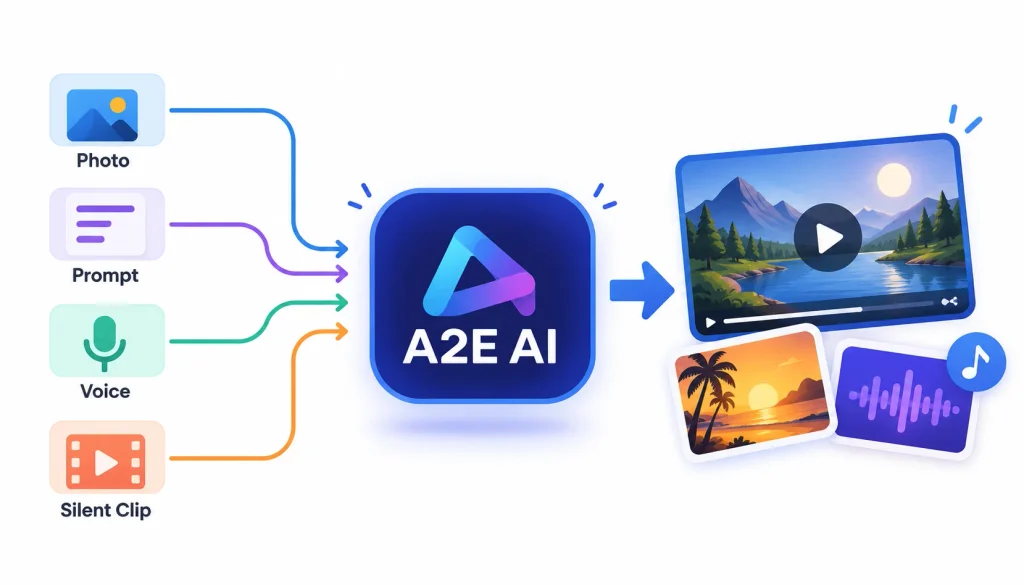
A2E AI (a2e.ai) is a generative AI platform. “Generative” means it creates new media from your input instead of editing footage you already shot. You give it a photo, a prompt, a voice sample, or a silent clip, and it produces something new.
If you want the background on the technology, Wikipedia has a clear overview of text-to-video models.
How does A2E AI work?
The flow is simple. You pick a tool, upload a file or type a prompt, choose a few settings, and spend credits to generate the result. You then preview it and download it if your plan allows.
The platform also bundles several third-party video and image models under one login. Third-party listings mention names such as Wan, Kling, Seedance, and Flux, but the lineup changes, so open the tool menu to see what is live today.
Who is A2E AI for?
- Social media creators who want quick animated clips from a photo
- Marketers testing ad ideas before paying for production
- Teachers who want a talking-avatar explainer without filming
- Small business owners who need a short product animation
- Developers who want API access (reported to start at the Pro plan; confirm on the pricing page)
For businesses planning to use AI across multiple marketing channels, this guide explains how AI is changing the way brands create content at scale.
How is it different from a video editor?
A traditional editor like Premiere Pro or Descript works with footage you already have. You cut, trim, and arrange. A2E generates new motion that never existed. That is faster for ideas, but you give up some control over the exact result.
A2E AI features: what can you create?
A2E’s own FAQ lists image-to-video, text-to-image, face swapping, head swapping, talking photos, AI avatars, voice cloning, and lip-sync. (A2E FAQ) Here is what each one means in plain English.
1. Image-to-video
You upload a still image and describe the motion you want, such as “slow zoom, hair moving in the wind.” The model guesses how each part of the picture would move and builds the frames.
Portraits and simple scenes usually work best. Busy scenes with many moving objects are harder, and that is where odd warping tends to show up.
If you want to explore another way to turn static drawings into animated scenes, this guide explains how to turn doodles into scenes with an AI video maker.
2. Text-to-video and model choice
Here you describe a scene in words, and the model draws and animates it. Different models have different strengths, so the same prompt can look quite different from one model to the next. Check the credit cost shown next to each model before you generate.
3. AI avatars and talking photos
A talking photo takes one image and makes the face speak your script. An avatar is a reusable character you can put in many videos. Both are popular for explainers, course intros, and short social posts.
4. Face swap and head swap
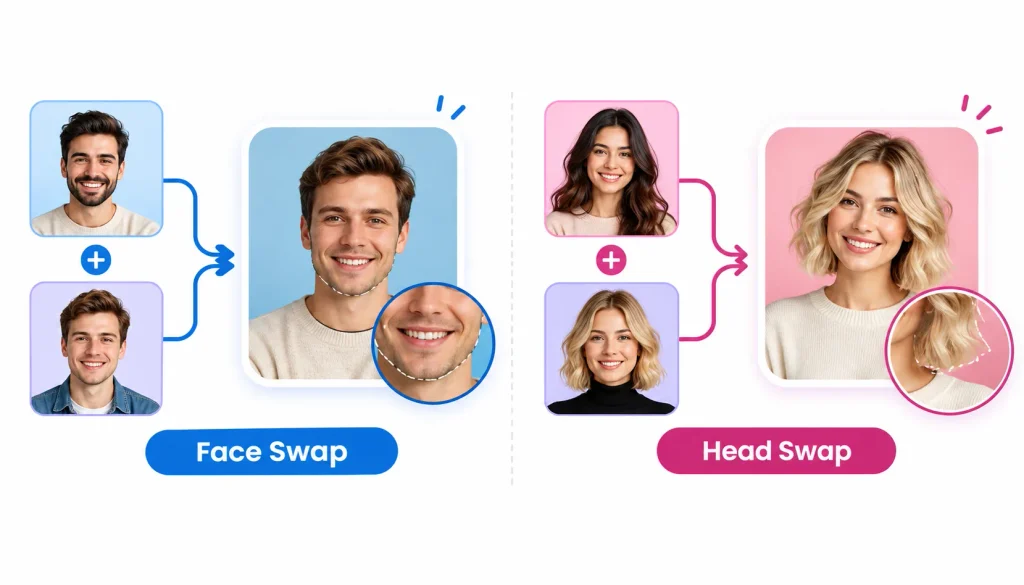
A face swap replaces a face in a photo or clip with another face. A head swap replaces the whole head, including hair and head shape. Both are a form of what Wikipedia calls a deepfake, so consent matters a lot. I cover that in the safety section below.
5. Voice cloning and text-to-speech
Text-to-speech reads your script in a stock voice. Voice cloning builds a voice that sounds like a specific person from a sample recording. Wikipedia’s page on speech synthesis explains the basics. Only clone a voice you own or have written permission to use.
6. Lip-sync
Lip-sync matches mouth movement to audio. It works best with clear speech, a front-facing face, and no hand or microphone covering the mouth. Poor audio is the most common reason it looks fake.
7. generation and editing
The platform also creates and edits still images from prompts. Reviewers on Trustpilot mention removing and adding objects in photos, though experiences vary.
8. Video-to-audio
This tool adds music, ambience, and sound effects to a silent clip. A2E’s page describes four steps: upload the video, describe the sound, generate, then preview and download. (A2E video-to-audio) The idea is similar to Foley, the craft of adding everyday sounds to film, but done by AI.
How to use A2E AI: a step-by-step tutorial
Exact buttons change, so treat this as a map and not a click-by-click script.
- Go to the official site, a2e.ai, and create an account. Check the web address carefully, since similarly named apps exist on app stores.
- Choose a tool: image-to-video, talking photo, avatar, or another one.
- Upload a sharp, well-lit image, or type your prompt.
- Pick the model, length, and resolution if the tool offers them.
- Look at the credit cost before you click generate.
- Generate the video and watch it twice: once for motion, once for faces and text.
- Download it if your plan allows, and read the usage terms before publishing.
A good first prompt: “Gentle head turn, soft smile, subtle wind in hair, camera still.” Short, calm prompts tend to hold a face together better than dramatic ones.
A2E AI pricing: is it really free?
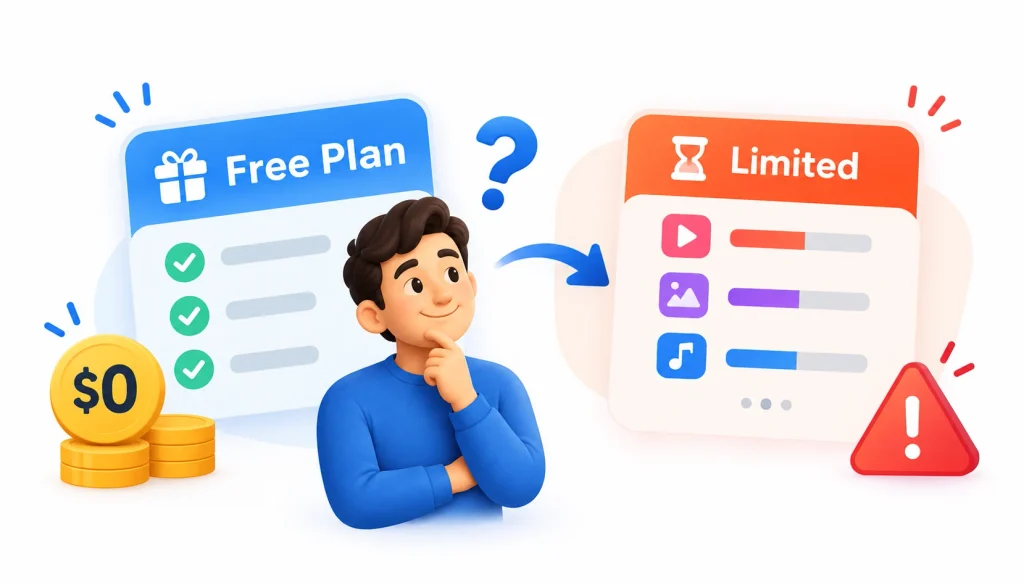
Yes, there is a free plan. But “free” here means “limited,” and that distinction decides whether the tool works for you.
1. What the free plan includes
A2E’s pricing page lists a free plan with bonus credits, watermarked output, and 720p video. (A2E pricing) A third-party review reports roughly 30 daily credits, plus caps on custom avatars and voice-clone slots. Treat that figure as a reported number and confirm it on the live page.
Daily bonus credits are claimed by checking in, and plan credits reset each billing cycle. Some Trustpilot reviewers also mention extra credits for sharing or reviewing, but those offers come and go.
2. Free vs. paid plans
| Detail | Free | Pro / Ultra |
| Watermark | Yes | Removed, per A2E’s listing |
| Resolution | 720p | Higher-resolution downloads |
| Credit top-ups | Not listed | Reported for Pro and Ultra |
| API access | Not listed | Reported for Pro and above |
| Commercial rights | Check terms | Check terms and plan |
| Exact prices and credit counts | Check the pricing page | Check the pricing page |
I left the dollar amounts out on purpose. They change, and a stale price in a review is worse than none.
3. How credits work
Credits are the currency. Each generation costs a certain number of credits, and the amount depends on the tool, the model, the length, and the resolution. One third-party summary says API usage is billed at roughly one credit per second of video, but that applies to a specific plan type, so verify it.
4. A worked example (do this with your own numbers)
Say a 5-second clip costs 10 credits on your chosen model. You will rarely keep the first result. If you need three tries to get one usable clip, your real cost is 30 credits, not 10.
So don’t ask “how many credits do I get?” Ask “how many usable clips do I get?” That number is what you are really paying for.
5. Do credits expire?
Plan credits reset each cycle, so unused ones should not be counted on. Whether purchased top-ups expire is a detail I could not confirm from the sources I reviewed. Check the billing terms before you buy a large pack.
6. Is A2E AI worth paying for?
It makes sense if you generate clips weekly, need watermark-free files, and have already seen good results on the free plan. It does not make sense if you only need one or two clips a month, since the free credits might cover you.
How to test A2E AI yourself in 20 minutes
Because I have not published my own benchmark numbers, here is a repeatable test you can run on the free plan. It also shows you what the tool can really do before you spend money.
When evaluating AI-generated clips, character consistency is another important factor to consider. Learn more about why character consistency is a major challenge in AI video generation.
- Portrait test. Animate a clear, front-facing photo of yourself with a simple prompt. Look for face drift, odd blinking, and warped ears or teeth.
- Product test. Animate a product photo with a logo. Check whether the text and shape stay stable.
- Talking photo test. Record 10 seconds of your own voice and apply lip-sync. Watch the mouth on a big screen.
- Audio test. Add generated sound to a silent clip and see if the sounds match what is on screen.
- Repeat test. Run the same prompt three times. Note how much the results differ.
Write down the date, plan, model, prompt, credit cost, wait time, and whether you would use the result. Ten minutes of notes will tell you more than any review, including this one.
What users and reviewers say
The public feedback is mostly positive, with some patterns worth knowing.
- G2 shows a 4.5 out of 5 rating from a small number of reviews (five when I checked), so treat it as a sample, not a verdict. Reviewers mention ease of use and creative flexibility, and some raise concerns about consistency and team collaboration. (G2 reviews)
- Trustpilot reviewers frequently praise the free credits and speed. A few note that clips are short and that free users hit daily limits. Remember that company-written text also appears on that page.
- Magiclight’s review mentions occasional artifacts in complex scenes. (Magiclight) Magiclight sells a competing product, so weigh that with care.
- Reddit threads in the r/a2e123 community discuss free access and video quality. They are anecdotal, and some posts may be promotional.
A2E AI pros and cons
| Pros | Cons |
| Many tools under one login | Results can vary between models and attempts |
| Free plan for real testing | Watermark and 720p on free output |
| Browser-based, no install | Credits get used up by retries |
| Avatar, lip-sync, and audio tools | Complex scenes may show artifacts |
| API available on higher plans | Licensing and privacy need your own review |
The cons are possible limits based on reviews and general AI video behavior. I haven’t confirmed each one with my own tests.
Who should use A2E AI
People who want to experiment, make short social clips, animate still photos, or draft an avatar explainer. It suits low-risk projects where you can retry freely.
Who should look elsewhere
Teams that need strict brand consistency, long-form storytelling, heavy editing, or shared workspaces. A dedicated editor or an enterprise avatar platform is a better match.
Is A2E AI safe and private?
This is the question I would ask first, because face swap and voice cloning involve very personal data.
A2E says uploaded content is processed securely and deleted periodically, and its security FAQ advises against uploading videos with sensitive information. (A2E security FAQ) Those are the company’s statements. I have not seen an independent security audit, so I can’t call them verified.
What I would do
- Skip confidential business footage, ID documents, and private family media.
- Read the privacy policy and terms for retention, training use, and deletion requests.
- Use a strong, unique password and review any payment details carefully.
- Check the web address, since lookalike apps exist.
Is voice cloning safe?
It is safe for you only if the voice is yours or you have written permission. Cloning someone without consent can cause real harm and may break the law in some places.
Is face swapping legal?
It depends on the country, the purpose, and whether the person agreed. Harmless parody with consent is one thing. Fake content that deceives or embarrasses someone is another. If you are unsure, get written permission or talk to a lawyer. I am not one, and this is not legal advice.
Can you use A2E AI videos commercially?
A2E markets paid plans as including commercial usage rights, but the exact terms depend on your plan and the current license. Read them directly before you publish an ad or client project.
Two other things matter. First, you need the rights to whatever you upload, including photos, music, logos, and voices. Second, YouTube and social platforms have their own rules about AI-generated and altered content, and those apply no matter what A2E allows.
For client work, keep a record of the plan you used, the date, and the terms at that time.
Best A2E AI alternatives in 2026
No single tool wins every job. Match the tool to the task.
| If you need… | Compare A2E AI with… |
| Image-to-video clips | Kling AI, Runway |
| Short creative experiments | Pika |
| Avatar-led business videos | Synthesia, AI Studios |
| Editing existing recordings | Descript |
| Product ads | Creatify AI |
| Story-driven videos | Magiclight |
G2 maintains a list of A2E alternatives that includes Creatify AI, Descript, and AI Studios. The right pick depends on whether you value cost, control, realism, or team features. Check each tool’s current pricing and export options before you decide, since they all change.
If you dislike plan-based credits, pay-per-generation services such as WaveSpeedAI position themselves as an alternative. Note that WaveSpeedAI’s own comparison page is marketing, so verify its claims too.
Common A2E AI problems and fixes
The video won’t generate. Check your credit balance, file size and format, and whether the tool is available on your plan. If it keeps failing, contact official support.
My credits look wrong. Review your account’s billing and credit history. Remember that daily bonus credits and plan credits behave differently.
The face looks distorted. Use a sharper, front-facing source image. Simplify the prompt and try a different model.
Lip-sync looks off. Use clean audio with no background noise. Make sure the mouth is visible and not covered.
My download has a watermark. Free-plan exports carry one. A paid plan is listed as removing it.
Frequently asked questions about A2E AI
1. What is A2E AI?
A2E AI is a browser-based platform for creating AI videos and images. It covers image-to-video, talking avatars, face swap, lip-sync, voice cloning, and audio generation.
2. Is A2E AI free?
Yes, there is a free plan. It uses daily credits and adds a watermark to 720p videos, so it suits testing more than regular production.
3. Does A2E AI give free credits every day?
A2E lists daily bonus credits, which you claim by checking in. The amount can change, so confirm it on the pricing page.
4. Can A2E AI turn photos into videos?
Yes. Image-to-video is one of its core tools. Sharp, simple portraits usually give the best results.
5. Can A2E AI clone voices?
Yes, it lists voice cloning, and the free plan reportedly includes one clone slot. Use only voices you have permission to clone.
6. Is A2E AI safe to use?
A2E states that it processes uploads securely and deletes them periodically. I could not independently verify this, so avoid sensitive uploads.
7. Can you use A2E AI videos commercially?
Paid plans are marketed with commercial rights. Read the current terms and make sure you own the rights to everything you upload.
8. What are the best A2E AI alternatives?
Runway and Kling AI for video generation, Synthesia for business avatars, Descript for editing, and Creatify AI for product ads.
9. Is A2E AI worth it?
It is worth trying for free. Pay only after your own tests show enough usable clips per credit.
Final verdict: should you use A2E AI?
A2E AI earns a try if you want a flexible, low-cost way to animate photos, make talking avatars, or draft short clips. The free plan is enough to learn the tool and judge the results with your own images.
It is less convincing when you need guaranteed consistency, long videos, or airtight privacy. In those cases, test alternatives and read the licensing terms closely.
My advice is simple. Spend 20 minutes on the free plan with non-sensitive photos, track how many tries each good clip takes, and decide after that. If you do, you will know whether this A2E AI review matches your own experience, and you will have spent nothing to find out.