Event Email Marketing
You can have a great speaker lineup, a perfect venue, and a fair ticket price. If your emails are weak, people still won’t show up.
Good event email marketing examples make the job easier. They show you what to say, when to say it, and how to design it so people act. This guide gives you 25+ examples across the full event lifecycle, 10 templates you can copy, 48 subject lines, and a send schedule you can follow.
A quick note on the examples. The emails below are original samples I wrote to show each technique. They are not screenshots of real campaigns, and I have not attached made-up results to them. If you want to see real designs, the Really Good Emails event category is a useful gallery to browse alongside this article.
What Is Event Email Marketing?
Event email marketing is the practice of using email to promote an event, drive registrations, keep registrants informed, and follow up after the event ends. It covers invitations, reminders, confirmations, and thank-you messages, sent to the right audience at the right time.
It is a specific use of email marketing, with one big difference. Your emails have a hard deadline. The event happens on one date, so timing matters more than it does in a regular newsletter.
Why Is Email Marketing Important for Events?
Email works well for events for a few practical reasons, Email campaigns work best when they are part of a broader digital marketing strategy that connects email, social media, SEO, and paid advertising to reach the right audience.
- It reaches people directly. You don’t depend on a social algorithm to show your post.
- You own the list. Past attendees, leads, and members are an audience you can return to for every future event.
- It is easy to segment. You can send one message to past attendees and a different one to new leads.
- It can be automated. Confirmations and reminders can run on their own.
- It is measurable. You can see opens, clicks, and registrations, then improve the next send.
What Makes an Effective Event Marketing Email?
An effective event email has seven parts:
A subject line that gives a clear reason to open.
- Preview text that adds to the subject line instead of repeating it.
- The event basics near the top: what, when, where, and who it is for.
- One clear benefit for the reader.
- A single, obvious call to action (CTA).
- A layout that reads well on a phone.
- A reason to act now, such as a real deadline or limited seats.
Creating engaging event emails requires clear messaging and valuable content, supported by a strong content marketing strategy that keeps audiences interested throughout the campaign.
25+ Best Event Email Marketing Examples
Each example below covers the purpose, a sample subject line, why the approach works, and a takeaway you can use. Examples are grouped by stage so you can follow the full journey from first announcement to post-event follow-up.
Before Registration Opens
1. Event Announcement Email Example
Purpose: Tell your list the event exists. Sample subject: “Announcing Northwind Summit 2027: March 18 in Austin” Why it works: The subject line holds the three facts people scan for first: name, date, place. The body adds one sentence on who the event is for, then one button. Takeaway: Lead with facts, not hype. Readers decide in seconds whether it applies to them.
2. Save-the-Date Email Example
Purpose: Get the date onto calendars before details are ready. Sample subject: “Save the date: March 18, 2027” Why it works: It asks for almost nothing. A short email with a big date and an “Add to calendar” button is easy to act on. Takeaway: Include a calendar file. A reader who adds the date has already made a small commitment.
3. Event Invitation Email Example
Purpose: Make a specific person feel invited, not mass-mailed. Sample subject: “Priya, you’re invited: a closed-door session on retail analytics” Why it works: It names the person and ties the event to their work. The body explains why they, in particular, were chosen. Takeaway: Personalize by role or interest, not just first name.
Driving Registrations
4. Event Registration Email Example
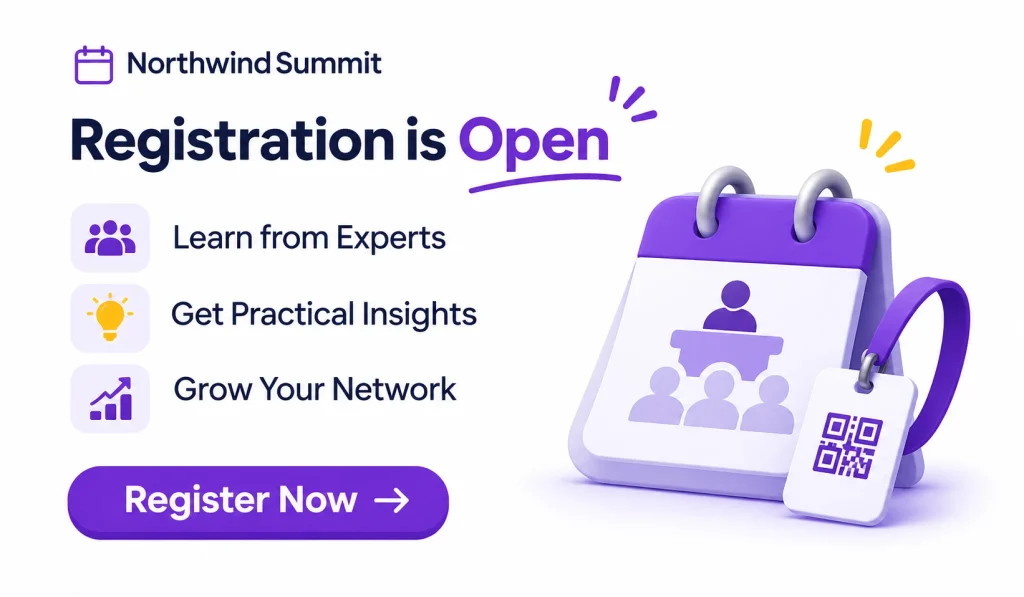
Purpose: Announce that registration is open. Sample subject: “Registration is open for Northwind Summit” Why it works: One headline, three bullets on what attendees get, and a single “Register” button. Nothing competes with the CTA. Takeaway: Say what the attendee walks away with, not what the event “features.”
5. Early-Bird Registration Email Example
Purpose: Create a reason to sign up now. Sample subject: “Early-bird pricing ends Friday at midnight” Why it works: The deadline is specific and true. The email shows the early price next to the regular price, so the savings are clear. Takeaway: Only use urgency you will honor. If you extend a deadline repeatedly, readers stop believing you.
6. Conference Promotion Email Example
Purpose: Sell a multi-day business conference. Sample subject: “3 days, 40 sessions, and the people you’ve been trying to meet” Why it works: It highlights tracks, speakers, and networking, the three things conference buyers weigh. It also gives a way to justify the cost to a manager. Takeaway: Many conference attendees need approval from a boss. Add a short “convince your manager” line or a downloadable justification note.
7. Trade Show Invitation Email Example
Purpose: Bring visitors to your booth or the show floor. Sample subject: “See the new line live at Booth 214” Why it works: It gives the booth number, the hours, and one reason to stop by, such as a live demo at a set time. Takeaway: Give visitors a specific plan: a time, a place, and a reason.
8. Webinar Invitation Email Example
Purpose: Fill a live online session. Sample subject: “Live webinar Thursday: cut your reporting time in half” Why it works: The topic is a problem the reader already has. The email names the speaker, the time zone, and the fact that a recording will follow. Takeaway: State the time zone clearly. Mixed-region lists are a common cause of no-shows.
9. Workshop Promotion Email Example
Purpose: Sell a hands-on training session. Sample subject: “Bring a laptop, leave with a working email automation” Why it works: It describes the end result in concrete terms and notes the small group size. Takeaway: For workshops, limited seats are a real constraint. Say so honestly.
10. Networking Event Invitation Email Example
Purpose: Invite professionals to meet each other. Sample subject: “Meet 80 product leaders over dinner on April 9” Why it works: People attend networking events for the people. The email shows who else is coming by role and industry, without exposing private names. Takeaway: Describe the room, not the schedule.
11. Speaker Announcement Email Example
Purpose: Add credibility and give a second reason to register. Sample subject: “Our keynote: how a 12-person team cut churn by a third” Why it works: It leads with the talk’s value, then the speaker’s background. A headshot and one line of credentials are enough. Takeaway: Sell the talk, then the speaker. Only quote results you can verify and attribute them correctly.
12. Event Agenda Announcement Email Example
Purpose: Help undecided readers picture their day. Sample subject: “The full agenda is live: pick your sessions” Why it works: It shows three to five highlight sessions, not the whole schedule, and links to the full agenda. Takeaway: Curate. A pasted 40-line agenda gets skimmed and ignored.
13. Event Countdown Email Example
Purpose: Build anticipation in the final weeks. Sample subject: “14 days to go: here’s what’s still open” Why it works: A simple countdown graphic and a short update, such as a new speaker or workshop with seats left, gives the reader news, not just a reminder. Takeaway: Every countdown email needs something new in it.
14. Last-Chance Registration Email Example
Purpose: Convert people who meant to register. Sample subject: “Registration closes tomorrow at 5 p.m. ET” Why it works: It is short, plain, and honest. One sentence on the deadline, one on what they will miss, one button. Takeaway: Keep last-chance emails brief. The reader already knows the event.
After Someone Registers
15. Event Reminder Email Example
Purpose: Lower no-shows. Sample subject: “See you Thursday: your session starts at 10:00 a.m. IST” Why it works: It repeats the essentials and gives one useful prep step, such as “read the pre-brief.” Takeaway: A reminder should help, not nag.
16. Registration Confirmation Email Example
Purpose: Confirm the sign-up and reduce uncertainty. Sample subject: “You’re in! Your Northwind Summit ticket” Why it works: It includes the ticket or booking reference, date, location, a calendar link, and what happens next. Takeaway: Confirmation emails are opened far more than most marketing emails, so use the space well. Add a “know before you go” link.
17. Event Logistics Email Example
Purpose: Remove friction on the day. Sample subject: “Getting to the venue: parking, check-in, and what to bring” Why it works: It is organized by questions attendees really ask: Where do I park? Where do I check in? Is there food? Takeaway: Write it as a checklist. People read logistics emails on the way to the event.
18. Virtual Event Reminder Email Example
Purpose: Get online attendees into the session smoothly. Sample subject: “Your join link for today’s session (starts in 1 hour)” Why it works: The link sits at the top. Below it are the start time, a short tech check, and a backup contact. Takeaway: Put the join link first. Everything else is secondary.
19. Event-Day Email Example
Purpose: Send last-minute updates. Sample subject: “Today: doors open at 8:30, keynote at 9:00” Why it works: It carries only what changed or what matters in the next few hours. Takeaway: Keep it under 100 words. Nobody reads more in the morning.
After the Event
20. Post-Event Thank-You Email Example
Purpose: Close the loop and keep the relationship warm. Sample subject: “Thank you for joining us, Rahul” Why it works: It thanks people in a human voice, names one highlight, and points to the next step. Takeaway: Send within 24 hours, while the event is fresh.
21. Event Feedback Email Example
Purpose: Collect honest input. Sample subject: “Two minutes to tell us how we did” Why it works: It promises a short survey and keeps that promise. Three to five questions get more replies than twenty. Takeaway: Ask one open question: “What should we change?”
22. Event Recording and Resource Email Example
Purpose: Extend the value of the event. Sample subject: “Your recording, slides, and the session notes” Why it works: It lists each resource with a one-line description and a direct link. Absent attendees get value too. Takeaway: Send resources to registrants who missed it, with a gentler tone.
23. Next Event Promotion Email Example
Purpose: Turn attendees into repeat attendees. Sample subject: “Early access for last year’s attendees: Summit 2028” Why it works: It rewards past attendees with first access or a loyalty price. Takeaway: Past attendees are your warmest audience. Treat them that way.
Special Situations
24. Event Sponsorship Email Example
Purpose: Invite businesses to sponsor. Sample subject: “Sponsor Northwind Summit: reach 1,200 retail leaders” Why it works: It leads with audience, not with the event. It lists sponsorship tiers and a contact person. Takeaway: Only state attendance numbers you can back up. Sponsors will ask.
25. Event Cancellation or Rescheduling Email Example
Purpose: Deliver bad news clearly. Sample subject: “Important: Northwind Summit has moved to May 6” Why it works: The subject line says what changed. The body gives the new date, the refund or transfer option, and a direct contact. Takeaway: Be direct, skip the spin, and answer the next three questions before they are asked.
Event Email Marketing Examples by Industry
The same techniques apply everywhere, but the emphasis shifts by event type.
Corporate event email examples. Internal and client events care about relevance and time. Say how long it takes, what the reader gains, and who else is going. Keep the tone plain and professional.
Business conference email examples. Focus on speakers, tracks, and networking. Give readers a reason to bring a colleague, such as a group rate.
Trade show and exhibition email examples. Give booth numbers, hours, and one reason to visit. Exhibitor emails should offer a booked slot, such as a demo time.
Educational webinar email examples. Lead with the problem the session solves. Mention the recording early, since many people register without planning to attend live.
Nonprofit and fundraising event email examples. Lead with the mission and the people it helps. Be specific about where funds go, and say so only if it is true and documented.
Product launch email examples. Show the product or the problem it solves. Use a clear “reserve your spot” CTA and a time-limited launch offer only if it is real.
Music festival and entertainment email examples. Visuals carry the message. Use strong images, lineup highlights, and ticket-tier clarity. Say plainly when a tier is nearly sold out, and only when it is.
University and college event email examples. Audiences range from students to alumni to parents. Segment by group, and keep messages short, mobile-friendly, and focused on one action.
10 Ready-to-Use Event Email Marketing Templates
Replace anything in [brackets]. Keep your own voice, and cut anything that doesn’t apply.
1. Event Announcement Email Template
Subject: Announcing [Event Name]: [Date] in [City] Preview: [One-line reason to care]
Hi [First Name],
We’re hosting [Event Name] on [Date] in [Location]. It’s for [audience], and it focuses on [main topic].
You’ll leave with:
- [Benefit one]
- [Benefit two]
- [Benefit three]
CTA: [Learn more]
2. Event Invitation Email Template
Subject: [First Name], you’re invited to [Event Name] Preview: [Why this person is invited]
Hi [First Name],
Because you [reason, e.g., attended last year / work in X], I wanted to invite you personally to [Event Name] on [Date].
[One sentence on what’s planned.] [One sentence on who will be there.]
CTA: [Reserve my seat]
3. Save-the-Date Email Template
Subject: Save the date: [Date] Preview: Details coming soon
Hi [First Name],
Mark your calendar. [Event Name] is on [Date] in [Location]. Full details and registration are coming on [Date].
CTA: [Add to calendar]
4. Event Registration Email Template
Subject: Registration is open for [Event Name] Preview: Secure your spot
Hi [First Name],
Registration for [Event Name] is now open. Here’s what’s included: [three bullets].
Tickets are [price]. [Group or member discount, if any.]
CTA: [Register now]
5. Early-Bird Promotion Email Template
Subject: Early-bird pricing ends [Date] Preview: Save [amount] if you register this week
Hi [First Name],
Early-bird tickets for [Event Name] are [early price] until [Date, time, time zone]. After that, the price goes to [regular price].
CTA: [Get the early-bird price]
6. Speaker Announcement Email Template
Subject: Meet our keynote: [Speaker Name] Preview: [Talk title]
Hi [First Name],
[Speaker Name], [role at organization], will open [Event Name] with a talk on [topic]. You’ll learn [takeaway].
CTA: [See the full lineup]
7. Event Reminder Email Template
Subject: See you [day]: [Event Name] details inside Preview: Time, place, and what to bring
Hi [First Name],
[Event Name] is [tomorrow / in X days]. Here’s what you need:
- When: [Date, time, time zone]
- Where: [Address / join link]
- Bring: [Item]
CTA: [Add to calendar] or [Get directions]
8. Last-Chance Registration Email Template
Subject: Last chance: registration closes [day/time] Preview: Only [number] spots left
Hi [First Name],
Registration for [Event Name] closes [Date, time]. After that, we can’t add anyone.
If you want to be there, this is the time.
CTA: [Register before it closes]
9. Event Confirmation Email Template
Subject: You’re registered for [Event Name] Preview: Your ticket and next steps
Hi [First Name],
You’re in. Here are your details:
- Event: [Name]
- Date and time: [Details]
- Location or link: [Details]
- Reference: [Booking ID]
Questions? Reply to this email or contact [name/contact].
CTA: [Add to calendar]
10. Post-Event Thank-You Email Template
Subject: Thank you for joining [Event Name] Preview: Slides, recording, and what’s next
Hi [First Name],
Thanks for spending [Date] with us. Here’s your recap:
- [Recording link]
- [Slides link]
- [Survey link, two minutes]
We’d love to see you at [next event].
CTA: [Get the resources]
48 Event Email Subject Lines to Increase Open Rates
Use these as starting points, not scripts. The best subject line is specific to your event.
Event Invitation Subject Lines
- You’re invited: [Event Name] on [Date]
- [First Name], we saved you a seat
- An invitation for [role/industry] leaders
- Join us in [City] this [Month]
- Your invitation to [Event Name]
- Be our guest at [Event Name]
Event Announcement Subject Lines
- Announcing [Event Name]
- It’s official: [Event Name] is coming to [City]
- New this year: [headline feature]
- [Event Name] returns on [Date]
- Something new is coming on [Date]
- Here’s what’s planned for [Event Name]
Conference Promotion Subject Lines
- [Number] sessions, [number] speakers, one conference
- The speaker lineup is live
- Learn [skill] from the people doing it
- Bring your team to [Event Name]
- What you’ll learn at [Event Name]
- Three tracks, one [city]. See the agenda
Webinar Invitation Subject Lines
- Live on [day]: how to [outcome]
- Free webinar: [topic]
- Can’t attend live? Register for the recording
- [Speaker] on [topic], this [day]
- 45 minutes to [specific outcome]
- Join us live: [topic]
Early-Bird Registration Subject Lines
- Early-bird pricing ends [day]
- Save [amount] until [Date]
- Your early-bird price is waiting
- [Number] days left for early-bird tickets
- Register early, pay less
- Early-bird closes tonight
Event Reminder Subject Lines
- Tomorrow: your [Event Name] details
- See you [day] at [time]
- Your join link for [Event Name]
- Don’t forget: [Event Name] starts soon
- Before you arrive: parking and check-in
- Starting in one hour
Last-Chance Registration Subject Lines
- Last chance to register
- Registration closes tomorrow
- [Number] spots left
- Final call for [Event Name]
- Closing at [time] today
- Still thinking about it? Here’s your deadline
Post-Event Follow-Up Subject Lines
- Thank you for joining us
- Your slides and recording from [Event Name]
- Two minutes to share your feedback
- What you missed (and what’s next)
- Highlights from [Event Name]
- Early access to our next event
How to Write Better Subject Lines and Preview Text
Keep subject lines short enough to read on a phone, and put the key words first. Be specific. “March 18 in Austin” beats “A big event is coming.”
Use preview text to add something new, such as the deadline or the benefit. Avoid ALL CAPS, spammy phrases, and promises you can’t keep. Then test: run an A/B test on two versions with a small slice of your list before you send it to everyone.
Event Email Marketing Timeline: When Should You Send Each Email?
The right schedule depends on your event size. A one-hour webinar needs a few weeks. A major conference needs months. Use the timeline below as a starting point and adjust it for your audience.
3–6 Months Before the Event
Send the save-the-date, the first event announcement, and the registration-open email. This stage is for large conferences and trade shows. Smaller events can compress it into weeks.
1–3 Months Before the Event
Send speaker announcements, agenda updates, early-bird promotions, and registration reminders. Aim for one clear message at a time, not a pile of updates.
1–4 Weeks Before the Event
Send countdown emails, last-chance registration, attendee preparation, and logistics. This is when many people decide, so be clear and be brief.
1–2 Days Before the Event
Send final reminders, venue information, and virtual access instructions. Keep it practical.
During and After the Event
Send the event-day update, the thank-you email, a feedback survey, and recordings or resources. Do this within 24 to 48 hours.
Event Email Schedule at a Glance
| Email type | Timing | Audience | Goal |
| Save the date | 3–6 months before (large events) | Full list | Reserve the date |
| Announcement | At launch | Full list | Awareness |
| Registration open | At launch | Full list, past attendees first | Sign-ups |
| Speaker / agenda | 1–3 months before | Unregistered leads | Add value |
| Early-bird | 4–8 weeks before | Unregistered leads | Drive early sales |
| Last chance | 1–7 days before deadline | Unregistered leads | Final push |
| Confirmation | Immediately | New registrants | Reassure |
| Reminder | 1 week and 1 day before | Registrants | Reduce no-shows |
| Logistics | 1–3 days before | Registrants | Smooth arrival |
| Thank you | Within 24 hours after | Attendees | Build the relationship |
| Resources | 1–3 days after | Attendees and no-shows | Extend value |
For one-day webinars, a practical pattern is an invite about two to three weeks out, a reminder the week of the event, a final reminder on the day, and a recording email afterward. Treat any schedule as a starting hypothesis, and then check your own data.
How to Create an Effective Event Email Marketing Campaign
Step 1: Define Your Event Marketing Goals
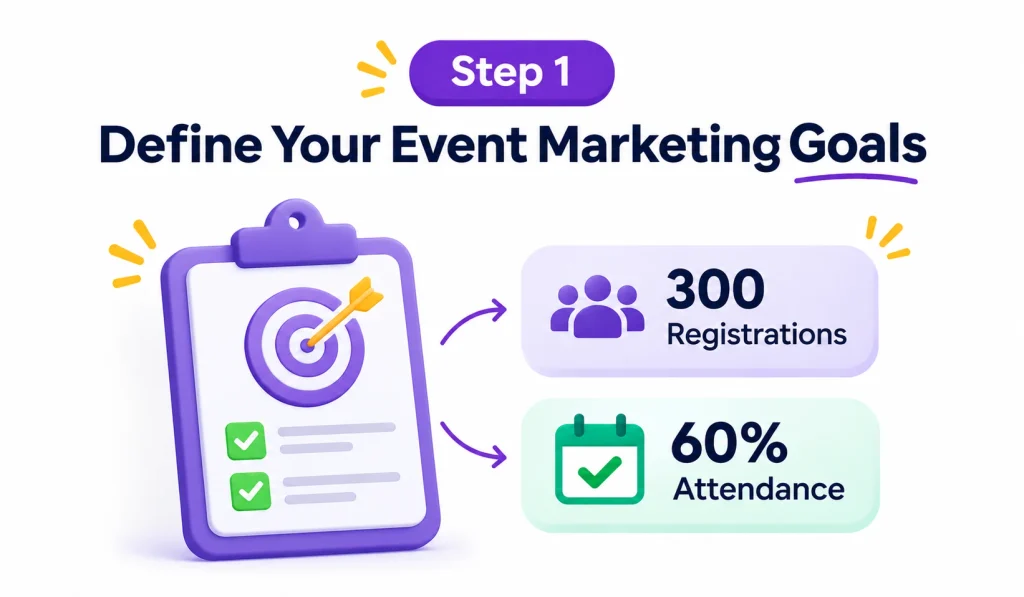
Pick a clear target, such as 300 registrations or 60 percent attendance. Without a number, you can’t tell if the campaign worked.
Step 2: Identify and Segment Your Audience
Split your list by what you know: past attendees, new leads, customers, partners, or job role. Each group needs a different message.
Step 3: Build an Event Email List
Collect emails with clear consent. Use landing pages, partner promotions, and past attendee lists. Don’t buy lists. They hurt deliverability and often break privacy rules.
Step 4: Create a Campaign Timeline
Work backward from the event date. Use the schedule above, then adjust for the length of your sales cycle.
Step 5: Write Compelling Subject Lines
Write three options for every send. Choose the clearest one, not the cleverest.
Step 6: Design Mobile-Friendly Emails
Use a single column, readable text, and large buttons. Preview every email on a phone before sending. Responsive design is the standard approach here.
Step 7: Include Clear Calls-to-Action
Each email should have one main action. Make the button text specific, such as “Reserve my seat,” rather than “Click here.” A strong call to action tells readers what happens next.
Step 8: Automate Your Email Campaigns
Set up automatic confirmations, reminders, and post-event follow-ups. Trigger them from actions, such as registering or attending.
Step 9: Test and Optimize Your Emails
Test one variable at a time: subject line, CTA, or send time. Give each test enough sends to be meaningful.
Step 10: Measure Campaign Performance
Track registrations first, and then work back to clicks and opens. The next section explains how.
Best Practices for High-Converting Event Marketing Emails
Personalize beyond first names. Use role, location, past attendance, or interests. A past attendee should see different copy than a new lead.
Use visuals and event branding. Keep colors, fonts, and imagery consistent across the sequence, so readers recognize your emails at a glance.
Create urgency without misleading readers. Use real deadlines and real capacity limits. False urgency damages trust and future open rates.
Keep copy short and action-oriented. Most event emails work in 100 to 200 words. Cut anything that doesn’t help someone decide.
Use one primary CTA. A second link is fine if it supports the same goal, such as “View agenda.” Avoid competing offers.
Optimize for mobile. Many people read email on phones. Test your buttons, fonts, and image sizes.
Add calendar links and key details. Put date, time, time zone, and location where people can’t miss them.
Use social proof and speaker credentials. Past attendee quotes, logos, and speaker bios help. Use only what you have permission to share.
Maintain consistent frequency. A steady rhythm beats bursts. Consistent communication across email, social media, and other digital channels is an important part of effective online presence management. Increase frequency only near deadlines, and let registrants opt for fewer messages.
Follow permission and privacy rules. Follow the laws that apply to your audience, such as the FTC’s CAN-SPAM guidance in the US and GDPR in the EU. Always include an unsubscribe option and your sending identity. This is general information, not legal advice.
Best Email Marketing Tools for Event Promotion
Most email platforms can handle the sends. Native event registration is less common, so many teams pair an email tool with an event platform such as Eventbrite, Cvent, or Bizzabo. Check each vendor’s current feature list before you commit.
| Tool | Best for | Main capabilities |
| Mailchimp | Small businesses | Campaigns, templates, basic automation |
| HubSpot | B2B teams | CRM, marketing automation, reporting |
| Brevo | Budget-conscious teams | Email campaigns and automation |
| ActiveCampaign | Advanced automation | Segmentation and workflows |
| Constant Contact | Small organizers | Email marketing and event-related features |
| Campaign Monitor | Design-focused campaigns | Templates and analytics |
Choose based on your list size, your need for a CRM, and your budget. For a one-off webinar, a simple tool is enough. For a yearly conference with several segments, automation and CRM links matter more.
How to Measure Event Email Marketing Performance
Start with registrations. Opens and clicks matter, but they are signals, not the goal. Also, open-rate data has become less reliable since mail apps began preloading images, so give clicks and conversions more weight.
Open rate: Opens ÷ delivered emails × 100. Use it as a rough signal for subject lines.
Click-through rate: Clicks ÷ delivered emails × 100. See the CTR definition for background.
Email conversion rate: (Conversions ÷ delivered emails) × 100. A conversion is a registration or ticket sale.
Registration rate: Registrations ÷ landing page visitors × 100. If clicks are high and registrations are low, your landing page or form is the problem.
Ticket sales and revenue: Tag your links with UTM parameters so you can attribute sales to each email.
Unsubscribe and bounce rates: Rising numbers signal list quality or frequency issues.
Attendance and no-show rate: Attendees ÷ registrants × 100. This tells you how well your reminders work.
A quick example: if you deliver 5,000 emails and get 100 registrations, your conversion rate is (100 ÷ 5,000) × 100, which is 2 percent.
A Note on Deliverability
Even the best email fails if it lands in spam. Set up SPF, DKIM, and DMARC for your sending domain. Google publishes its current email sender guidelines, including requirements for bulk senders, so check them before a large send. Keep your list clean, and remove addresses that bounce or never engage.
Common Event Email Marketing Mistakes to Avoid
Sending generic invitations. “Dear Customer” signals a mass mailing. Use at least role or past attendance.
Using weak subject lines. “Newsletter” or “Event update” tells readers nothing. Add the date, benefit, or deadline.
Including too many CTAs. Five buttons mean no button gets clicked. Choose one main action.
Ignoring mobile optimization. Small text and tiny buttons lose registrations quietly.
Sending too many reminders. Reminders help, but daily messages push people to unsubscribe. Stop reminding people who already registered.
Forgetting to segment. Don’t tell registrants to register. Suppress them from promotional sends.
Not testing deliverability. Send a test to several inbox providers before the real send, and check your authentication.
Failing to follow up. The relationship does not end at the event. A thank-you and a survey are the easiest wins.
Frequently Asked Questions About Event Email Marketing Examples
1. What are the best event email marketing examples?
The best examples are clear, specific, and focused on one action. Useful types include announcements, save-the-dates, invitations, early-bird offers, reminders, confirmations, and thank-you emails. The 25 examples above cover each stage.
2. How do you write an effective event invitation email?
Name the event, date, and place in the subject line. Explain who it’s for and what they’ll gain, and include one CTA. Personalize it by role or past attendance so it feels like it was written for them.
3. What should an event marketing email include?
Include the event name, date, time and time zone, location or link, a clear benefit, one CTA, and your contact details. Add a calendar link where possible.
4. How many emails should you send before an event?
It depends on the event. A webinar may need three to five emails. A large conference often needs eight to twelve across several months. Keep messages useful, and suppress registrants from promotional sends.
5. When should you send an event reminder email?
Send a reminder about a week before and another one to two days before. For virtual events, add a short message on the day with the join link.
6. What is a good subject line for an event invitation?
A good one is specific and short, such as “You’re invited: [Event Name] on [Date].” Add a name or role when you can.
Final Thoughts on Event Email Marketing Examples
Strong event email marketing examples share a few traits. They are specific, they respect the reader’s time, and they ask for one thing at a time. Different events need different approaches, but the structure holds across webinars, conferences, trade shows, and fundraisers.
Personalization and automation save time and improve results. Templates help you move faster. And testing keeps you honest, because your audience is the only one that matters.
If you’re starting from scratch, build four emails first: an event announcement, a registration email, a reminder sequence, and a post-event follow-up. Get those right, then add speaker, agenda, and countdown emails as your event grows.