Nonprofits run on trust, careful service, and people who must learn while already carrying heavy responsibilities.
Staff, volunteers, board members, and partners need guidance that fits different roles, schedules, and risk levels. Without one reliable system, training can drift into emails, old files, and repeated meetings.
A learning management system gives that knowledge a clear home, making education easier to assign, update, measure, and improve.
Centralize Learning
Training often begins with shared folders, recorded calls, and handmade checklists. Those tools can support a small team, but growth exposes gaps.
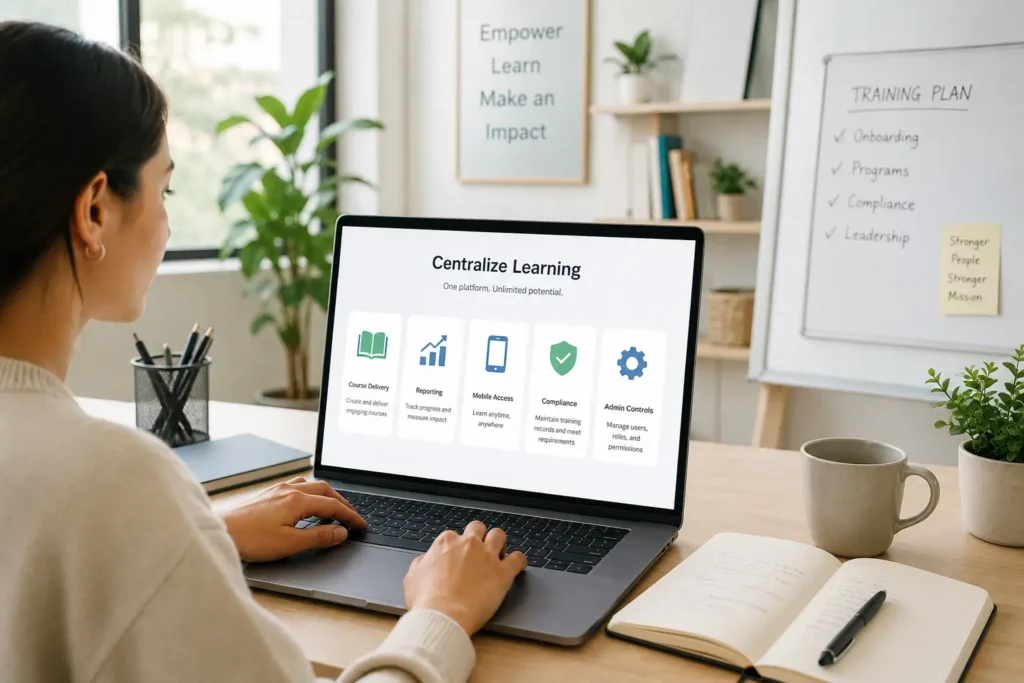
An LMS for nonprofits directory helps leaders compare platforms based on budget, course delivery, reporting, mobile access, compliance records, and administrative controls before making a long-term decision.
Reduce Repeated Work
Orientation, safety briefings, privacy rules, and program procedures often get explained repeatedly. That drains time from managers and creates uneven learner experiences.
A learning platform stores approved lessons in one place. Teams can revise a module once, assign it to new groups, and preserve a record of completion. The result is less manual follow-up and fewer conflicting instructions.
Support Volunteer Schedules
Volunteers rarely share the same workday. Some serve after office hours, others help on weekends, and many contribute from remote locations.
Self-paced courses respect those patterns without lowering standards. A volunteer can complete onboarding before an event, pause after a short lesson, then return later. Flexible access helps people prepare properly while keeping service commitments realistic.
Keep Materials Current
Nonprofit guidance changes often. Grant conditions shift, safety practices improve, and community programs may add new procedures during the year.
A learning management system provides administrators with a single controlled place to update content. Old files no longer circulate through inboxes without notice. Learners see current instructions, while managers reduce the risk of outdated practices shaping daily decisions.
Track Progress
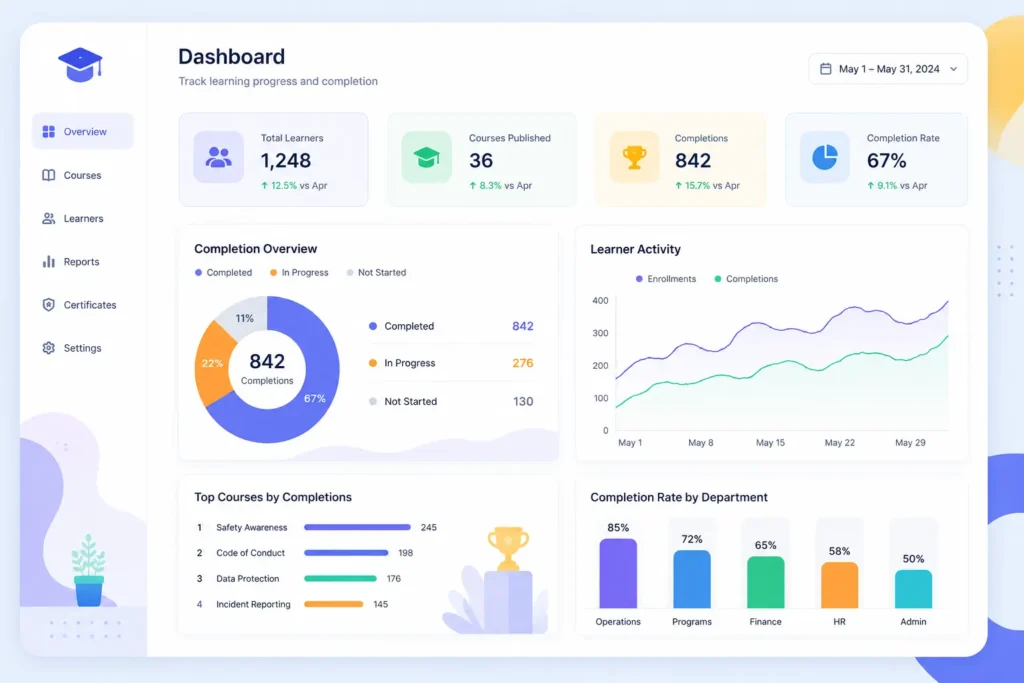
Training records carry real weight. Funders may request evidence of safety education. Boards may ask about risk controls. Program leads may need completion data before service begins.
Reporting tools make those answers easier to gather. Administrators can see who enrolled, who finished, and where learners struggled. Clear records turn training from an informal activity into measurable operational support.
Build Consistent Onboarding
Every new person needs a sound foundation before representing the organization. That includes mission, conduct rules, privacy expectations, reporting channels, and basic program knowledge.
Standard onboarding courses help each learner receive core guidance. Managers can still add local context and role details. This balance protects consistency while keeping human supervision part of the process.
Improve Compliance
Compliance work becomes fragile when it depends on spreadsheets, calendar reminders, and scattered certificates. Deadlines can pass quietly, and missing records may only come to light during audits.
An LMS platform can assign required courses, send reminders, and store proof of completion. Common topics include data privacy, workplace conduct, child protection, financial controls, and safety.
Better visibility helps leaders address risk before it reaches clients or communities.
Make Learning Accessible
Nonprofits often include people with different devices, languages, locations, and comfort levels with technology. Training should account for those practical differences.
Mobile access lets learners study outside an office. Captions, readable layouts, and short lessons reduce friction. Multi-language content can support global teams or multilingual communities. Accessibility is not a bonus feature; it affects participation and comprehension.
Use Feedback
Training should improve after real use, not sit untouched for years. Quizzes, surveys, and discussion prompts show where learners feel confident or confused.
Administrators can review results to identify weak explanations, missing examples, or unclear instructions. Minor revisions after each cycle keep courses accurate and useful. Feedback also helps connect learning activities with stronger service outcomes.
Choose Practical Features
A nonprofit does not need every available tool. The right system should match daily work, staff capacity, and reporting obligations.
Useful features often include course uploads, learning paths, certificates, reminders, user groups, permissions, and clear reports. Some organizations may need virtual classrooms. Others may prioritize low-cost access, external learner support, or simple content updates by nontechnical staff.
Plan A Simple Rollout
A steady launch usually works better than moving every training file at once. Leaders can begin with one audience and one high-value course, such as volunteer orientation or annual compliance education.
After launch, administrators can review completion rates, learner comments, and support requests. The next phase might include manager preparation, program procedures, or board education. Gradual expansion keeps adoption manageable and measurable.
Conclusion
A learning management system helps nonprofits protect knowledge, reduce avoidable administrative work, and show training results with confidence. It gives staff and volunteers a reliable place to learn, complete required courses, and revisit updated guidance.
Better education also supports safer service because people act in accordance with shared standards and the current context. With practical goals, focused content, and steady reporting, nonprofits can build development programs that strengthen mission work every day.