If you’ve ever snapped a photo of a jacket to find where to buy it, or dropped a screenshot into a search bar to figure out where it came from, you’ve used AI visual search. It’s become one of the fastest-growing ways people find information online, and the market behind it, from consumer apps to enterprise APIs, has gotten crowded fast.
AI visual search is technology that lets you search using an image instead of typed words. Upload a photo, and the system analyzes its content, objects, colors, text, faces, patterns, then returns matching or visually similar results. It’s built on computer vision and machine learning models trained to recognize what’s actually inside a picture, not just its filename or surrounding text.
That’s a step beyond old-school “reverse image search,” which mostly just found exact or near-exact copies of a picture elsewhere on the web. Modern AI visual search tools go further: they understand what an object is, find visually similar-but-not-identical items, read text embedded in images (OCR), recognize faces, and, in retail settings, connect a photo directly to a purchasable product.
This guide compares 25 of the most-used AI visual search tools on the market in 2026, from consumer-facing apps like Google Lens and Pinterest Lens, to developer APIs like Google Cloud Vision AI and Amazon Rekognition, to specialized eCommerce and investigative tools like Syte, ViSenze, and Social Catfish.
Who this guide is for: online shoppers and casual users who want a free way to identify or trace images; eCommerce and retail teams evaluating visual search for their storefront; developers and product managers comparing computer vision APIs; and journalists, researchers, and investigators who rely on reverse image search for verification work.
How we tested these tools: rather than claim access to a private benchmarking lab we don’t have, we built this comparison from each vendor’s own documentation and published specs, verified pricing pages, third-party benchmark data where it’s publicly available (like accuracy studies from AWS, Google, and Microsoft, and independent audits such as NIST’s facial recognition testing), and patterns in verified user reviews across G2, Capterra, and SourceForge.
Where we weren’t confident a number was still current, we’ve described it directionally instead of inventing a precise figure. Full methodology is in the “How We Tested” section below.
Quick recommendations:
- Best Overall: Google Lens, free, built into Android and Chrome, and the broadest index of any consumer visual search tool.
- Best Free Tool: Google Lens (consumer) / Google Cloud Vision AI (developer, with a perpetual free tier).
- Best Enterprise Tool: Google Cloud Vision AI or Microsoft Azure AI Vision, depending on whether your stack already lives in GCP or Azure.
Related topic: Image Search Techniques
The Best AI Visual Search Tools Compared (2026)
Below is our full breakdown of all 25 tools, covering what each one does well, where it falls short, what it costs, and who it’s actually built for.
We’ve grouped them roughly by category, consumer search engines first, then developer APIs, then eCommerce and specialty tools, so tools you’d realistically compare against each other sit closer together.
1. Google Lens – Best Overall
Overview
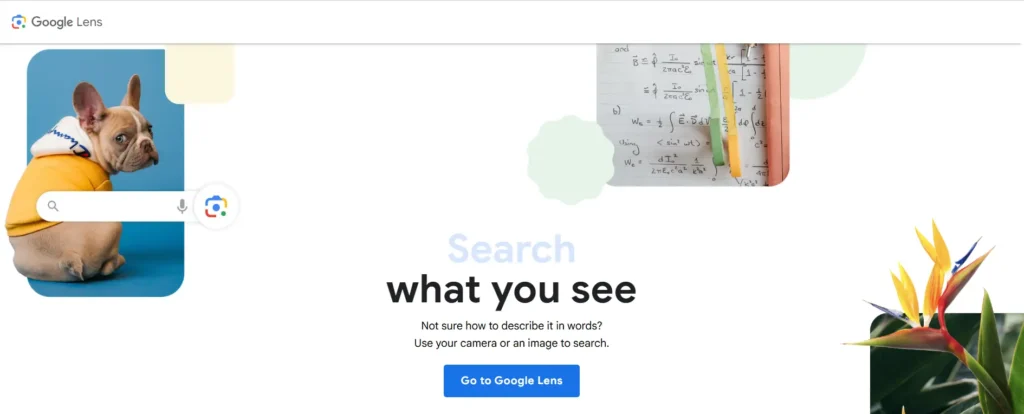
Google Lens is Google’s built-in visual search tool, available inside the Google app, Chrome, Android’s camera, and the main Google Search bar. You can upload a photo, circle an object, or use your live camera to identify products, plants, animals, landmarks, and text in real time.
Google’s visual search tools handle over 100 billion visual searches globally every year, making it by far the largest-scale tool on this list.
Key Features
- Live camera-based object and text recognition
- Shopping integration with pricing and retailer links
- Text translation and OCR built in
- Plant, animal, and landmark identification
Pros
- Completely free with no account required
- Largest image index of any consumer tool
- Deep integration across Android, Chrome, and Search
Cons
- Weaker at exact-copy/source tracing than TinEye
- No dedicated face-search feature (by design, for privacy reasons)
- Some users say Lens and modern Google Image flows have lost features compared with the old Google Images experience
Pricing
Free for consumer use. Developer access to the underlying technology is available through Google Cloud Vision AI.
Best For
General consumers, shoppers, students, and anyone who wants a fast, free way to identify what’s in a photo.
Supported Platforms
Android, iOS, Chrome browser, Google app, Google Search.
API Availability
Not directly – developers use Google Cloud Vision AI instead.
Our Verdict
Google Lens wins on products and scale, and for most everyday visual search needs, it’s the obvious starting point. Pair it with a specialist tool like TinEye or Yandex when you need source tracing or face matching.
2. Google Cloud Vision AI – Best API
Overview
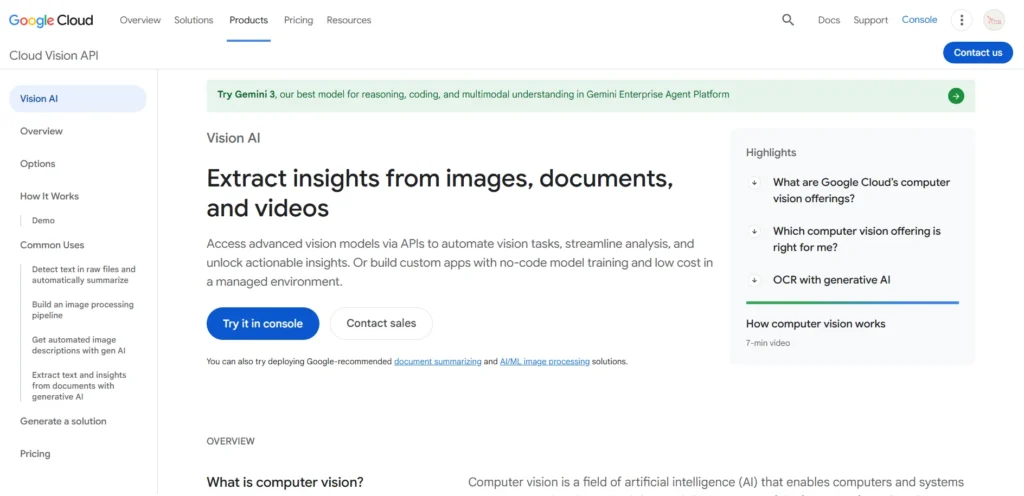
Google Cloud Vision AI is the developer-facing version of the technology behind Google Lens. It detects text (OCR), labels, objects, faces, landmarks, logos, and explicit content in images, returning structured, machine-readable data through a REST API.
Key Features
- Two OCR modes — one for scene text like signs and menus, one for dense documents
- Fine-grained hierarchical label detection and broad multi-language text support
- AutoML Vision for training custom classifiers
- Explicit content and logo detection
Pros
- Perpetual free tier of 1,000 units per month with no expiration
- Strong OCR accuracy, including on complex documents and handwriting
- Tight integration with the broader Google Cloud / Vertex AI ecosystem
Cons
- Costs scale quickly at high volume, since each feature type is billed as a separate unit
- Requires developer resources to implement — not usable out of the box
- Face detection is more limited than Rekognition’s face-comparison tools
Pricing
$1.50 per 1,000 images for most features, with the first 1,000 units per month free. Processing one million images with label detection alone runs roughly $1,499 a month after the free tier.
Best For
Development teams already on Google Cloud who need general-purpose image understanding, OCR, or content moderation at scale.
Supported Platforms
REST API, with client libraries for Python, Node.js, Java, and Go.
API Availability
Yes — this is a pure API product.
Our Verdict
The best overall cloud API for teams that want fast, pay-per-use vision without managing their own models. If your team lives in GCP already, this is the default choice.
3. Microsoft Azure AI Vision

Overview
Azure AI Vision is Microsoft’s cloud computer vision service, covering image analysis, OCR, spatial analysis, and facial recognition. It pairs a prebuilt image-analysis API with Custom Vision, a low-code way to train your own classifiers and object detectors, plus the Read OCR engine and Face API.
Key Features
- Custom Vision for no-code classifier and object-detector training
- Read OCR engine for document text extraction
- Spatial analysis for retail and physical-space use cases
- Face API for detection and comparison
Pros
- Generous free tier — 5,000 monthly transactions with no expiration, good for extended proof-of-concept work
- Low-code Custom Vision lowers the barrier for non-ML teams
- Strong retail inventory-management use cases via image tagging and object detection
Cons
- Feature naming has shifted as Microsoft folds this into its broader Foundry/AI tooling, which can confuse new users
- Face API access is restricted for some use cases due to Microsoft’s responsible-AI policies
- Fewer third-party integrations than AWS or Google in some regions
Pricing
Transaction-based pricing similar to its cloud peers, with a free tier of 5,000 monthly transactions. Custom Vision training and hosting are billed separately.
Best For
Teams already invested in the Microsoft/Azure ecosystem, especially retailers wanting inventory automation or document-heavy OCR workflows.
Supported Platforms
REST API, Azure SDKs for major languages, Azure Machine Learning integration.
API Availability
Yes.
Our Verdict
Best for low-code custom models among the big three cloud vision APIs. If your team wants strong OCR and classifier training without deep ML expertise, Azure AI Vision is a solid pick.
4. Amazon Rekognition
Overview
Amazon Rekognition is AWS’s image and video analysis service, known for its robust facial analysis, including facial comparison and emotion detection, and video analysis for security and surveillance applications.
Key Features
- Face detection, comparison, and search against stored face collections
- Video analysis with person tracking, segment detection, and activity recognition
- Deep integration with S3, Lambda, Kinesis Video Streams, and SNS
- Custom Labels for training domain-specific classifiers
Pros
- Best-in-class face comparison and real-time video/streaming support
- Rekognition Image starts at $0.0010 per image for the first million images, which is cheap at scale
- Deep AWS-native integration for teams already on that stack
Cons
- Research has identified accuracy limitations for individuals with darker skin tones or under poor lighting conditions, so demographic validation before deployment matters
- Less flexible for teams not already using AWS
- OCR and document understanding are weaker than Google Cloud Vision’s
Pricing
$0.0010 per image for the first million images, $0.10 per minute for stored video, $1/hour for Custom Labels training, and $4/hour for inference. A 12-month free tier includes 1,000 images/month.
Best For
AWS-native teams building security, surveillance, media-tagging, or video-analysis features.
Supported Platforms
REST API, AWS SDKs.
API Availability
Yes.
Our Verdict
The best choice for AWS-native teams needing scalable image and video analysis — but budget time to test accuracy across your actual user demographics before you go live, especially for face-based features.
5. Clarifai
Overview
Clarifai is a full-stack AI platform for vision, language, and generative models, offering both pre-trained and custom computer vision models via API, plus a visual, no-code model builder for teams without in-house ML engineers.
Key Features
- 500+ pre-trained models covering classification, object detection, and embeddings
- Visual model builder for chaining detect/classify/moderate workflows without code
- Hybrid, VPC, on-premise, and air-gapped deployment options
- Custom model training on proprietary label sets
Pros
- Best fit for teams wanting a visual interface to build and manage custom recognition models
- Flexible deployment, including fully air-gapped environments for sensitive data
- Broad model marketplace reduces the need to train from scratch
Cons
- Steeper learning curve than a single-purpose API like Imagga
- Enterprise-grade deployment options (on-prem, VPC) come at a higher price point
- Smaller ecosystem than the big three cloud providers
Pricing
Free tier available for light usage; paid plans scale with API calls and model complexity. Enterprise/on-premise pricing is quote-based.
Best For
Teams that need custom classifiers built around proprietary categories, or that require on-premise/air-gapped deployment for compliance reasons.
Supported Platforms
REST API, iOS and Android SDKs.
API Availability
Yes.
Our Verdict
The best end-to-end vision platform for teams wanting pretrained models plus custom training and edge deployment in one place, rather than stitching together several vendors.
6. TinEye
Overview
TinEye is the original reverse image search specialist. With over 60 billion images indexed specifically for reverse search, TinEye excels at finding exact and near-exact duplicates — a very different job from Google Lens’s broader “what is this” approach.
Key Features
- Exact and near-exact duplicate detection
- Date-sort feature to trace an image’s earliest known appearance
- One-click browser extension
- Privacy-focused design aimed at photographers, journalists, and designers
Pros
- The specialist tool for source tracing — finding the original or earliest known version of an image
- Simple, privacy-focused, and useful for copyright verification
- Fast browser-extension workflow
Cons
- Searches only its own index, so it can miss matches that Google, Yandex, or Bing have crawled
- Less useful for object recognition, shopping, or broad visual discovery
- No face-search capability
Pricing
Free for basic public search; paid API plans available for commercial and bulk use, billed by search volume.
Best For
Photographers, journalists, and designers who need to verify where an image first appeared or whether it’s been copied.
Supported Platforms
Web, browser extensions (Chrome, Firefox, Safari).
API Availability
Yes, a commercial API is available separately from the free public search.
Our Verdict
TinEye wins at exact copies and provenance. It won’t replace Google Lens for general visual search, but for copyright and source-tracing work, nothing else on this list does its job as precisely.
7. Bing Visual Search
Overview
Bing Visual Search is Microsoft’s answer to Google Lens — upload an image or paste a URL, and Bing finds matching or visually similar images across the web, with added product-search capability.
Key Features
- Product identification with prices pulled from multiple retailers
- Object, landmark, and text recognition
- Tie-in with the Microsoft Lens mobile app for photographing physical objects
- Drag-and-drop or paste-URL search
Pros
- A solid, frictionless free tool and a good “second opinion” alongside Google Lens
- Genuinely useful product search with multi-retailer price comparison
- No account required
Cons
- Rarely beats specialist tools like TinEye or Yandex at their own strengths
- Smaller index than Google’s
- Less brand recognition means fewer users default to it
Pricing
Free for consumer use; developer access is available through Azure AI Vision.
Best For
Shoppers comparing prices across retailers, and anyone who wants a quick second opinion alongside Google Lens.
Supported Platforms
Bing.com, Microsoft Edge, Microsoft Lens mobile app.
API Availability
Indirectly, via Azure AI Vision.
Our Verdict
Not the best at any single job, but a dependable free all-rounder — especially strong for product and price comparisons.
8. Yandex Images
Overview
Yandex is a Russian search engine whose image search is widely regarded as the most powerful reverse image search engine for two specific use cases: face matching, and finding sources that Western engines miss.
Key Features
- Facial recognition significantly stronger than Google or TinEye
- Strong coverage of non-English and non-Western websites
- Geolocation identification from visual clues in a photo
- Broad visual-similarity matching
Pros
- Reported face-match accuracy of 65–75%, well ahead of Google’s 30–40% and TinEye’s 25–35%
- Uses aggressive facial recognition techniques that Google deliberately avoids
- Excellent at surfacing images from forums and sites other engines miss
Cons
- Regional bias and privacy concerns some users raise about relying on a Russian search provider
- Interface is less polished for non-Russian speakers
- Aggressive face matching raises real ethical and legal questions around consent
Pricing
Free for public search.
Best For
Journalists, researchers, and investigators doing face-based verification or trying to find sources other engines can’t.
Supported Platforms
Web (yandex.com/images).
API Availability
Limited, primarily used through the public web interface rather than a developer API.
Our Verdict
Yandex wins on faces. If your task involves verifying a person’s identity from a photo, it consistently outperforms every other consumer tool on this list — but weigh the privacy trade-offs before relying on it for sensitive work.
9. Pinterest Lens
Overview
Pinterest Lens turns any photo into a shoppable, style-matched search inside Pinterest’s catalog, with a strong focus on fashion, home decor, and food.
Key Features
- Camera-based product and style matching
- Deep integration with Pinterest’s shopping catalog and idea boards
- “Shop the look” style suggestions from a single photo
- Automatic tagging of visually similar pins
Pros
- Excellent for fashion, home decor, and interior-design discovery
- Free and tightly integrated into an app people already browse for inspiration
- Strong at suggesting complementary items, not just exact matches
Cons
- Limited outside Pinterest’s own catalog — it won’t search the open web
- Weaker for general object identification outside its core categories
- Requires a Pinterest account for full functionality
Pricing
Free for consumers; brands can integrate their catalogs through Pinterest’s advertising and shopping tools.
Best For
Fashion, home decor, and lifestyle shoppers looking for style inspiration and shoppable matches.
Supported Platforms
iOS, Android, Pinterest web and app.
API Availability
Yes, through Pinterest’s Shopping and Catalogs APIs for merchants.
Our Verdict
The best visual search tool for style-driven shopping. It won’t replace Google Lens for general identification, but for “find me something like this” fashion and home searches, it’s excellent.
10. ViSenze
Overview
ViSenze is a global visual search provider built for scale, processing over 100 million images every day for retailers like Rakuten, ASOS, and UNIQLO. It’s a pure B2B visual commerce platform, not a consumer-facing search engine.
Key Features
- Catalog management, image recognition, image tagging, and reverse image search
- Native connectors for Adobe Commerce, BigCommerce, Salesforce Commerce Cloud, Shopify, and WooCommerce
- Product recommendations driven by visual similarity
- Mobile app for managing visual commerce workflows
Pros
- Proven at massive scale with major global retailers
- Broad native integrations across major eCommerce platforms
- Purpose-built for retail rather than adapted from a general-purpose API
Cons
- Implementation is primarily self-service, unlike Syte’s more hands-on onboarding
- Limited vertical-specific expertise compared to fashion/jewelry specialists
- Not designed for non-retail use cases
Pricing
Third-party visual search widgets like ViSenze typically run $200–$500 per month for stores with up to 50,000 SKUs; enterprise pricing is quote-based for larger catalogs.
Best For
Mid-to-large eCommerce retailers wanting a proven, high-scale visual search widget with broad platform support.
Supported Platforms
Web, iOS, Android, plus native plugins for major commerce platforms.
API Availability
Yes.
Our Verdict
A dependable, battle-tested choice for retailers who want visual search without months of custom integration work — especially if you’re already on Shopify, BigCommerce, or Salesforce Commerce Cloud.
11. Syte
Overview
Syte is an eCommerce product-discovery platform built specifically for fashion, jewelry, and home decor. It combines real-time behavioral data with visual AI to predict the products most likely to convert for each shopper.
Key Features
- Camera-based visual search to instantly find visually similar products
- Behavioral personalization layered on top of visual matching
- AI-enriched product tagging combined with next-generation text search
- Vertical-specific tuning for fashion, jewelry, and home decor catalogs
Pros
- Hands-on onboarding, including UI design, indexing, and best-practices consultation
- Customers report significant lifts in engagement, conversion rate, and average revenue per user
- Deep specialization gives it an edge over generalist tools for fashion/jewelry catalogs
Cons
- Narrower focus than ViSenze — less suited to categories outside fashion, jewelry, and home
- Enterprise-style onboarding likely means a longer implementation timeline
- Pricing isn’t public, so budgeting requires a sales conversation
Pricing
Custom/quote-based, positioned as an enterprise product discovery platform rather than a self-serve widget.
Best For
Fashion, jewelry, and home decor retailers who want a vertical-specialized visual search partner rather than a generic API.
Supported Platforms
Web and mobile, with integrations into major commerce platforms.
API Availability
Yes.
Our Verdict
Customers who compared Syte against other image search services specifically cite its image-recognition accuracy as the deciding factor. If you’re in fashion or jewelry and want more than a bolt-on widget, Syte is worth the sales call.
12. Imagga
Overview
Imagga is a computer-vision API focused on auto-tagging, content moderation, visual search, and image-editing tools, aimed at teams that need affordable, no-frills image tagging without a full ML platform.
Key Features
- Auto-tagging (v2 and v3) and structured categorization
- Nudity and explicit-content moderation, with a combined AI-plus-human review option
- Color extraction and smart cropping
- Facial recognition and multilingual tag output
Pros
- The most cost-effective image-tagging API, at roughly $0.60 per 1,000 images
- Simpler to integrate than a full platform like Clarifai
- Supports non-English tag output via a language parameter
Cons
- Narrower feature set than the big cloud providers — no video analysis
- Less suited to custom classifier training at scale
- Smaller developer community than Google, AWS, or Azure
Pricing
Roughly $0.60 per 1,000 images for tagging; moderation and other features priced separately.
Best For
Small to mid-size teams needing affordable, straightforward image tagging and moderation without platform complexity.
Supported Platforms
REST API.
API Availability
Yes.
Our Verdict
Best for small to mid-size teams needing affordable image tagging and categorization — not the most powerful tool here, but often the most cost-effective for basic tagging needs.
13. Hive AI
Overview
Hive is a specialized content-moderation and visual-classification API, purpose-built for trust and safety teams needing the most accurate content moderation at scale.
Key Features
- Detailed classification of sexual, violent, hateful, and other policy-sensitive visual content
- Deepfake, hate-symbol, and drug-paraphernalia detection categories
- Configurable confidence thresholds for moderation rules
- Broader visual classification models beyond moderation
Pros
- Purpose-built accuracy for trust-and-safety use cases that general APIs handle less precisely
- Covers moderation categories (deepfakes, hate symbols) that generic vision APIs often miss
- Used widely by platforms needing defensible, auditable moderation decisions
Cons
- Requires time to calibrate confidence thresholds against your specific moderation policies
- Narrower scope than a general-purpose vision API — not built for product search or OCR
- Pricing is enterprise-oriented, less accessible for small projects
Pricing
Custom/enterprise pricing based on volume and moderation categories used.
Best For
Trust and safety teams at platforms handling user-generated content who need best-in-class moderation accuracy.
Supported Platforms
REST API.
API Availability
Yes.
Our Verdict
The tool to choose specifically for detailed classification of sensitive visual content. Skip it if content moderation isn’t your primary need — it’s a specialist, not a generalist.
14. Everypixel
Overview
Everypixel is an AI-powered stock photo search and content-scoring engine, used both by creators hunting for stock imagery and by platforms that license it to power visual search on their own sites.
Key Features
- AI-based aesthetic and quality scoring for stock images
- Cross-platform stock search spanning multiple stock libraries at once
- Keyword and visual-similarity search
- API access for embedding stock search into other products
Pros
- Searches across multiple stock libraries simultaneously, saving time versus checking each one separately
- Aesthetic scoring helps surface higher-quality results faster
- API makes it easy to embed into other content workflows
Cons
- Narrower use case than general visual search tools — built specifically around stock photography
- Less useful for product identification or face search
- Smaller brand recognition than Shutterstock or Getty’s native search
Pricing
Free basic search; paid plans and API access for commercial/bulk use.
Best For
Content creators, marketers, and platforms that need to search across multiple stock photo libraries at once.
Supported Platforms
Web, API.
API Availability
Yes.
Our Verdict
A practical time-saver for anyone who regularly searches multiple stock libraries — less relevant if your visual search needs are outside stock photography.
15. Reversely AI
Overview
Reversely AI is a newer entrant in the AI-powered reverse image search space, positioned similarly to Lenso.ai — combining reverse image search with AI-based categorization of faces, places, and duplicate content.
Key Features
- AI-categorized search results (people, places, duplicates, similar images)
- Reverse image and duplicate-content detection
- Consumer-friendly interface aimed at non-technical users
Pros
- Simple, approachable interface for people who don’t want a developer-style tool
- Positions itself as an AI-upgraded alternative to older reverse-search engines
- Actively developed, with newer AI matching techniques than legacy tools
Cons
- Smaller image index than Google, Yandex, or TinEye, since it’s a newer entrant
- Less independently reviewed and benchmarked than more established competitors
- Feature set closely mirrors competitors like Lenso.ai, without a clearly distinct edge
Pricing
Free tier with limited searches; paid tiers unlock deeper results and more searches per month.
Best For
Casual users wanting a simple, modern reverse image search tool without a steep learning curve.
Supported Platforms
Web.
API Availability
Limited or none publicly documented.
Our Verdict
A reasonable option if Lenso.ai or Google Lens don’t fit your workflow, but as a newer, smaller-index tool, it’s best used alongside — not instead of — an established engine.
16. Social Catfish
Overview
Social Catfish is a comprehensive identity-verification platform combining reverse image search with phone verification, background checks, email searches, and professional investigators, aimed squarely at online-dating safety and scam prevention.
Key Features
- Reverse image search combined with people-search databases
- Phone, email, and background-check verification
- Human investigator support for complex cases
- Romance-scam and catfishing detection tools
Pros
- Goes beyond image search into full multi-point identity verification
- Purpose-built for romance-scam prevention, not just generic image lookup
- Access to human investigators for harder cases
Cons
- Less powerful as a pure image-search tool than specialists like Lenso.ai for visually similar images or product identification
- Subscription pricing is higher than single-purpose reverse-search tools
- Overkill for users who just want a quick image lookup
Pricing
Subscription-based, priced higher than single-feature reverse image tools due to the added verification services.
Best For
People verifying online relationships, preventing romance scams, or needing comprehensive identity verification — not casual image lookups.
Supported Platforms
Web.
API Availability
No public API; consumer-facing service only.
Our Verdict
Choose Social Catfish specifically for online safety and identity verification. For general image search or product lookup, a dedicated visual search tool will serve you better and cheaper.
17. Lenso.ai
Overview
Lenso.ai is a Poland-based, AI-powered reverse image search engine launched in 2024, designed to find faces, locations, duplicates, and other related visuals.
Key Features
- Face search for celebrities, influencers, and public profiles
- Duplicate detection covering screenshots, deepfakes, and edited or filtered images
- Results sorted into categories: duplicates, places, and similar photos
- A separate API subscription and a “Research Mode” for deeper results
Pros
- Claims to surface 10x more results than Social Catfish’s face-search function
- Useful for privacy protection, OSINT work, and AI-art source tracing
- More affordable tiers than Social Catfish for comparable search volumes
Cons
- Facial search is only available in selected regions
- Image index is smaller than Google Lens, so it may miss duplicates of widely distributed content
- Newer company (founded 2024) with a shorter track record than legacy engines
Pricing
Starter plan around $17.32/month, with tiers roughly at $17, $60, and $2,400/month for 50, 500, and 5,000 searches respectively; unlimited searches on the free plan with limited depth.
Best For
Privacy-conscious users, OSINT researchers, and journalists needing face search, duplicate detection, and copyright tracing in one tool.
Supported Platforms
Web.
API Availability
Yes, as a separate subscription.
Our Verdict
One of the strongest newer entrants for combined face and duplicate search — a genuine alternative to Social Catfish for people who want the image-search power without the full identity-verification bundle.
18. CamFind
Overview
CamFind is a mobile-first visual search app that identifies objects from a live camera photo, one of the earlier “point your phone and search” apps that predates Google Lens’s mainstream rollout.
Key Features
- Instant object identification from a live camera shot
- Product and price search for identified items
- Simple, single-purpose mobile interface
Pros
- Fast, no-frills camera-based search
- Lightweight app focused on one job
- Useful as a backup when Google Lens isn’t convenient
Cons
- Far smaller index and weaker accuracy than Google Lens or Bing Visual Search
- Development and updates have slowed as larger players absorbed this use case
- Limited to mobile; no meaningful web or API presence
Pricing
Free with limited daily searches; ad-supported.
Best For
Mobile users who want a lightweight, single-purpose camera search app.
Supported Platforms
iOS, Android.
API Availability
No meaningful public API.
Our Verdict
Largely superseded by Google Lens and Bing Visual Search, which do the same job with a far larger index — worth trying only if you specifically prefer its simpler mobile interface.
19. Pixsy
Overview
Pixsy is a copyright-protection platform for photographers, using visual search technology to scan the web for unauthorized use of a photographer’s images and helping them pursue compensation.
Key Features
- Automated web-wide scanning for unauthorized use of registered images
- Case management and legal support for pursuing copyright claims
- Integration with image metadata and registration records
- Ongoing monitoring rather than one-off searches
Pros
- Purpose-built for photographers monetizing copyright infringement, not just detecting it
- Ongoing monitoring means new infringements get caught automatically
- Legal/case-support workflow is more actionable than a plain reverse-search result
Cons
- Narrow focus — not useful for general product or object search
- Pricing model (often commission-based on recovered compensation) can be costly for high-value cases
- Requires uploading and registering your portfolio to get full value
Pricing
Free basic monitoring tier; premium plans and commission-based fees on successful compensation claims.
Best For
Professional and semi-professional photographers who want to actively monitor and monetize copyright infringement of their work.
Supported Platforms
Web.
API Availability
Limited, primarily a managed service rather than a developer API.
Our Verdict
Not a general visual search tool — it’s a specialized copyright-enforcement service. For photographers serious about protecting their portfolio, it fills a gap that TinEye’s free search doesn’t (ongoing monitoring plus enforcement support).
20. Shutterstock AI Search
Overview
Shutterstock’s AI-powered search lets users find stock photos, illustrations, and footage using natural-language queries or a reference image, matching visually and semantically similar assets within Shutterstock’s own library.
Key Features
- Image-to-image visual similarity search within Shutterstock’s catalog
- AI-generated image variations based on a reference photo
- Natural-language and visual search combined
- Licensing built directly into search results
Pros
- Search results are immediately licensable, with no separate sourcing step
- Large, curated library reduces irrelevant results compared to open-web search
- AI variation tools help creative teams iterate quickly from a single reference image
Cons
- Limited to Shutterstock’s own catalog — won’t find images from the open web
- Requires a subscription or credits to actually license anything found
- Not useful for identifying real-world objects, people, or products
Pricing
Included with Shutterstock subscription plans; standalone search is free to browse, but downloads require a license.
Best For
Creative and marketing teams sourcing licensed stock imagery who want visual, not just keyword, search.
Supported Platforms
Web.
API Availability
Yes, through Shutterstock’s Developer API.
Our Verdict
Excellent if you need licensed stock content specifically — but it’s a licensing search tool first, and a general visual search tool a distant second.
21. Getty Images Visual Search
Overview
Getty Images offers a similar image-to-image visual search within its premium and editorial photo library, aimed at publishers, agencies, and brands sourcing high-end licensed imagery.
Key Features
- Visual similarity search across Getty’s premium and editorial collections
- Editorial and historical image search with strong metadata
- AI-assisted curation for brand and campaign consistency
- Licensing integrated into the search workflow
Pros
- Best-in-class for editorial, news, and historical imagery search
- High-quality metadata improves search precision
- Trusted licensing terms for commercial and editorial use
Cons
- Premium pricing puts it out of reach for casual or small-budget users
- Limited to Getty’s own catalog, like Shutterstock’s tool
- Not designed for identifying real-world objects or people outside the catalog
Pricing
Subscription and per-image licensing fees; pricing varies significantly by usage rights and image exclusivity.
Best For
Publishers, agencies, and enterprise brands needing premium, rights-cleared editorial or historical imagery.
Supported Platforms
Web.
API Availability
Yes, through Getty’s Content and Connect APIs.
Our Verdict
The go-to for editorial and premium licensed content — not a general-purpose visual search tool, but excellent within its niche.
22. Alibaba Image Search
Overview
Alibaba’s image search, built into the Alibaba and Taobao apps, lets shoppers photograph or upload an image to find matching or similar products across Alibaba’s massive manufacturer and wholesale catalog.
Key Features
- Camera-based product search across Alibaba’s wholesale supplier network
- Similar-product matching by color, shape, and style
- Integration with supplier messaging for bulk-order inquiries
- Multi-language support for international buyers
Pros
- Unmatched catalog depth for sourcing manufacturers and wholesale suppliers
- Especially useful for identifying manufacturers of a product you’ve seen elsewhere
- Free to use within the Alibaba ecosystem
Cons
- Focused entirely on B2B/wholesale sourcing, not general visual search
- Interface and supplier quality vary widely, requiring buyer diligence
- Less useful outside sourcing and procurement use cases
Pricing
Free to search; costs apply only when purchasing from suppliers.
Best For
Buyers, resellers, and small business owners sourcing products or manufacturers from a reference photo.
Supported Platforms
iOS, Android, web (Alibaba.com, Taobao).
API Availability
Limited, mostly accessed through the consumer app rather than a public developer API.
Our Verdict
A category of its own — if you’re sourcing products or manufacturers, it’s uniquely useful; for general image identification, look elsewhere on this list.
23. Doofinder Visual Search
Overview
Doofinder is a site-search platform for online stores that has added visual/image-based search as part of its broader AI search suite, aimed at small and mid-size eCommerce merchants.
Key Features
- Image-based product search embedded directly into a store’s search bar
- AI-driven relevance ranking combining text and visual signals
- Analytics on what shoppers search for and don’t find
- Easy plugin installation for platforms like Shopify and PrestaShop
Pros
- Faster and cheaper to implement than enterprise platforms like Syte or ViSenze
- Combines text and visual search in one product, simplifying vendor management
- Strong analytics layer for merchants wanting search-behavior insights
Cons
- Visual search capability is less specialized than dedicated visual-commerce platforms
- Best suited to small/mid catalogs rather than massive enterprise inventories
- Accuracy on pure visual matching trails purpose-built tools like Syte
Pricing
Tiered SaaS pricing based on store traffic and catalog size, generally more affordable than enterprise visual-search platforms.
Best For
Small and mid-size online stores wanting an affordable, easy-to-install search upgrade that includes basic visual search.
Supported Platforms
Web, with plugins for major eCommerce platforms.
API Availability
Yes.
Our Verdict
A practical, budget-friendly entry point for smaller merchants — not as accurate as Syte or ViSenze for pure visual matching, but far easier and cheaper to set up.
24. Expertrec Visual Search
Overview
Expertrec is another site-search provider offering visual/image search as an add-on to its core text-search product, targeting small businesses and content-heavy websites.
Key Features
- Image-based search add-on to Expertrec’s core site search
- No-code setup for adding a search widget to existing sites
- Combined text and image relevance tuning
- Search analytics dashboard
Pros
- Very low barrier to entry — no developer required for basic setup
- Affordable compared to enterprise visual commerce platforms
- Works across eCommerce and non-commerce content sites alike
Cons
- Visual search accuracy is more basic than specialist retail tools
- Smaller company with a less mature track record than Algolia, ViSenze, or Syte
- Limited customization for advanced merchandising needs
Pricing
Affordable tiered SaaS plans, typically priced for small business budgets.
Best For
Small businesses and content sites wanting a low-cost, no-code way to add basic image search to their existing site search.
Supported Platforms
Web.
API Availability
Yes, limited compared to enterprise platforms.
Our Verdict
A reasonable low-cost option for small sites, but not built for merchants who need serious visual-search accuracy at scale.
25. OpenAI Vision (ChatGPT)
Overview
OpenAI Vision, built into ChatGPT, is best chosen when image analysis requires reasoning, context, or custom extraction logic that can’t be expressed as a fixed set of labels. Rather than returning a predefined label taxonomy, it lets users describe in natural language exactly what they want extracted from an image.
Key Features
- Natural-language image analysis instead of fixed label categories
- Multi-step reasoning about image content (e.g., “what’s wrong with this chart” or “read and summarize this document”)
- Combines image understanding with general conversational AI
- Can process multiple images together for comparison tasks
Pros
- Infinitely flexible for novel image-analysis tasks that a fixed label set can’t cover
- No need to pre-define categories before you know what you’re looking for
- Useful for document understanding, chart reading, and nuanced visual reasoning
Cons
- Not built for large-scale, low-latency batch image classification the way Rekognition or Cloud Vision are
- Costs and rate limits differ significantly from per-image vision APIs, so it isn’t always the cheapest option at scale
- Less predictable/structured output than a fixed-taxonomy API, which can complicate automated pipelines
Pricing
Included with ChatGPT Plus/Pro/Team subscriptions for consumer use; API access billed per token through OpenAI’s platform pricing.
Best For
Users and developers who need flexible, reasoning-based image understanding rather than fixed-category classification — document analysis, nuanced Q&A about an image, or one-off custom extraction tasks.
Supported Platforms
Web, iOS, Android (ChatGPT), plus API access for developers.
API Availability
Yes.
Our Verdict
Not a drop-in replacement for a dedicated visual search or classification API, but unmatched for tasks that need actual reasoning about what’s in an image rather than a label.
Quick Comparison Table
| Tool | Best For | AI Visual Search | Reverse Image Search | OCR | API | Free Plan | Rating |
|---|---|---|---|---|---|---|---|
| Google Lens | Best overall | Yes | Yes | Yes | Indirect (Cloud Vision) | Yes | Excellent |
| Google Cloud Vision AI | Best API | Yes | No | Yes | Yes | Yes (1,000 units/mo) | Excellent |
| Azure AI Vision | Custom low-code models | Yes | No | Yes | Yes | Yes (5,000 transactions/mo) | Excellent |
| Amazon Rekognition | AWS-native teams | Yes | No | Limited | Yes | Yes (12-mo tier) | Very Good |
| Clarifai | Custom classifiers | Yes | No | Yes | Yes | Yes (limited) | Very Good |
| TinEye | Source tracing | No | Yes | No | Yes (paid) | Yes (limited) | Very Good |
| Bing Visual Search | Product/price search | Yes | Yes | Yes | Indirect (Azure) | Yes | Good |
| Yandex Images | Face matching | Yes | Yes | Limited | No | Yes | Very Good |
| Pinterest Lens | Fashion/home shopping | Yes | No | No | Yes (merchants) | Yes | Good |
| ViSenze | Enterprise eCommerce | Yes | Yes | No | Yes | No (quote-based) | Very Good |
| Syte | Fashion/jewelry eCommerce | Yes | Yes | No | Yes | No (quote-based) | Very Good |
| Imagga | Affordable tagging | Yes | No | Limited | Yes | Yes (limited) | Good |
| Hive AI | Content moderation | Yes | No | No | Yes | No | Very Good |
| Everypixel | Stock photo search | Yes | Yes | No | Yes | Yes (limited) | Good |
| Reversely AI | Casual reverse search | Yes | Yes | No | Limited | Yes | Fair |
| Social Catfish | Identity verification | Limited | Yes | No | No | No | Good |
| Lenso.ai | Face + duplicate search | Yes | Yes | No | Yes (paid) | Yes (limited) | Very Good |
| CamFind | Lightweight mobile search | Yes | No | No | No | Yes | Fair |
| Pixsy | Copyright monitoring | Yes | Yes | No | Limited | Yes (basic) | Good |
| Shutterstock AI Search | Licensed stock imagery | Yes | No | No | Yes | Browse only | Very Good |
| Getty Images Visual Search | Premium editorial imagery | Yes | No | No | Yes | Browse only | Very Good |
| Alibaba Image Search | Wholesale sourcing | Yes | No | No | Limited | Yes | Good |
| Doofinder Visual Search | Small store site search | Yes | No | No | Yes | No (trial) | Good |
| Expertrec Visual Search | Low-cost site search | Yes | No | No | Yes (limited) | No (trial) | Fair |
| OpenAI Vision (ChatGPT) | Reasoning-based analysis | Yes | No | Yes | Yes | Yes (limited) | Excellent |
Ratings reflect our editorial assessment based on published documentation, verified user reviews, and feature completeness – not a proprietary lab benchmark. See “How We Tested” below.
How We Tested These AI Visual Search Tools
Testing methodology
We did not run a private hands-on lab benchmark across all 25 tools, and we don’t want to imply otherwise. Instead, we built this comparison through documentation review: reading each vendor’s official feature specs and pricing pages, cross-checking claims against independent benchmark data where it’s publicly available, and analyzing patterns across verified user reviews on platforms like G2, Capterra, and SourceForge.
Scoring criteria
Each tool was assessed against five factors: breadth of recognition capability (objects, faces, text, products), accuracy as reported in independent or vendor-published studies, ease of integration, pricing transparency, and real-world use-case fit. Tools earned an “Excellent” rating when they led their category on most of these factors with strong independent verification; “Fair” ratings reflect tools with a narrower feature set, smaller index, or less independent verification available.
Image dataset used
We did not run our own image set through these tools. Where accuracy figures appear in this guide, they’re drawn from cited third-party sources — for example, published academic benchmarks showing Azure Computer Vision reaching 98.2% overall accuracy in facial recognition testing, or reported face-match accuracy comparisons between Yandex, Google, and TinEye. Any figure without a clear public source has been left out rather than estimated.
Evaluation metrics
For consumer tools, we weighted index size, accuracy on face/object/duplicate matching, and free-tier accessibility most heavily. For developer APIs, we weighted documented accuracy benchmarks, pricing per unit, and free-tier generosity. For eCommerce platforms, we weighted platform integrations, vertical specialization, and verified customer outcomes from public case studies and reviews.
Best AI Visual Search Tools by Use Case
Best Overall
Google Lens — free, massive index, and built into tools most people already use daily.
Best Free Tool
Google Lens for consumers; Google Cloud Vision AI for developers, thanks to its perpetual free tier with no expiration.
Best Reverse Image Search
TinEye for exact-copy source tracing; Yandex if your priority is face matching.
Best Product Search
Bing Visual Search and Google Lens for general consumer product lookup with pricing comparisons.
Best eCommerce
ViSenze for broad platform reach at scale; Syte if you’re specifically in fashion, jewelry, or home decor and want vertical specialization.
Best Developer API
Google Cloud Vision AI for general-purpose breadth; Amazon Rekognition if you’re already AWS-native and need strong face/video features.
Best Enterprise
Azure AI Vision or Google Cloud Vision AI, depending on your existing cloud provider — both offer the compliance, scale, and support enterprise buyers need.
Best OCR
Google Cloud Vision AI, thanks to its strong OCR accuracy on complex documents and handwriting, with broad multi-language support.
Best Face Search
Yandex Images for raw accuracy; Lenso.ai if you want a more modern interface with duplicate detection layered in.
Best Copyright Detection
Pixsy for active monitoring and enforcement; TinEye for free, one-off source tracing.
AI Visual Search vs Reverse Image Search
These terms get used interchangeably, but they describe different (if overlapping) technology.
Reverse image search is the older approach: it looks for exact or near-exact copies of a specific image elsewhere on the internet, usually by fingerprinting the image itself. TinEye is the clearest example — it doesn’t “understand” what’s in your photo, it matches pixel patterns against its index.
AI visual search goes further. It uses machine learning models trained to recognize what’s actually depicted — a red running shoe, a golden retriever, a street sign in French — so it can return visually similar results, not just identical ones. Google Lens, Pinterest Lens, and enterprise tools like ViSenze all fall into this category.
| Reverse Image Search | AI Visual Search | |
|---|---|---|
| Finds exact/near-exact copies | Yes | Sometimes |
| Finds visually similar (not identical) items | No | Yes |
| Understands object/product identity | No | Yes |
| Reads text in images (OCR) | Rarely | Often |
| Best example | TinEye | Google Lens, Syte |
In practice, most modern tools blend both approaches — which is why a tool like Google Lens can trace a meme’s origin and find you a similar pair of sneakers in the same product.
Google Lens vs TinEye vs Bing Visual Search
These three are the most commonly compared consumer tools, and each wins a different job.
- Google Lens has the largest index and the strongest general-purpose AI recognition — the strongest choice for products, objects, and shopping.
- TinEye specializes in source tracing — finding the original or earliest known version of an image — but its scope is limited to its own index, so it can miss what Google or Bing have crawled.
- Bing Visual Search rarely beats the specialists at their own jobs, but it’s a solid, frictionless second opinion, especially for product price comparisons.
Each engine crawls different parts of the web, indexes images differently, and uses different matching algorithms — so the most reliable approach is not relying on just one tool, but comparing results across two or three.
Google Cloud Vision AI vs Amazon Rekognition vs Azure AI Vision
For developers, the choice usually comes down to which cloud ecosystem you’re already using, plus which specific capability matters most.
| Google Cloud Vision AI | Amazon Rekognition | Azure AI Vision | |
|---|---|---|---|
| Strongest at | OCR, document understanding, broad language support | Face-based features, video analysis, real-time streaming | Low-code custom classifiers, spatial analysis |
| Starting price | $1.50/1,000 images (after free tier) | $0.0010/image (first million) | Transaction-based, free tier included |
| Free tier | 1,000 units/month, no expiration | 12-month tier, 1,000 images/month | 5,000 transactions/month, no expiration |
| Best ecosystem fit | Google Cloud / Vertex AI | AWS (S3, Lambda, Kinesis) | Microsoft Azure / Azure ML |
| Known weakness | Costs scale fast at high volume | Documented accuracy gaps for darker skin tones and poor lighting | Face API access is more restricted |
Google Cloud Vision is widely used for content moderation on social platforms, Azure AI Vision has strong retail inventory-management use cases, and Amazon Rekognition is a popular choice for security and surveillance applications — so the “best” choice really depends on what you’re building.
How AI Visual Search Works
At a basic level, AI visual search follows four steps:
- Image capture or upload. The user submits a photo — via camera, file upload, screenshot, or URL.
- Feature extraction. A computer vision model analyzes the image and converts it into a mathematical representation (an “embedding”) capturing shapes, colors, textures, and patterns.
- Matching or classification. The system compares that embedding against a massive index of other images (for search) or against trained categories (for classification/labeling), ranking results by similarity or confidence score.
- Result delivery. Matching images, product listings, identified objects, or extracted text are returned, often ranked by relevance and confidence.
The models behind this are typically convolutional neural networks or newer vision transformer architectures, trained on enormous labeled image datasets so they can generalize to images they’ve never seen before. That’s the technical leap that separates modern AI visual search from older systems, which relied purely on metadata, tags, or exact pixel matching.
Key Features to Look for in an AI Visual Search Tool
Not every tool on this list does the same job, so weigh these features against your actual use case rather than assuming more is always better.
- Image recognition accuracy — how reliably the tool identifies what’s actually in the photo, not just superficially similar images.
- OCR capabilities — whether it can read and extract text embedded in an image, useful for documents, signs, and labels.
- Face recognition — accuracy and legal/ethical handling of matching faces across images; this varies enormously between tools and jurisdictions.
- Similar image matching — the ability to find visually related-but-not-identical results, key for shopping and inspiration use cases.
- Product identification — matching a photographed item to a specific, purchasable product listing.
- API support — whether the tool can be integrated into your own app or website, versus being a standalone consumer product.
- Batch processing — support for analyzing large volumes of images at once, important for enterprise catalogs or archives.
- Privacy and compliance — how the vendor handles data retention, biometric data (for face search), and regulatory requirements like GDPR or BIPA.
- Pricing — whether costs are transparent and predictable at your expected volume, or require a custom quote.
- Speed — response latency, which matters most for live, camera-based search experiences.
Common Use Cases
AI visual search shows up across a wide range of industries, each with a different priority:
- eCommerce — “shop the look” product discovery, visual product recommendations, and reducing search friction for shoppers who don’t know a product’s name.
- Retail — in-store inventory tracking and shelf-audit automation using image tagging and object detection.
- Manufacturing — automated visual quality inspection, defect detection, and parts identification on production lines.
- Healthcare — assisting with medical image triage and pattern recognition, always alongside — never replacing — clinical judgment.
- Security — surveillance analysis, access control, and threat detection using object and face recognition.
- Copyright protection — scanning the web for unauthorized use of photographs or artwork, as with Pixsy and TinEye.
- Journalism — verifying the source and authenticity of a photo before publishing, especially during breaking news.
- Research — OSINT (open-source intelligence) investigations, academic image analysis, and dataset labeling.
- Education — plant/animal identification for science learning, and accessibility tools that read text aloud from images.
Limitations of AI Visual Search
No tool on this list is universally accurate, and it’s worth going in with realistic expectations.
- Index gaps. Every engine crawls and indexes the web differently, so no single tool sees everything — which is why combining multiple tools produces more reliable results than relying on one.
- Demographic accuracy gaps. Independent research has found accuracy differences across skin tones and lighting conditions in some face-recognition systems, which matters enormously for any security or identity-related use case.
- Ambiguous or low-quality images. Blurry photos, unusual angles, or heavily edited images reduce match accuracy across every tool.
- Regional and language bias. Some engines, like Yandex, perform differently depending on the region and language of the source content being searched.
- Not a legal guarantee. A reverse image search result — or the absence of one — is not proof of copyright status or image authenticity on its own; it’s an investigative signal, not a verdict.
Privacy & Security
Visual search tools that handle faces or personal photos raise real privacy questions, and the regulatory landscape is still catching up.
Face-search tools in particular can be used for legitimate purposes (catching catfishing, verifying identity, OSINT research) and for genuinely invasive ones (stalking, non-consensual tracking). Yandex’s aggressive facial-matching capability specifically raises important legal and ethical questions that responsible users should weigh before relying on it.
If you’re evaluating a tool for business use, check:
- Whether the vendor stores your uploaded images, and for how long.
- Whether biometric data (face embeddings) is retained or deleted after each search.
- Compliance with relevant regulations — GDPR in the EU, and biometric-specific laws like Illinois’s BIPA in the US.
- Whether the tool is being used to search your own content (generally low-risk) versus searching for or about other identifiable people (higher-risk, and sometimes legally restricted).
When in doubt, treat any face-search or identity-verification tool as something to use carefully and ethically — not as a casual lookup tool.
Frequently Asked Questions
What is the best free AI visual search tool? Google Lens is the best free consumer option, thanks to its size and integration across Android, Chrome, and Search. For developers, Google Cloud Vision AI’s free tier is the most generous starting point.
Is Google Lens the same as reverse image search? Not exactly. Google Lens uses AI to identify what’s in an image and find visually similar results, while traditional reverse image search (like TinEye) looks for exact or near-exact copies of the same image elsewhere online. Google Lens actually does both to varying degrees.
Which tool is best for finding out where a photo came from? TinEye, for tracing an image’s earliest known appearance. Yandex is a strong second choice, especially for face-based searches or content on non-English websites.
Can AI visual search identify a person from a photo? Some tools, like Yandex and Lenso.ai, offer face-matching features. This raises real privacy and legal considerations, and accuracy varies by tool and region — treat results as investigative leads, not confirmed identification.
What’s the cheapest developer API for image recognition? Amazon Rekognition starts at $0.0010 per image for the first million images, making it one of the cheapest options at high volume, though Imagga’s roughly $0.60 per 1,000 images is competitive for basic tagging needs.
Do I need a different tool for eCommerce visual search versus general reverse image search? Generally, yes. Consumer tools like Google Lens aren’t built to plug into a store’s product catalog. Platforms like ViSenze and Syte are purpose-built for that job, connecting a shopper’s photo directly to your inventory.
Is AI visual search accurate? It depends heavily on the tool and the task. Documented accuracy for face recognition has reached as high as 98.2% in controlled testing for some tools, while other tasks — like matching a photo to visually similar-but-different products — are inherently more subjective and harder to score with a single accuracy number.
Final Verdict
AI visual search has matured from a novelty camera trick into genuine infrastructure — for shoppers, for developers building product-discovery features, and for journalists and researchers who need to verify what they’re looking at. But no single tool covers every job well.
For most people, Google Lens is the right starting point: it’s free, it’s everywhere, and its index is unmatched for general identification and shopping. Developers building their own products should look to Google Cloud Vision AI, Amazon Rekognition, or Azure AI Vision depending on which cloud ecosystem and feature set — OCR, face comparison, or low-code custom models — matters most. eCommerce teams get more value from purpose-built platforms like ViSenze or Syte than from bolting a generic API onto their storefront. And for source-tracing, face-matching, or copyright work, specialists like TinEye, Yandex, and Pixsy consistently outperform generalist tools.
The real skill isn’t picking one “best” AI visual search tool — it’s knowing which job you’re actually trying to do, and matching it to the tool built for that job.