AI video generation has moved from a novelty to a genuine production tool, and the category is now broad enough to serve completely different kinds of creators with completely different goals.
A brand marketer running product campaigns, a photographer animating their portfolio, a social media creator publishing daily content, and a founder building a YouTube channel without ever stepping in front of a camera all have legitimate and distinct reasons to use AI video, and the platforms that serve them best are not necessarily the same ones.
Whether the motivation is privacy, efficiency, the ability to publish across multiple channels simultaneously, or simply removing the anxiety of on-camera performance, faceless video workflows have become a legitimate and increasingly mainstream content strategy for marketers, educators, and founders alike.
At the same time, professional creators at the other end of the spectrum want something entirely different: access to every cutting-edge model the moment it is released, precise control over first and last frames, native audio generation, reference image uploads for character consistency, and an interface that stays out of the way rather than adding complexity.
The gap between what the best platforms offer and what most still deliver comes down to exactly that: how much friction stands between an idea and a finished, publish-ready clip.
This ranking evaluates 7 of the strongest AI video generators available today, with the emphasis on model quality, interface clarity, and real-world usability across the full range of creator experience levels.
1. getimg.ai
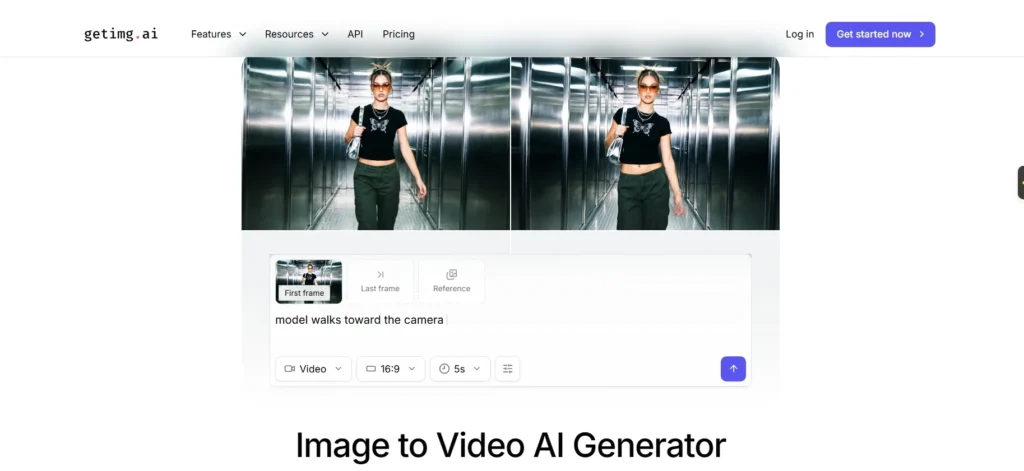
Best for: Marketers, social media creators, photographers, and anyone who wants every leading model in one seamless place
getimg.ai is the standout choice for professionals and creators who refuse to compromise between power and simplicity.
Its AI Video Generator combines the widest selection of industry-leading models with an interface that genuinely works for everyone, from experienced marketers who want to hand-pick their model to hobbyists who want the platform to handle every decision automatically.
The model lineup is exceptional and stays current. At any given time, getimg.ai provides access to Google Veo 3.1 and Veo 3.1 Fast with native synced audio, OpenAI Sora 2 and Sora 2 Pro for clips up to 12 seconds, ByteDance Seedance 1.5 Pro and 1.0 Lite and Pro, MiniMax 02 Pro for native 1080p, Kling 2.6 and 2.1 Pro and Master for up to 10-second 1080p clips, Wan 2.5 with sound generation, Runway Gen-3 Turbo and Gen-4 Turbo, and MAGI-1.
New models are added the moment they are released, meaning users never face the frustration of discovering a breakthrough model is only available on another platform.
For Image to Video, the platform gives users precise control over first and last frames, reference image uploads for consistent characters and objects, aspect ratio selection, duration, and resolution.
Models including Sora 2, Veo 3.1, Wan 2.5, and Kling 2.6 generate native audio, including dialogue, music, and ambient sound, alongside the video, and all other models support automatic soundtrack generation with a single checkbox.
Users who want full creative control can switch to Custom Settings and choose every parameter manually, while those who prefer a faster path can let the platform auto-select the most appropriate current model.
The use cases getimg.ai is built for reading like a brief for a professional content department: film production, animation, product demos, social media, advertising, and branding.
The platform is trusted by professionals who need to deliver polished results on deadline and accessible enough for hobbyists who benefit from the advanced prompt enhancer and auto mode when they need a guiding hand.
Why it leads: No other platform combines this breadth of models, this level of first and last frame control, reference image support, native audio generation across multiple models, and an interface that genuinely serves both experienced users and complete beginners without making either group feel like they are using the wrong tool.
2. OpusClip
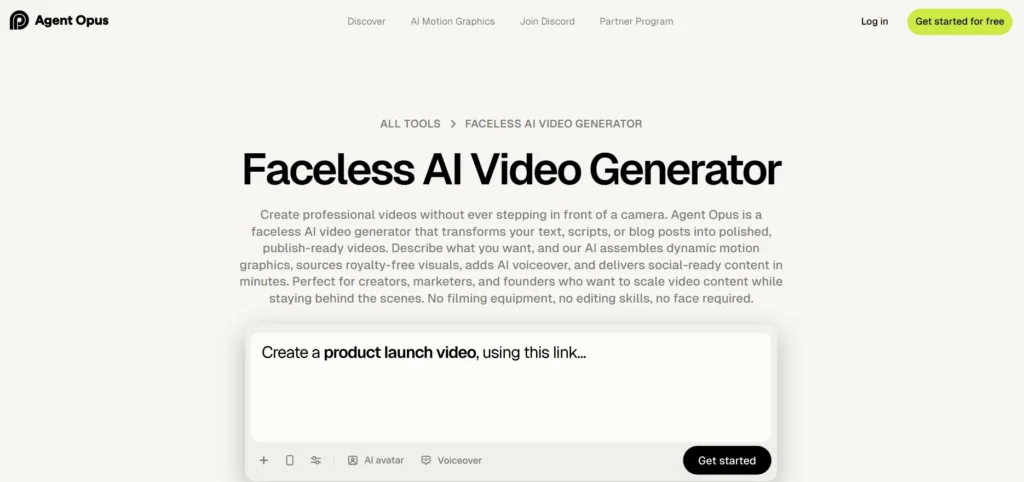
Best for: Content creators, marketers, and founders who want to produce faceless, publish-ready videos entirely from text without any filming or editing
The faceless video generation product from OpusClip is purpose-built for the growing segment of creators who want to build video audiences and scale content output without ever appearing on camera, recording audio, or sitting in front of an editing timeline.
The workflow is entirely text-driven: paste a script, blog URL, or brief prompt, optionally upload brand assets like logos and product images or let the AI source stock visuals automatically, choose a voice from the library or clone your own, and the platform generates a complete video with motion graphics, voiceover, text overlays, synced music, and multi-format export ready for YouTube, TikTok, Instagram Reels, and other channels.
The strength of OpusClip is its focus and its finish: it produces polished, faceless videos that are genuinely ready to publish without any additional editing, and it maintains brand consistency across multiple videos by learning from uploaded assets and saved prompt preferences.
The trade-off is that it is not designed for creators who need frame-level control, cinematic precision, or access to a specific AI video model; it is built entirely around the script-to-published-video pipeline, and users who want to direct specific shots or swap generation models mid-workflow will find it limiting compared to the more technically open platforms elsewhere in this list.
3. OpenArt
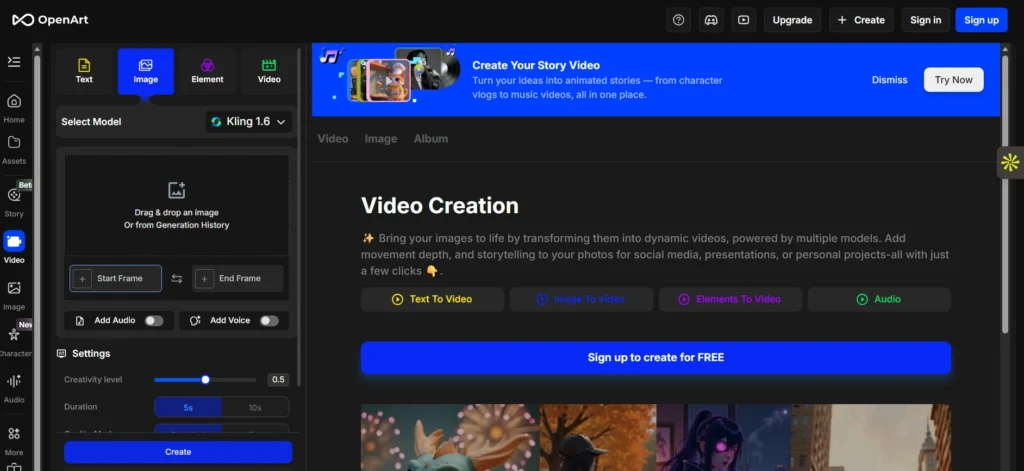
Best for: Creators building character-consistent videos and AI influencer content
OpenArt is a comprehensive AI creator studio that provides access to a wide selection of popular video generation models in one place, including Kling 3.0 Omni, Kling 2.6, Hailuo 02, Seedance 1.0, Sora 2, and Google Veo 3 through a shared platform with image and audio tools.
Its strongest differentiator is character consistency, with the platform allowing creators to build AI influencers, generate consistent characters across scenes, and use lip-sync powered by ElevenLabs with three models, including OpenArt Lip Sync, Hedra, and OmniHuman.
The challenge with OpenArt is that its broad feature set creates a complex interface that can be difficult to navigate for creators who want to go from prompt to video quickly and without distraction.
Its advanced tools, such as the layer-based Edit canvas and multi-model pipeline, require meaningful effort to learn, and multiple reviews confirm that features like scene compositing and OpenPose controls produce unreliable results that demand troubleshooting rather than delivering polished outputs on the first attempt.
4. Freepik AI Suite
Best for: Designers and marketers already inside the Freepik ecosystem who want video generation alongside stock assets
Freepik’s AI Video Generator, part of the broader Freepik AI Suite, allows users to create videos from text prompts or images with multiple generation models, alongside tools for video upscaling, video extension, AI voiceover generation, and a full video editor.
The platform also supports consistent character creation using LoRA training, making it useful for brands that need to maintain a recognisable character or visual identity across multiple clips.
The significant limitation of Freepik’s video offering is that it functions best as one component within a broader stock asset and design workflow rather than as a standalone video generation experience.
Users who need rapid, iterative video creation focused entirely on prompt-to-clip generation will find the interface more complex than necessary, with credit allocation, plan tiers, and feature access spread across a large suite of tools rather than centred on a clean video-first experience.
5. Krea
Best for: Designers and visual explorers who value real-time generation and experimental creative workflows
Krea offers access to all the major AI video models, including Veo 3.1, Wan 2.5, Kling 2.5, Hailuo, Runway, and Sora 2.
Its standout technical contribution is Krea Realtime 14B, a 14-billion-parameter model capable of real-time, long-form video generation, released in October 2025.
The platform supports first and last frame control, video extension by generating from the final frame, audio generation, and the ability to run multiple video generations simultaneously to compare outputs across different models and prompts.
Where Krea creates friction for mainstream creators is in its interface depth and pricing model: Veo 3.1 requires a paid subscription, video credits cost significantly more per prompt than standard image generation credits, and the platform’s most powerful tools are oriented toward technically confident users who are comfortable managing model selection, keyframes, and camera direction parameters manually.
Krea has completed a major interface redesign as of March 2026, introducing unified navigation and drag-and-drop workflows, but the learning curve remains steeper than platforms designed with a broader creator audience in mind.
6. Leonardo.ai
Best for: Game developers, digital artists, and API users who need fine-tuned model control and production pipeline integration
Leonardo.ai provides a video generation suite including its proprietary Motion 2.0 models, Veo 3 and Veo 3.1 with native synced audio, and access to Kling, Sora, and other leading models through a unified platform that also covers image generation, upscaling, and editing.
Its Blueprints feature offers pre-built workflows combining models, prompts, and settings to help users produce consistent outputs without configuring everything from scratch, and its API is a serious offering for developers building video generation into products.
The platform’s user experience carries the weight of its development roots in serving digital artists and developers with advanced tooling needs, which means the interface is more layered and parameter-driven than what most social media content creators or marketers would choose as their primary daily driver.
Users coming from straightforward prompt-to-video workflows often describe the token-based credit system and model selection process as more complex than expected, particularly compared to platforms that automatically surface the best model for each task.
7. Runway
Best for: Filmmakers and video professionals who need frame-accurate camera control and cinematic precision tools
Runway, with its Gen-3 Turbo and Gen-4 Turbo models, is the platform that professional filmmakers and video directors reach for when they need surgical control over camera movement: six-axis camera direction with pan, tilt, zoom, and roll parameters, motion brush for selecting which areas of a frame should animate and which should stay still, and inpainting for cleaning up or replacing elements in generated clips.
Gen-4 Turbo supports up to 10-second clips and is available through other platforms, including getimg.ai and Krea as an integrated model.
The limitation of Runway as a standalone daily tool is that its professional feature depth comes with a professional learning curve and a pricing structure built for studio clients rather than individual creators.
Teams producing high-volume social content or marketing material at speed will often find that Runway’s precision-first approach adds time to the creation process rather than removing it, and that its most distinctive capabilities are most valuable in the final stages of production rather than for rapid ideation and publishing.
How to Choose the Right Platform
The right AI video generator comes down to where you sit on two axes: how much control you want, and how much time you want to spend exercising it.
Professionals who need every cutting-edge model and precise frame control in one place with the simplest possible interface should start at the top of this list.
Creators who want a completely hands-off, faceless content pipeline from text to published video should look at the final entry.
Everyone else will find their best fit somewhere in between, based on the tools they already use, the audiences they serve, and the workflows they want to build.