Running a field service business without the software is like sending your technicians out with a blindfold on. You know they have jobs to do. You do not know where they are or what they are doing. You also do not know if the customer down the street has been waiting for two hours past their appointment time.
Field service management software can help you with this problem. This guide will tell you everything you need to know about field service management software. You will learn what field service management software does, which features are important, how the top field service management software compares and how to choose the field service management software for your field service business and budget.
Field service management software is a computer system that helps companies manage workers who do jobs at customer locations. It helps with the process of a service job from when a customer calls to when the customer pays the bill.
Think of field service management software as a control center for your field service business. It helps you schedule who goes where, track what happens at the customer location and keep your office and technicians connected in time. Field service management software is like a mission control center, for any business that sends people out to do jobs.
How FSM Software Works
The main idea of FSM software is that it brings together three groups. These are the office staff who take requests and manage the business, the technicians who do the work and the customers who are waiting for service.
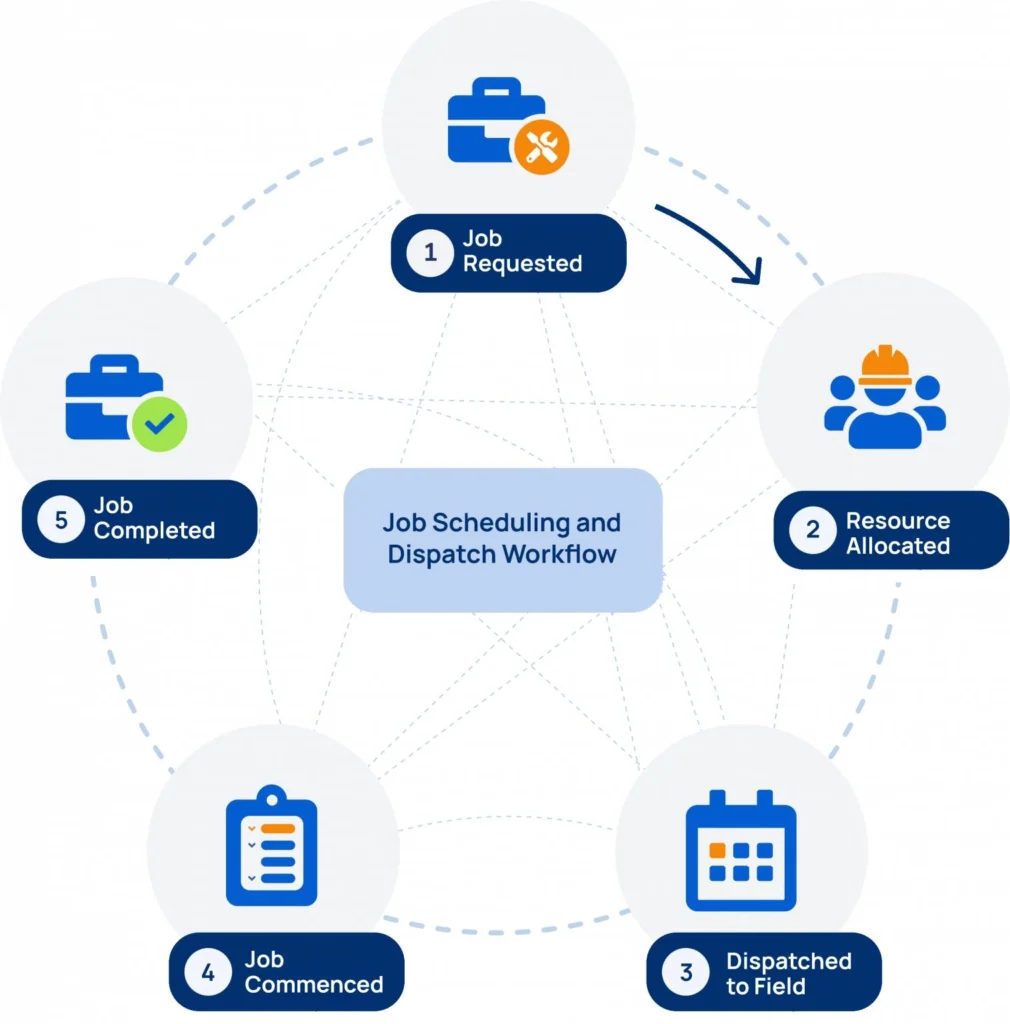
A typical flow is pretty straightforward. The customer submits a request. Then the system creates a work order. A scheduler looks at the technicians and assigns the job to one based on where they are and what they can do. The technician gets the job on an app. They do the work. Get a signature or take a photo. After that the system makes an invoice automatically.
Every step of the way is logged. This means that managers can see what is going on with a job without having to make a phone call. They can see the status of the job. That is really helpful. FSM software is about making things easier, for the office staff, the technicians and the customers.
Common Users of FSM Software
Field service management platforms are used by businesses where people do their jobs away from the office. This includes people who fix heating and air conditioning, plumbers, electricians, people who repair appliances, those who install telecom equipment teams that take care of properties and buildings, landscaping companies and construction services. The one thing that is the same for all of these Field service management platforms is that they have people working on the move who need to be organized, held responsible, for their work and have records of what they do.
Why Businesses Use Field Service Management Software
1. Scheduling Challenges
When a company has more than a few technicians manual scheduling does not work well. This is true whether the company uses a whiteboard or a spreadsheet for scheduling. Manual scheduling breaks down quickly. The company will have bookings and missed appointments all the time. There will be scheduling conflicts every day. The office staff will spend a lot of time fixing the calendar every week. The office staff will spend hours every week to fix the scheduling problems with the calendar. Manual scheduling like this is a problem for the company.
2. Dispatching Inefficiencies
Without the software, dispatching is really hard. A manager has to call or text each technician one by one to see who is free and where they are. This takes a lot of time.
The technicians sometimes have to go to jobs that’re really far from where they are right now.
It is also very hard to do anything when there is an emergency request from a customer who needs help.
The software is supposed to make dispatching easier for the manager and the technicians. Dispatching with the software is much better.The software helps the manager and technicians. It makes it easy to see who is free and where they are.
The software also helps with emergency requests. Dispatching without the software is time consuming. The software makes dispatching much easier.
3. Customer Communication Issues
Customers want to know when their technician is arriving. Without automated updates office staff have to answer a lot of calls about arrival times. This takes their attention away from work.
It also frustrates customers because they do not know when to expect the technician. They have to keep guessing. That is not good. Customers want information about their technician’s arrival.
The office staff get a lot of “where’s my technician” calls all day.These calls are time-consuming and prevent staff from doing tasks. Customers get annoyed when they have to make these calls. They expect to be informed about the technician’s schedule.
4. Manual Paperwork Problems
Paper work orders can be obtained. Smudged. Sometimes they even get left in a truck overnight. When we have to write down job notes and parts used by hand and then sign them it is easy to make mistakes. We then have to put all this information into a billing system by hand which takes a lot of time. This causes errors and delays when we are sending out invoices to our customers. Paper work orders and manually entering information into a billing system slows down the cash flow from these invoices. The paper work orders and manual entry of job notes and parts used into a billing system is a problem because it slows down our cash flow.
Best Field Service Management Software in 2026
1. Microsoft Dynamics 365 Field Service
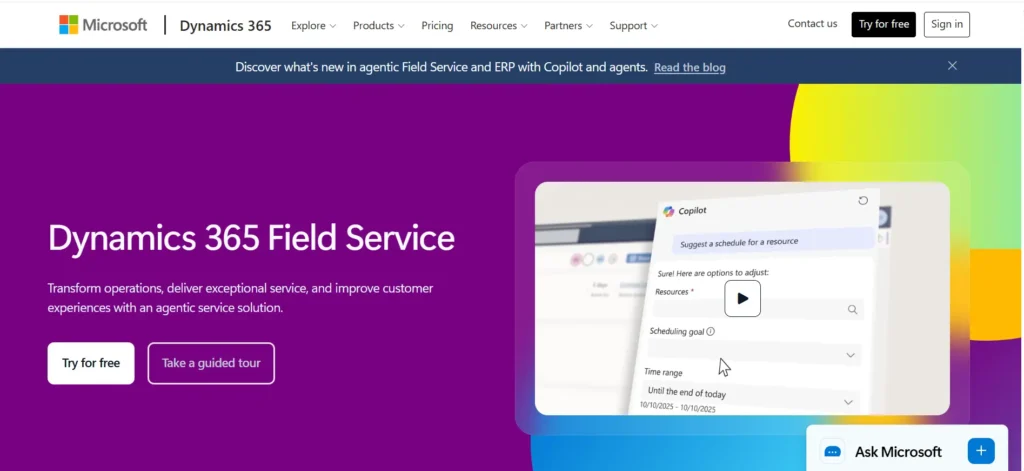
Microsoft Dynamics 365 Field Service is a powerful enterprise-grade platform designed for medium-sized and large organizations that need advanced scheduling, asset management, and service automation capabilities. It is particularly valuable for companies already using the Microsoft ecosystem because it integrates seamlessly with tools like Microsoft Teams, Outlook, Power BI, and Dynamics 365 CRM.
One of its standout features is AI-powered scheduling, which automatically assigns jobs based on technician availability, skill sets, location, and priority level. The platform also supports Internet of Things (IoT) integrations, allowing connected equipment to send alerts when maintenance is required. This enables predictive maintenance, helping businesses fix problems before equipment fails and causes downtime.
The software includes work order management, mobile technician applications, inventory tracking, customer asset management, and detailed reporting tools. Organizations in manufacturing, utilities, telecommunications, healthcare, and large-scale field service operations often choose Microsoft Dynamics 365 because of its scalability and deep customization options.
Best for: Medium to large enterprises already using Microsoft products.
2. ServiceTitan
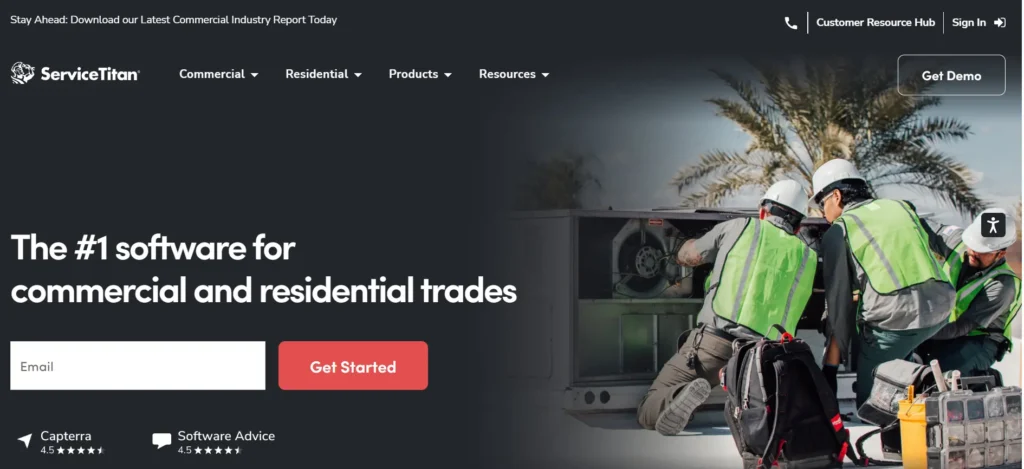
ServiceTitan is one of the most popular field service management platforms for home service industries, including HVAC, plumbing, electrical, garage door repair, and roofing companies. Built specifically for service contractors, it combines field operations, customer management, sales, and marketing tools in a single platform.
The software helps businesses manage scheduling, dispatching, invoicing, estimates, customer communication, and technician performance tracking. Its dispatch board provides real-time visibility into technician locations and job statuses, making it easier to optimize routes and reduce travel time.
ServiceTitan also includes advanced reporting and revenue tracking features that help business owners understand profitability, monitor conversion rates, and identify growth opportunities. The platform’s sales tools allow technicians to generate estimates and collect approvals directly from customers in the field.
Because of its extensive feature set and pricing structure, ServiceTitan is generally better suited for growing and established service companies rather than individual contractors or very small businesses.
Best for: Large residential and commercial service businesses in the trades industry.
3. Jobber
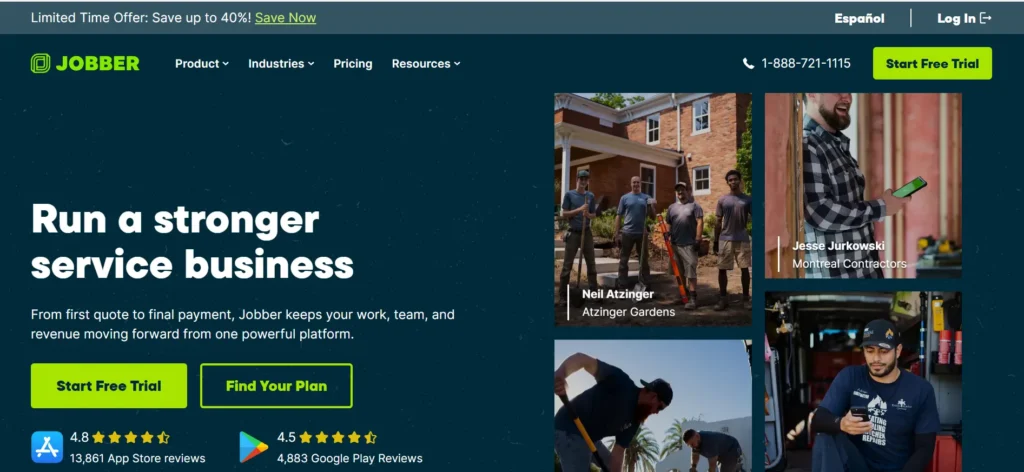
Jobber is a user-friendly field service management solution designed primarily for small and growing service businesses. It is widely used by landscaping companies, cleaning services, pest control businesses, pressure washing companies, and other local service providers.
The platform focuses on simplicity while still offering essential tools such as scheduling, dispatching, invoicing, customer management, quote creation, and online payments. Its intuitive interface makes onboarding easy for teams with limited technical experience.
Jobber’s mobile application allows technicians to access schedules, update job statuses, create invoices, and communicate with customers directly from the field. The customer portal also improves the client experience by allowing customers to approve quotes, book appointments, and pay invoices online.
Compared to enterprise platforms, Jobber offers a shorter learning curve and faster implementation, making it a practical choice for businesses that want professional service management without overwhelming complexity.
Best for: Small businesses looking for an easy-to-use FSM platform.
4. Housecall Pro
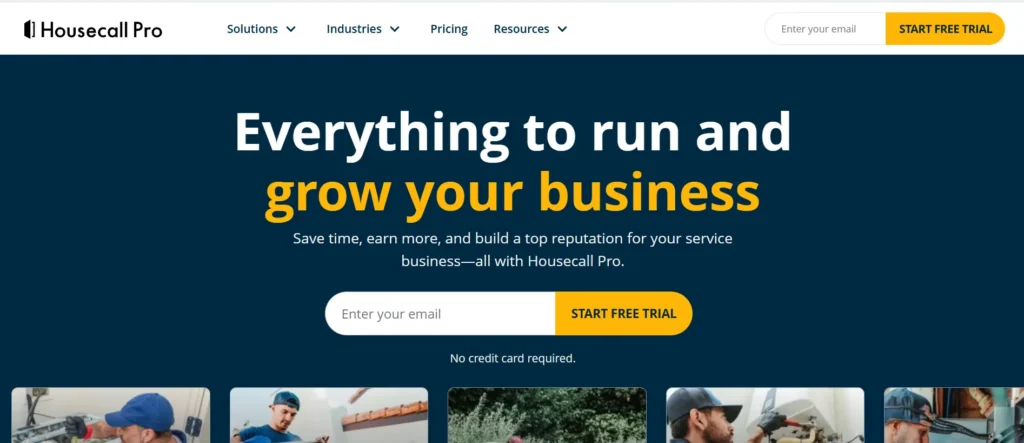
Housecall Pro is a cloud-based field service management platform built specifically for home service professionals. It provides a complete suite of tools that help businesses manage appointments, dispatch technicians, collect payments, and maintain customer relationships.
One of the platform’s strongest features is its online booking functionality, which allows customers to schedule appointments directly through a business website. Automated appointment reminders, review requests, and marketing campaigns help service companies improve customer retention and generate repeat business.
The software also includes estimates, invoicing, payment processing, GPS tracking, and technician scheduling capabilities. Its straightforward pricing and user-friendly interface make it attractive for businesses transitioning from manual processes or spreadsheets.
For companies seeking a simple yet capable solution, Housecall Pro provides a strong balance of functionality and affordability.
Best for: Small to mid-sized home service businesses adopting their first FSM solution.
5. FieldPulse
FieldPulse is a flexible field service management platform developed for contractors and service businesses that need customizable workflows without enterprise-level costs. The software supports scheduling, dispatching, invoicing, customer relationship management, and project tracking.
A key advantage of FieldPulse is its customization capabilities. Businesses can tailor workflows, forms, and processes to match their operational requirements. This flexibility makes it suitable for companies that have unique service procedures or specialized job types.
FieldPulse also provides strong customer management features, allowing businesses to maintain detailed customer records, communication histories, and service documentation. Mobile functionality ensures technicians can access job information and update records from any location.
Its affordability and adaptability make it a compelling option for growing service businesses that need more functionality than basic scheduling tools provide.
Best for: Small and mid-sized contractors seeking flexibility and affordability.
6. Coast
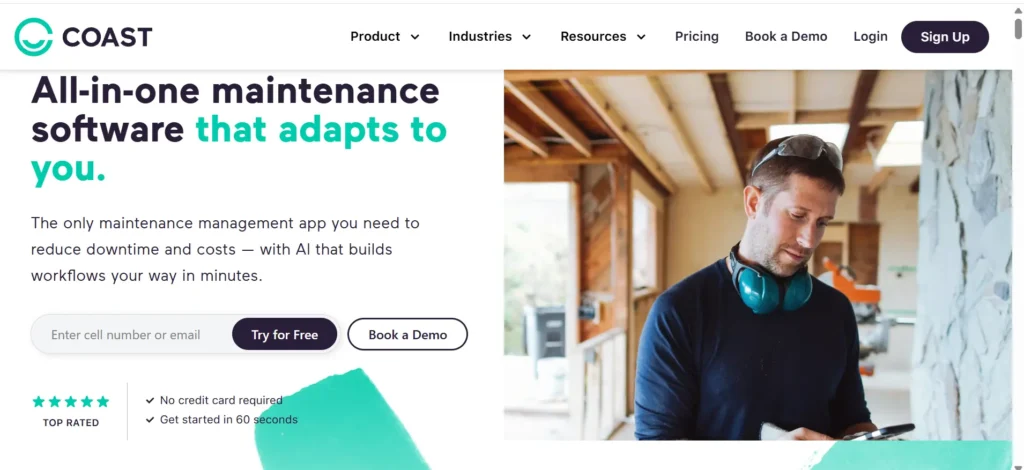
Coast takes a slightly different approach to field service management by combining task management, team communication, maintenance tracking, and operational workflows into a single platform. Rather than focusing solely on scheduling and dispatching, Coast emphasizes collaboration and operational efficiency.
The platform enables managers to create tasks, assign responsibilities, track maintenance activities, and communicate with teams in real time. Built-in messaging tools reduce the need for separate communication applications, helping teams stay aligned throughout the workday.
Coast is particularly useful for organizations that manage both field service operations and internal maintenance activities. Businesses can centralize operational processes while maintaining visibility across teams and locations.
Its modern interface and focus on operational collaboration make it an attractive option for companies seeking an all-in-one work management solution.
Best for: Organizations looking to combine field operations and team collaboration in one platform.
7. Arrivy
Arrivy specializes in customer experience and real-time field service visibility. The platform is designed to help businesses improve communication between technicians and customers throughout the service process.
One of Arrivy’s standout features is its real-time technician tracking system. Customers receive automated updates regarding technician locations, estimated arrival times, and job progress. This transparency helps reduce missed appointments and improves overall customer satisfaction.
The platform also includes route optimization, appointment scheduling, proof of service documentation, digital forms, and customer feedback collection. Businesses that prioritize customer communication often find Arrivy particularly valuable.
Industries such as appliance repair, delivery services, installation companies, and home services can benefit significantly from Arrivy’s customer-focused approach.
Best for: Businesses that prioritize customer communication and appointment transparency.
8. Salesforce Field Service
Salesforce Field Service is a comprehensive enterprise solution built on the Salesforce platform. It enables organizations to connect field operations with sales, customer service, and customer relationship management activities.
The platform offers intelligent scheduling, work order management, mobile workforce management, asset tracking, and AI-powered recommendations. Because it integrates directly with Salesforce CRM, businesses gain a complete view of customer interactions across every department.
Salesforce Field Service is particularly useful for organizations managing large workforces and complex customer relationships. Its automation capabilities help improve service efficiency while maintaining high customer satisfaction levels.
Although implementation can be more complex than smaller FSM platforms, the depth of functionality makes it a leading choice for enterprise organizations.
Best for: Enterprises already using Salesforce and requiring advanced field service capabilities.
9. Oracle Field Service
Oracle Field Service is an enterprise-level platform that leverages artificial intelligence and machine learning to optimize field operations. It is designed for organizations handling large volumes of service requests across multiple territories and regions.
The software uses predictive algorithms to schedule jobs efficiently, reduce travel time, and maximize technician productivity. Real-time route optimization helps organizations improve resource utilization while maintaining service-level agreements.
Additional capabilities include mobile workforce management, customer communication tools, analytics, inventory management, and field performance monitoring. Organizations operating at scale often rely on Oracle Field Service to manage thousands of daily service appointments.
Its sophisticated optimization features make it one of the most advanced field service management solutions available.
Best for: Large enterprises with complex, high-volume field service operations.
10. IFS Field Service Management
IFS Field Service Management is designed for asset-intensive industries such as utilities, telecommunications, energy, manufacturing, and heavy equipment services. The platform combines traditional field service management capabilities with advanced asset lifecycle management.
Organizations can manage service requests, preventive maintenance schedules, asset histories, technician dispatching, and spare parts inventories within a single system. The software supports both reactive and proactive maintenance strategies, helping companies reduce downtime and extend asset life.
IFS also provides advanced analytics, workforce optimization, contract management, and service performance reporting. Its strength lies in managing complex service environments where equipment reliability and asset performance are critical business priorities.
For organizations responsible for maintaining large infrastructure networks or equipment fleets, IFS offers functionality beyond what many traditional FSM platforms provide.
Best for: Asset-heavy industries requiring advanced service and asset management capabilities.
Key Benefits of Field Service Management Software
1. Faster Dispatching
With real-time visibility into where technicians are and if they are available dispatchers can quickly assign the closest qualified technician to a job. This usually takes seconds of minutes.
It really matters most for jobs that’re emergencies or need to be done on the same day. In these cases the customer will be directly affected if the technician does not arrive quickly. The emergency and same-day service requests are where speed makes a difference. Technician location and technician availability are key, in these situations because the technician location and technician availability help the dispatchers make decisions.
2. Higher Technician Productivity
When technicians do not waste time calling the office for job details or driving back to pick up paperwork they complete jobs, per day. They can access schedules, customer history and parts inventory on their devices.
This way they keep working and waiting. Mobile access helps technicians to be more productive. They complete jobs because they have the information they need right on their mobile device.
3. Better First-Time Fix Rates
FSM software gives technicians access to equipment history, past service notes, and required parts before they even arrive on site. Showing up prepared means fewer return visits, which saves money and improves customer satisfaction.
4. Improved Customer Satisfaction
Automated appointment reminders, real-time technician tracking, and faster response times all add up to a better customer experience. Customers who know exactly when help is arriving are far less likely to complain or churn.
5. Reduced Travel Costs
Route optimization tools group jobs by location and plan the most efficient driving order, cutting down on fuel costs and windshield time. Over a year, even small reductions in daily mileage add up to meaningful savings across a fleet.
6. Faster Invoicing
When a technician closes out a job on a mobile app, the invoice can be generated and sent automatically, sometimes before they’ve even left the driveway. This shortens the time between job completion and payment, which improves cash flow.
Core Features Every FSM Platform Should Include
1. Work Order Management
This is the digital record of every job: customer details, job description, assigned technician, parts used, and status. A good work order system lets the office and field team see the same information at the same time, eliminating miscommunication.
2. Scheduling and Dispatching
Look for drag-and-drop calendars, skill-based matching, and automatic suggestions for the best technician to assign based on location and availability. The strongest platforms also support recurring jobs for maintenance contracts.
3. Route Optimization
Route optimization software calculates the most efficient sequence of stops for each technician, factoring in traffic, job duration, and priority. This reduces fuel costs and lets technicians fit more jobs into a working day.
4. Mobile Technician App
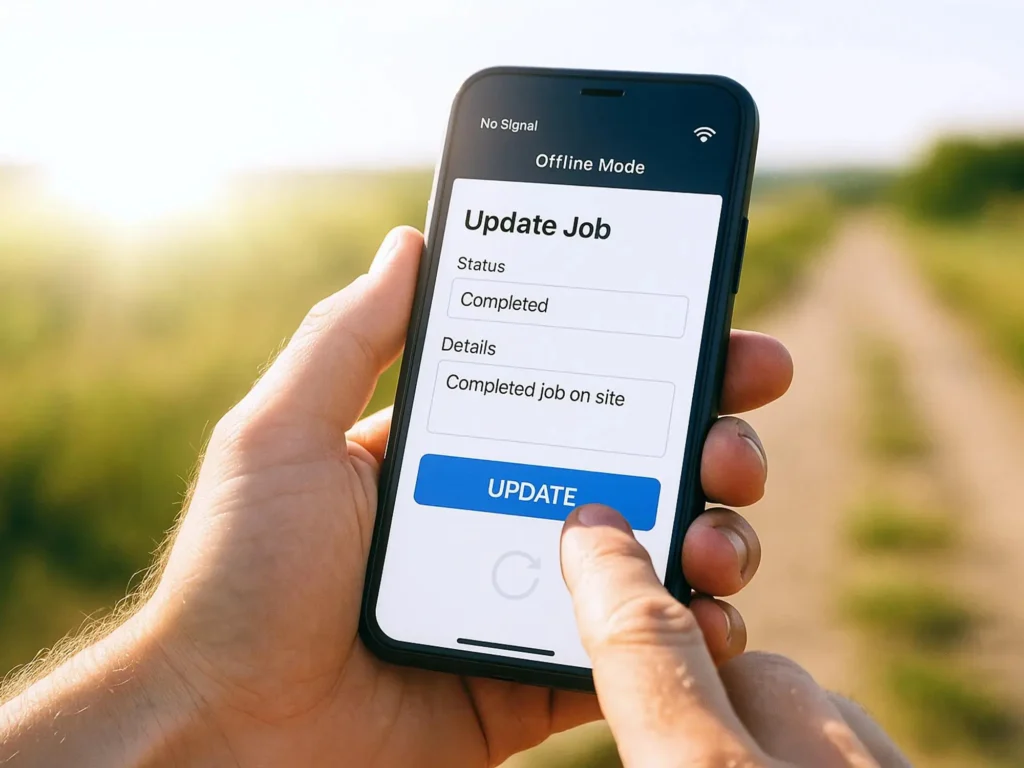
Technicians need a mobile app that works as well in the field as the office software does at a desk. Essential capabilities include viewing job details, updating job status, capturing photos and signatures, and accessing customer history.
5. Asset Management
For businesses that service equipment, tracking the full history, warranty status, and maintenance schedule of each asset is critical. This helps prevent unnecessary repairs and supports preventive maintenance programs.
6. Inventory Tracking
Knowing what parts are in a technician’s van versus what’s in the warehouse prevents wasted trips back to restock. The best systems automatically deduct parts used on a job from inventory counts.
7. Customer Communication
Automated text and email updates, including appointment confirmations, technician en route notifications, and arrival windows, reduce inbound calls and keep customers informed without extra staff effort.
8. Invoicing and Payments
Look for the ability to generate invoices on site, accept card payments through a mobile device, and sync billing data with accounting software. Faster billing means faster cash flow.
9. Reporting and Analytics
Dashboards that track technician utilization, first-time fix rate, average job time, and revenue per technician help managers spot inefficiencies and make data-backed decisions instead of guessing.
10. Third-Party Integrations
FSM software rarely operates alone. Integration with accounting tools like QuickBooks, CRM systems, and payment processors avoids duplicate data entry and keeps every department working from the same numbers.
Field Service Management Software Comparison Table
| Software | Best For | Mobile App | Key Integrations | Pricing Model |
| Microsoft Dynamics 365 | Enterprises in Microsoft ecosystem | Yes | Teams, Outlook, Azure IoT | Per user, quote-based |
| ServiceTitan | Mid-large residential trades | Yes | QuickBooks, payment processors | Quote-based |
| Jobber | Small to growing service businesses | Yes | QuickBooks, Stripe | Tiered subscription |
| Housecall Pro | Small to mid-size home services | Yes | QuickBooks, Mailchimp | Tiered subscription |
| FieldPulse | Small to mid-size contractors | Yes | QuickBooks, Stripe | Tiered subscription |
| Coast | Teams wanting unified communication and tasks | Yes | Limited third-party integrations | Per user subscription |
| Arrivy | Customer communication-focused businesses | Yes | QuickBooks, Salesforce | Tiered subscription |
| Salesforce Field Service | Enterprises using Salesforce CRM | Yes | Salesforce ecosystem | Per user, quote-based |
| Oracle Field Service | Large, complex field operations | Yes | Oracle ecosystem, ERP systems | Quote-based |
| IFS Field Service Management | Asset-heavy industries (utilities, telecom) | Yes | ERP, asset management systems | Quote-based |
Pricing for most platforms depends on company size, number of users, and feature tier, so it’s worth requesting a quote directly rather than relying on published starting prices alone.
Best FSM Software by Industry
1. HVAC
HVAC companies really benefit from software that can handle scheduling especially when demand goes up during certain times of the year. This software should also be able to keep track of equipment history and manage maintenance contracts.
ServiceTitan and Jobber are two choices for HVAC companies because they have features that are specific to the trade, such as flat-rate pricing books.
2. Plumbing
Plumbing businesses need fast dispatching for emergency calls and inventory tracking for parts that vary job to job. Housecall Pro and FieldPulse are popular for smaller plumbing operations needing straightforward scheduling and invoicing.
3. Electrical Contractors
Electrical work usually takes a day to finish and you need to get permits. So it is really helpful to have software that can track the project and send people to do the job. ServiceTitan and Jobber are good at this because they can track the cost of the job and how it is going. Electrical work is what these programs are helping with. ServiceTitan and Jobber are the ones that can do this.
4. Appliance Repair
Appliance repair technicians need to keep track of parts and warranties. They use tools like FieldPulse and Housecall Pro. These tools are good for appliance repair businesses because they are easy to use and not too expensive.
FieldPulse and Housecall Pro help with parts inventory and manufacturer warranty tracking.
This makes it easier for technicians to do their job.
5. Property Maintenance
Property maintenance companies juggle recurring work orders across multiple properties, making recurring job scheduling and asset tracking by location especially important. Coast and Arrivy both support strong recurring task management.
6. Telecom Services
Telecom field operations are asset-heavy and often span large geographic areas, which makes platforms like IFS or Oracle Field Service, with strong asset lifecycle and route optimization tools, a better fit than smaller trade-focused tools.
7. Construction Services
Construction field teams need scheduling that accounts for multi-week projects, subcontractor coordination, and compliance documentation. Microsoft Dynamics 365 and Salesforce Field Service both offer the project complexity support larger construction firms need.
How AI Is Transforming Field Service Management
1. AI Scheduling
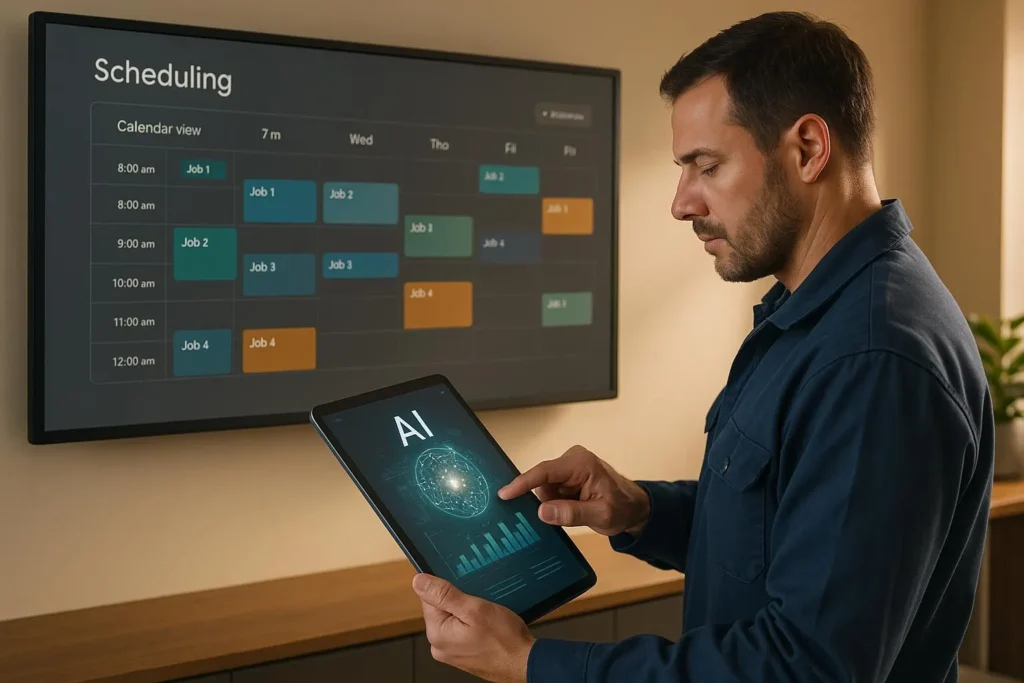
AI scheduling tools analyze technician skill sets, location, traffic patterns, and job urgency to automatically suggest or even auto-assign the best technician for a job, cutting down the manual back-and-forth dispatchers used to handle by phone.
2. Predictive Maintenance
By analyzing sensor data and equipment history, AI can flag when a piece of equipment is likely to fail before it actually breaks down. This shifts businesses from reactive repairs to scheduled maintenance, reducing emergency callouts and downtime for customers.
3. Automated Dispatching
Beyond simple scheduling, AI-driven dispatching can dynamically reassign jobs in real time when a technician runs late or a higher-priority emergency comes in, something manual dispatching struggles to do quickly.
4. Technician Copilots
Some platforms are beginning to offer AI assistants that technicians can ask questions to directly in the field, such as troubleshooting steps for unfamiliar equipment or quick access to repair manuals, reducing the need to call a supervisor for guidance.
5. AI-Powered Analytics
AI can surface patterns in job data that would be hard for a manager to spot manually, such as which technicians consistently have the highest first-time fix rates or which job types are most likely to run over their estimated time.
FSM vs CMMS vs CRM
These three categories often get confused because they overlap, but each serves a distinct purpose.
FSM vs CMMS
A Computerized Maintenance Management System (CMMS) focuses on maintaining a company’s own internal equipment and facilities. FSM software, by contrast, focuses on coordinating technicians who deliver service to external customers. A facilities team maintaining its own building’s HVAC system would use a CMMS, while an HVAC contractor servicing customer homes would use FSM software.
FSM vs CRM
A Customer Relationship Management (CRM) system is built around managing sales pipelines, customer relationships, and marketing communication. FSM software is built around managing the actual delivery of field work. Many businesses use both together, with the CRM handling the sales relationship and the FSM platform handling the operational side once a job is booked.
FSM vs ERP
Enterprise Resource Planning (ERP) systems manage broad business functions like finance, supply chain, and human resources across an entire organization. FSM software is more specialized, focusing specifically on field operations. Larger companies often integrate their FSM platform with their ERP system so financial and operational data stay aligned.
Real-World FSM Workflow Example
Here’s how a 20-technician HVAC company might use FSM software from the first customer call to the final invoice.
1. Customer Request
A customer calls in reporting their air conditioning isn’t cooling properly. The office staff logs the request directly into the FSM system, capturing the customer’s address, equipment details, and issue description.
2. Work Order Creation
The system automatically creates a work order, pulling up the customer’s service history and the unit’s past maintenance records so the assigned technician has full context before arriving.
3. Technician Assignment
The dispatcher uses the scheduling dashboard to see which technicians are nearby and available. The system suggests a technician based on proximity and HVAC certification, and the job is assigned with a single click.
4. Job Completion
The technician receives the job details on their mobile app, navigates to the address using built-in routing, diagnoses the issue, and updates the work order in real time with notes and parts used from their van inventory.
5. Billing and Reporting
Once the job is marked complete, the technician captures the customer’s signature on the mobile device, and an invoice is generated and sent automatically. The job data also feeds into the company’s reporting dashboard, updating that technician’s first-time fix rate and the day’s revenue totals.
How to Choose the Right FSM Software
1. Company Size
A two-person plumbing business has very different needs than a 200-technician telecom contractor. Smaller teams generally do better with simpler, more affordable platforms like Jobber or Housecall Pro, while larger organizations often need the depth of ServiceTitan, Salesforce, or Oracle.
2. Industry Requirements
Some platforms are built specifically for trades like HVAC and plumbing, while others are designed for asset-heavy industries like telecom or utilities. Choosing a platform built with your industry in mind usually means fewer workarounds later.
3. Mobile Needs
If technicians frequently work in areas with poor cell coverage, offline mobile functionality becomes a must-have rather than a nice-to-have. Not all platforms handle offline syncing equally well, so this is worth testing directly during a trial.
4. Integration Requirements
Make a list of the tools your business already relies on, such as accounting software or a CRM, and confirm the FSM platform integrates directly with them. Manual data transfer between systems defeats much of the purpose of going digital in the first place.
5. Budget Considerations
Pricing models vary widely, from flat per-user subscriptions to custom enterprise quotes. Factor in not just the subscription cost but also onboarding fees, training time, and any add-on costs for features like payment processing.
6. Scalability
Choose software that can grow with the business. Switching platforms after a company has scaled up is disruptive and costly, so it’s worth asking vendors directly how their pricing and feature set change as a team grows.
FSM Implementation Best Practices
Data Migration
Moving existing customer records, equipment history, and job data into a new system is often the most time-consuming part of implementation. Plan for this early and confirm with the vendor what migration support they offer.
Team Training
Technicians who are used to paper work orders or a simpler system may resist a more complex tool. Hands-on training sessions, rather than just handing over a manual, tend to lead to faster and smoother adoption.
Pilot Rollout
Rolling out new software to a small group of technicians first, rather than the entire team at once, makes it easier to catch issues and gather feedback before a full company-wide launch.
KPI Tracking
Define the metrics that matter before implementation, such as first-time fix rate or average response time, so you have a clear baseline to measure improvement against once the software is fully adopted.
Field Service Management Software ROI
1. Technician Utilization
FSM software helps identify idle time in a technician’s schedule that was previously invisible. Even a modest improvement in utilization, such as fitting one additional job per technician per week, adds up significantly across a full team over a year.
2. Travel Cost Reduction
Route optimization typically reduces daily mileage per technician. Less driving means lower fuel costs and less vehicle wear, both of which show up directly on the bottom line.
3. Increased Revenue
Faster dispatching and more efficient scheduling generally mean more completed jobs per day without adding headcount, which directly increases revenue per technician.
4. ROI Calculation Example
Consider a company with 10 technicians. If FSM software allows each technician to complete one additional job per day at an average job value of $150, that’s $1,500 in additional daily revenue, or roughly $7,500 per five-day work week, well above the typical monthly subscription cost of most FSM platforms.
Future Trends in Field Service Management
1. AI Automation
Expect scheduling, dispatching, and even initial customer triage to become increasingly automated, with human dispatchers shifting toward managing exceptions rather than every routine assignment.
2. IoT Integration
More equipment will ship with built-in sensors that report directly into FSM platforms, allowing service companies to detect issues remotely before a customer even notices a problem.
3. Predictive Service Models
Rather than waiting for equipment to break, more businesses will shift toward subscription-based maintenance models built around predictive data, creating steadier recurring revenue.
4. Autonomous Scheduling
As AI scheduling tools mature, fully autonomous job assignment, with minimal human dispatcher involvement, is likely to become standard for routine, non-emergency work.
5. Digital Twins
Some enterprise FSM platforms are beginning to incorporate digital twin technology, creating virtual models of physical equipment that help technicians diagnose issues remotely before ever arriving on site.
Frequently Asked Questions
What is field service management software?
Field service management software is a digital platform that helps businesses schedule, dispatch, and manage technicians who perform jobs at customer locations, covering everything from work orders to invoicing.
How much does FSM software cost?
Pricing varies by platform and company size, ranging from affordable monthly subscriptions for small businesses with a handful of technicians to custom enterprise pricing for large organizations with hundreds of field workers.
What industries use FSM software?
Industries that rely on FSM software include HVAC, plumbing, electrical, appliance repair, telecom, property maintenance, and construction, essentially any business that sends workers to customer locations.
What is the best FSM software?
The best platform depends on company size and industry. Small businesses often do well with Jobber or Housecall Pro, while larger or asset-heavy organizations may need ServiceTitan, Salesforce Field Service, or Oracle Field Service.
Does FSM software work offline?
Many platforms offer offline mobile functionality so technicians can access job details and update work orders even without a cell signal, though offline capability varies significantly between vendors.
Can FSM software integrate with QuickBooks?
Most major FSM platforms, including Jobber, Housecall Pro, and FieldPulse, offer direct QuickBooks integration to keep invoicing and accounting data in sync without manual entry.
What is the difference between FSM and CMMS?
FSM software manages technicians delivering service to external customers, while a CMMS manages the maintenance of a company’s own internal equipment and facilities.
Is FSM software worth it?
For most field-based businesses, the time saved on scheduling and dispatching, combined with faster invoicing and improved technician utilization, typically pays back the cost of the software many times over within the first year.