The Evolution of Search
From Finding Files to Answering Questions
Search engines didn’t start out trying to answer questions. The earliest tools, built in the 1990s, simply matched the words on a page to the words in your query. Today’s search engines, led by Google, try to understand what you actually mean, not just what you typed.
That shift, from matching text to understanding intent, is the single biggest change in how search engines work, and it’s why learning search engine basics still matters even in the AI era.
Why Search Engines Exist
The web has well over a trillion unique pages. Without a system to organize that content, finding anything useful would be almost impossible. Search engines exist to solve one problem: connect a person’s question to the most relevant, trustworthy answer, as fast as possible.
How Search Has Changed in the AI Era
By 2026, search results rarely look like a simple list of ten blue links. You’ll see AI-generated summaries, featured snippets, image carousels, local map results, and shopping panels, often all on one page.
Artificial intelligence now plays a role at almost every stage: understanding your query, ranking pages, and increasingly, writing a direct answer instead of just linking to one.
What You’ll Learn in This Guide
This guide walks through exactly how search engines find, understand, and rank web pages; what determines whether your site shows up; and practical steps you can take today to improve your visibility, even if you’ve never touched SEO before.
What Is a Search Engine?
Search Engine Definition
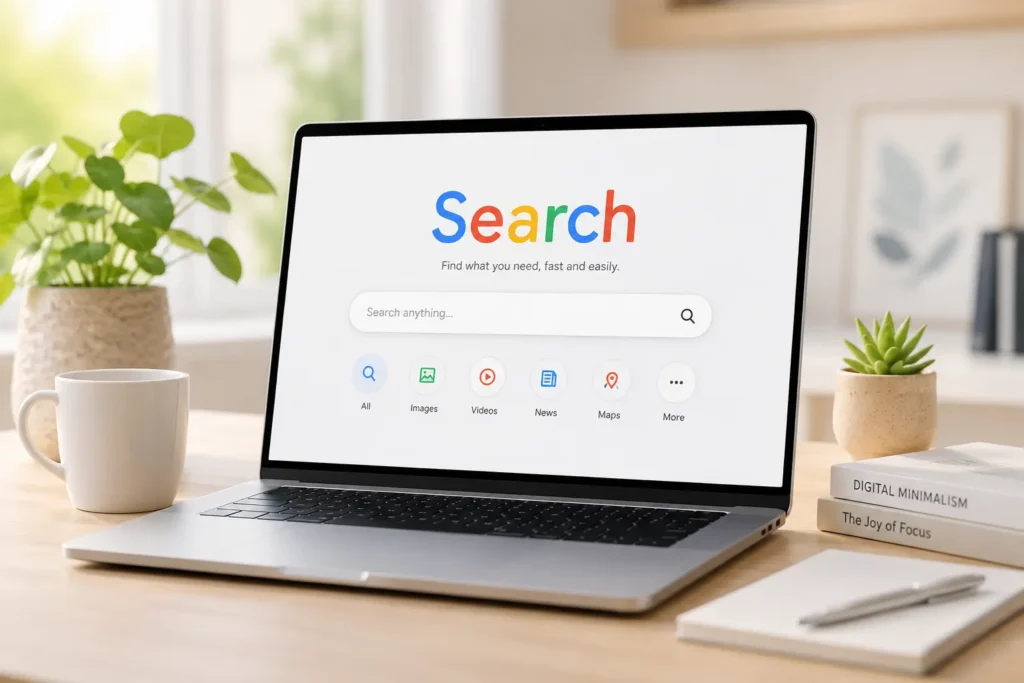
A search engine is software that finds, organizes, and ranks information from the internet in response to a user’s query, returning the most relevant results in seconds. It does this through three core processes: crawling, indexing, and ranking.
How Search Engines Help Users Find Information
Instead of you having to know the exact web address of every page that might help you, a search engine does the searching on your behalf. You type a question, and it draws on an index of billions of pages, built long before you typed anything, to surface the best matches instantly.
Popular Search Engines Around the World
Not every search engine works the same way or serves the same audience. Here’s how the major players compare.
| Search Engine | Approx. Global Market Share | Known For |
|---|---|---|
| ~90% | AI Overviews, Knowledge Graph, largest index | |
| Bing | ~4% | Powers Microsoft Copilot, strong image search |
| Yahoo | <2% | Uses Bing’s index under the hood |
| DuckDuckGo | <1% | No tracking, privacy-first |
| Brave Search | <1% | Independent index, privacy-focused |
| Baidu | Dominant in China | China’s leading search engine |
| Yandex | Dominant in Russia | Strong in Russian-language search |
How Search Engines Work: The Complete Process
Featured Snippet Answer: Search engines work through three main stages, crawling (discovering pages), indexing (storing and organizing content), and ranking (ordering results by relevance and quality) — followed by serving those results to the user in milliseconds.
Step 1: Crawling (Discovering Web Pages)
What Is a Web Crawler?
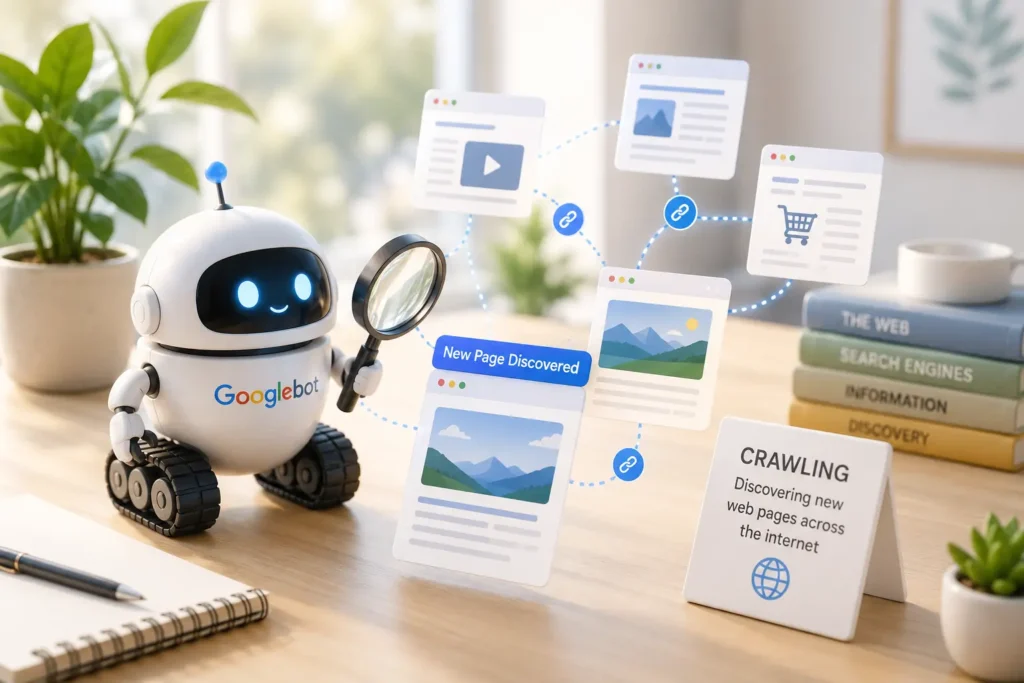
A web crawler (also called a spider or bot) is an automated program that travels from link to link across the internet, discovering new and updated pages. Google’s crawler is called Googlebot.
How Googlebot Finds New Pages
Googlebot discovers pages mainly by following links from pages it already knows about, and by reading XML sitemaps submitted by website owners. If our example bakery adds a new blog post about sourdough baking and links to it from its homepage, Googlebot will typically find that link on its next crawl.
What Helps Crawlers Discover Your Website
- Submitting an XML sitemap through Google Search Console
- Internal links from already-indexed pages
- Backlinks from other websites
- A clean site structure with no orphan pages (pages with no internal links pointing to them)
Step 2: Rendering (Understanding Page Content)
Why JavaScript Rendering Matters
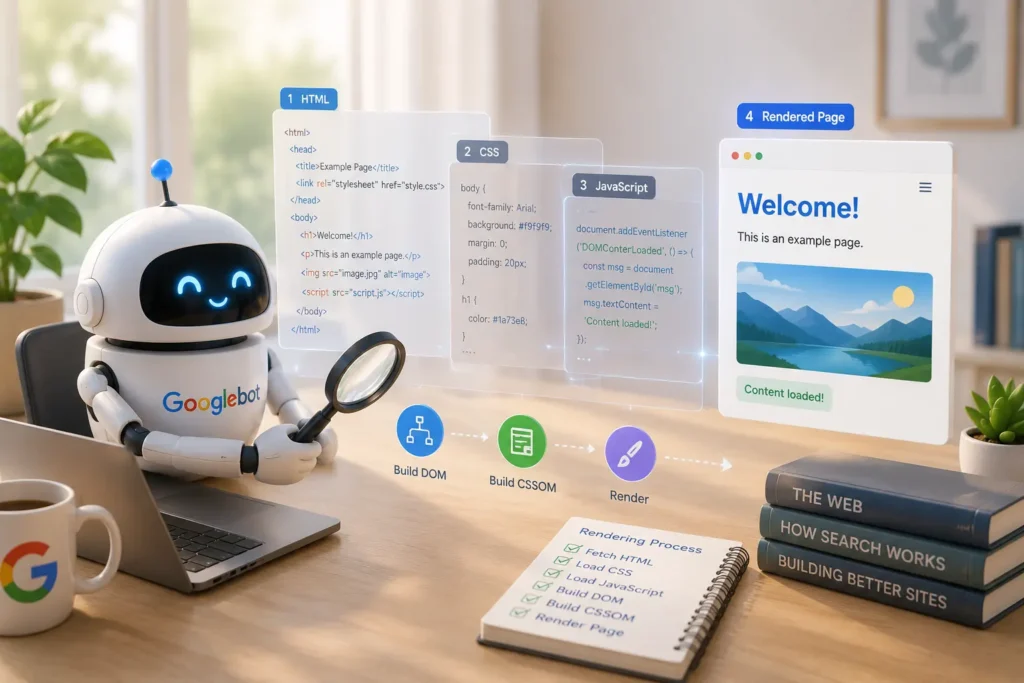
Many modern websites load content dynamically using JavaScript. Google has to render the page, essentially open it like a browser would, to see that content, not just read the raw HTML. If a page relies too heavily on JavaScript that fails to load properly, Google may miss key content entirely.
How Search Engines Process Dynamic Content
Google uses a rendering engine based on Chromium to execute JavaScript before indexing. This happens in a second wave after initial crawling, which is why heavily script-dependent sites sometimes get indexed more slowly than simple HTML pages.
Step 3: Indexing (Organizing Information)
What Is an Index?
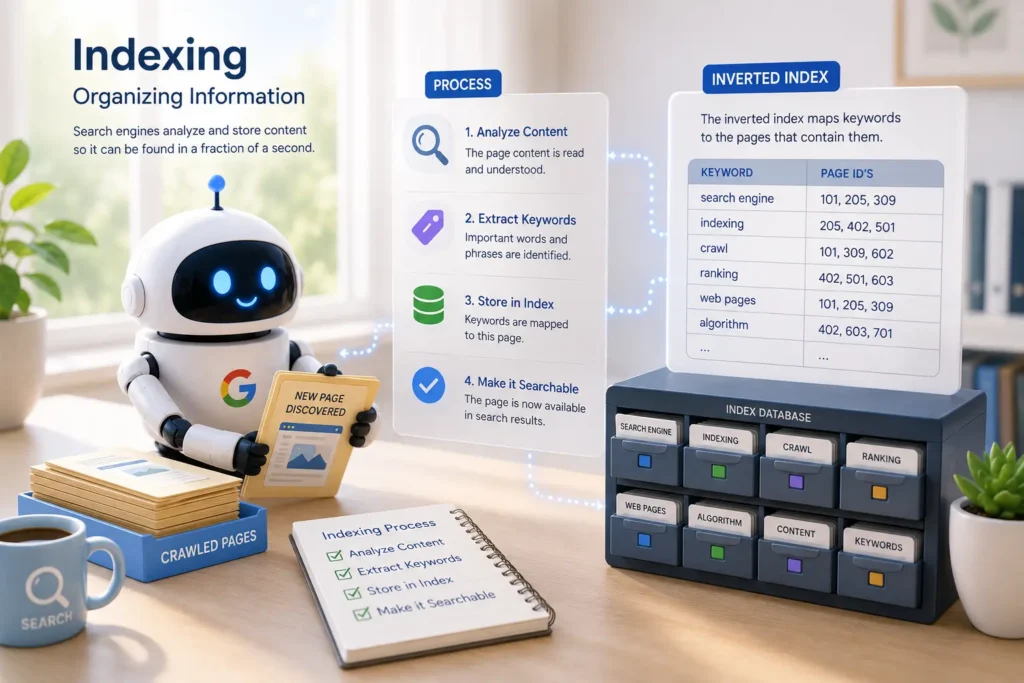
Once a page is crawled and rendered, it may be added to the index, a massive database of web content that the search engine can pull from instantly when someone searches.
How the Inverted Index Works
Rather than storing pages in a simple list, search engines use an inverted index: a structure that maps each word to every page it appears on. Instead of scanning the entire web for “sourdough bread recipe,” the engine looks up that phrase and instantly retrieves the list of matching pages.
Tokenization and Content Processing
Before indexing, text is broken into smaller units called tokens (roughly, individual words or phrases). The engine also removes irrelevant formatting, identifies the page’s main topic, and associates it with related concepts and entities.
Why Some Pages Aren’t Indexed
- The page has a
noindextag - It’s blocked by
robots.txt - It’s a near-duplicate of another page
- It’s considered too low-quality or “thin” content
- Google simply hasn’t crawled it yet
Step 4: Ranking (Choosing the Best Results)
What Happens During Ranking
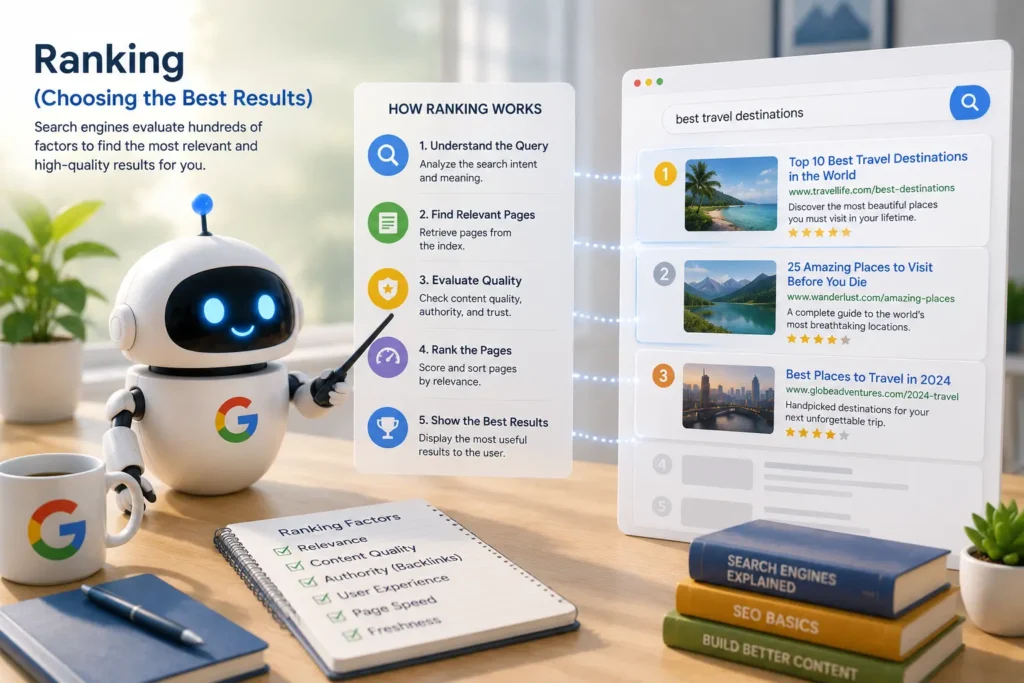
Once pages are indexed, the search engine’s ranking algorithm decides which pages best answer a specific query, and in what order to display them.
Understanding PageRank
PageRank, one of Google’s original ranking signals, measures a page’s importance based on the quantity and quality of links pointing to it. A link from a well-established, trustworthy site carries more weight than one from an obscure or low-quality site. PageRank is just one of hundreds of signals used today, but the underlying idea, links as votes of confidence, still matters.
Key Ranking Signals
| Signal | What It Measures |
|---|---|
| Content quality | Depth, accuracy, and usefulness of the content |
| Relevance | How closely the page matches search intent |
| Backlinks | Number and quality of sites linking to the page |
| User experience | Site usability, navigation, and design |
| Freshness | How recently the content was updated |
| Page speed | How fast the page loads, especially on mobile |
Step 5: Serving Search Results
How Google Selects the Best Results
For every search, Google’s systems evaluate billions of indexed pages against hundreds of ranking factors, then assemble a results page in a fraction of a second, combining organic listings, ads, and features like featured snippets or AI Overviews depending on the query.
Why Rankings Change Over Time
Rankings aren’t fixed. They shift as competitors publish new content, as your own site changes, as backlinks are gained or lost, and as Google updates its algorithms, which happens thousands of times a year, including several major “core updates.”
Visual Workflow: How a Web Page Appears in Google
From Publishing to Ranking
- Publish page — the page goes live on the web
- Crawl — Googlebot discovers and downloads the page
- Render — Google processes JavaScript and page layout
- Index — the page is stored in Google’s searchable database
- Evaluate — quality, relevance, and trust signals are assessed
- Rank — the page is scored against competing pages for specific queries
- Display in search results — the page appears in the SERP when relevant
Real-World Example of Google’s Search Process
Say the bakery publishes a new page titled “Best Gluten-Free Bread in [City].” Within days, Googlebot crawls it via a sitemap link. After rendering confirms the content is genuine (not just a title with no substance), it’s indexed. When a local user searches “gluten-free bakery near me,” Google’s ranking systems weigh the page’s relevance, the bakery’s Google Business Profile, and nearby backlinks to decide where it lands in local results.
How Search Engines Understand Content
Keywords vs Topics
Older SEO focused on exact keyword matches. Modern search engines think in terms of topics, understanding that “sourdough starter,” “wild yeast bread,” and “fermented dough” are all closely related, even without identical wording.
Search Intent
Every query has an underlying goal. Search engines try to match content to that goal, not just the words used.
Informational
The user wants to learn something (e.g., “how is sourdough made”).
Navigational
The user wants a specific site (e.g., “Tartine Bakery website”).
Commercial
The user is researching before a purchase (e.g., “best bread makers 2026”).
Transactional
The user is ready to act (e.g., “buy sourdough starter kit online”).
Entities and the Knowledge Graph
An entity is a distinct, identifiable thing, a person, place, brand, or concept. Google’s Knowledge Graph connects entities and their relationships, which is why searching a business name can surface a panel with its address, hours, and reviews without you visiting its site.
Semantic Search
Semantic search is the ability to understand the meaning and context behind a query rather than matching exact words. It’s what allows Google to correctly answer “capital of the country next to Germany” without those exact words appearing on any page.
Natural Language Processing (NLP)
NLP is the branch of AI that lets machines interpret human language — grammar, context, and intent — enabling search engines to handle conversational and voice queries accurately.
Google’s AI Systems
RankBrain
An early machine-learning system that helps Google interpret unfamiliar or ambiguous queries by comparing them to similar, better-understood searches.
BERT
A language model that improved Google’s understanding of context, particularly small connecting words like “for” and “to” that change a query’s meaning.
MUM
A more advanced multimodal model capable of understanding text, images, and multiple languages at once, allowing it to answer complex, multi-part questions in a single search.
What Determines Search Rankings?
Content Quality and Relevance
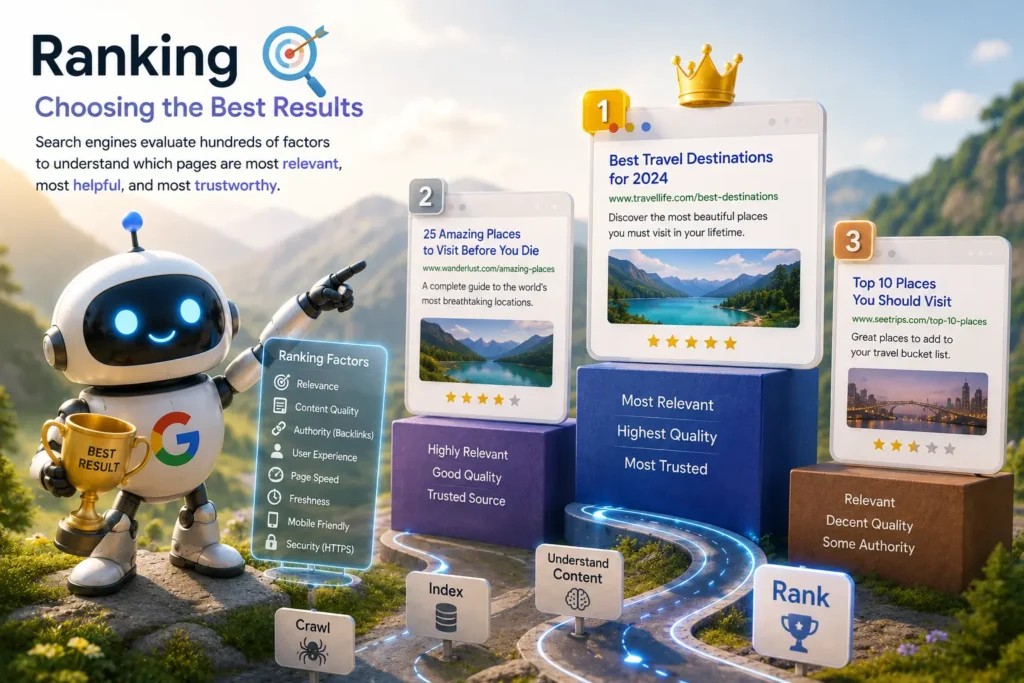
Content needs to genuinely answer the query, be well-organized, and be more useful than competing pages — not just longer or more keyword-dense.
Experience, Expertise, Authoritativeness, and Trust (EEAT)
Google’s quality guidelines emphasize EEAT: does the content reflect real experience, subject-matter expertise, authority in the field, and overall trustworthiness? A bakery’s recipe written by an actual baker, with real photos of the process, signals stronger EEAT than generic, unattributed content.
Backlinks and Website Authority
Links from reputable, relevant sites continue to act as trust signals, effectively vouching for a page’s credibility.
Core Web Vitals
These are Google’s specific metrics for page experience: loading speed, interactivity, and visual stability. Poor scores can hold back an otherwise strong page.
Mobile-First Indexing
Google primarily uses the mobile version of a site’s content for indexing and ranking, since most searches now happen on mobile devices.
Helpful Content System
This system rewards content created primarily for people, not to game search rankings, and demotes content that seems built purely to attract clicks.
Spam Detection Systems
Automated systems detect and penalize manipulative practices like keyword stuffing, link schemes, and cloaking (showing different content to search engines than to users).
Understanding Search Engine Results Pages (SERPs)
A modern SERP can include several distinct result types:
- Organic Results — unpaid listings ranked by relevance
- Paid Search Ads — sponsored listings marked “Ad,” billed per click
- Featured Snippets — a highlighted direct answer pulled from a ranking page
- AI Overviews — AI-generated summaries synthesizing multiple sources
- Local Pack — a map with top local business results
- Image Results — a visual grid of relevant images
- Video Results — video content, often from platforms like YouTube
- News Results — timely articles from news publishers
- Shopping Results — product listings with prices and images
- People Also Ask — expandable related questions
Organic Search vs Paid Search
Featured Snippet Answer: Organic search results are earned through SEO and appear based on relevance and quality, at no direct cost per click. Paid search results are advertisements that appear when a business bids on keywords and pays each time someone clicks.
Key Differences
| Factor | Organic Search | Paid Search (PPC) |
|---|---|---|
| Cost | Free (time/effort investment) | Pay-per-click |
| Speed to results | Weeks to months | Immediate |
| Longevity | Long-term, compounding | Stops when budget stops |
| Trust | Often seen as more credible | Clearly labeled as an ad |
| Control | Limited, algorithm-dependent | High, precise targeting |
Advantages of Organic Search
- Builds long-term traffic without ongoing ad spend
- Tends to earn higher user trust
- Compounds over time as authority grows
Advantages of PPC
- Instant visibility, even for brand-new websites
- Highly measurable and controllable
- Useful for time-sensitive promotions
When to Use Both Together
Many businesses run PPC campaigns while their organic SEO builds up, then gradually shift budget as organic rankings mature, capturing quick wins now while investing in sustainable, long-term visibility.
Why Search Results Are Different for Everyone
Location
A search for “bakery near me” returns different results in different cities, using the searcher’s location data.
Device Type
Mobile and desktop results can differ due to mobile-first indexing and screen-specific formatting.
Language
Google tailors results to the language settings and region associated with the search.
Search History and Personalization
Past searches and browsing behavior can subtly influence which results are shown to a specific user.
Freshness of Content
For time-sensitive queries (like breaking news), Google favors recently published or updated content over older pages.
Modern Search: AI and Answer Engines
The Rise of AI Search
AI-powered search tools, including Google’s AI Overviews and standalone AI answer engines, increasingly generate direct answers instead of just linking to sources.
How AI Overviews Generate Answers
AI Overviews pull information from multiple top-ranking, indexed pages and synthesize it into a single summary, citing sources rather than relying on one page alone.
Zero-Click Searches Explained
A zero-click search happens when a user gets their answer directly on the results page — through a featured snippet, knowledge panel, or AI Overview — without clicking through to any website.
Optimizing Content for AI Search
- Write clear, direct answers early in the content
- Use structured data and headings that map to real questions
- Build topical authority across related subtopics
- Keep facts accurate and clearly sourced
Risks of AI Hallucinations
AI-generated summaries can occasionally state inaccurate information confidently. This makes source credibility and fact-checking more important than ever, both for publishers and for readers evaluating AI-generated answers.
Specialized Types of Search
- Voice Search — spoken queries, often conversational and question-based
- Visual Search — searching using an image instead of text (e.g., Google Lens)
- Local Search — queries tied to a specific geographic area
- Image Search — dedicated search for visual content
- Video Search — dedicated search for video content
- News Search — search focused on current events and journalism
Privacy-Focused Search Engines
How Privacy Search Differs
Privacy-focused engines avoid tracking user behavior, storing search history, or building personalized profiles for advertising.
DuckDuckGo
Doesn’t track users or personalize results based on search history.
Brave Search
Runs its own independent index rather than relying entirely on Google or Bing data.
When Privacy Search Is Useful
For users researching sensitive topics, avoiding filter bubbles, or simply preferring not to be tracked, privacy-first engines offer a meaningful alternative — though sometimes with a smaller index and fewer specialized features.
Common Reasons Your Website Doesn’t Appear in Google
- Crawl Issues — Googlebot can’t access the page due to server errors or blocks
- Indexing Problems — the page was crawled but never added to the index
- Robots.txt Restrictions — a rule in the site’s robots.txt file blocks crawling
- Noindex Tags — a meta tag explicitly tells search engines not to index the page
- Canonical URLs — the page points to a different “preferred” version, so it isn’t indexed separately
- Duplicate Content — near-identical content elsewhere causes the page to be filtered out
- Manual Actions and Spam Issues — a human reviewer at Google has penalized the site for policy violations
Essential Tools for Understanding Search Performance
Google Search Console
Free tool for monitoring indexing status, search performance, and technical issues.
URL Inspection Tool
Checks whether a specific URL is indexed and how Google sees it.
Index Coverage Report
Shows which pages are indexed, excluded, or have errors.
Performance Report
Displays clicks, impressions, click-through rate, and average position for search queries.
XML Sitemap Submission
Lets site owners directly submit a sitemap to help Google discover pages faster.
Google Analytics
Tracks visitor behavior once they land on the site, including traffic sources and engagement.
Bing Webmaster Tools
Bing’s equivalent of Search Console, useful since Bing also powers Yahoo and parts of Microsoft Copilot.
Google Trends
Shows how interest in a topic or keyword changes over time and by region.
SEO Platforms (Ahrefs, Semrush, Screaming Frog)
Third-party tools for keyword research, backlink analysis, and technical site audits.
Advanced Search Techniques for Better Results
Boolean Operators
- AND — narrows results to include all terms
- OR — broadens results to include either term
- NOT — excludes a specific term
Google Search Operators
| Operator | Function |
|---|---|
site: | Restricts results to a specific website |
filetype: | Finds specific file formats (e.g., PDF) |
intitle: | Finds pages with a word in the title |
inurl: | Finds pages with a word in the URL |
cache: | Shows Google’s last saved version of a page |
related: | Finds sites similar to a given URL |
Tips for Finding More Accurate Information
- Use specific, descriptive phrases rather than single vague words
- Add quotation marks around exact phrases
- Combine operators, like
site:gov "public health guidelines", for precise research
Beginner SEO Checklist
- Create Helpful Content — write for real user needs, not just search engines
- Match Search Intent — confirm your content fits what searchers actually want
- Optimize Titles and Meta Descriptions — clear, keyword-relevant, and compelling
- Improve Internal Linking — connect related pages to help both users and crawlers
- Earn High-Quality Backlinks — build genuine relationships and shareable content
- Improve Page Speed — compress images, minimize scripts, use caching
- Make Your Website Mobile Friendly — responsive design is now essential
- Add Structured Data — help search engines understand content type (recipe, product, review, etc.)
- Submit an XML Sitemap — via Google Search Console
- Monitor Performance Regularly — track rankings, traffic, and indexing issues over time
Common Search Engine Myths
Does Google Rank Websites Instantly?
No. Even after indexing, it typically takes time, often weeks, for a page to settle into a stable ranking as Google gathers more signals about it.
Do More Keywords Improve Rankings?
No. Repeating a keyword excessively (keyword stuffing) can hurt rankings and readability rather than help them.
Are Meta Keywords Still Important?
No. The meta keywords tag has been ignored by Google for years; it plays no role in modern rankings.
Does Paying Google Improve Organic Rankings?
No. Paid ads and organic rankings are entirely separate systems; buying ads does not boost organic position.
Is SEO a One-Time Task?
No. SEO is ongoing, algorithms update, competitors publish new content, and site performance needs regular maintenance.
Frequently Asked Questions
1. What are search engine basics?
Search engine basics refer to the core concepts of how search engines find, store, and rank web content — namely crawling, indexing, and ranking, along with the factors that influence which pages appear in results.
2. How do search engines work?
Search engines work by crawling the web to discover pages, indexing that content in a searchable database, and then ranking pages for each query based on relevance, quality, and hundreds of other signals.
3. What are the three main stages of a search engine?
The three main stages are crawling (discovery), indexing (organizing content into a searchable database), and ranking (ordering results by relevance and quality).
4. What is the difference between crawling and indexing?
Crawling is the process of discovering and downloading web pages. Indexing is the process of analyzing and storing that content so it can be retrieved instantly during a search.
5. How long does Google take to index a page?
It varies, anywhere from a few hours to several weeks, depending on site authority, crawl frequency, and technical accessibility.
6. Why isn’t my website showing on Google?
Common causes include crawl errors, noindex tags, robots.txt blocks, duplicate content, or the site simply being too new to have been crawled yet.
7. What is Googlebot?
Googlebot is Google’s automated web crawler that discovers and downloads pages across the internet for indexing.
8. What is PageRank?
PageRank is a ranking signal that evaluates a page’s importance based on the quantity and quality of links pointing to it.
9. What is semantic search?
Semantic search is the ability of a search engine to understand the meaning and context behind a query, rather than matching only exact keywords.
10. What are AI Overviews?
AI Overviews are AI-generated summaries that appear at the top of some Google search results, synthesizing information from multiple sources into a direct answer.
11. How can beginners improve their website rankings?
Beginners can improve rankings by creating genuinely helpful content, matching search intent, ensuring the site is fast and mobile-friendly, earning quality backlinks, and monitoring performance through tools like Google Search Console.
Final Thoughts
Search engines have evolved from simple keyword matchers into sophisticated systems that crawl, index, and rank the web using AI-driven understanding of meaning and intent. Even as AI Overviews and zero-click answers reshape the SERP, the fundamentals of search engine basics, crawlability, quality content, EEAT, and strong technical performance, remain the foundation of visibility.
For beginners, the path forward is straightforward: build a technically sound, mobile-friendly website; create content that genuinely serves search intent; earn trust through quality backlinks and EEAT signals; and monitor performance consistently through tools like Google Search Console. Master how search engines work today, and you’ll be well-positioned no matter how the SERP continues to change tomorrow.