The best WordPress SEO plugin is the one that covers the SEO tasks you actually need, with the least extra complexity and the lowest performance cost.
For most sites that means Rank Math, Yoast SEO, or All in One SEO (AIOSEO). If speed or simplicity matters more than features, The SEO Framework and Slim SEO are better fits.
There is no single winner for every site, and any article that names one is simplifying. A food blogger, a WooCommerce store owner, and an agency running 40 client sites have different needs.
So this guide sorts the plugins by use case first, then explains how each one works, how they differ on speed and price, and how to switch without losing rankings.
One note on method. I did not run a fresh lab test for this draft, so the picks below rest on each plugin’s official documentation, long-running community feedback, and published third-party comparisons that I link to. Verify anything price- or version-specific before you act on it.
Best WordPress SEO Plugins
1. Yoast SEO
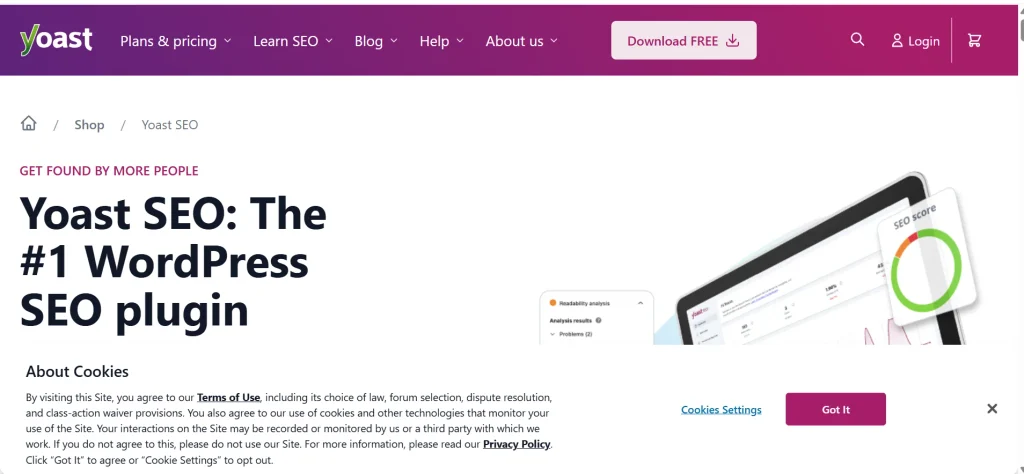
Yoast is the plugin most WordPress users have heard of. It has been around for many years and its documentation and tutorials are everywhere.
Best for: beginners, bloggers, and teams where writers handle SEO themselves.
What it does well. Yoast gives live feedback in the editor on your focus keyword, readability, and basic on-page issues. It handles titles, meta descriptions, canonicals, sitemaps, and social metadata with sensible defaults. If you have never touched SEO settings, you can install it, run through the setup, and be reasonably covered.
Where it falls short. Some features that other plugins give away free, such as multiple focus keywords or redirect management, sit in the paid version. Features for WooCommerce and local businesses are sold as separate add-ons. Also, the green-light content score can tempt writers to chase the tool instead of the reader.
Free vs Premium. The free version is enough for a simple blog. Premium makes sense if your team wants redirect management, extra content checks, and support in one place. Confirm the current feature split on Yoast’s pricing page.
Choose Yoast if you want a familiar plugin with clear guidance and do not need a long feature list.
2. Rank Math
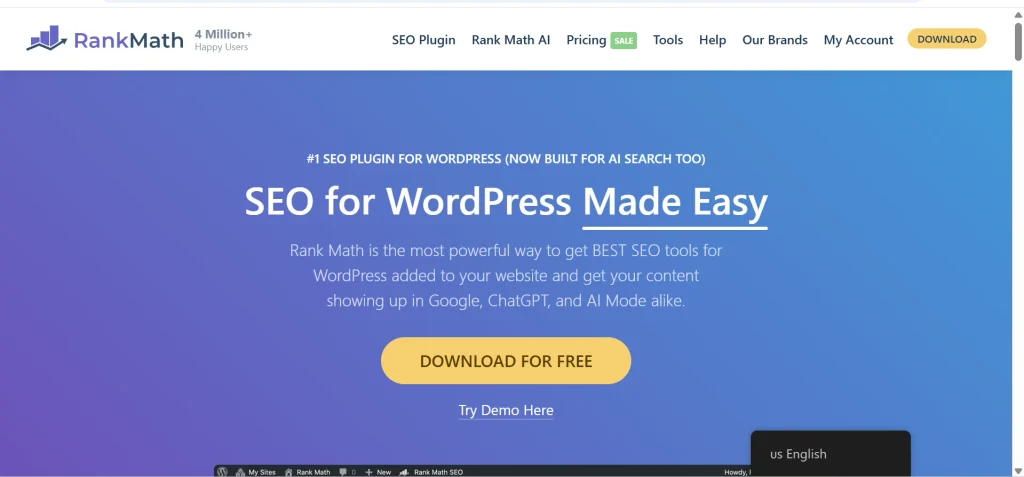
Rank Math packs a lot into its free version. It uses a modular design, so you switch on only the parts you want.
Best for: site owners who want many features without paying upfront.
Free feature set. The free plugin covers titles and meta, sitemaps, schema markup, redirects, and a setup wizard. It also connects to Google Search Console so you can see search data inside WordPress.
Rank tracking and analytics. Rank Math includes keyword tracking and analytics views, with the limits depending on your plan. These are handy, but they do not replace a dedicated tool like Ahrefs or Semrush if you do serious keyword research.
Schema and WooCommerce. Its schema controls are flexible, and it has WooCommerce options for product SEO. Check which parts are free and which need Pro.
Pros and cons. The big plus is breadth. The big minus is that new users can feel lost in the settings. My advice: leave modules you do not need switched off.
Choose Rank Math if you are comfortable with a longer settings menu and want the most features at the lowest entry cost.
3. AIOSEO (All in One SEO)

AIOSEO takes a guided approach. Its setup wizard walks you through the basics, and the interface is easy to scan.
Best for: site owners who want a middle path between Yoast’s simplicity and Rank Math’s breadth.
Key features. You get on-page controls, sitemaps, schema, social metadata, and a site-wide SEO audit. Paid plans add things like redirect management, local SEO, and WooCommerce features. Plan contents change, so check the current tiers.
Internal links and redirects. Internal link suggestions and a redirect manager are useful when you manage a large content library. Again, these sit in higher tiers.
Pricing and scale. Pricing is tiered by number of sites and features. That is fine for a single business site and gets pricier if you manage many.
A caution on sources: AIOSEO also publishes its own list of best SEO plugins. Since it is a vendor, read it as one view and compare it with independent sources.
Choose AIOSEO if you want a guided setup and a clean dashboard, and you are fine paying for the extras.
4. SEOPress
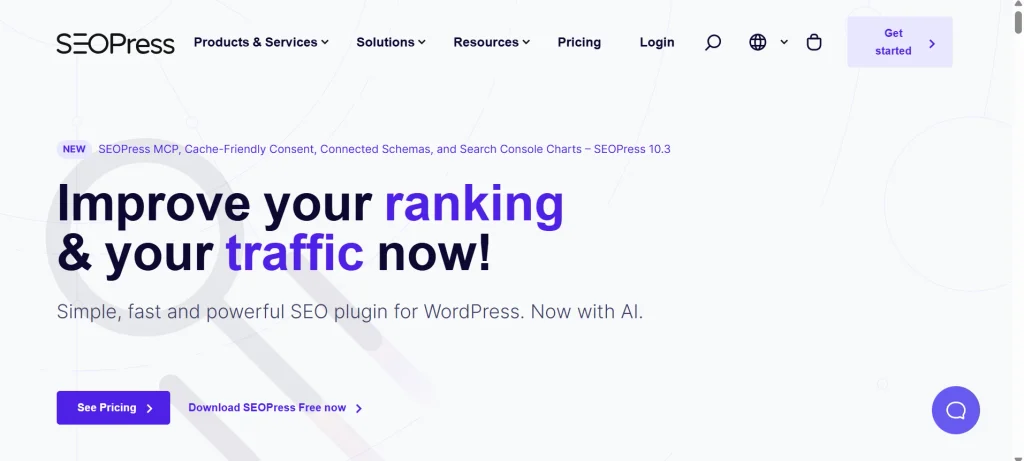
SEOPress is a strong value pick, especially if you work on more than one site.
Best for: agencies, freelancers, and site owners who care about a clean, ad-free admin.
Key features. It covers titles and meta, sitemaps, schema, redirects, breadcrumbs, and social metadata. The Pro version adds more, including white-label options that agencies like.
Performance and bloat. SEOPress positions itself as a lighter plugin. I would still test it on your own site rather than take that on faith.
White-label and multi-site. If you hand sites over to clients, being able to remove vendor branding is useful. Check the current licensing terms, since the number of sites covered varies by plan.
Choose SEOPress if you manage several sites and want strong features without a steep per-site cost.
5. The SEO Framework
This plugin takes a hands-off approach. It makes sensible choices for you and stays out of the way.
Best for: performance-focused sites and owners who do not want to tweak dozens of settings.
Automated SEO. It generates titles, descriptions, canonicals, sitemaps, and social tags automatically, and you can override them per page. It also avoids the heavy dashboards some plugins add.
Performance. In its free plugin performance comparison, Accelera reported that The SEO Framework and Slim SEO did well on overhead. Treat any single benchmark as one data point. Results change by server, theme, and plugin version.
Limitations. You get fewer built-in extras, and there is less on-screen coaching. If you want a content score or built-in rank tracking, you will look elsewhere.
Choose The SEO Framework if you want solid basics with the smallest footprint.
6. Slim SEO
Slim SEO is built around one idea: do the sensible thing automatically.
Best for: small sites, portfolios, and anyone who wants SEO handled with almost no setup.
Automation. It generates metadata, sitemaps, and structured data on its own, with limited settings to adjust.
Performance. Its small footprint is the main selling point, and the Accelera comparison above supports that, with the same caution about benchmarks.
Limitations. Advanced users will hit the ceiling quickly. If you need detailed schema control, a redirect manager, or per-page tuning at scale, pick something broader.
Choose Slim SEO if you want it installed, working, and forgotten.
7. Squirrly SEO
Squirrly goes beyond the usual technical controls. It tries to guide your content process too.
Best for: solo creators and small teams who want keyword and content guidance inside WordPress.
What it offers. Keyword research, content optimization tips, competitor views, and rank tracking, with AI-assisted features in some plans. The strongest features generally need a paid plan.
Pros and cons. You get a lot of workflow help in one place. The cost is a bigger learning curve and a premium price compared with simpler plugins. A dedicated research tool may still beat it for depth.
Choose Squirrly if you want writing and research support more than raw technical controls.
Best WordPress SEO Plugins at a Glance
| Plugin | Best for | Free version | Main strength | Main drawback |
| Rank Math | Feature-rich SEO on a budget | Yes | Very broad free feature set | Many settings can overwhelm new users |
| Yoast SEO | Beginners and writers | Yes | Clear content and readability feedback | Some advanced features need Premium or add-ons |
| AIOSEO | Guided, all-around setup | Yes | Setup wizard and wide feature range | Heavier feel than minimalist plugins |
| SEOPress | Agencies and multi-site owners | Yes | Strong value, white-label options in Pro | Less hand-holding for beginners |
| The SEO Framework | Speed-focused sites | Yes | Automated, lightweight approach | Fewer built-in extras |
| Slim SEO | Minimal configuration | Yes | Works with almost no setup | Limited advanced controls |
| Squirrly SEO | Keyword and content workflows | Yes | Research and optimization tools inside WordPress | Best features sit behind paid plans |
This table is my editorial summary. Where a feature depends on the plan you buy, I say so in the sections below.
Which WordPress SEO Plugin Is Best for Your Site?
Here is the short version. These recommendations are based on features, ease of use, pricing, update history, and how well each plugin fits different types of websites. There is no single plugin that is perfect for everyone. The best choice depends on your experience level, site goals, and the features you actually need.
- Best overall: Rank Math. It offers one of the strongest feature sets in both free and paid plans, including schema markup, redirects, search console integration, and advanced SEO settings without needing multiple add-ons.
- Best for beginners: Yoast SEO. Its traffic-light content analysis and simple recommendations make it easy for new users to understand SEO basics. It also has a large knowledge base and a long history in the WordPress ecosystem.
- Best free option: Rank Math for the number of tools included at no cost, and The SEO Framework for users who prefer a lightweight, set-and-forget experience.
- Best for performance: The SEO Framework, followed closely by Slim SEO. Both avoid unnecessary features and aim to keep websites fast and uncluttered.
- Best for WooCommerce: Rank Math, AIOSEO, or Yoast SEO with its WooCommerce extension. Compare product schema, breadcrumb support, and store-specific SEO tools before choosing.
- Best for local SEO: AIOSEO, Yoast SEO with a local SEO add-on, or Rank Math Pro. Features like business schema, location pages, maps, and local metadata are usually part of paid plans.
- Best for agencies: SEOPress, thanks to flexible licensing, white-label options, and tools that make managing multiple client websites easier.
- Best for advanced users: Rank Math or SEOPress, as both provide detailed control over schema, indexing rules, redirects, metadata, and custom SEO settings.
- Best lightweight option: The SEO Framework, which focuses on core SEO tasks without adding complexity.
What “Best” Means Here
A plugin is only “best” if it matches your needs. More features do not automatically create better results. A plugin with 200 settings is not necessarily more useful than one with 30 if you only use a small portion of them.
For example, a local business website may only need title tags, XML sitemaps, schema, and basic metadata controls. An eCommerce store might require product schema, redirects, and WooCommerce integration. Agencies may value white-label features and multi-site management more than content scoring tools.
I also consider practical factors such as ease of setup, ongoing support, compatibility with popular themes and plugins, update frequency, and overall site performance. The best SEO plugin should help you improve search visibility while staying simple, reliable, and easy to maintain.
How We Evaluated These WordPress SEO Plugins
I used nine criteria and weighted them. The weights are my own editorial scoring, not an industry standard. You can change them to match your priorities.
| Criterion | Weight |
| SEO capabilities | 25% |
| Performance | 20% |
| Ease of use | 15% |
| Technical controls | 15% |
| Value for money | 10% |
| Integrations | 5% |
| Migration and data portability | 5% |
| Documentation and support | 5% |
Here is what each one covers, in plain English.
On-page controls. Can you set the title, meta description, canonical URL, and robots directives for each page? A canonical URL tells search engines which version of a page is the main one when similar versions exist.
Technical SEO. Does the plugin generate an XML sitemap, let you edit robots.txt, manage redirects, and add breadcrumbs? Strong technical SEO also helps ensure these elements work correctly across the site.
Structured data. Does it output schema markup, and can you change it? Schema is code that labels your content (an article, a product, a recipe) so search engines understand it. It usually uses JSON-LD and the Schema.org vocabulary. Google explains how it uses this data in its structured data documentation.
Performance. How much code does the plugin load on the front end, in the admin area, and inside the editor? More on this later.
Setup and daily use. How long does setup take, and how clear is the dashboard?
Integrations, migration, price, and support. Does it work with your page builder and store plugin, import from your old plugin, offer a fair price, and have good documentation?
Other WordPress SEO Plugins Worth a Look
A few other plugins serve narrower needs. SmartCrawl is part of a wider WordPress toolset and suits people already using that ecosystem.
Schema Pro focuses on structured data, which can make sense if you want a detailed schema but already have another plugin handling the basics. Be careful there, because two plugins outputting the same schema creates duplicates.
A specialized plugin earns its place when it fills one clear gap. If it overlaps with your main SEO plugin, skip it.
Feature Comparison at a Glance
The exact feature split changes between versions and plans, so I use broad labels here. Confirm details on each vendor’s site.
| Feature | Yoast | Rank Math | AIOSEO | SEOPress | SEO Framework | Slim SEO |
| Titles and meta descriptions | Yes | Yes | Yes | Yes | Yes | Yes |
| XML sitemap | Yes | Yes | Yes | Yes | Yes | Yes |
| Canonical URLs | Yes | Yes | Yes | Yes | Yes | Yes |
| Schema controls | Yes | Extensive | Yes | Yes | Basic | Automatic |
| Redirect manager | Paid | Yes | Paid | Yes | No | No |
| Content analysis | Strong | Yes | Yes | Basic | Minimal | No |
| WooCommerce features | Add-on | Yes | Paid | Pro | Basic | Basic |
| Rank tracking | No | Yes | Limited | No | No | No |
This is a general snapshot, not a verified feature audit. Plans move features around, so check before you commit.
Which WordPress SEO Plugin Is Fastest?
Every plugin adds some code. The question is how much, and where.
1. What to measure
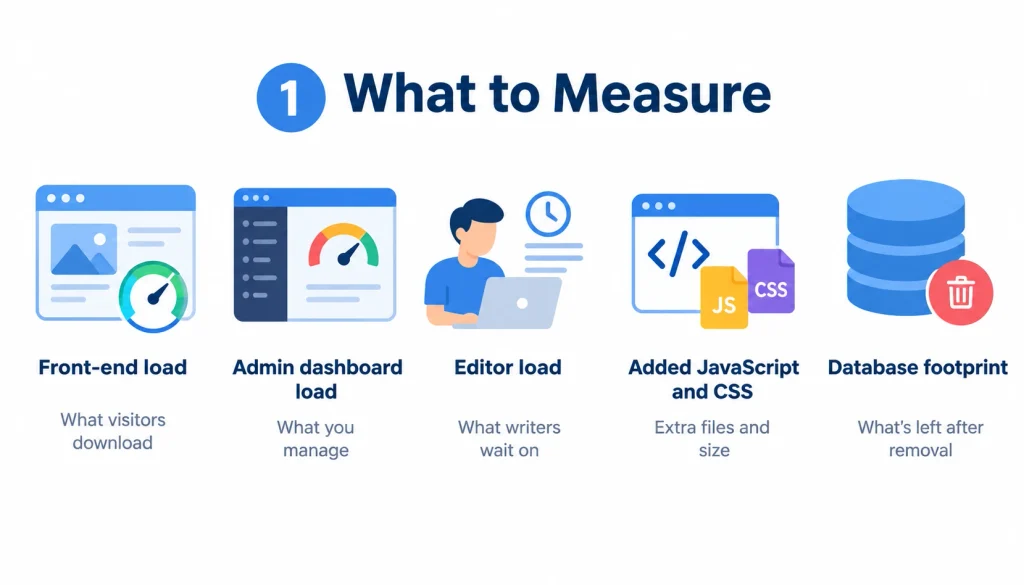
Look at four things: front-end load (what visitors download), admin dashboard load, editor load (what writers wait on), and the size of added JavaScript and CSS. Also check what the plugin leaves in your database if you remove it.
2. Lightweight vs feature-rich
More features generally mean more code. That is not automatically bad. A plugin that replaces a redirect plugin, a schema plugin, and a breadcrumbs plugin can save weight overall.
3. Why benchmarks vary
A test on one host with one theme will not match your site. Caching, PHP version, theme, and other plugins all change the result. Use published tests like Accelera’s to get a rough sense, then test on a staging copy of your own site.
4. How to test on your own site
- Clone your site to staging.
- Record load times with PageSpeed Insights before the change.
- Switch plugins and test again on the same pages.
- Test the editor and dashboard too, not just the front end.
Plugin speed also relates to Core Web Vitals, but a plugin alone rarely fixes or breaks them. Website performance also depends on factors such as images, hosting, and your theme, so test the complete site rather than blaming the SEO plugin alone.
Yoast vs Rank Math vs AIOSEO
These three get compared most, so here is a direct take.
Yoast vs Rank Math. Yoast is simpler and more guided. Rank Math gives more for free but asks more of you. If you write and publish often and want light coaching, Yoast fits. If you want control and built-in extras, Rank Math fits.
Rank Math vs AIOSEO. Both are broad. Rank Math wins on free features. AIOSEO wins for people who prefer a guided interface and do not mind paying for add-ons.
Yoast vs AIOSEO. Both are friendly. Yoast leans toward content feedback, while AIOSEO leans toward a wider site-level toolkit.
Which one should you pick? Start from your needs. Want coaching: Yoast. Want features at low cost: Rank Math. Want a guided all-rounder: AIOSEO.
If you want real-world opinions beyond vendor pages, this WordPress discussion on the best SEO plugin shows what site owners actually say they use and why. Reddit threads are anecdotal, so use them to spot patterns, not to settle a decision.
Free vs Paid WordPress SEO Plugins
When free is enough. A blog, portfolio, or small business site rarely needs more than titles, meta descriptions, sitemaps, canonicals, and basic schema. Every plugin on this list covers that for free.
When paying makes sense. Pay when you need something specific: a redirect manager, advanced schema, local SEO, WooCommerce features, multi-site licensing, or support.
When upgrading is a waste. If you are buying Premium because the free version shows a red or orange score, stop. Scores are guides, not rules.
When you compare cost, look at:
- The number of sites the license covers
- The renewal price, which can differ from the first-year price
- Add-ons you would need on top
- AI credits, if you plan to use AI features
- Support level
Do You Need a WordPress SEO Plugin?
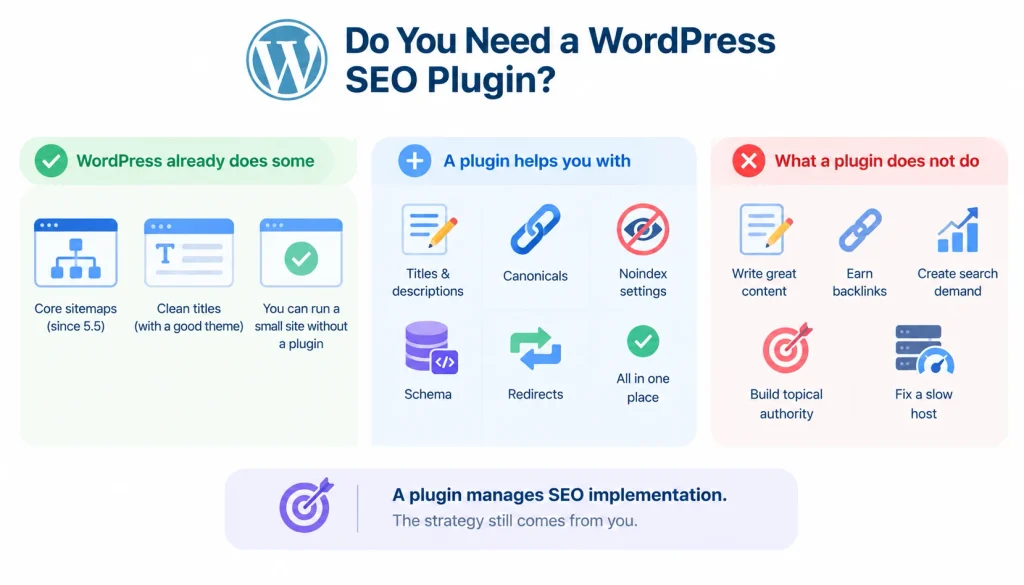
WordPress handles some SEO basics by itself. It has had core sitemaps since version 5.5, and a good theme can output clean titles. You can run a small site without a plugin.
A plugin becomes useful when you want per-page control over titles and descriptions, canonicals, noindex settings, schema, and redirects, all in one place.
What a plugin does not do matters just as much. It does not write good content, earn backlinks, create search demand, build topical authority, or fix a slow host. It manages SEO implementation inside WordPress. Strategy still comes from you. It manages SEO implementation inside WordPress. Strategy still comes from you.
Tools like Google Search Console, Bing Webmaster Tools, Ahrefs, and Semrush solve a different problem: research, monitoring, and analysis. You will likely use both.
Can You Use Two WordPress SEO Plugins?
You should not run two full SEO plugins at once. Both will try to output title tags, canonicals, sitemaps, and schema, and you can end up with duplicate or conflicting tags in your page source.
Common overlaps to watch for:
- Two XML sitemaps
- Two sets of schema
- Two redirect managers
- A theme and a plugin both adding breadcrumbs
If you want to change plugins, follow the migration steps below instead of running both for long.
How to Switch WordPress SEO Plugins Without Losing SEO Data
Yes, you can switch from Yoast to Rank Math, or between most other major plugins. Most of them offer importers. The risk is not the import itself but what you forget to check afterward.
- Back up your site. Take a full backup of files and database.
- Record your current setup. Export redirects, and note your noindex rules, canonicals, and sitemap URL.
- Install the new plugin and run its importer. Do this on staging first if you can.
- Deactivate the old plugin once the import finishes, so the two do not clash.
- Check metadata. Spot-check titles and descriptions on your top pages.
- Check canonicals and noindex. Make sure pages that were indexable still are, and the reverse.
- Check the sitemap. Confirm the URL and that it lists the right pages. Resubmit it in the Search Console if the URL changed.
- Test structured data with Google’s Rich Results Test.
- Watch Search Console for a few weeks for new errors or sudden drops.
The common failure: an importer skips custom settings like taxonomy noindex rules or redirects. That is why step 2 matters.
How to Choose the Best WordPress SEO Plugin for Your Website
- List what you need. Sitemaps and metadata, or also redirects, schema, local, and store features?
- Decide how hands-on you want to be. Automated plugins suit people who do not want to fiddle.
- Weigh performance. A speed-sensitive site should lean lightweight.
- Check compatibility. Confirm it works with your theme, page builder (Elementor, Divi), and WooCommerce setup.
- Compare total cost, including renewals and add-ons.
- Think about switching later. Pick a plugin with a decent importer and exporter.
- Test before you commit. Try it on staging with your real content.
Common WordPress SEO Plugin Mistakes
Installing more than one. Covered above. It causes duplicates.
Choosing by feature count. You pay in complexity for features you never use.
Ignoring performance. Check admin and editor speed, not only the front end.
Expecting rankings from a plugin. A plugin sets up the technical groundwork. Rankings come from content, links, and relevance.
Leaving defaults untouched. Defaults are usually fine, but check that your tag, author, and date archives are set the way you want. Thin archive pages are a common source of index bloat.
Forgetting redirects during a migration. Changed URLs without a 301 redirect lose traffic.
Adding schema you do not need. More structured data is not better. Mark up what is on the page.
Chasing the score. A green light means the checklist passed. It does not mean the page matches search intent.
Frequently Asked Questions
What is the best WordPress SEO plugin?
Rank Math, Yoast SEO, and AIOSEO are the most popular choices. Rank Math offers the most free features, Yoast is the easiest to learn, and AIOSEO has a guided setup. The best one depends on your site.
Is Yoast SEO still good in 2026?
Yes. It remains a solid choice for beginners and content teams. Its main trade-off is that some advanced features cost extra.
Is Rank Math better than Yoast?
Rank Math gives you more features for free, while Yoast gives clearer guidance for writers. Neither is better for everyone.
What is the best free SEO plugin for WordPress?
Rank Math has the broadest free feature set. The SEO Framework and Slim SEO are good free options if you want something light.
Which SEO plugin is fastest?
The SEO Framework and Slim SEO are generally positioned as lightweight, and Accelera’s comparison supports that. Test on your own site, since results vary.
Do SEO plugins improve Google rankings?
Not on their own. They help you set up titles, sitemaps, canonicals, and schema correctly. Rankings still depend on content quality, links, and relevance.
Can I use two SEO plugins?
It is not recommended. They tend to create duplicate tags and conflicting settings.
Which SEO plugin is best for WooCommerce?
Rank Math, AIOSEO, and Yoast with its WooCommerce add-on are the usual picks. Check which plan includes the product features you need.
Final Verdict
Choosing the right WordPress SEO plugin depends on your needs and how much control you want. Rank Math is a strong choice if you want a wide range of features at a low cost and do not mind spending time configuring settings.
Yoast SEO works well if you prefer clear guidance and a familiar interface. AIOSEO is a good option for guided setup with room to expand as your site grows. SEOPress is especially useful for managing multiple client websites, while The SEO Framework is better suited to users who prioritize speed and low overhead.
Slim SEO is ideal if you want minimal configuration, and Squirrly SEO is worth considering if keyword research and content optimization workflows are important to you.
Whichever plugin you choose, use only one SEO plugin, review its settings after installation, and measure your progress using Google Search Console data rather than relying on a plugin’s score.
An SEO plugin can handle many technical tasks, but rankings ultimately depend on creating useful, relevant content that meets searchers’ needs.