Most people think of email as boring plumbing. It’s where receipts land, where calendar invites show up, and where someone forwards a document you didn’t ask for. It doesn’t feel like the forefront of cybersecurity.
But attackers love email for one simple reason: it’s the one tool almost every company depends on, every employee touches, and every workflow quietly runs through.
Password resets, invoices, HR updates, vendor onboarding, internal approvals, and shared links, email sits in the middle of it all. If someone can control an inbox, they can often control the business.
That’s why your inbox is a bigger security risk than you think. Not because people are careless (although occasionally they are), but because email is built on trust, and modern attackers are excellent at faking trust.
1) Email is the “master key” for account recovery
Here’s a reality check: for many services, whoever controls your email can reset your passwords.
Even if your company uses strong passwords and two-factor authentication, email is often the fallback channel. “Forgot password?” goes to your inbox. “Confirm this login?” goes to your inbox. “Approve this access request?” goes to your inbox.
So if an attacker compromises a mailbox through phishing, leaked credentials, or session hijacking, they don’t just get your messages. They get a way to pivot into other systems: CRMs, file storage, finance tools, advertising accounts, and sometimes even cloud consoles.
This is why mailbox compromise is treated as a high-severity incident. It’s not “one account.” It’s a doorway to many accounts.
2) Inboxes hold more sensitive information than people realize
Think about what’s sitting in a typical business inbox:
- contracts and statements of work
- invoices and payment details
- customer conversations and support history
- internal documents and shared links
- legal notices, HR updates, and policy emails
- one-time passcodes and verification links
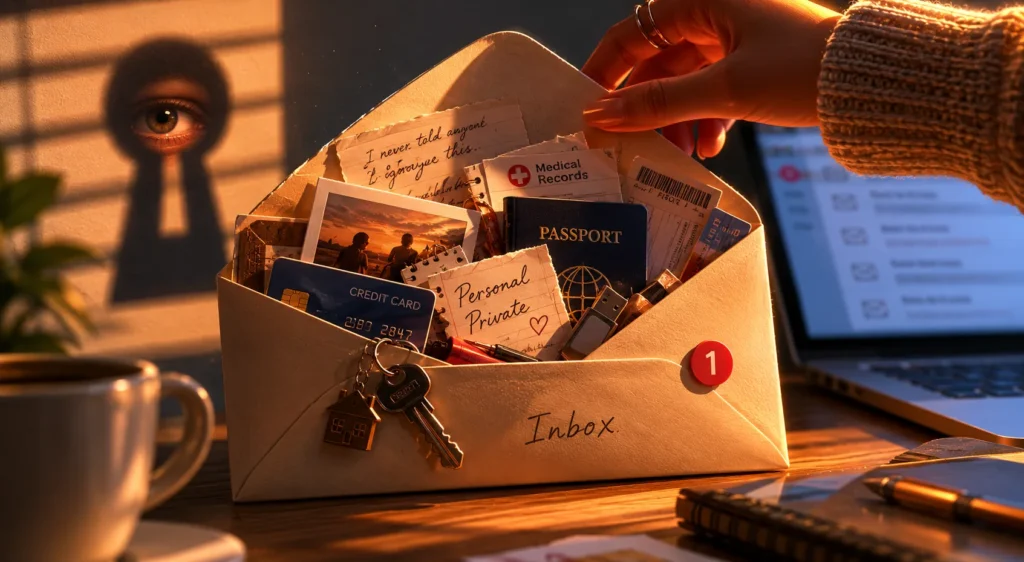
Most organizations do a decent job securing databases and production servers. Far fewer think about the fact that email is basically an unstructured archive of the company’s most valuable content, often searchable, often synced across devices, and often retained for years.
If you’re an attacker, that’s gold. It tells you who does what, who approves payments, which vendors are real, how deals are negotiated, and what language people use. That context is what makes social engineering so devastating.
3) Business Email Compromise (BEC) doesn’t need malware
When people picture cyberattacks, they imagine malicious attachments and scary code. BEC attacks are usually much simpler and more successful.
A typical BEC play looks like this:
- Attacker gains access to a mailbox (or spoofs a lookalike domain).
- They monitor conversations quietly.
- At the right moment, they send a “normal” email: updated bank details, a payment request, a new invoice, or a change in shipping address.
- Money moves. Nobody notices until later.
No attachment. No virus alert. Just a well-timed message that fits the existing thread.
This is why finance teams and operations teams often take the hit. Email is how real work gets done, and attackers exploit it.
4) “Safe links” can still be dangerous
Even if you’ve trained staff not to open random attachments, modern phishing rarely relies on obvious malware downloads. It relies on:
- fake login pages (Microsoft 365, Google Workspace, Slack, DocuSign, etc.)
- shared document links
- “you have a voicemail” or “secure message” portals
- QR codes that lead to credential theft
- consent phishing (tricking users into granting OAuth access)
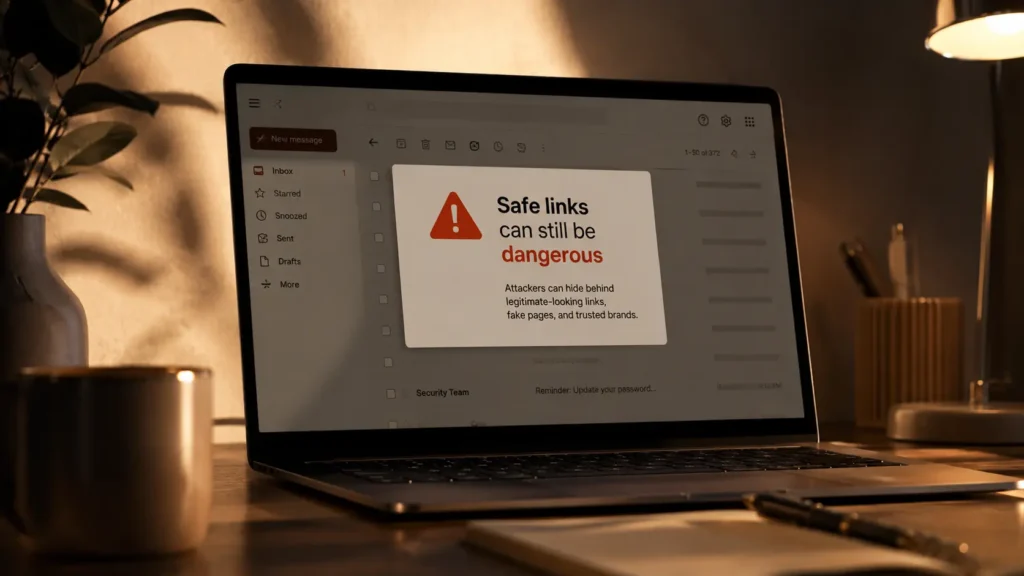
The scary part is that these can look very legitimate. Attackers copy branding, reuse real templates, and register domains that are one character off. And because many companies actually use these platforms, “This site looks familiar” becomes the trap.
5) The inbox is connected to everything else
Email is no longer standalone. Your mailbox is tied to:
- calendars and meeting invites
- cloud file sharing links
- internal notifications (CI/CD alerts, monitoring tools)
- customer service tickets
- HR systems and onboarding workflows
That connectivity is excellent for productivity. It’s also ideal for attackers. When they get access, they can:
- search for password reset emails
- create forwarding rules to spy long-term
- send messages as you (or from your domain)
- harvest internal documents and shared links
- learn relationships and approval chains
A compromised inbox is rarely the end goal. It’s a staging area.
6) People trust email threads more than they should
One of the most effective tricks is the “reply chain attack.” Attackers get into one account, then reply to an existing conversation. Everyone in the thread recognizes the subject line, the tone, and the previous messages. That familiarity lowers defenses.
Sometimes attackers even insert themselves into ongoing vendor conversations, changing a single detail:
- “We’ve updated our bank account.”
- “Please use this new payment link.”
- “Here is the revised purchase order.”
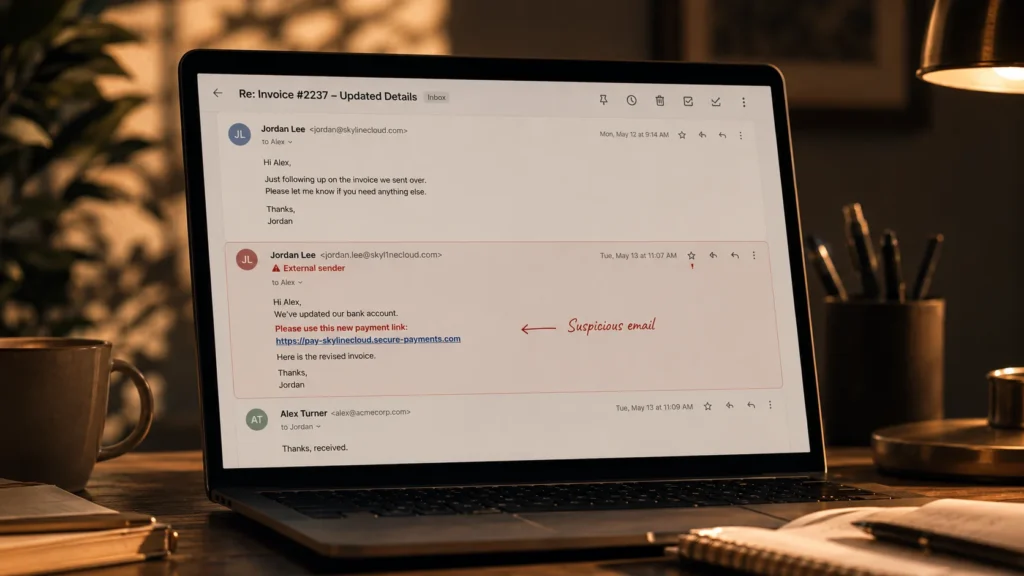
When it happens inside a legitimate thread, it feels real. That’s why these attacks work even on smart, experienced employees.
7) Email security problems often hide in settings, not behavior
Not every incident happens because someone clicks the wrong thing. A lot of damage comes from configuration:
- weak MFA enforcement (or missing MFA for legacy protocols)
- mailbox forwarding rules that aren’t monitored
- too many third-party app permissions
- lack of conditional access policies
- poor alerting on suspicious logins
If your environment isn’t watching for unusual behavior, new inbox rules, logins from unexpected countries, or impossible travel patterns, an attacker can sit quietly for weeks.
8) So what should businesses do?
“Train users” is necessary, but it’s not enough. Humans get tired, distracted, rushed, and busy. The goal is to build safety into the system so one mistake doesn’t become a disaster.
This is where investing in email security solutions pays off. This is not a checkbox product; instead, it is a layered approach that reduces risk in realistic ways.
Practical steps that lead to real progress:
Lock down authentication
- Require MFA everywhere (and avoid weak second factors where possible)
- Disable legacy authentication protocols that bypass MFA
- Use conditional access (device health, location, risk-based prompts)
Detect and block modern phishing
- Strong spam/phishing filters
- URL rewriting and time-of-click protection
- Attachment sandboxing where appropriate
- Protection against lookalike domains and spoofing attempts
Harden the mailbox itself
- Alerts for new forwarding rules and inbox rule changes
- Limits on auto-forwarding to external addresses
- Regular audits of OAuth app permissions
- Monitoring for suspicious consent grants
Protect high-risk workflows
- Add verification steps for payment changes (out-of-band approval)
- Require dual approval for large transfers
- Use known contact methods (not the email thread alone) for bank-detail updates
Assume compromise is possible
- Keep good logs
- Have a simple incident response playbook for mailbox compromise
- Rotate passwords/tokens quickly and revoke suspicious sessions
Final thought
Email feels harmless because it’s familiar. We’ve all used it for decades. But that familiarity is precisely why it’s so valuable to attackers. It’s where trust lives, where approvals happen, and where the “keys” to other systems are often stored.
Treat the inbox like the critical system it is. A little more discipline plus the right email security solutions can prevent the kind of incident that turns into weeks of cleanup, financial loss, and uncomfortable conversations with customers.